Make It Happen with this Beautiful Art Journal Design

by Lori Warren

Make It Happen with this Beautiful Art Journal Design

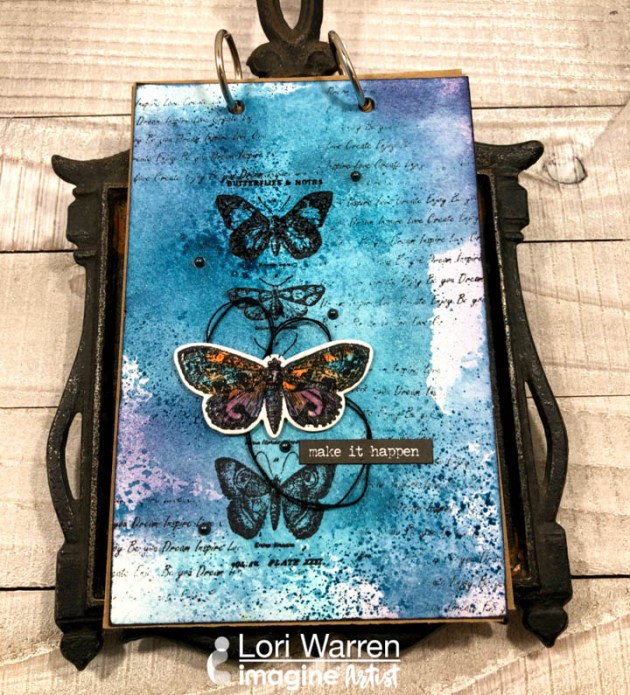
Who wants to “Make things happen” in 2019?  I sure do and that is what inspired me to make this 4” x 6” Art Journal page featuring a variety of Imagine products. The tutorial includes how to use your Craft Mat to create a watercolor background effect with irRESISTible sprays as well as how to create a watercolor palette for detail coloring with Memento inks.

Skill: Beginner
Time: 1 hour

Directions


Step 1

Apply VersaFine Clair (Medieval Blue & Teal Zeal) to a 4” x 6” Art Journal panel with Jumbo Daubers.


Step 2

Spray panel with Ink Potion No. 9 and encourage the ink to blend.

Step 3

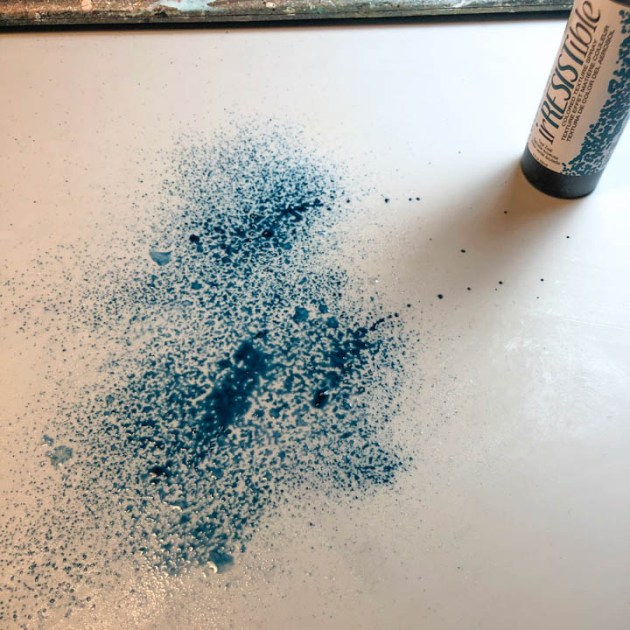
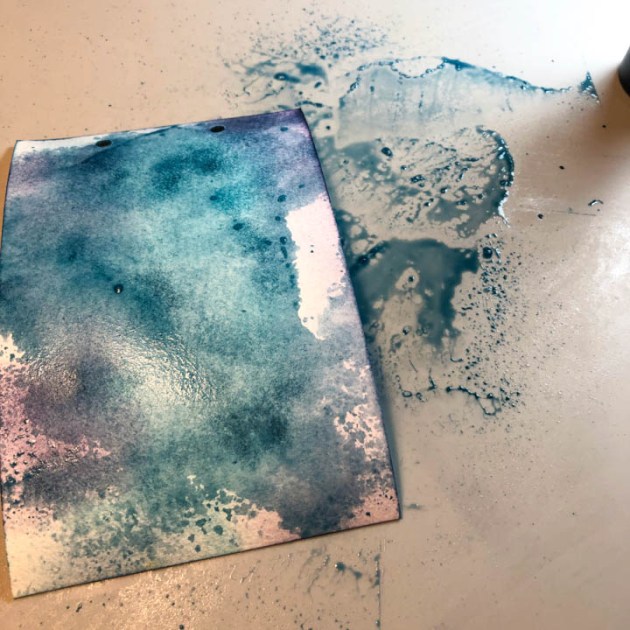
Spray Teal Zeal irRESISTible Texture Spray directly onto your Craft Mat.

Step 4

Lay the panel, facedown, into the wet ink and lift. Set aside and allow to dry.

Step 5

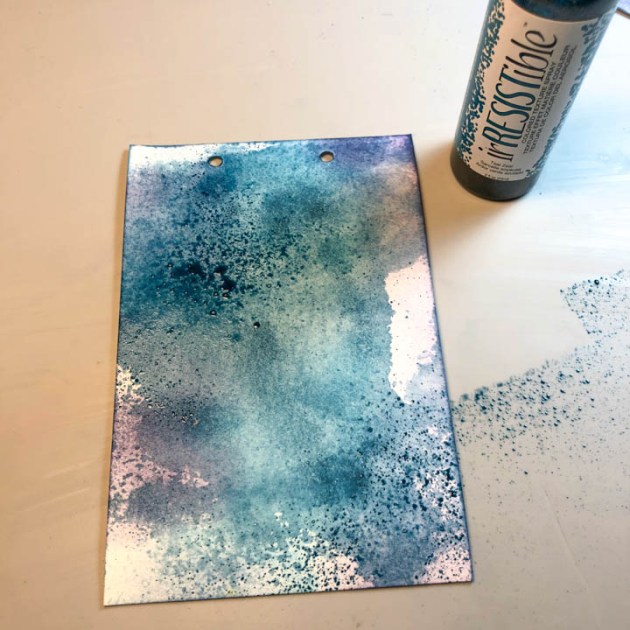
Spray Teal Zeal irRESISTible ink directly onto the panel in a few key areas. Allow to dry.

Step 6

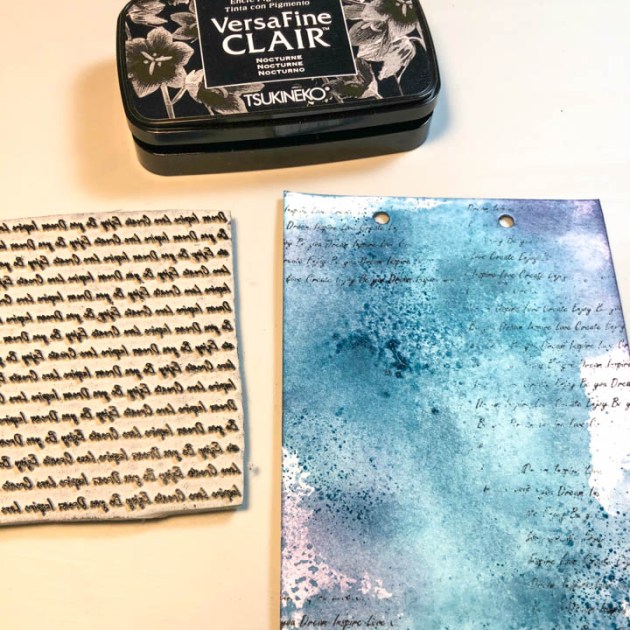
With VersaFine Clair in Nocturne, randomly stamp script across the panel.

Step 7

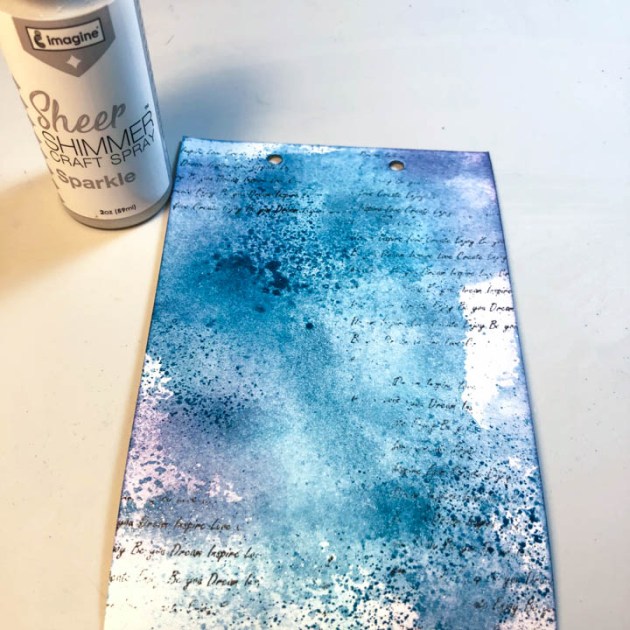
Spray Art Journal Panel with Sheer SHIMMER Craft Spray in Sparkle. Allow to dry.

Step 8

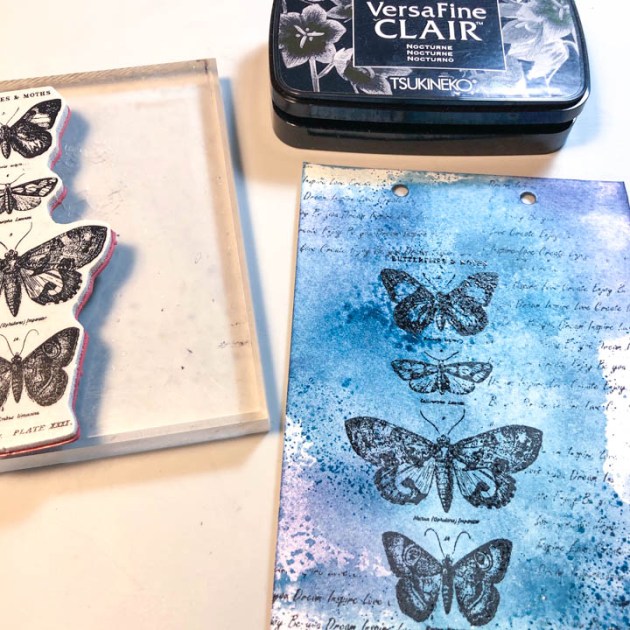
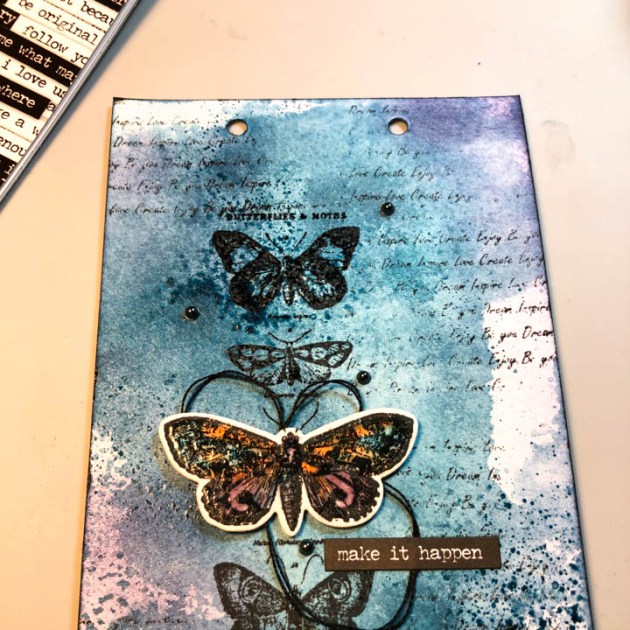
Stamp the four-butterfly image (from the Tim Holtz Alterations French Flight stamp/die set) on to the panel with VersaFine Clair in Nocturne. Stamp the image just off center and then to the left of the panel.

Step 9

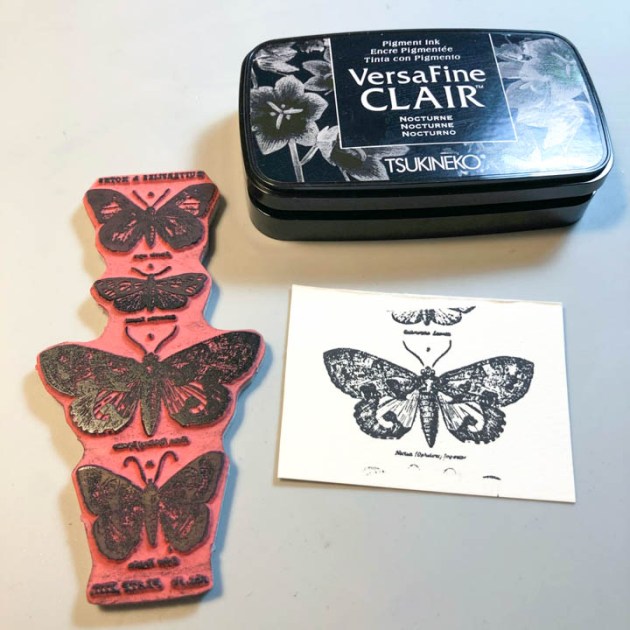
From the same Butterfly stamp set, stamp the large butterfly image into a piece of white cardstock with VersaFine Clair in Nocturne.

Step 10

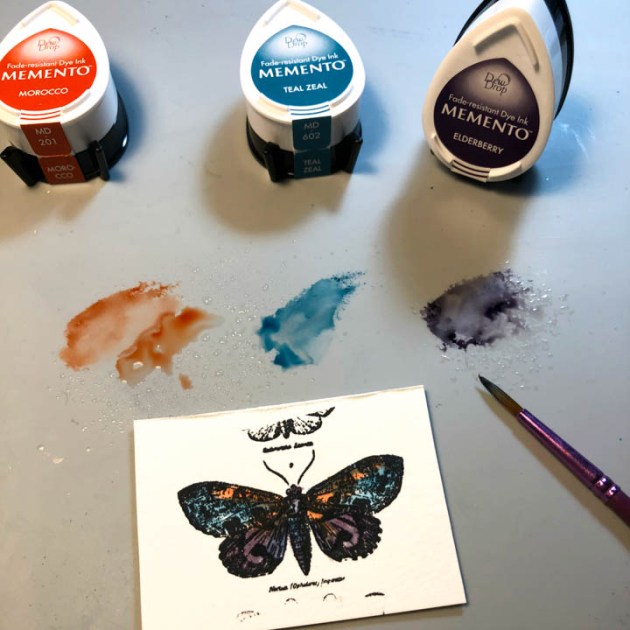
Apply three colors of Memento (Morocco, Teal Zeal, Elderberry) directly onto your Craft Mat and then add water; use like you would watercolors to paint the butterfly image. Allow to dry.

Step 11

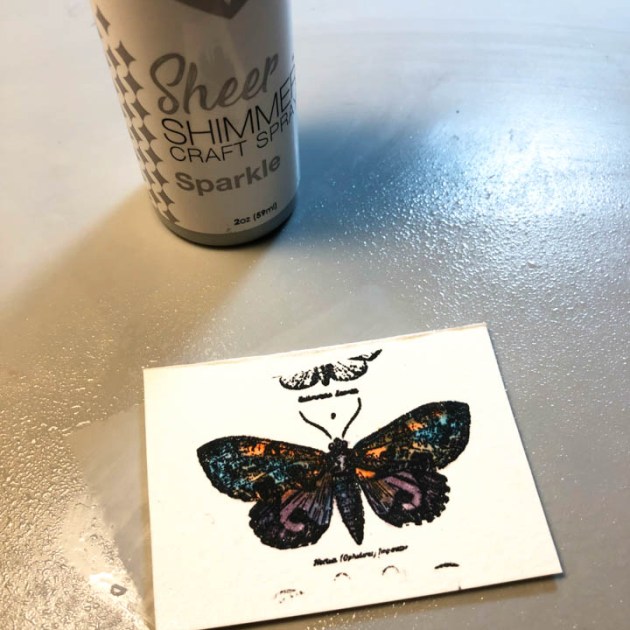
Spray the butterfly image with Sheer SHIMMER Spray in Sparkle.  Allow to dry.

Step 12

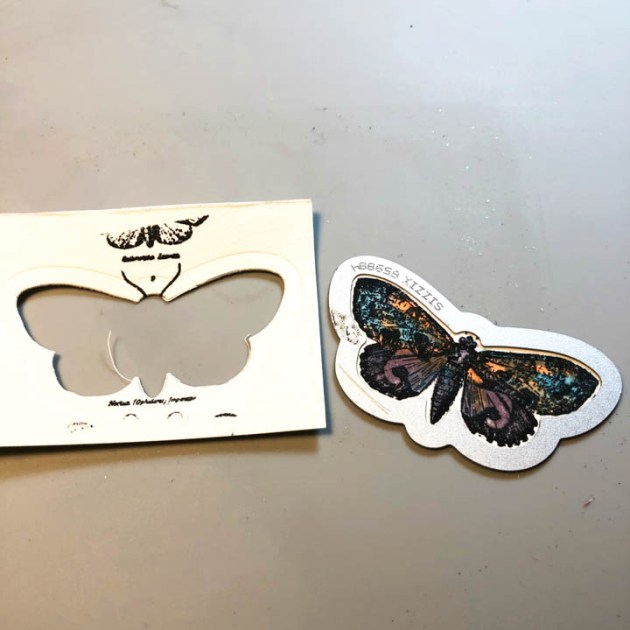
With the coordinating die from the stamp set, die cut the butterfly image.

Step 13

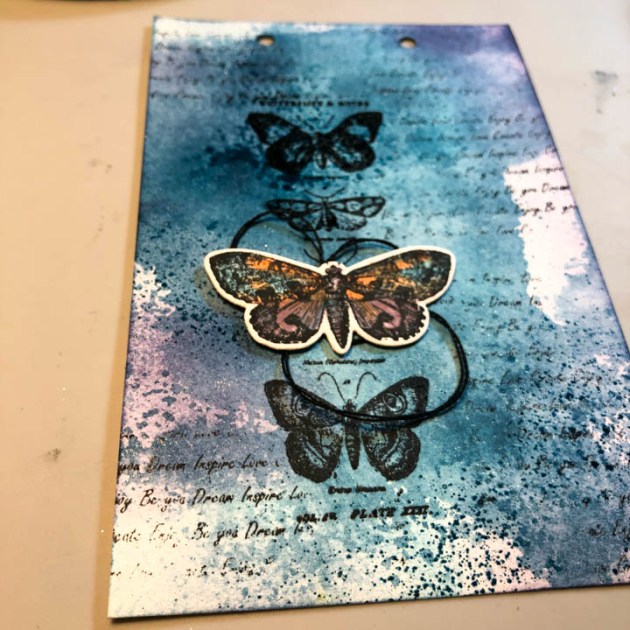
Adhere black thread, in a circle pattern, underneath the butterfly and then mount to panel with double-sided foam tape (directly over the previously stamped image).

Step 14

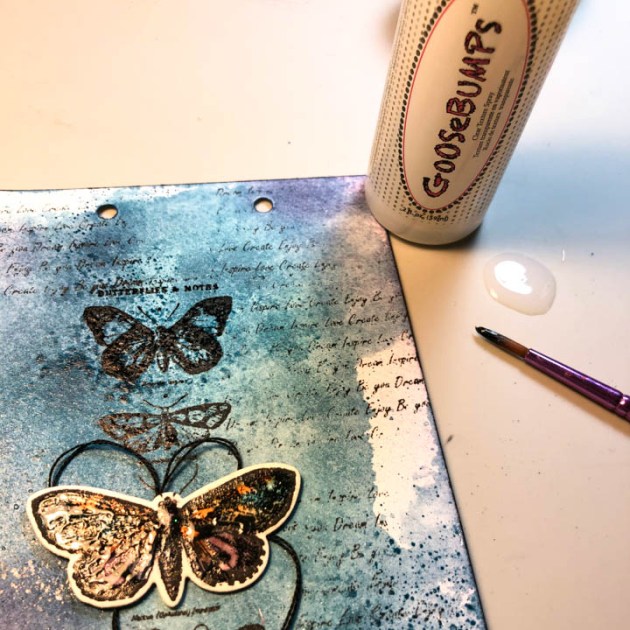
With a paintbrush, apply GooseBumps Clear Texture Spray to butterfly. Allow to dry.

Step 15

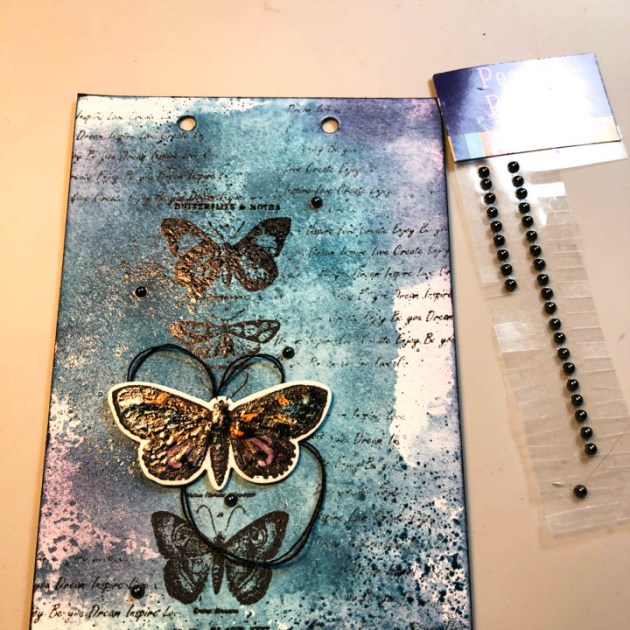
Edge panel with VersaFine Clair in Nocturne and then embellish with adhesive pearls.

Step 16

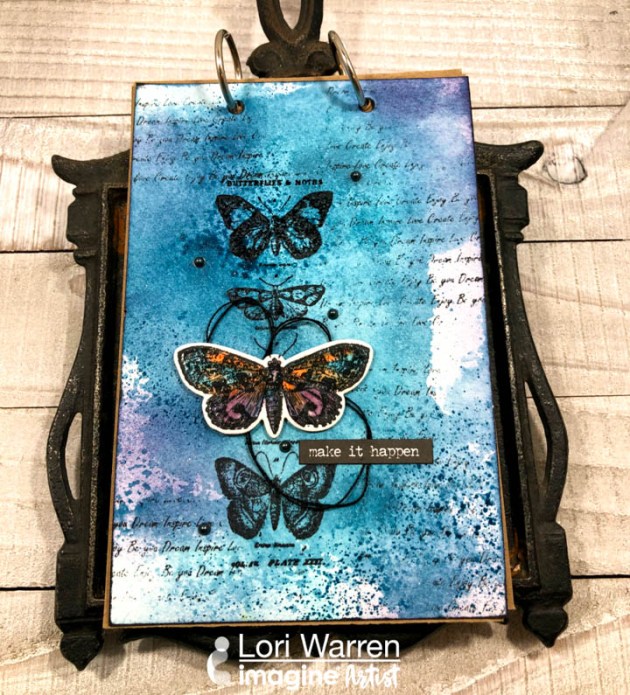
Add sticker sentiment “Make It Happen” below the colored butterfly.

Step 17

Add the pages, back panel and metal rings to transform this project into an art journal.

Supplies

Imagine
Other  
  • Mark Richards Pearls – Dark Grey
  • Tim Holtz Alterations Stamps – French Flight
  • Sizzix Thinlits – French Flight
  • Sizzix Sidekick – Brown & Black
  • Lori’s Cards & Creations – Inspire Background stamp
  • 3M Foam Mounting Tape

Use a Mirror Technique to Create a Cute Mermaid Card

by Roni Johnson

Use a Mirror Technique to Create a Cute Mermaid Card

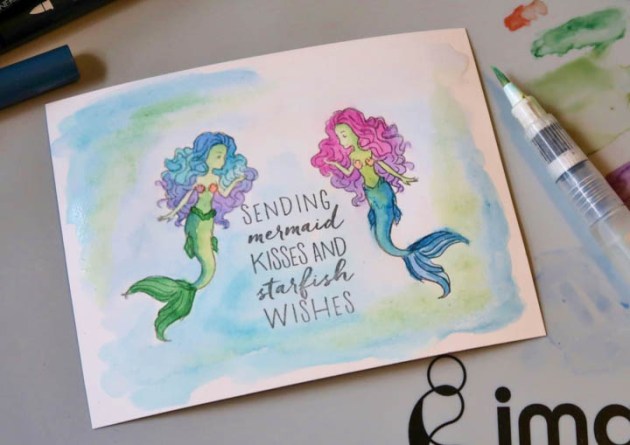
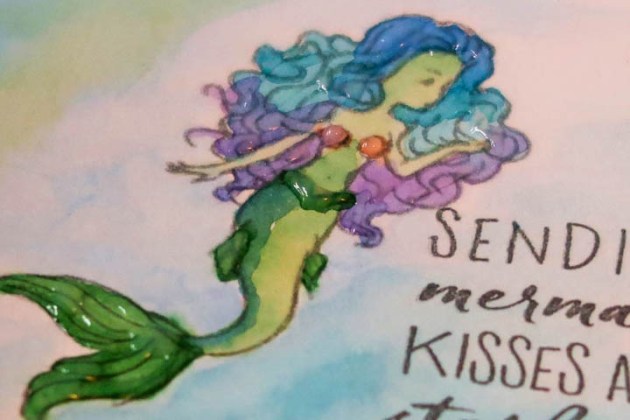
Imagine’s Craft Mat is a handy tool to have in your crafting arsenal. Not only is it great for keeping your work surface clean but there are many techniques you can use it for as well. Take the above card for example. Can you tell which mermaid is stamped and which one is a mirror image? Bet you can’t tell, can you? Find out the answer below….

Skill: Beginner
Time: 45 minutes + dry time

Directions


Step 1

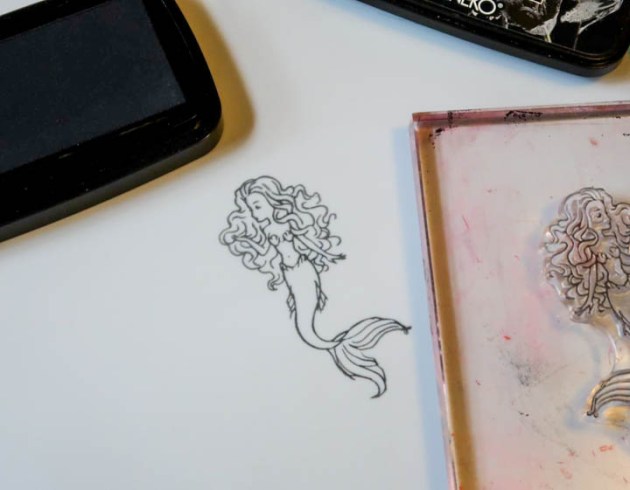
Stamp the desired image on to the Craft Mat using VersaFine Clair ink. VersaFine Clair is an excellent choice for mirror images as there is a nice open time and it creates such a crisp clean image when stamped.


Step 2

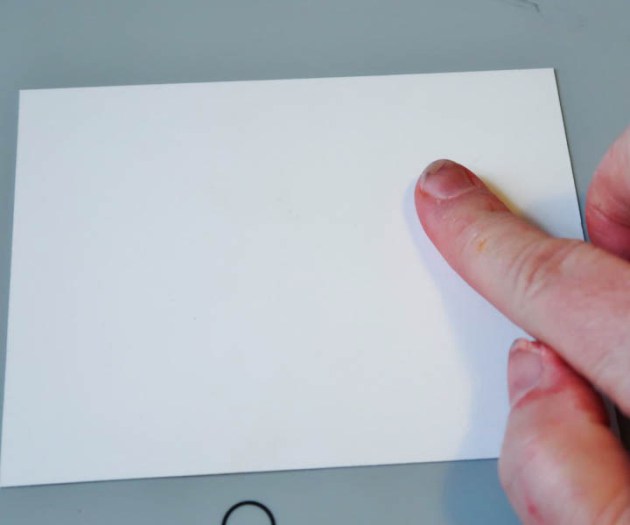
Place a piece of cardstock over the image stamped on the Craft Mat and burnish with your finger.


Step 3

Carefully lift the paper. Wipe the excess ink from the Craft Mat with a damp cloth. It’s as simple as that. You may finish the card as desired. Did you know that the Craft Mat is also a great palette for water coloring? Simply scribble Memento Dual-Tip markers onto the craft mat. You may then blend and pick up the inks with a water brush.


Step 4

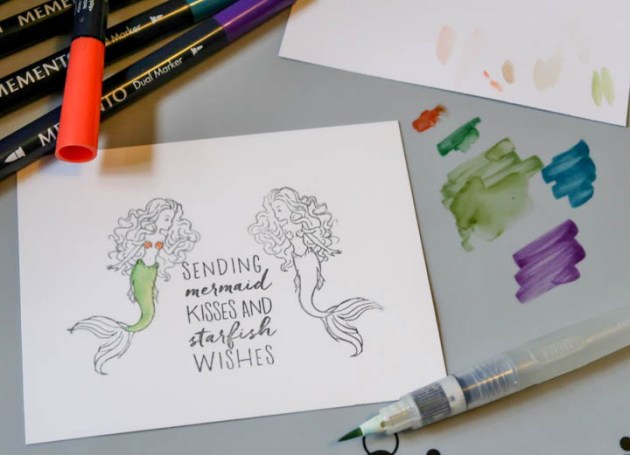
To finish off the example I stamped a second mermaid directly to paper and added a sentiment.


Step 5

I then watercolored the image as desired using Memento Dual-Tip Markers and a water brush.


Step 6

I added a bit of Shimmer Pico Embellisher to various areas to add a bit of shine and sparkle. The green-tailed mermaid was the mirror image.

Supplies

Imagine
Other
  • White Cardstock
  • Hero Arts – Mermaid Kisses
  • Waterbrush

Create A Song Bird Theme Card For Valentines Day

by Kyriakos Pachadiroglou

Create A Song Bird Theme Card For Valentines Day

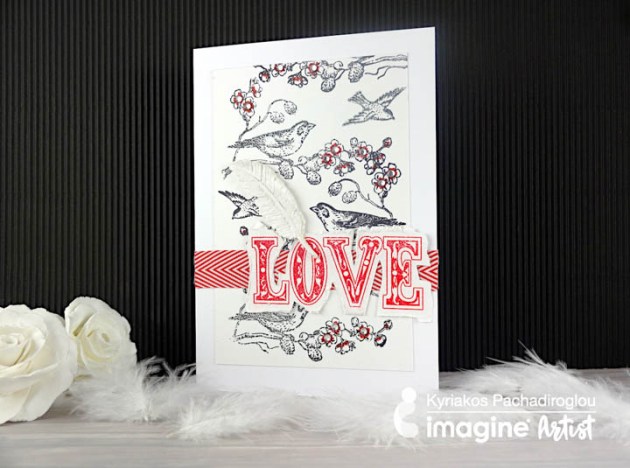
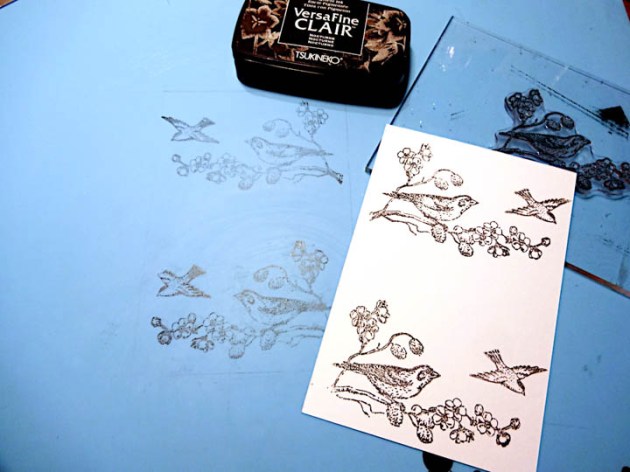
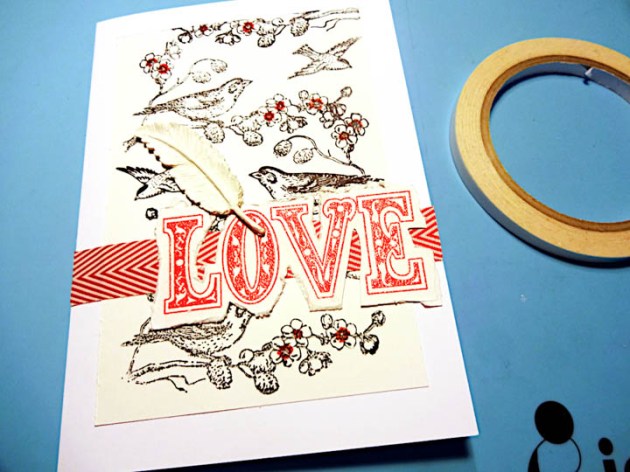
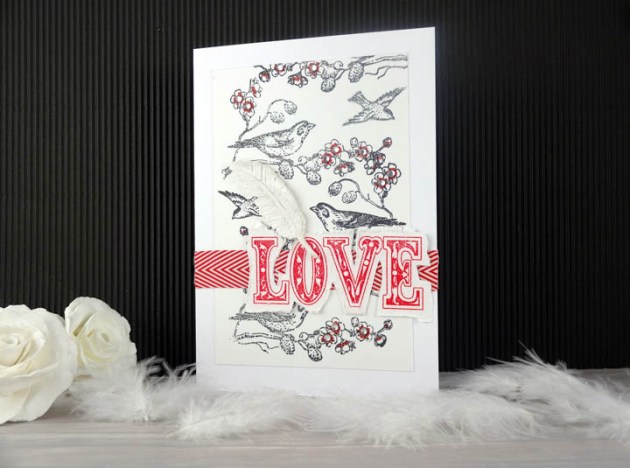
Using Imagine’ s Craft Mat, I made a mirror image of the stamp as I wanted to create a background with a repetitive pattern on it. Having a stamp design with one only way to stamp, the Craft Mat kept the VersaFine Clair ink long enough to place the cardstock and capture the stamped image at the reverse direction. The same technique can be used on various materials such as fabric and wood. It could also work well on transparent sheets when you need both side stamped image.

Skill: beginner
Time: 1 hour

Directions


Step 1

Mark on the craft mat an outline of the cardstock size with a pencil to use a guideline to align your stamps. For this project, a 4 x 6 cardstock cutting is used.


Step 2

Stamp the birds on the Craft Mat using the Nocturne VersaFine Clair ink pad inside the guidelines. Press the cardstock piece on the craft mat and inside the guidelines.


Step 3

Stamp to cover the rest of card piece to create the repetitive pattern.


Step 4

Set the stamped cardstock piece on the front of a card 5 x 7 inch with Tear It! Tape.


Step 5

Add color details on the flowers with the Fabrico marker in Red Brick.


Step 6

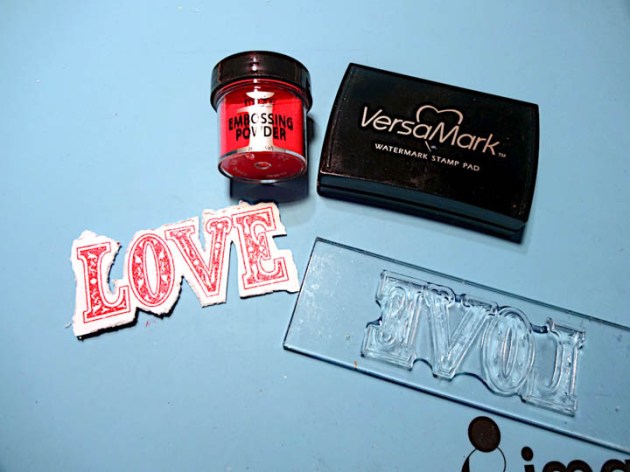
On a piece of white cardstock, stamp with VersaMark the love word, cover with Imagine’ s red embossing powder and heat set. Distress the edges of the paper.


Step 7

Use lightweight clay and the rubber mold to make a feather and when dries whitening it further with All-Purpose Ink in White.


Step 8

Place two side to side layers of Tear It! Tape to match the size of the ribbon and glue the chevron ribbon on the card.

Step 9

Continue with the Tear It! Tape to set the word “love” on top of the ribbon.

Step 10

Add rhinestones with the On Point Glue on the flowers.

Supplies

Imagine
Other
  • White cardstock
  • Heat tool
  • Rhinestones
  • Feathers rubber mold
  • Kaisercraft – Bonjour stamp set
  • Penny Black – All about love stamp set
  • May Arts – chevron ribbon red
  • Light Weight Paper Clay


Learn How To Color Glass For A Valentines Gift

by Iris Rodriguez

The idea of sending a message in a bottle has been around since 310 B.C. The Greek philosopher Theophrastus used to plop sealed bottles in the sea to prove that the Mediterranean was formed by the inflowing Atlantic. In the 16th century, Queen Elizabeth I of England believed that some bottles might contain secret messages sent home by British spies or fleet. As a result, she appointed an “Uncorker of Ocean Bottles”; making it a capital crime for anyone else to open one.

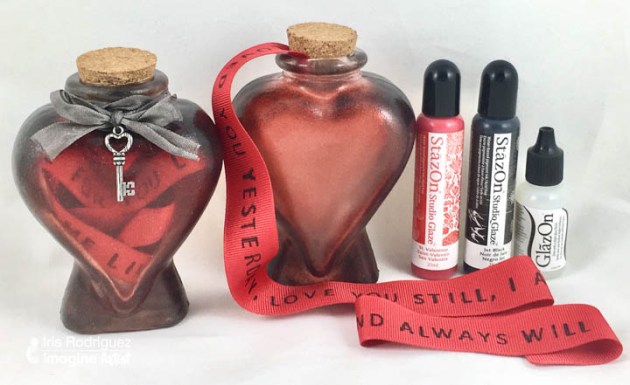
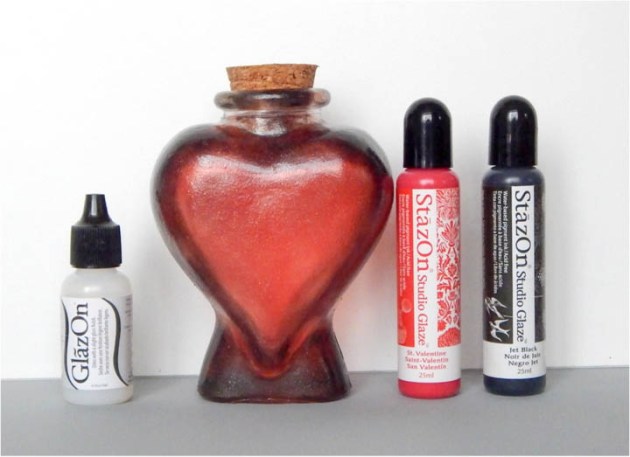
Today the idea of message in a bottle is more of fun romantic notion, thanks to literature and Hollywood movies. Show some love with this heart shaped glass bottle containing a custom stamped message, on a ribbon, using StazOn ink. Embellish the bottle with StazOn Studio Glaze and other adornments.

Skill: Intermediate
Time: 1 Hour

Directions


Step 1

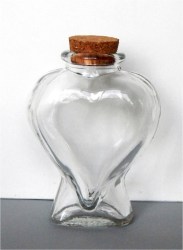
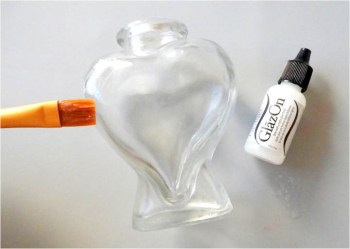
Begin by selecting a heart shaped bottle. I found this wonderful bottle at my local craft store. Working on glass can be a little tricky. For instance, getting some things to stick, getting an even texture (e.g. brush strokes) and color. It helps to prime the glass. For this project the glass is primed with on GlazOn. It is added to the glass; and in between the StazOn Studio Glaze layers. The Studio Glaze is a pigment ink medium. Start by brushing the GlazeOn onto the bottle. Brush using a crosshatch pattern; create X patterns without washing the brush. By doing a crosshatch pattern, allows you build up the GlazeOn evenly and eliminates brushstrokes. Brush on a section at a time. Let the glass dry completely. This product dries fast. Wash your brush in water right away. Dry the brush before using with the GlazeOn again. If you have water, it will active the GlazeOn or Studio Glaze and you will remove any medium you may have on the glass and get uneven surface.


Step 2

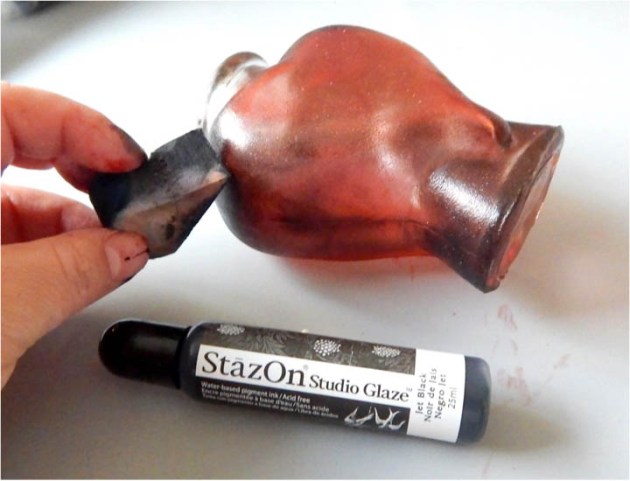
Squeeze out a small drop of the St. Valentine Studio Glaze on your grey craft mat. Using an Inkblusher sponge on the StazOn Studio Glaze, sponge one section at a time. Only place a few drops of the Studio Glaze at a time, then sponge. To increase color intensity, keep adding layers. Sponge one layer at a time, and allow each layer to completely dry. Brush on a thin layer of the GlazeOn in a crosshatch pattern. Ensure your brush is dry. Allow this layer to completely dry.


Step 3

Sponge on the Jet Black StazOn Studio Glaze on the sides and bottom of the heart. This adds dimension and interest. Allow the layer to completely dry. Brush on a thin layer of the GlazeOn in a crosshatch pattern. Ensure that the brush is dry. Allow this layer to completely dry.


Step 4

Squeeze a few drops of the Shimmer IrRESISTible Pico Embellisher, then sponge. This gives the bottle a slight shimmer. If not adding the Shimmer brush on a final layer of GlazeOn. Allow the layer to completely dry.


Step 5

The bottle is complete at this point. For added measure, once all layers have dried, seal the glass with a final sealer to protect the beautiful finish. Brush on a thin layer of Indoor water based Polyurethane. Any brand will do. Polyurethane is great for sealing art work on just about any surface. It comes in matte, satin, and gloss. It has a nice strong, but soft finish (does not have that plastic feel, looks natural.


Step 6

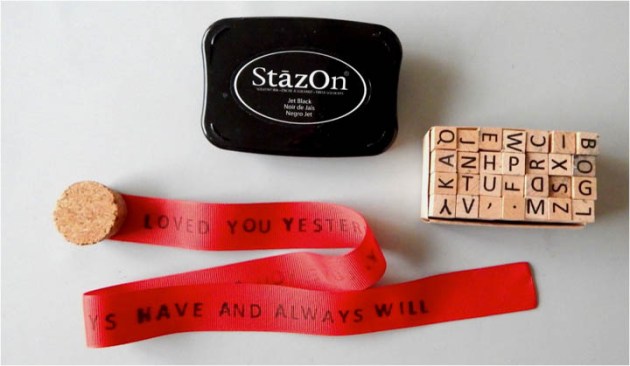
Stamp the message on the ribbon. This can be done while you wait for the products to dry on the glass. First a little about ribbons. Recommend using a Grosgrain ribbon. I tried stamping on satin and polyester ribbons, but the ink bled. The Grosgrain ribbon performed better due to its design; it’s heavy and tightly woven. This type of ribbon is widely available and comes in many colors and widths. Choose a size that will fit your alphabet stamps. I liked the one inch ribbon; it filled up the glass nicely and it fit my larger alphabet stamps as well.

This sounds silly to even say it, but before you begin to stamp your message, write it out on a piece of paper. There is something about concentrating on the stamping that makes you miss a letter here and there, if you’re not careful. You don’t want to send the wrong message (pun intended, lol!). Stamp the message while the ribbon is on the roll, you don’t know exactly how much ribbon your will need. Cut the ribbon after you finish stamping the message; leave a little extra ribbon at the end of the message.Singe the end of the ribbon with a cigarette lighter or it will unravel over time. The ribbon is flammable; singe by quickly running a cigarette lighter across the edge.


Step 7

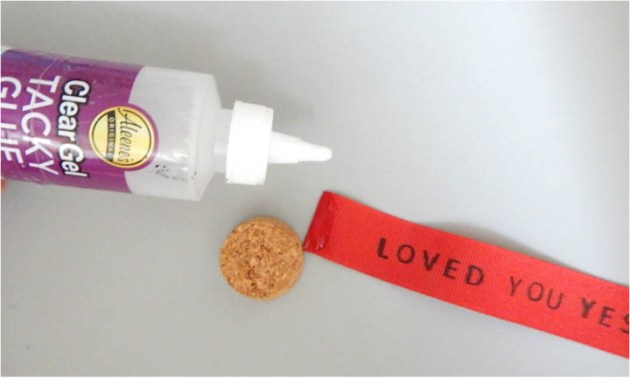
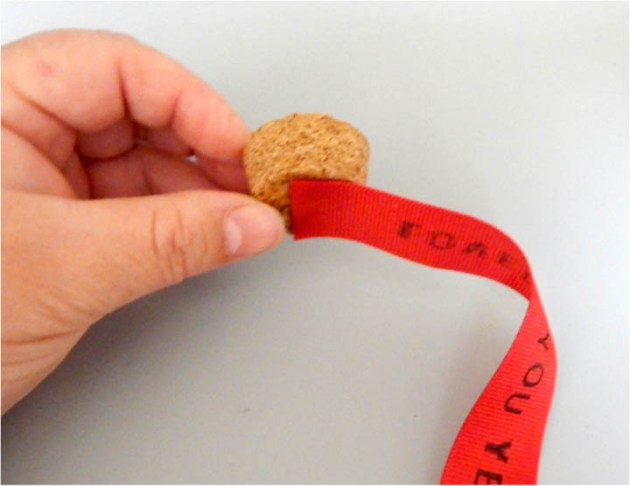
Using heavy clear glue, adhere the ribbon to the center of the cork. Glue about ¼ inch of the ribbon.


Step 8

Allow the glue to dry. Use a piece of piece of tape or place something light on the cork to hold it in place while the glue dries.

Step 9

Place the cork and ribbon in the bottle and embellish.

Supplies

Imagine
Other
  • Heart shaped glass bottle
  • Embellishments
  • Grosgrain red ribbon- between ½ to 1 inch width
  • Alphabet rubber stamp
  • Varathane indoor water based Polyurathane

Simple Card Background Using Imagine Craft Mat

by Nadine Carlier

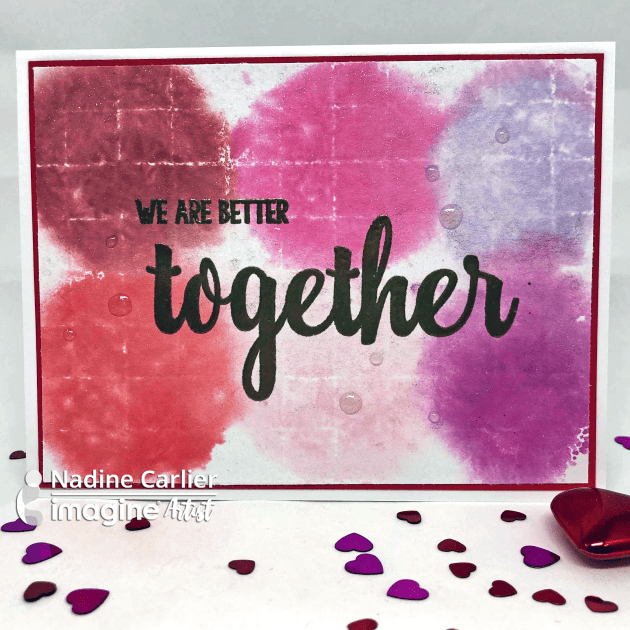
together card by nadine carlier ic

The new Imagine Craft Mat is great for creating all kinds of backgrounds for cards. This one was created using Memento Dewdrop Inks and the grid side of the craft mat.  Watch my video below to see how I did it. Enjoy!

Skill: Beginner
Time: 15 minutes

Supplies

Imagine
Other

Visit our YouTube Channel for more inspirational videos and subscribe to get updates when we post new videos.

Create A Snowflake Theme Card To Say Thank You

by Jowilna Nolte

Create A Snowflake Theme Card To Say Thank You

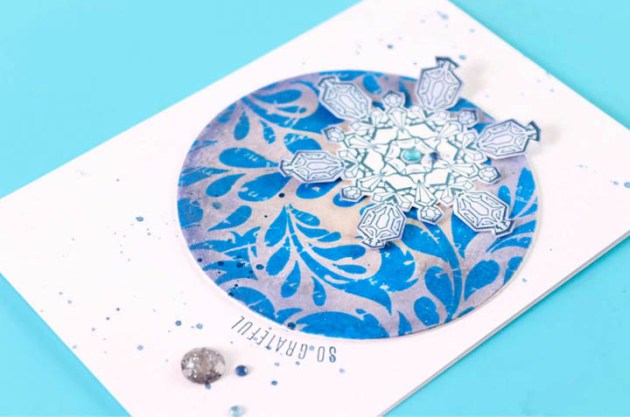
Create a beautifully layered snowflake element for a “So Grateful” greeting card using a variety of Tsukineko products that compliment each other in the Frosted Blue color scheme. This card theme makes a perfect thank you card to send to friends and family for Christmas gift-giving.

Skill: Beginner
Time: 30 minutes

Directions

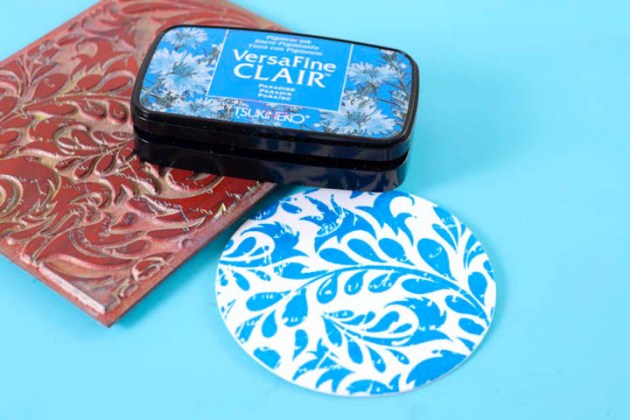
Stamp a background image onto white cardstock using VersaFine Clair in Paradise
Step 1

Stamp a background image onto white cardstock using VersaFine Clair in Paradise. Sprinkle with clear embossing powder and heat set until fully melted and shiny.

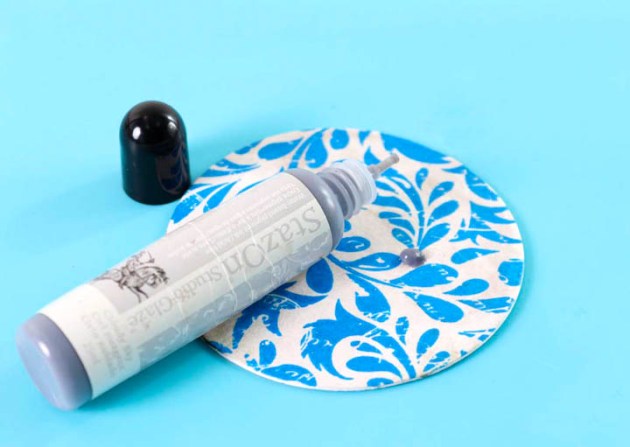
Add a few drops of StazOn Studio Glaze Cloudy Sky onto the embossed background
Step 2

Add a few drops of StazOn Studio Glaze Cloudy Sky onto the embossed background and smooth it out using your finger. The glaze just makes the white not as white and adds a nice finishing touch to it.

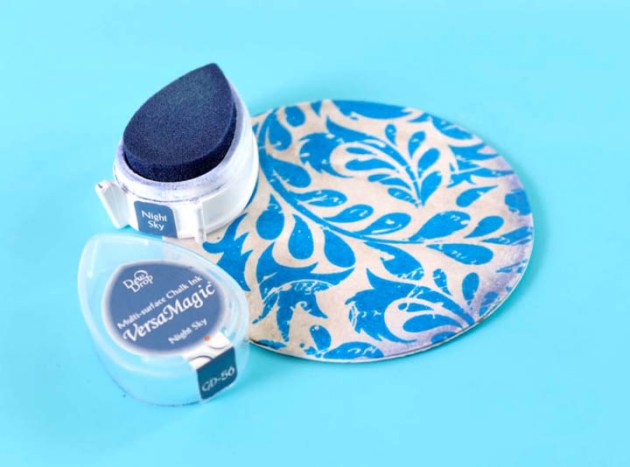
Ink the edges of the embossed disk using VersaMagic Night Sky
Step 3

Ink the edges of the embossed disk using VersaMagic Night Sky. Use a finger dauber to blend the edges should you have to. I used the ink pad directly.

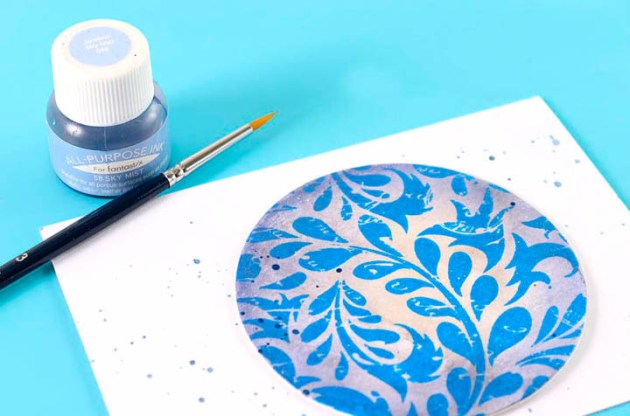
Use a small paintbrush and All-Purpose Ink in Sky Mist
Step 4

Adhere the embossed disk onto a folded card. Use a small paintbrush and All-Purpose Ink in Sky Mist to add some splatters to the background.


Step 5

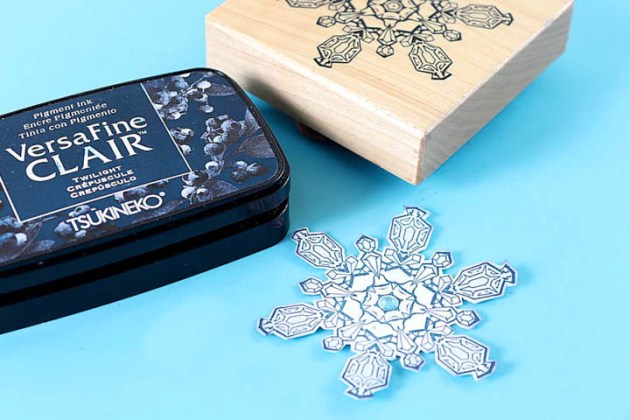
Stamp a large snowflake image onto white cardstock using VersaFine Clair in Twilight. Cut out the snowflake and add a diamanté to the center.


Step 6

Adhere the snowflake to the circle, add stamped sentiment in VersaFine Clair along the outside edge of the circle. Finish off your card with diamanté.

Supplies

Imagine

Other

  • Cardstock
  • Cardbase
  • Patterned paper
  • Heat Gun
  • Stamps – gratitude sentiment (your choice), snowflake image, floral images
  • Paintbrush
  • Diamante