Let’s Make a Christmas Wreath Card

By Helen Gullett

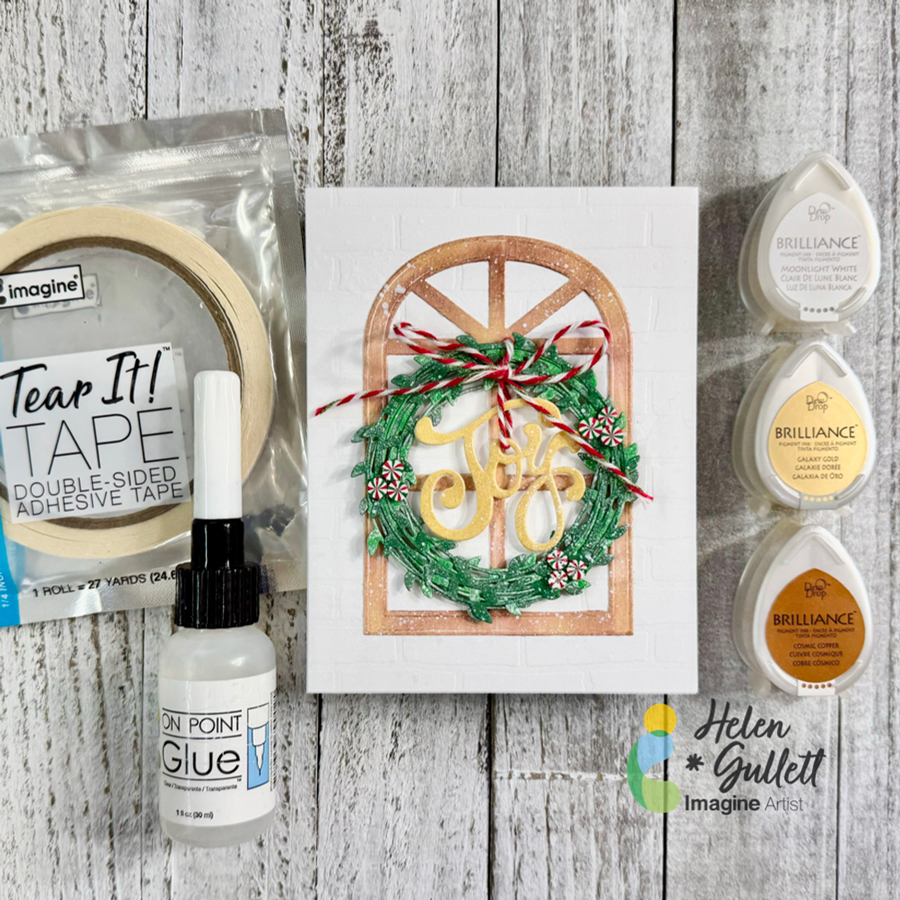
Hello crafty friends! If you ask me if we could start making Christmas projects in July, I would say the sooner the better. One of the ways to share the joy of the Holiday is by sending handmade Christmas cards. Today, I have this no-stamping Christmas card idea to share with you all. Yes… it is a no-stamping card, all die cuts. To add extra shimmer to the die cuts, I use Brilliance Dew Drop inks today. So, let’s turn on the Christmas music and get crafting!

Skill: Intermediate
Time: 20-30 minutes

Direction:
Step 1
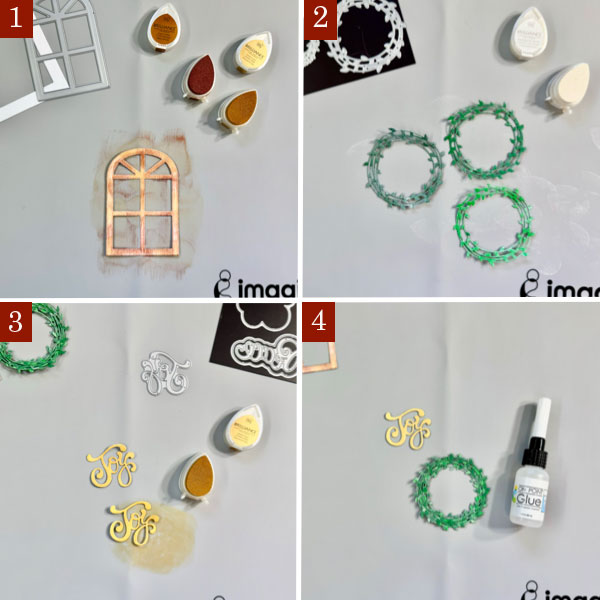
Cut a heavyweight white cardstock (110 lb) to make the A2 card base in 4.25 inch x 5.5 inch dimension. Set a side.

Cut out a piece of white cardstock with the Arched Window die with the die cutting machine.

Randomly dab some of the Cosmic Cooper Brilliance ink and Galaxy Gold ink on the window to cover it. Then set it aside to dry or you can use a craft heat gun to speed up the drying time.

Step 2
Cut out 2 or 3 shades of green cardstocks with the wreath die with the die cutting machine.

Randomly dab some of the Moonlight White Brilliance ink on each of the wreaths to give them a snowy effect. Then set them aside to dry or you can use a craft heat gun to speed up the drying time.

Step 3
Cut out another white cardstock with the Joy word die using the die cutting machine twice. You can cut out 3-4 times to create a thicker word chipboard.

Cover the word diecuts with some of the Galaxy Gold ink to give them gold color. Then set them aside to dry or you can use a craft heat gun to speed up the drying time.

Step 4
Put together the wreath diecuts with some of the On Point Glue to become a one thicker wreath. Put a heavy object (I used a large acrylic stamping block) on them until the glue dries permanently in a couple minutes.

Do the same way with the Joy word diecuts to create the word chipboard.
Step 5
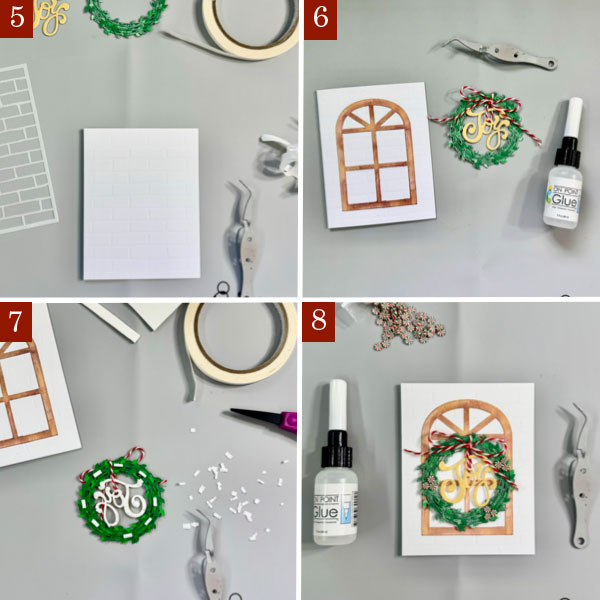
I embossed a piece of 4.25 inch x 5.5 inch white cardstock using the Brick Wall stencil. If you have a similar background embossing folder, you can use it, too.

Add the embossed background panel to the card base with some of the Tear It! Tape.

Step 6
Add the arched window to the card with On Point Glue, add a heavy object on it (or a large acrylic stamping block) until the glue dries permanently.

Add the word chipboard to the wreath with some baker’s twine to make it look like hanging down in the middle of the wreath. Tie up the twine into a bow and secure it with a dab of On Point Glue. Put a heavy object (or a larger acrylic stamping block) on it so the twine stays in place until the glue dries permanently.

Step 7
Cut a couple thin strips out of the thin white fun foam (about ¼ inch wide) and add some of the Tear It! Tape to them to create the foam tape.

Cut the foam tape into small pieces and add them at the back of the wreath. Remove the backing of the foam tapes and add the wreath to the card.

Step 8
Decorate the wreath with some of the Peppermint clay embellishments by adding them to the wreath with some of the On Point Glue.
Step 9
On the craft mat, mix a small amount of white acrylic paint with some water.

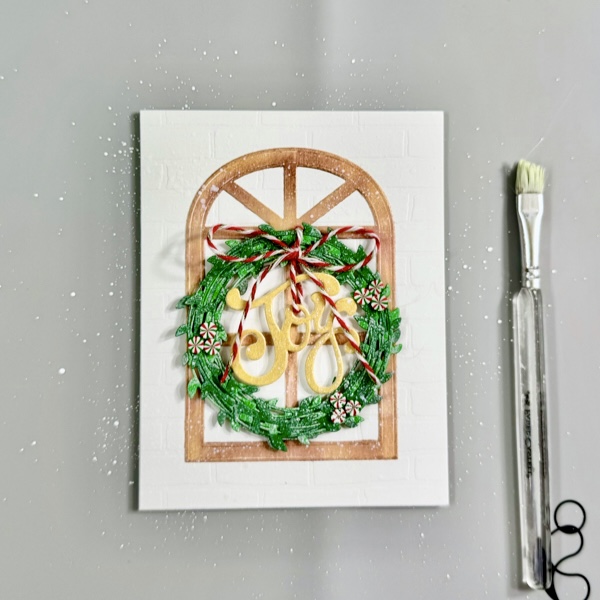
Add some of white paint splatters to the card using brush for more texture and snowy look.

Dry the whole card with a craft heat gun.
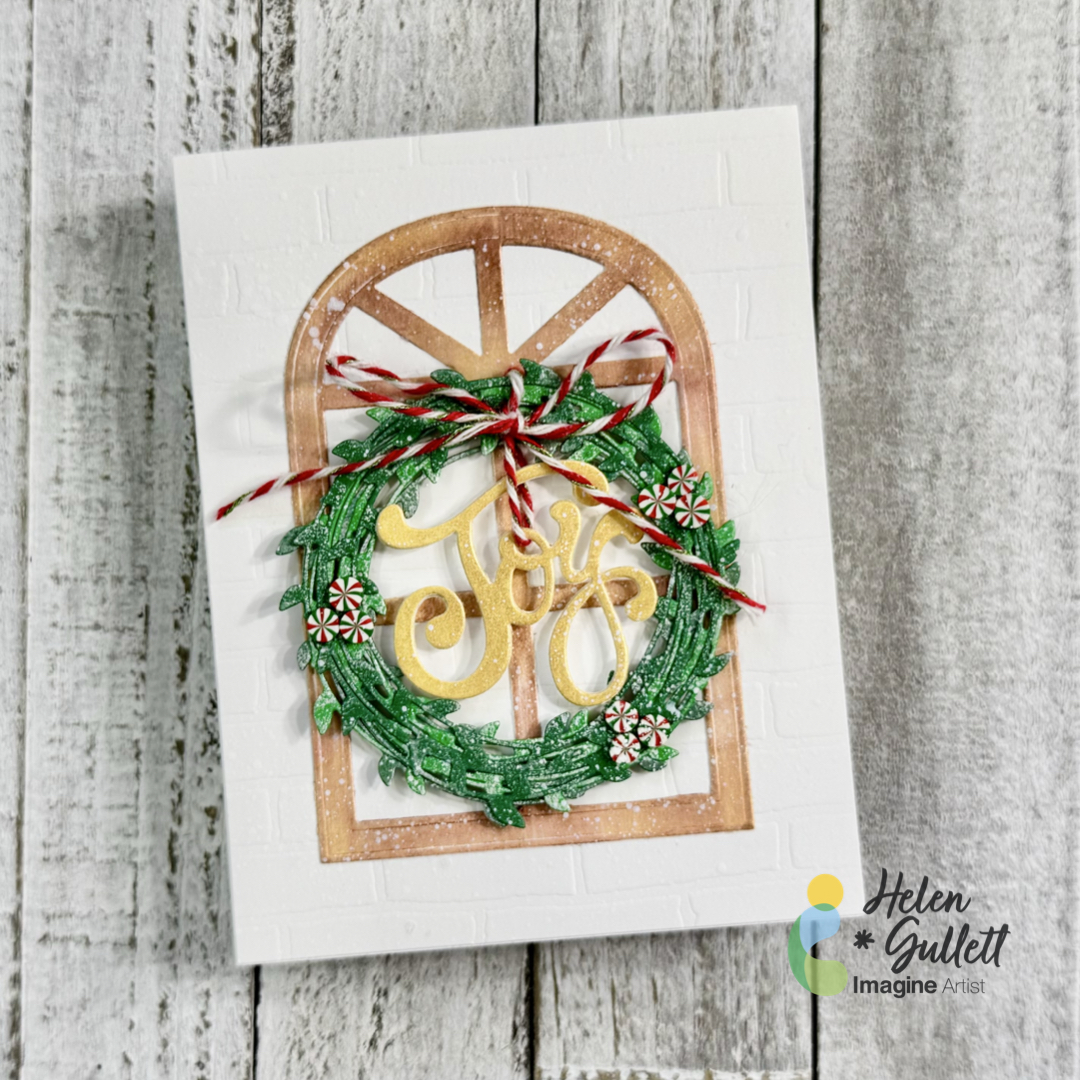
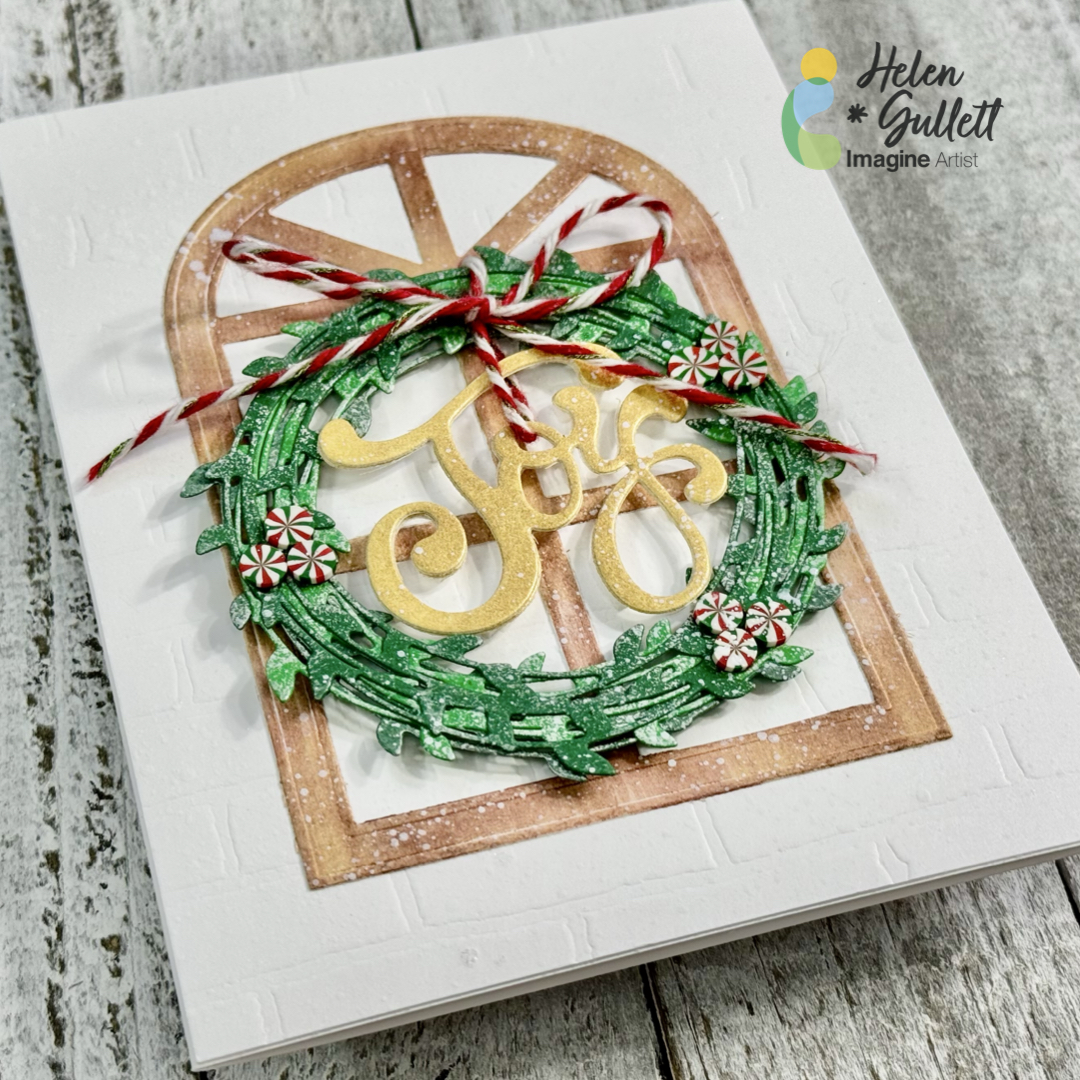
I love how this no-stamping Christmas card turned out and I hope you do, too. I plan to make more of this card to send them out to families and friends later.

Thank you so much for stopping by our blog today. Have a wonderful day!
Craft Supplies

Imagine Crafts:

Others:

  • Lovely Wreaths Die Set (Creative Worship Stamps)
  • Arched Window Die Set (Creative Worship Stamps)
  • Peace & Joy Word Die Set (Creative Worship Stamps)
  • Brick Wall Stencil (Creative Worship Stamps)
  • Peppermint clay Embellishments (Twiddler’s Nook)
  • Thin fun foam
  • Bakers Twine (Christmas colors)
  • White Cardstock
  • Green Cardstock (optional: 2 colors)
  • White acrylic paint
  • Die Cutting Machine
  • Twizzers
  • Non-stick scissors
  • Craft heat gun
  • Paper Towel / baby wipes

Beginner Friendly 3D Christmas Card Using VersaMagic Ink Pads

By Jessica Lin

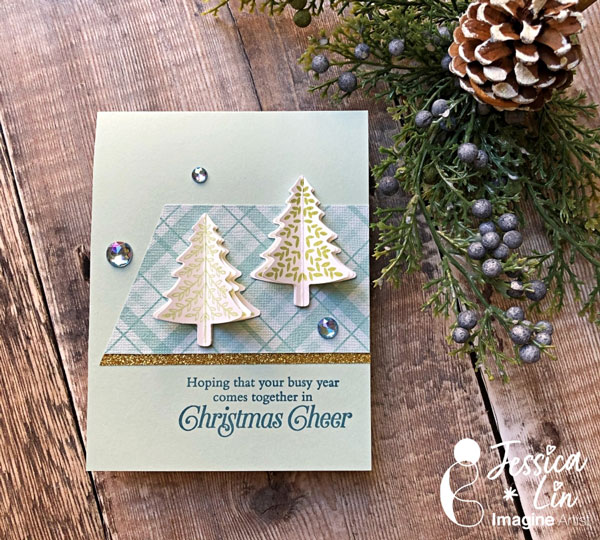
– Hi everyone! It’s Jessica here. Today I am sharing a simple way to create 3D Christmas trees for your holiday cards. It is beginner friendly with minimal supplies, and I think it’s perfect to mass produce as well.

Skill: Beginner
Time: 30 min

Directions:

Step 1:
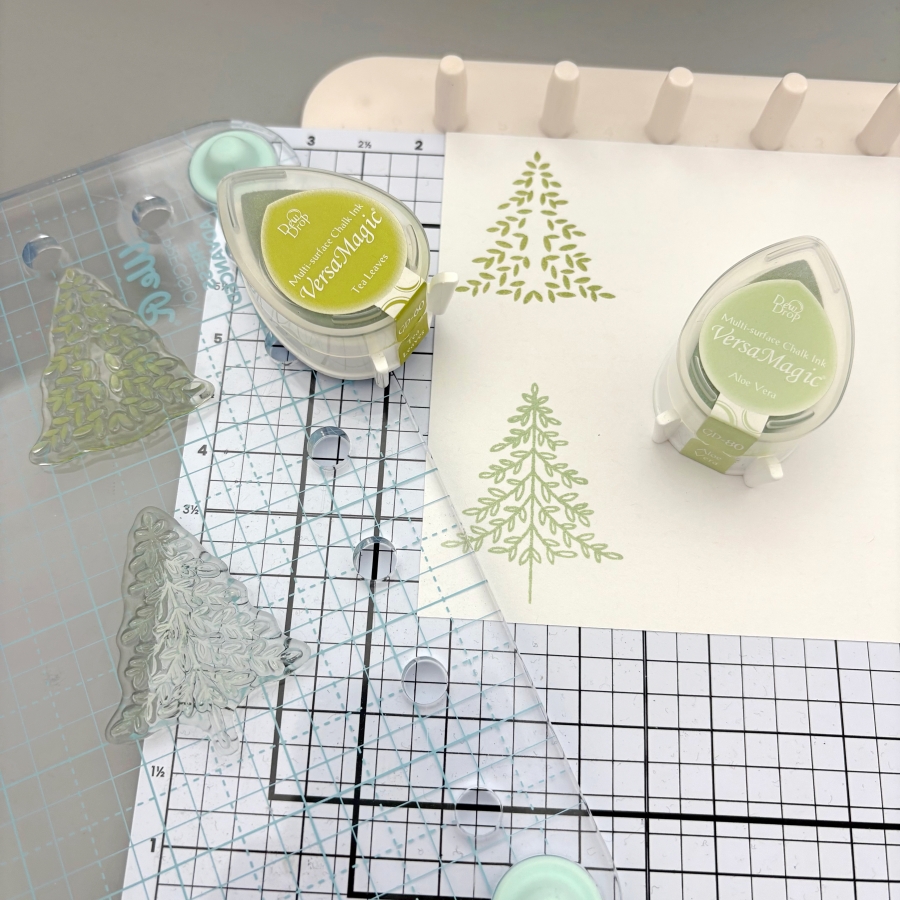
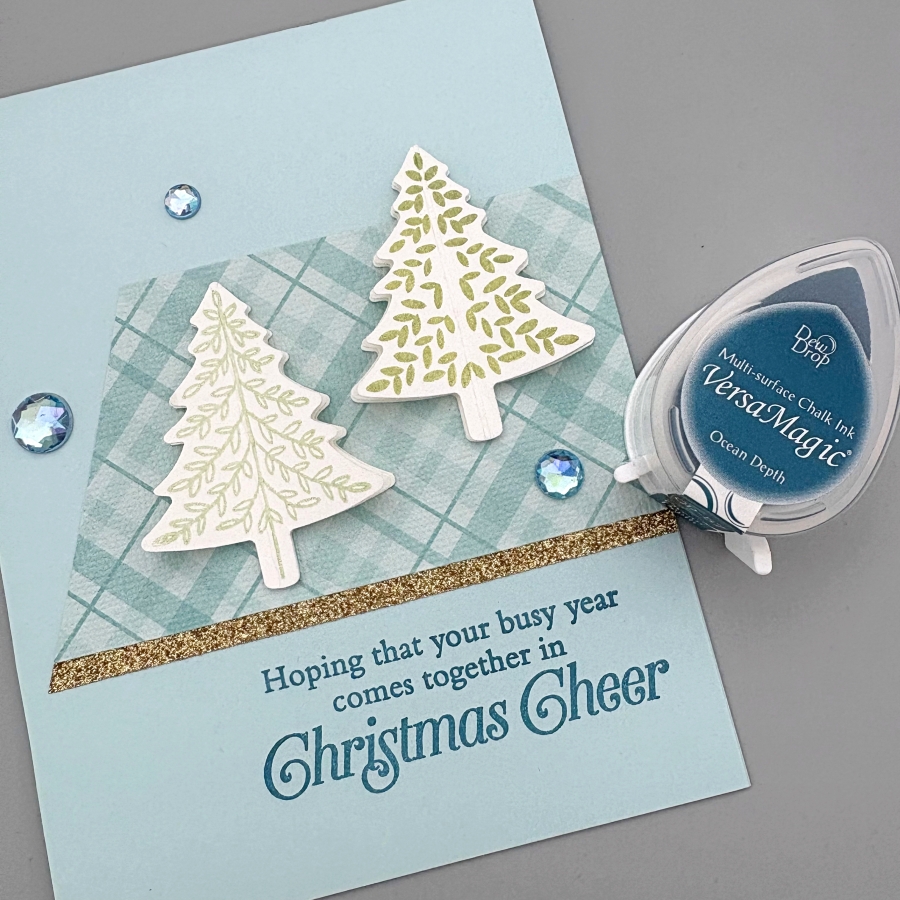
Start by stamping Christmas tree images with VersaMagic Aloe Vera and Tea Leaves ink pads. I used stamps from Stampin’ Up’s Perfectly Plaid set, but any small Christmas tree image would work for today’s technique. For each 3D Christmas tree, you would need three layers. You could stamp each design three times for each layer, or only stamp the top layer for quick mass production of cards.

Step 2:
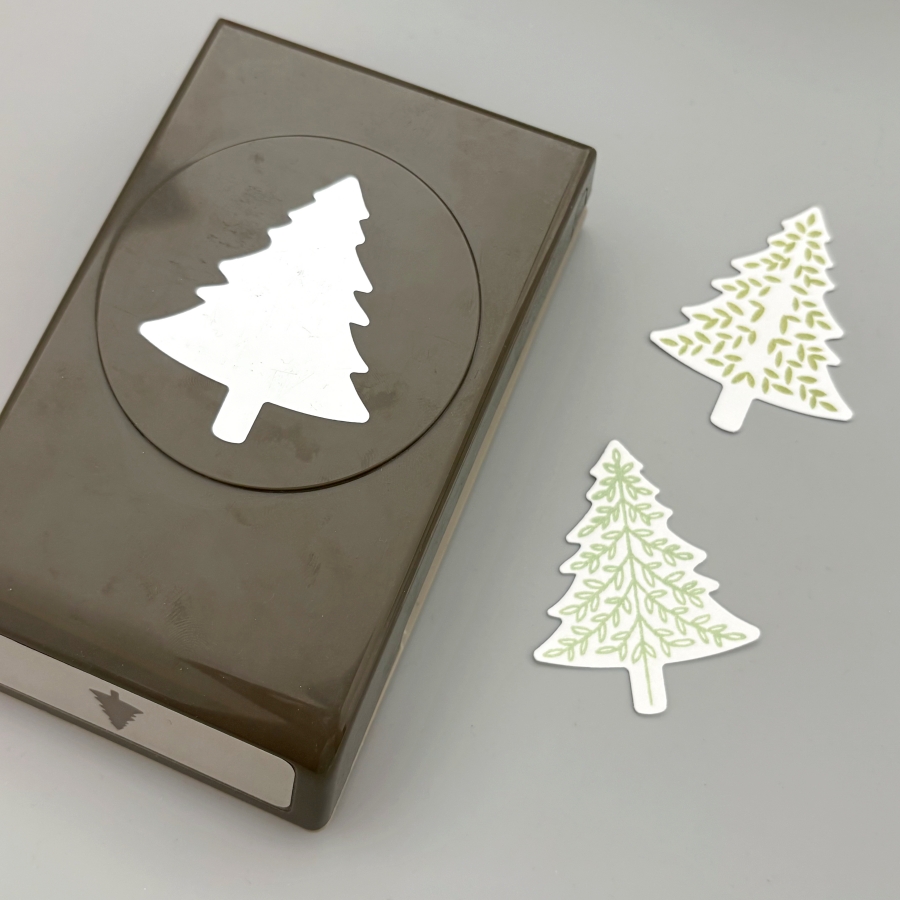
Next, use the matching paper punch to cut out the Christmas trees. If you only stamped the top layer, be sure to punch out 2 additional cutouts with white cardstock for each 3D tree you are building. Since I am making two 3D trees today, I would need 4 more white cutouts.

Step 3:
Score each Christmas tree cutout in the middle. I lined up the top and bottom of the cutout to the score guide to score.

Step 4:
After scoring, fold the stamped Christmas tree cutout in half, and apply On Point Glue to the top of the folded crease. Then adhere it to a blank (or stamped) cutout. Be sure to hold the folded layer in place for about 20 seconds before the glue dries. Repeat this process to adhere the second layer to the third tree cutout.

Step 5:
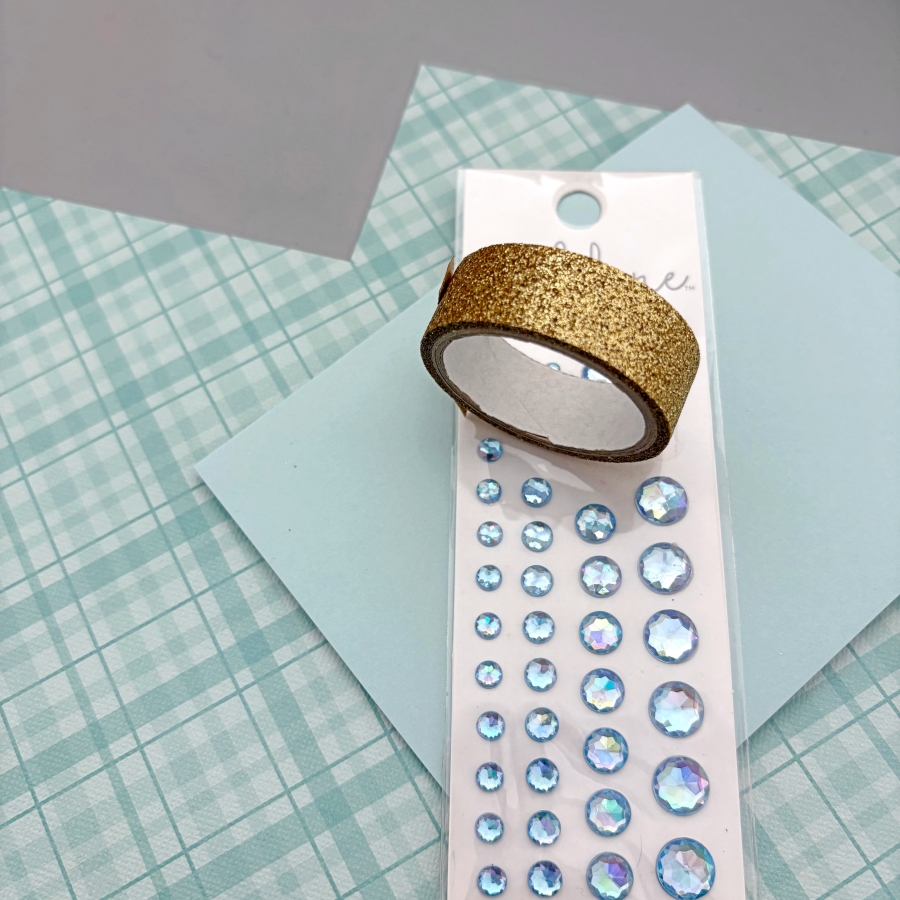
Now that the 3D Christmas trees are made, it is time to prepare the card base. Trim a piece of patterned paper to 4 x 2 ¼ inches and a cut a 4 ¼ inch piece of gold glitter washi tape. Trim one side at an angle to create a banner shape and adhere both pieces to the card base.

Step 6:
Finally, stamp the sentiment using VersaMagic Ocean Depth ink pad. Adhere the 3D Christmas trees using Tear-It! Tape and embellish the card with a few rhinestones.

Here is a finished card where I stamped all 3 layers of the 3D Christmas trees. I love how easy it is to create the 3D element, and it is mail-friendly, too! I hope this tutorial inspires you to get a headstart on making Christmas cards for this year. Thank you so much for stopping by, and I’ll see you in my next tutorial!

Imagine Supplies:

Other Supplies:

  • Stampin’ Up! – Stamps – Perfectly Plaid
  • Stampin’ Up! – Punch – Pine Tree Punch
  • Stampin’ Up! – Paper – Pool Party cardstock
  • Plaid Patterned Paper
  • Gold Glitter Washi Tape
  • Park Lane – Embellishment – Blue Adhesive Backed Rhinestones

Learn to Make a Dressed Up Gift Box

By Tracy Fear

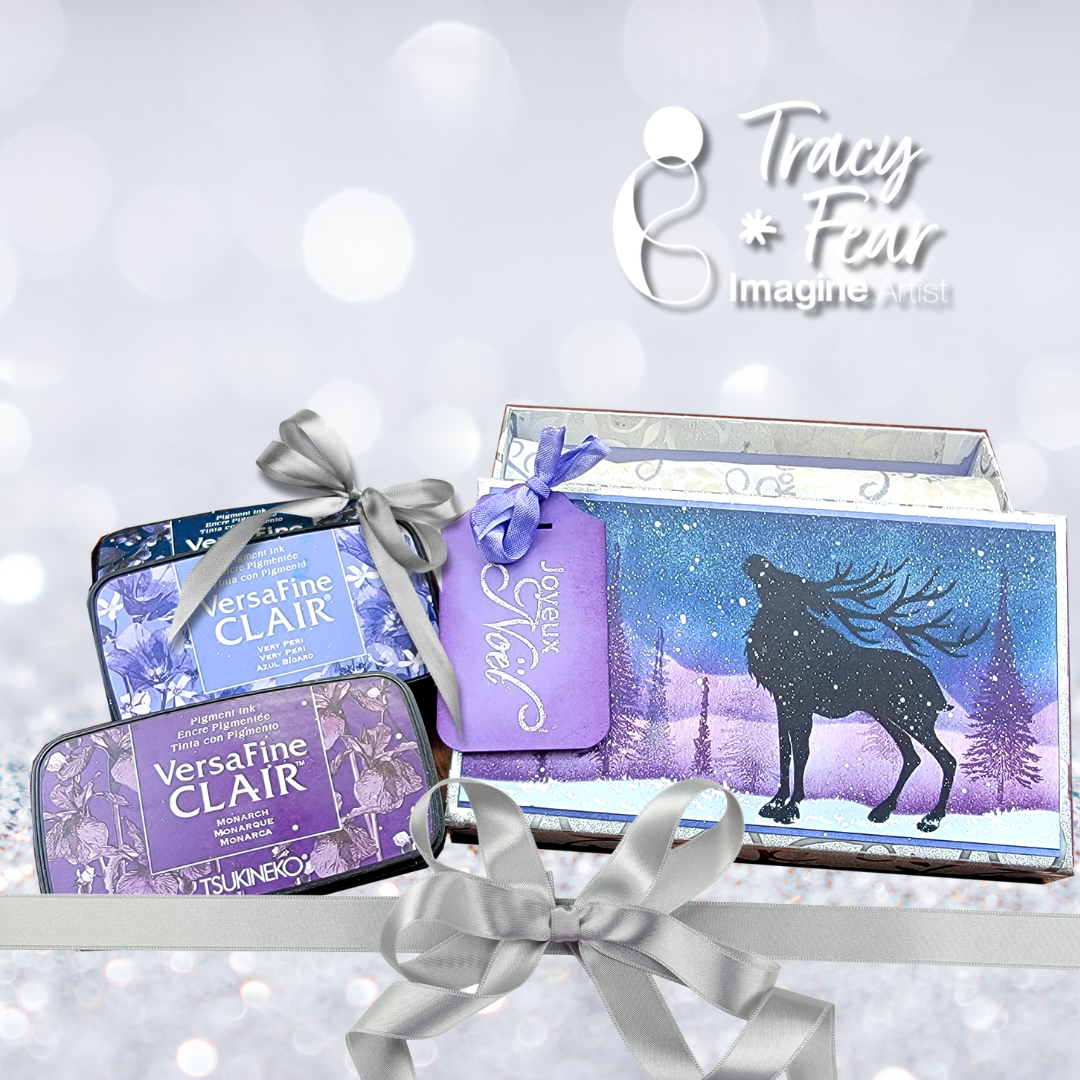
Hello Friends! Tracy here and today I am delighted to share this tutorial that helps you make gift giving even more spectacular by creating a custom gift box using your stamps and inks!

In today’s video tutorial I am sharing how I used some plain tissue paper and a Dollar Store box along with stamps and inks and a little paint to dress up a gift box!

Tracy

Skill: Intermediate
Time: 30 Minutes to 90 Minutes

Art Supplies

Stamping Platform
Glue
Fan brush
Your choice of stamps
Ephemera of your choice
Tissue paper
Empty gift box
Stencil
Stencil Brush

Imagine Products

• VersaFine Clair in Twilight
• VersaFine Clair in Periwinkle
• VersaFine Clair in Monarch
• VersaFine Clair in Nocturne
• Brilliance in Starlight Silver

Other Products Used

• Assorted Stamps from Lavinia Stamps
• Stencil from Lavinia Stamps
• 120lb paper in white
• Generic White Tissue Paper
• Misti tool
• PVA Adhesive

ALTERNATIVE PRODUCTS THAT CAN BE USED TO RECREATE SOMETHING SIMILAR

Any Inks

To learn how to create your own dressed up box click here!

Shimmering Snowflakes Card with All-Purpose Inks

By Katy Ingram

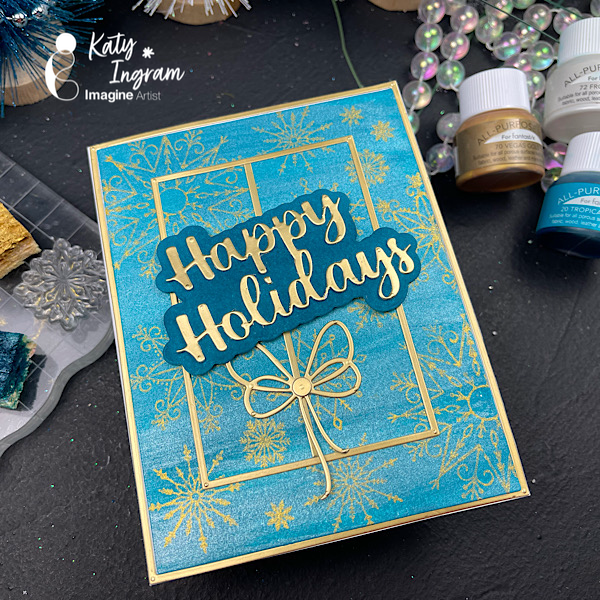
Hello Friends! Katy here with another quick project using All-Purpose Inks. I used my simple swiping technique for the background and then used Vegas Gold All-Purpose Ink to stamp my snowflakes.I kept things even simpler by using a kitchen sponge to ink up my stamps.

Video has all the details. Thanks for watching.

Skill: Beginner
Time: 15 minutes

Art Supplies

Imagine Products
• All-Purpose Ink Tropical Lagoon https://www.imaginecrafts.com/all-purpose-ink
• All-Purpose Ink Frost White https://www.imaginecrafts.com/all-purpose-ink
• All-Purpose Ink Vegas Gold https://www.imaginecrafts.com/all-purpose-ink

Other Products Used
• Affiiate links used at no additional cost to you. Thank you for your support
• Simon Says Stamp Snowflake Stamp Options https://ldli.co/e/1pldn15
• Thin Rectangle Frames https://ldli.co/e/6l92ryl
• Kitchen Sponge https://amzn.to/4f72Ka4
• Double Sided Adhesive 5 inch wide https://amzn.to/455H6OS
• Double Sided Adhesive 1/2 inch https://amzn.to/4m9cKlc
• Matte Gold Cardstock https://amzn.to/4f3H5zn
• Altenew Hot Press Watercolor Paper https://ldli.co/e/nqgeq6m

Make a Funky and Fun Arch Card!

By Tracy Fear

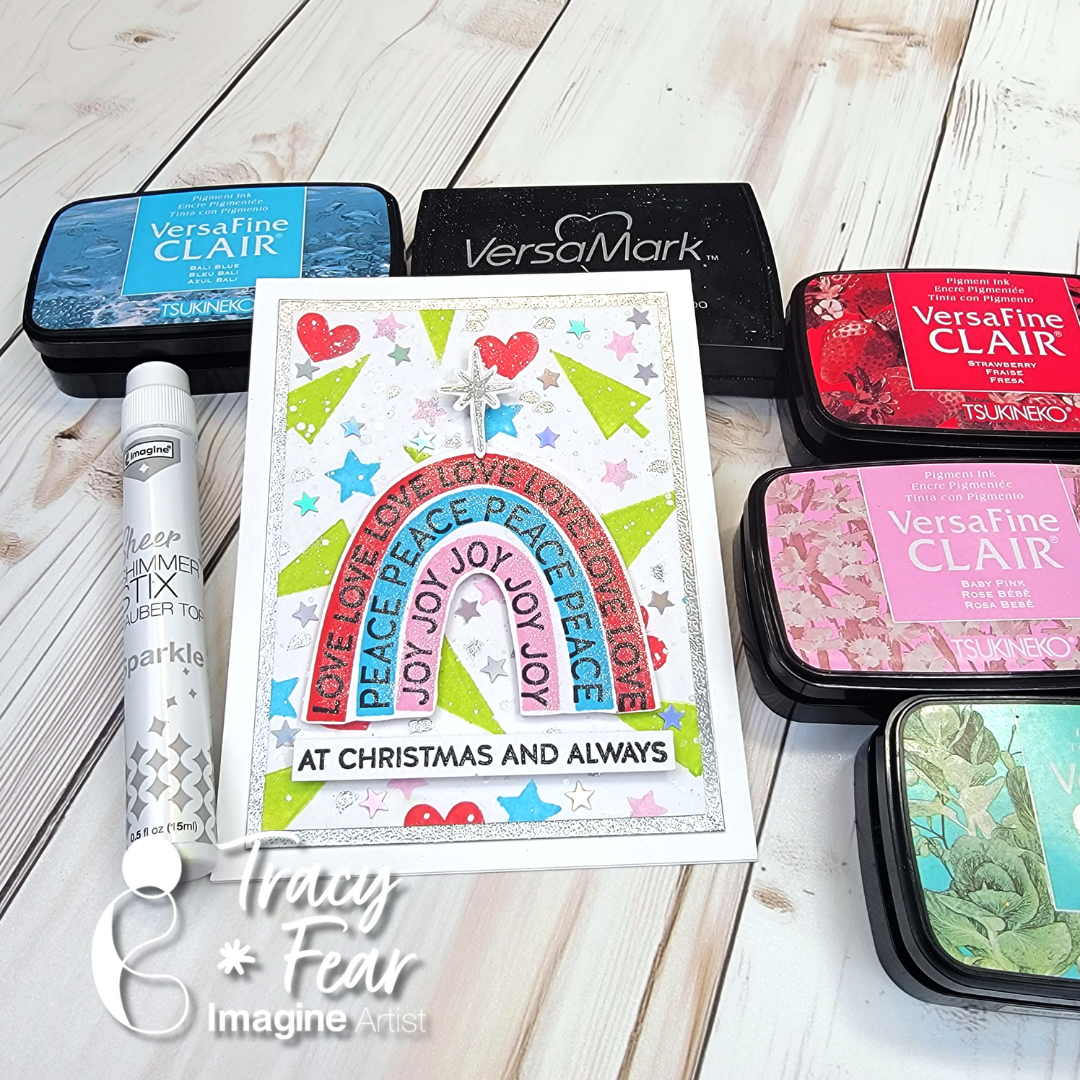
– Hello Friends! Tracy here and today I am delighted to share this tutorial for a fun and whimsical Christmas Card starring some non-traditional colors!

In today’s video tutorial I am sharing how I created my own pattern paper background using traditional and non traditional colors for Christmas!

Skill: Intermediate
Time: 30 Minutes to 90 Minutes

Art Supplies

• Stamping Platform
• Glue
• Embellishments
• Your choice of stamps
• Acrylic Block
• Embossing Powder
• Heat Tool

Imagine Products
• VersaFine Clair in Baby Pink
• VersaFine Clair in Bali
• VersaFine Clair in Strawberry
• VersaFine Clair in Verdant
• VersaFine Clair in Nocturn
• Versamark Ink
• Sheer Shimmer Stix Dauber Top in Sparkle

Other Products Used
• Rainbow Christmas Stamps from Simon Says Stamp
• WOW Silver Embossing Powder
• 120lb paper in white
• Misti Stamping Platform tool
• PVA Adhesive
• Holographic Stars from Trinity Stamps

ALTERNATIVE PRODUCTS THAT CAN BE USED TO RECREATE SOMETHING SIMILAR

Any inks or stamps in your stash!
To learn how to create your own modern, funky Christmas Card  click here!

Stunning Monochromic Winter Snowflake Card

By Jessica Lin

Skill: Advanced
Time: 45 minutes

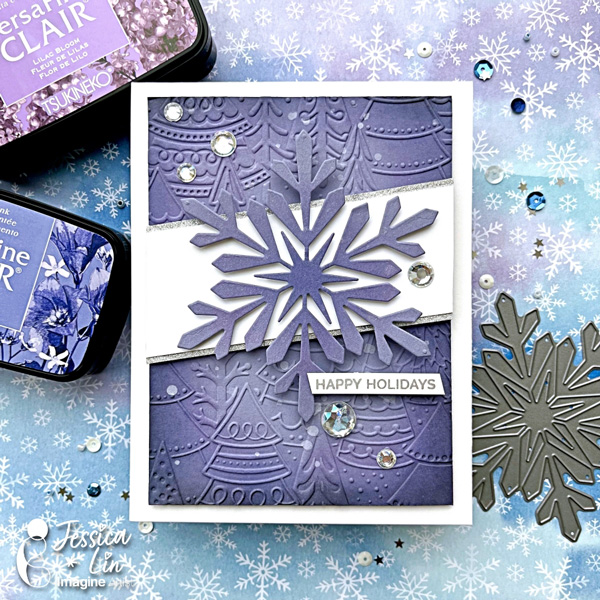
Hi everyone, it’s Jessica here. Have you seen the latest addition of colors for the VersaFine Clair ink line? I am a big fan of the VCF inks and am swooning over the new pastel colors. There are some really gorgeous shades of purples and blues, which are perfect for today’s wintery themed card. Let’s get started!

Step 1:
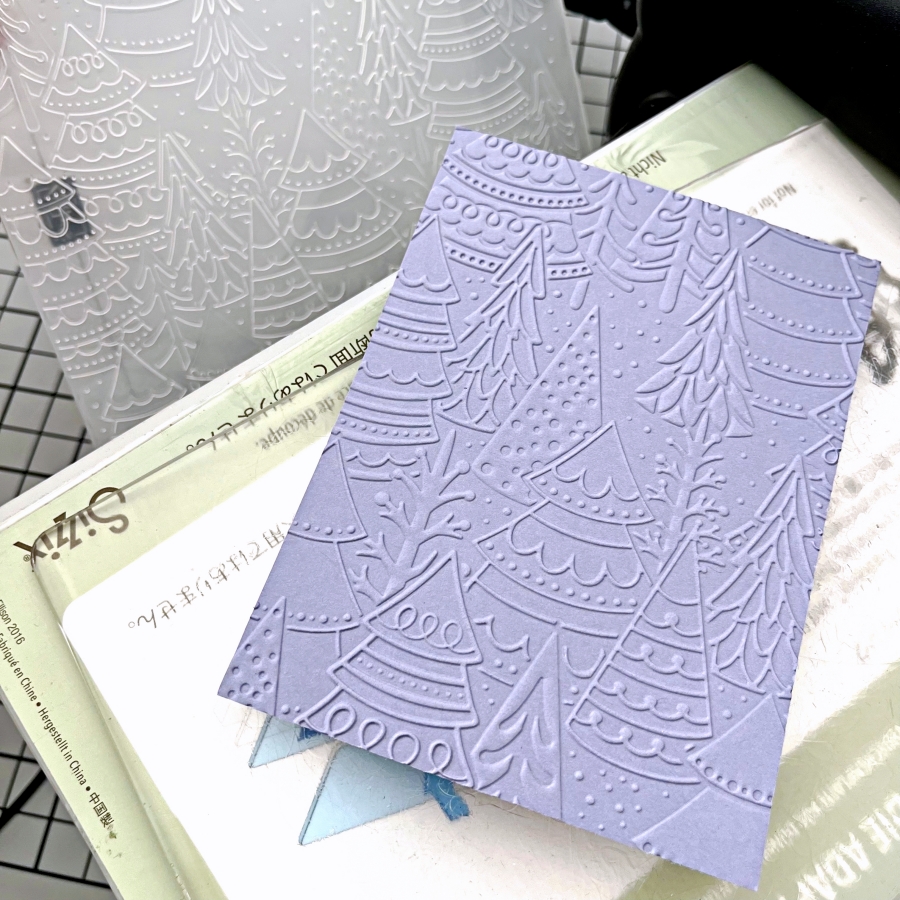
Emboss a piece of purple cardstock with Stampin’ Up!’s Whimsical Woodland embossing folder. This is one of my favorite embossing folders to use to create any christmas or winter themed cards. It looks great on both white and colored cardstock.

Step 2:
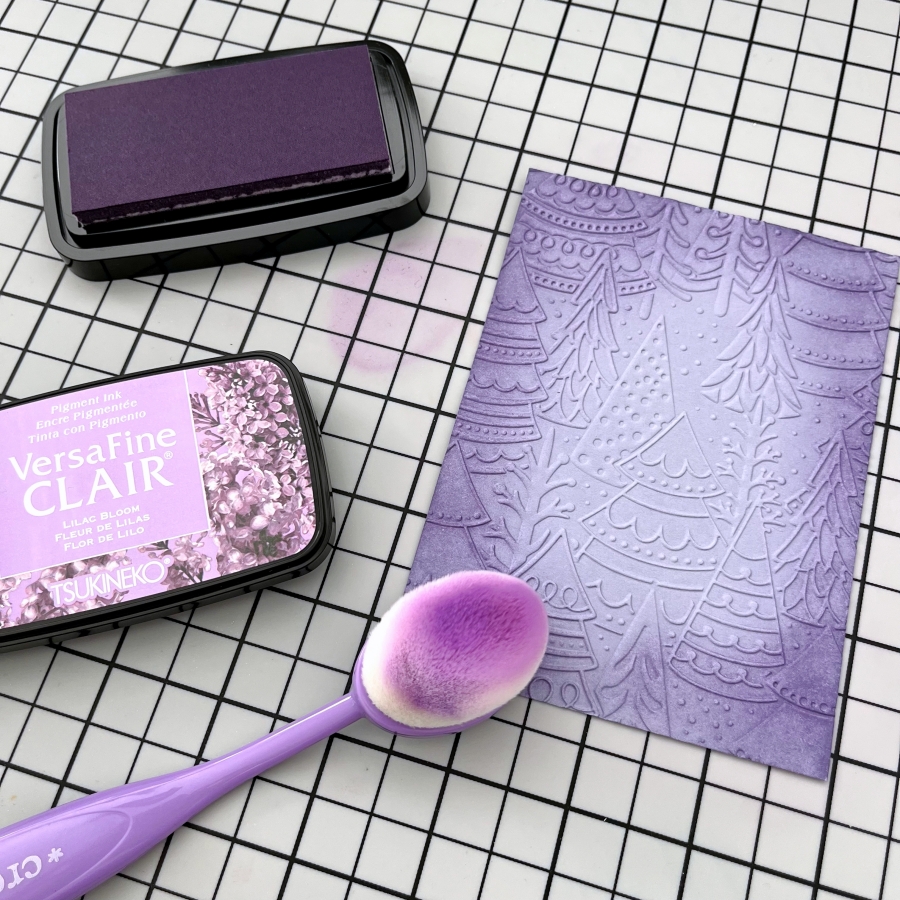
Ink blend the edges of the embossed panel with Lilac Bloom VersaFine Clair ink. I like to dab off excess ink on my craft mat before blending onto the cardstock so that there would be no harsh lines. I also tried to ink blend in a circular motion to create a spotlight effect.

Step 3:
Then ink blend Very Peri VersaFine Clair ink to create a color gradient. This beautiful dusty blue complements Lilac Bloom nicely. I just love the blended look of these two colors.

Step 4:
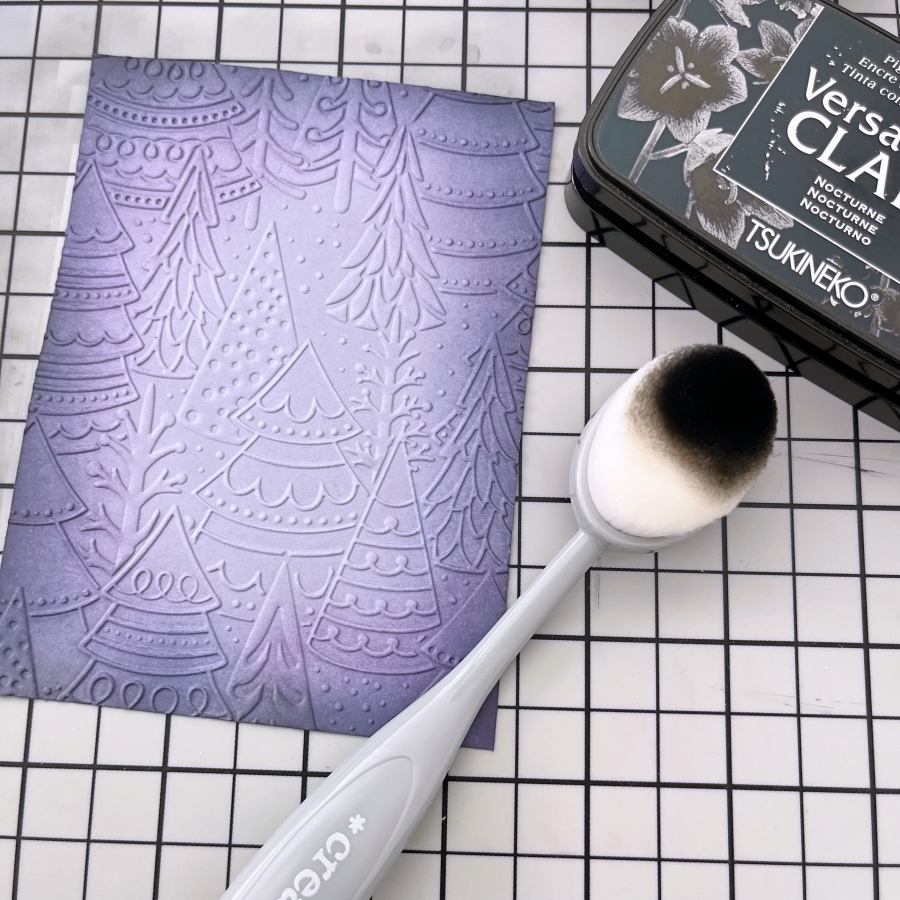
I ink blended a small amount of Nocturne VersaFine Clair ink to add a dramatic feel to this forest scene.

Step 5:
Using the same VersaFine Clair inks (Lilac Bloom and Very Peri), ink blend the center of a square piece of cardstock. Then die cut a large snowflake with Hero Art’s Snowflake die. If your snowflake die does not have thin, intricate lines, you could die cut the shape before ink blending.

Step 6:
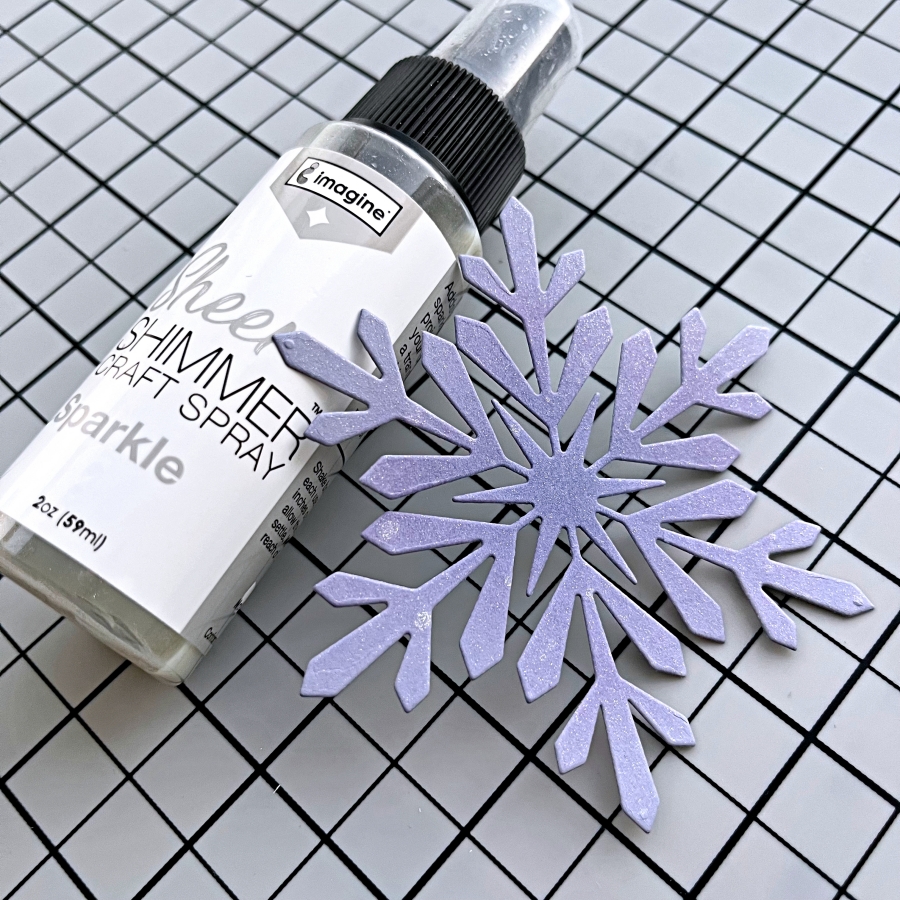
Spritz a generous layer of Sheer Shimmer Spray in Sparkle to add a shimmery look to the snowflake die cut. Make sure you shake well before spritzing! I spritzed several layers, letting one layer dry briefly before applying the next, to get a thick coat of shimmer. The photos don’t do it justice! I wish you could see the amount of sparkle in person.

Step 7:
I also splattered on some white acrylic paint droplets to the embossed background by flicking the paint brush. After that is dry, I adhered the snowflake onto a strip of white cardstock and mounted the center piece onto the background with foam tape. For some finishing touches, I adhered a couple of rhinestones as well using On Point Glue.

Step 8:
To complete the card, I stamped the sentiment using the Silvery Shimmer Delicata ink pad. This sentiment stamp is from My Favorite Things’ Hand Lettered Holiday set.

Imagine Supplies:

Other Supplies:

  • Stampin’ Up! – Embossing Folder – Whimsical Woodland
  • Hero Arts – Die – Snowflake
  • My Favorite Things – Stamps – Hand Lettered Holiday
  • Die Cutting Machine
  • Blending brushes
  • Stampin’ Up! – Cardstock – Wisteria Wonder