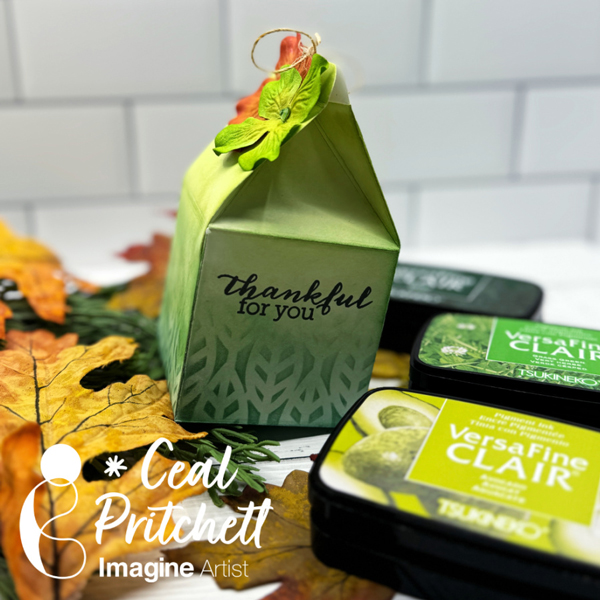
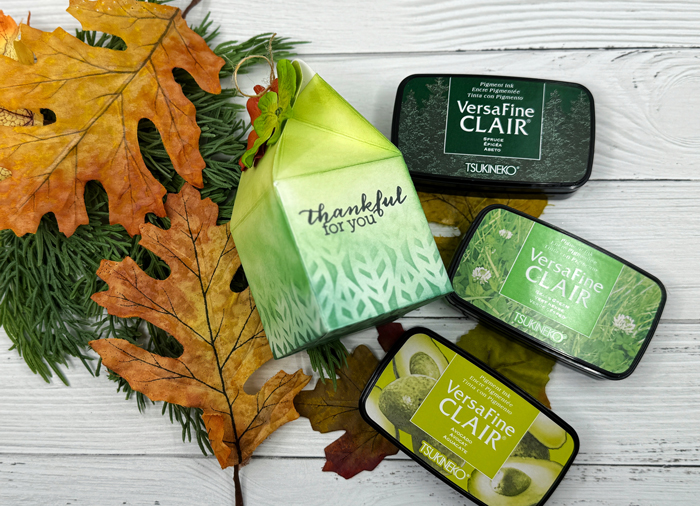
Hello crafty friends! Today I am sharing how to create this milk carton treat box
Skill Level: Beginner Time: 30 minutes
Directions:
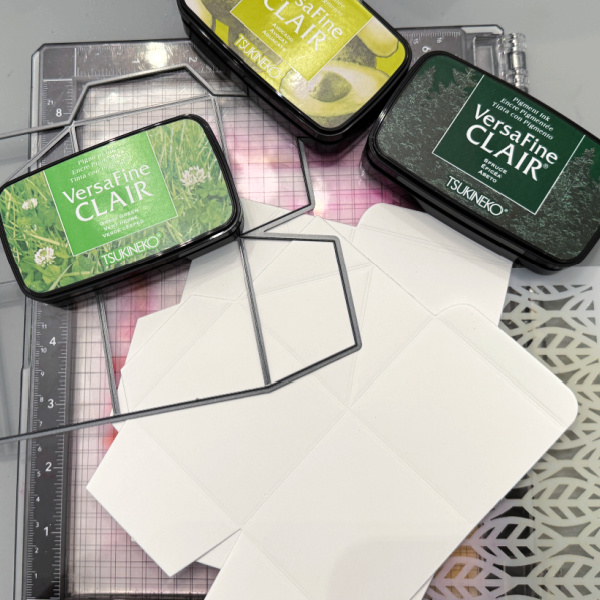
Gather your supplies. You will need a treat box die (I am using a tailored Expressions) a stencil and three colors of ink (I am using VersaFine Clair new colors) White cardstock cut to 6 x 8.5
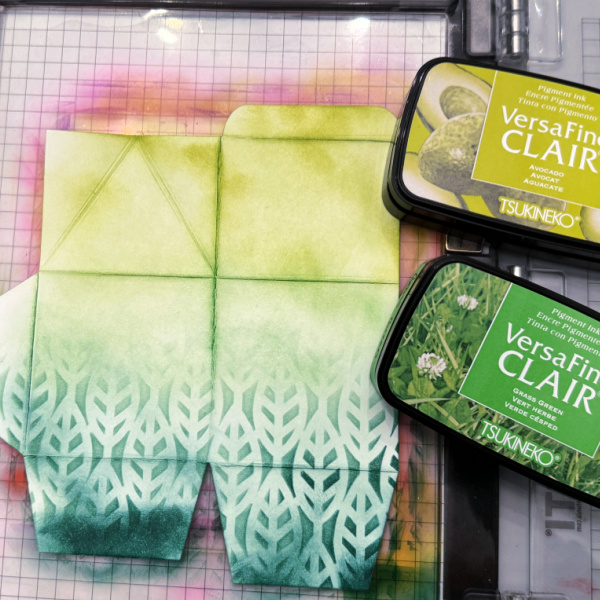
Step 1: Cut out two pieces of the die using white card stock. Place one of the pieces down on a stick mat to hold it in place. Place the stencil over it and ink the bottom third of the die with the darkest ink color.
Step 2: Remove the stencil and ink the next third using the medium color of ink and the last third with the lightest color of ink. Repeat this process for the next piece.
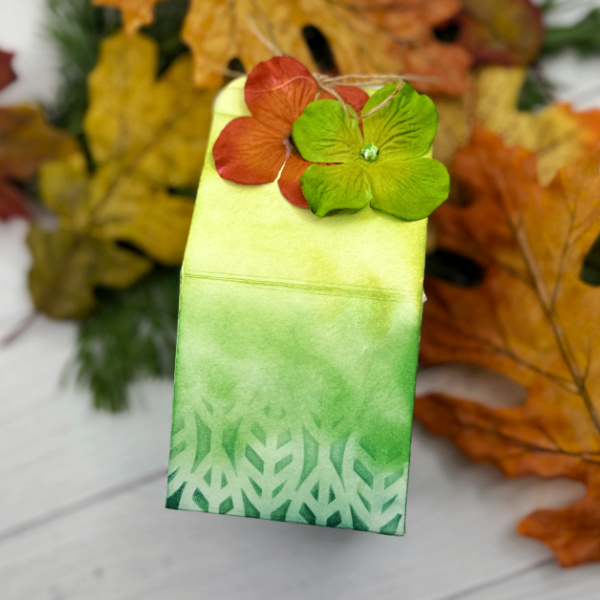
Step 3: Assemble the carton and embellish. I used some embellishments from my stash.
Other products: Neenah Classic Crest Solar White 80lb Cardstock – CutCardStock Milk carton die – Taylored Expressions Stencil – Ink On 3 Embellishments
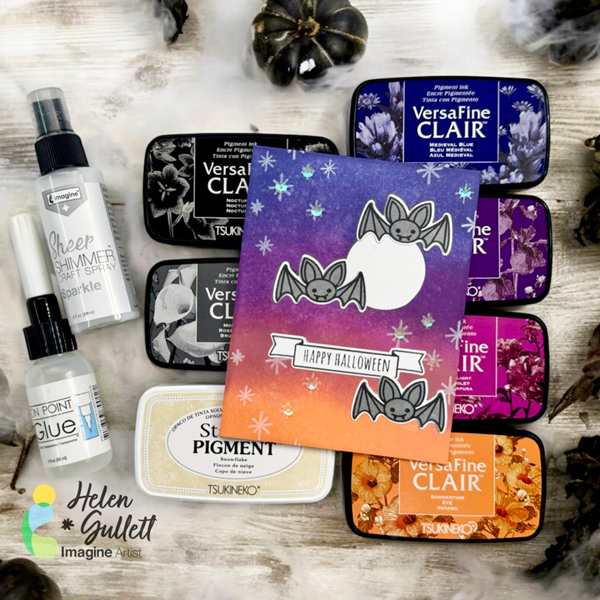
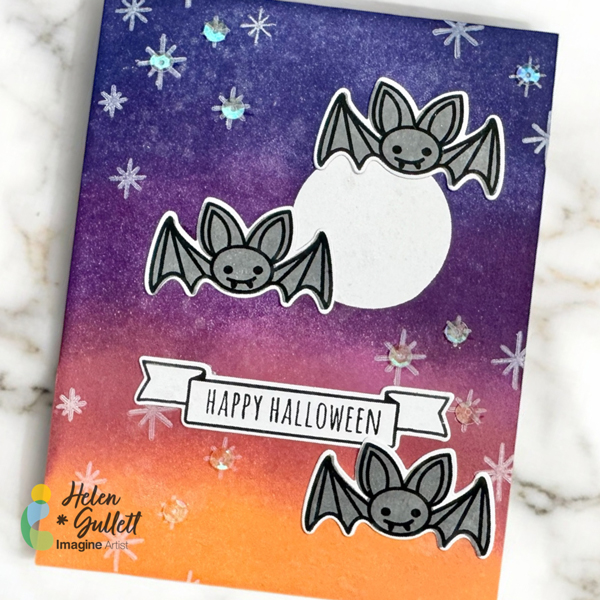
Hello crafty friends! Today, we are going to make this Halloween theme card using color blending techniques with VersaFine Clair ink pads and stamping with Staz-On Pigment ink pad. Let’s get crafting!
Skill: Intermediate Time: 15-20 minutes
Direction:
Step 1
Cut out a piece of white cardstock into 4.25 inch x 5.5 inch.
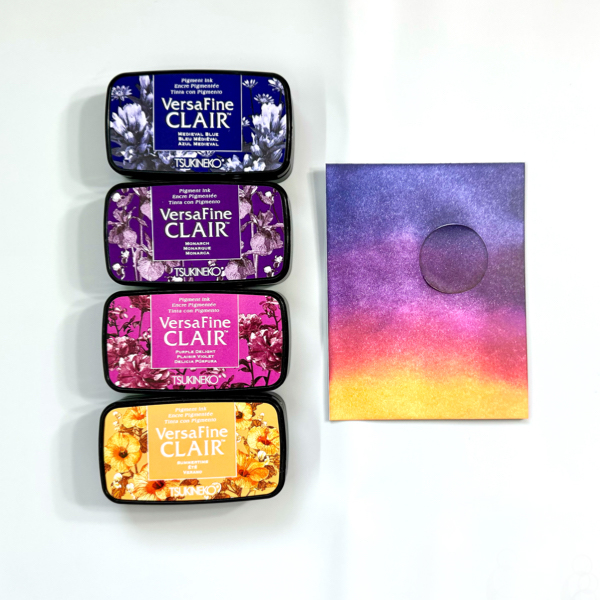
Cut a piece of masking paper using 1 inch circle punch or any circle die. Peel off the backing of the masking paper and add it to the cardstock.
Start adding each color on the cardstock using a blending brush one by one. Colors I used for this background are VersaFine Clair: Medieval Blue, Monarch, Purple Delight, and Summertime. You can repeat adding colors until you are happy with the blended colors.
Step 2
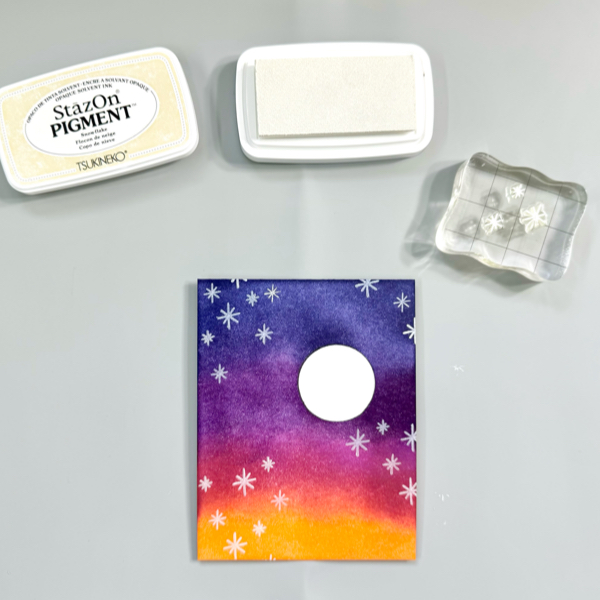
Next step is randomly stamping the small star images on the background using the Snowflake Staz-On Pigment Ink Pad. This white pigment ink is opaque and the white ink sits on top of other colors.
Remove the masking paper of the cardstock.
Step 3
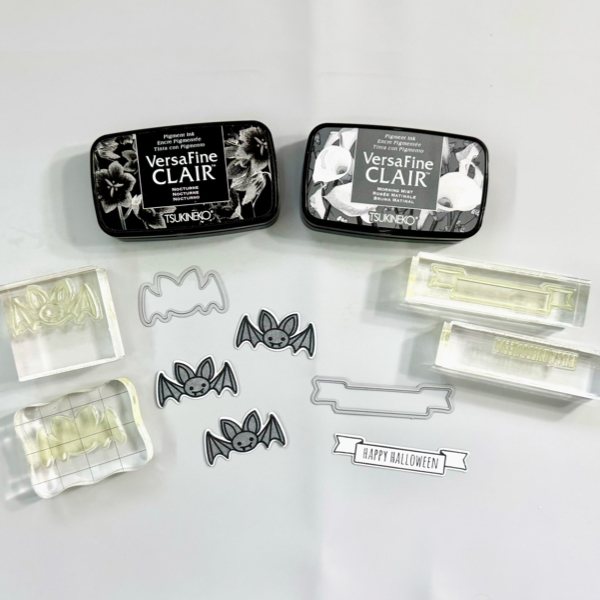
On another piece of white cardstock, stamp the bat outline stamp with VersaFine Clair Nocturne ink pad.
Put the bat solid stamp in the stamping block and add some VersaFine Clair Morning Mist ink pad on it, line up the bat solid stamp on top of the stamped bat image, and stamp.
Stamp the sentiment and banner image with VersaFine Clair Nocturne ink pad on a white cardstock.
Cut them with the matching die set, or fussy cut them with scissors.
Step 4
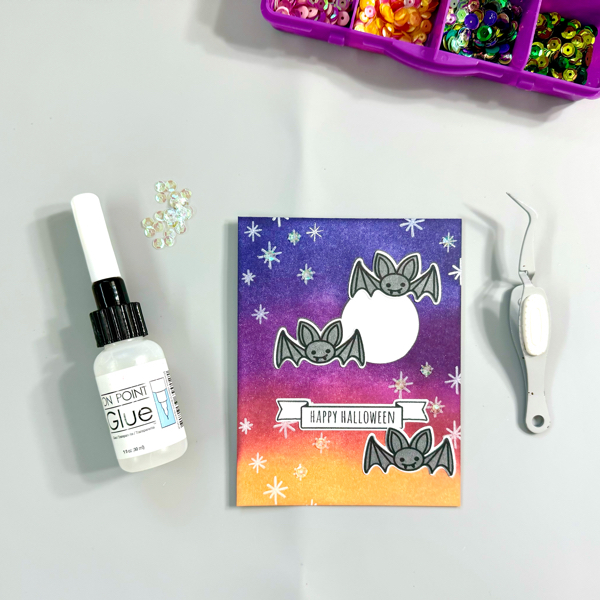
Add the background mat to the card base with some of the On Point Glue. Press firmly for a few seconds until the glue dries.
Add the bats and sentiment banner to the card with On Point Glue.
Optional, you can add some extra sequins to the card, or just leave as it is.
Step 5
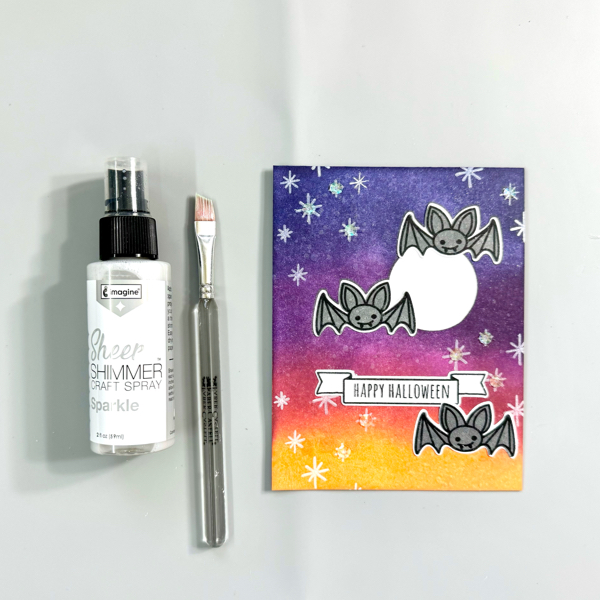
For extra shimmer, I added some Sheer Shimmer Sparkle spray on the card with small flat brush.
Aren’t those bats too cute to spook? I hope this Halloween card can put a smile on your face, too. Thank you for stopping by our blog today. Have a fabulous day!
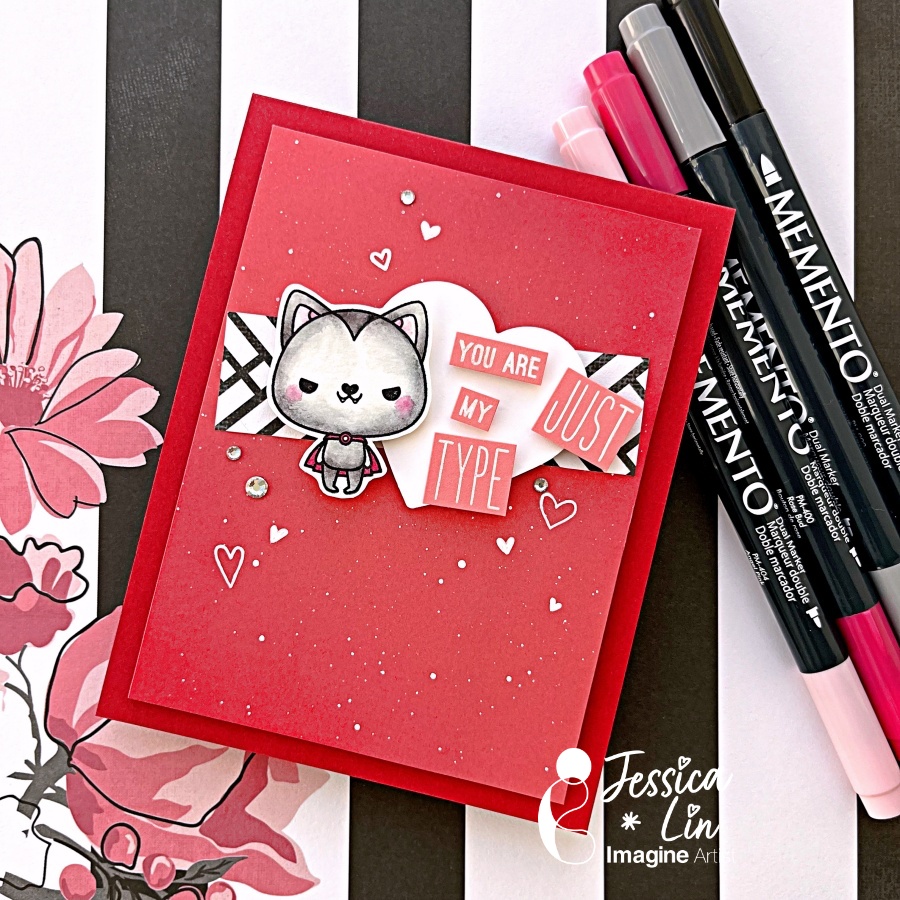
Hi everyone! It’s Jessica here and welcome back to another card tutorial. Have you sent Halloween cards to others before? Even though I have created some in the past, I found that I don’t usually send or hand deliver them. So this year, I decided to add a different twist and create a Halloween themed Valentine’s card!
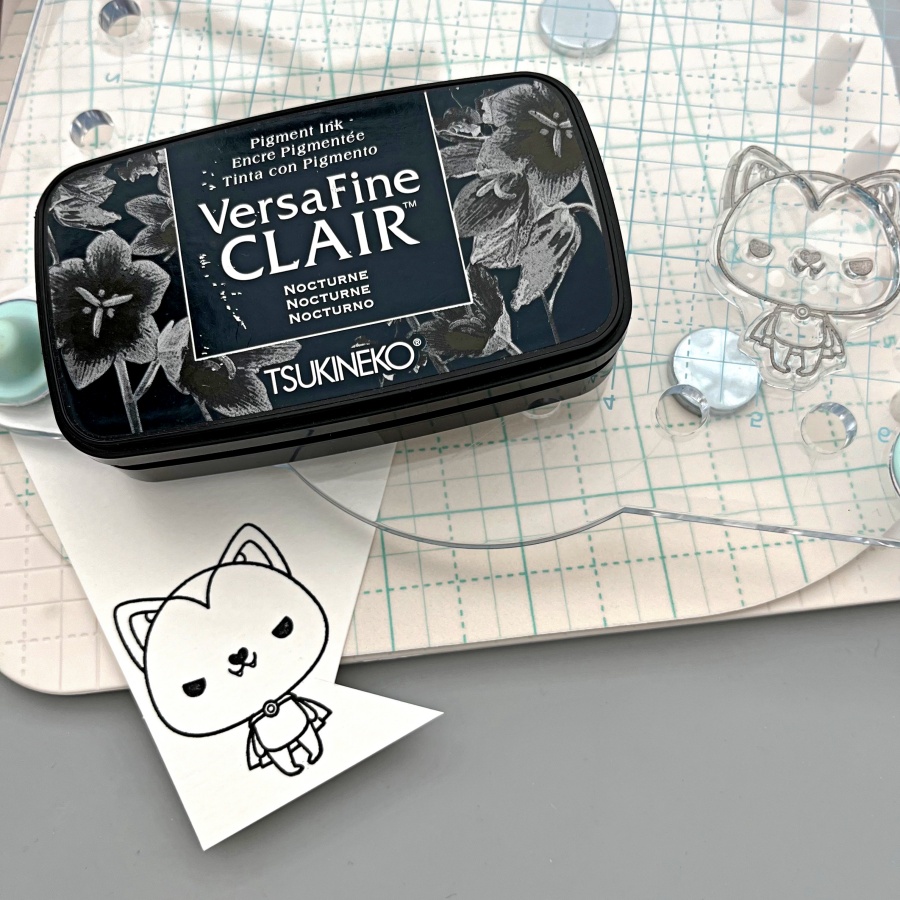
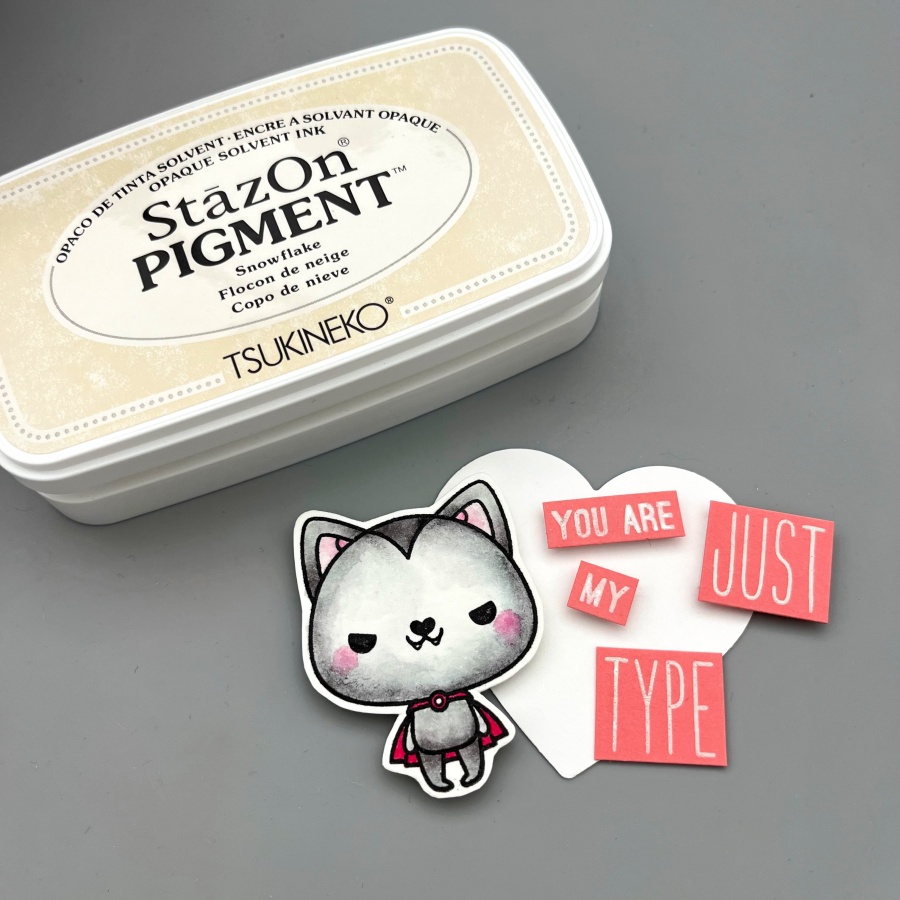
Step 1: Stamp the cute Vampire image from Mama Elephant’s Meowlloween stamp set. I want to watercolor the image today so I used VersaFine Clair ink with watercolor cardstock.
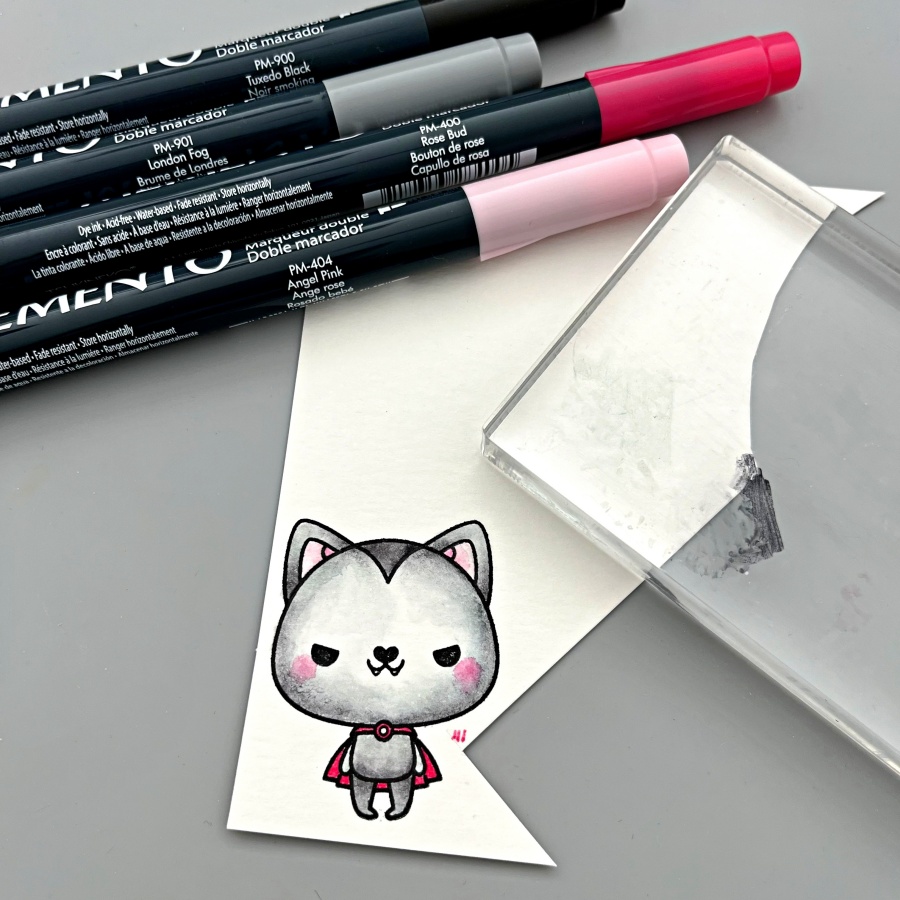
Step 2: Color the image with Memento markers and a water brush. I scribbled the ink on an acrylic block and picked up colors with my water brush, but you could totally use the craft mat as the paint palette. The colors I used today are Angel Pink, Rose Bud, London Fog and Tuxedo Black. These four colors are actually sold in a set as well called Girls’ Night Out. For full color saturation, you can draw directly onto the paper. I used the fine tip end of the Rose Bud Memento marker to color in the cape. (You can see the fine lines beside the image when I was testing out the color). After coloring, I fussy cut the image with my scissors.
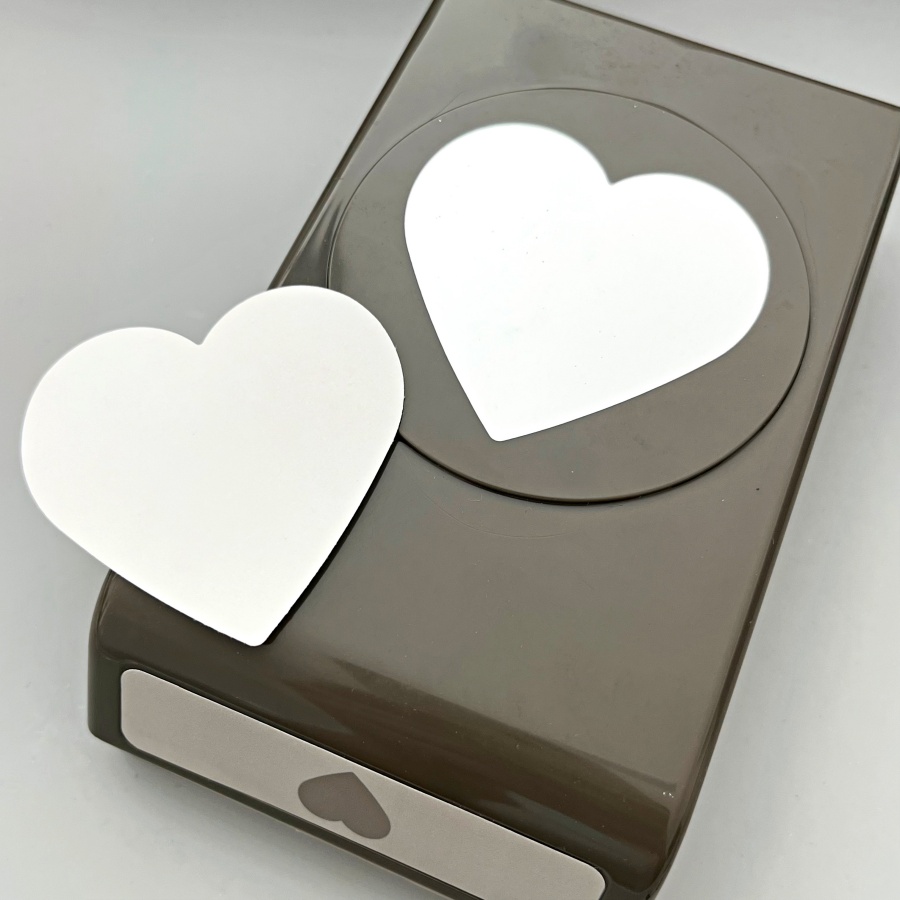
Step 3: For a beginner’s project, I opted out using a die-cutting machine and used a heart punch instead. This punch from Stampin’ Up! is a decently large size and super versatile.
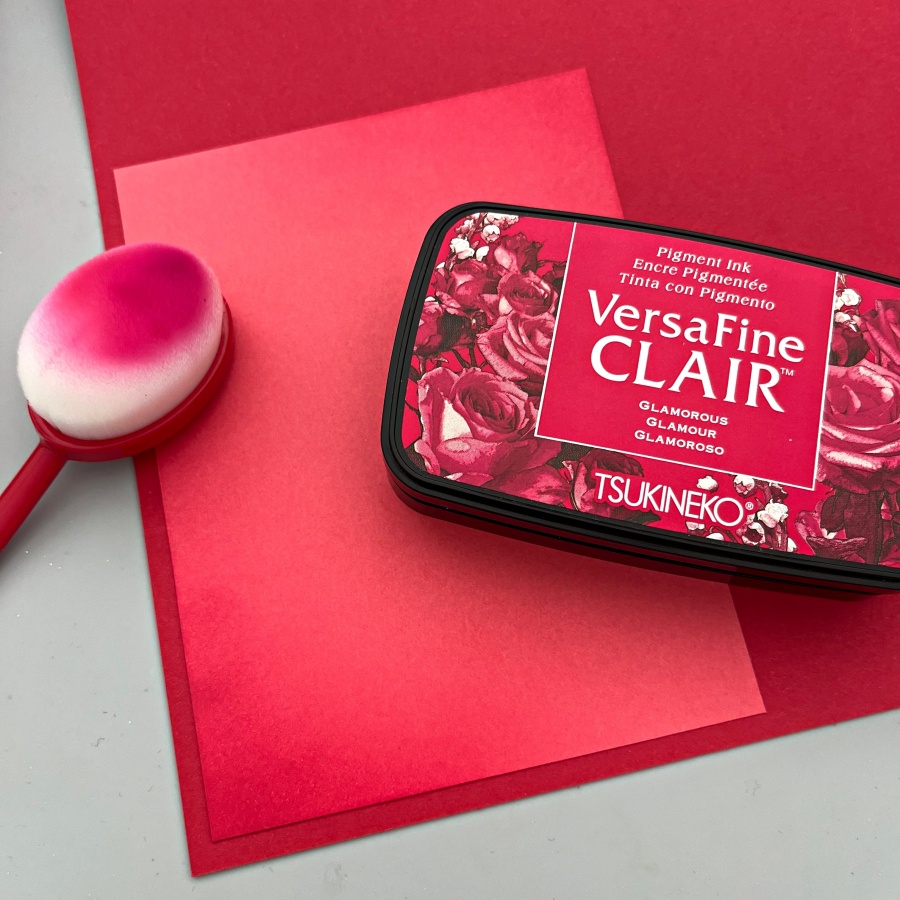
Step 4: Since the background is plain and simple, I decided to ink blend the top right and bottom left corners of the card front. Versafine Clair Glamorous is the perfect shade and you can see the difference between the ink-blended and non ink-blended corners.
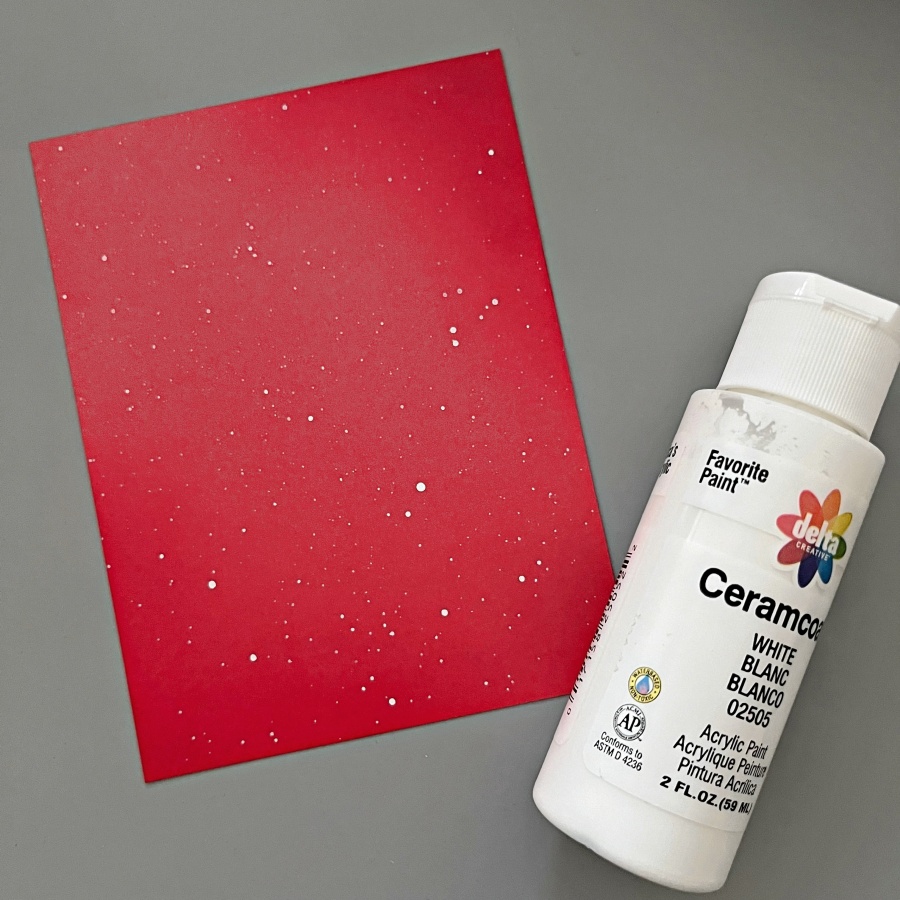
Step 5: Ink splatters is the secret to elevate a card quickly. I splattered white acrylic paint across the card front to add more interest to the background.
Step 6: Finally, I stamped the sentiment with StazOn Pigment Snowflake ink. I used words from several stamp sets and built my own using Lawn Fawn’s Milo’s ABCs as well.
Hello crafty friends! It’s Ceal, here. Today I am sharing a fun technique using stencils. It’s called Double Stenciling or Double Trouble fitting for Halloween, right?
Skill Level: Beginner Time: 30 Minutes
Directions:
Gather your supplies. You will need two stencils, a Halloween stamp set and a word die cut. You will also need two or three inks. I used one of the newest VersaFine Clair colors along with two of the original ones. A sticky mat, tape or something to hold your stencil in place would be useful as well.
Step 1: Lay your panel on a sicky mat of tape it down to hold it in place. Lay your first stencil on top and ink it up with VersaFine Clair Monarch. (As you can see, I don’t usually clean my stencils)
Step 2: Remove the first stencil and replace it with the second stencil. Ink it up with VersaFine Clair Verdant.
Step 3: Remove the second stencil and go over the entire panel with VersaFine Clair Lilac Bloom one of our gorgeous new colors.
Afterwards cut the panel down to 5 x 3 3/4
This background reminds me of that old wallpaper you would see in a haunted house.
Step 4: Stamp, color and fussy cut out the image and word die.
Finish the card by adding the panel to an A2 sized card base and adding the elements placed where you would like them.
Other Supplies: Neenah Classic Crest Solar White 120lb CS – CutCardStock Neenah Classic Crest Solar White 80lb – CutCardStock Jack of All Faces Stamp Set – The Rabbit Hole Designs Boo Word Die – Lil Inker Stencils – A Colorful Life Designs Misti 2.0 – My Sweet Petunia Grip Mat – Waffle Flower
In today’s card, I used sprays and and ink-blending to make a Halloween card.
Skill: Intermediate Time: 1.5 hours
Directions:
Step 1: Stamp the Death’s-Head Moth stamp onto a piece of white watercolor paper with Nocturne VersaFine Clair ink. Emboss with Clear Mboss powder.
Step 2: Spray a pre-die cut panel of watercolor paper with Lilac Posies Fireworks! Shimmery Craft Spray and Rose Gold Sheer Shimmer Craft Spray. Allow the panel to dry.
Step 3: Color two corner filigree stamps–one at the top right corner and one at the lower left corner–with the Sweet Plum Memento Marker directly and then stamp the sprayed panel. Flip the panel 180 degrees (so the top is now the bottom) and repeat the process to add a stamped image to each corner.
Step 4: Ink blend Perfect Plumeria VersaMagic Chalk Ink around the border of the card panel, overlapping with the stamped decoration just added. Then ink blend the edge of the panel with Midnight Black VersaMagic Chalk Ink.
Step 5: Die cut a piece of black watercolor paper with a frame die. Then spray the die cut with Rose Gold Sheer Shimmer Craft Spray and let dry. If desired, repeat this process to add more shine and color.
Step 6: Fussy cut the Death’s-Head Moth, then use a sponge dauber to ink blend the outer part of the wings with Perfect Plumeria VersaMagic Chalk Ink.
Step 7: Spray the moth with Angel Pink Fireworks! Shimmery Craft Spray and allow to dry.
Steps 8 and 9: Stamp a border and a sentiment on a piece of watercolor paper with Nocturne VersaFine Clair ink. Heat emboss with Clear Mboss embossing powder. Then fussy cut the border. Then ink blend the edges of the sentiment with Perfect Plumeria VersaMagic Chalk ink with a sponge dauber. Then lightly spray the sentiment with Rose Gold Sheer Shimmer Craft Spray. Allow the spray to dry.
Step 10: Glue the frame, Death’s-Head Moth and sentiment onto the background panel.
Step 11: Die cut a piece of sparkly black cardstock with a larger panel die cut. Glue it behind the sprayed panel as a matte layer.
Step 12: Glue embellishments onto the panel and finish the card by gluing the whole thing onto an A2-sized card base.
Other • Crafty Meraki – Embellishments – Meraki Sparkle Gold • Erin Lee Creative – Paper – Las Vegas Sparkly Cardstock • Gina Marie Designs – Die set – Big and Little Chain Rectangle die set • Whimsy Stamps – Stamp Set – Exquisite Beauty stamp set • Whimsy Stamps – Die Set – Forever Cameo Frames die set • Watercolor paper • Paper Trimmer • Scissors • Glue
I love coffee and I love penguins. Therefore I have a large collection of penguin and/or coffee themed crafting products. Here’s a somewhat snarky card using the wonderful VersaMagic Inks.
Skill Level: Intermediate Time: 1.5 hours
Instructions:
Step 1: Use Nocturne VersaFine Clair Ink to stamp the smallest penguin from the Grumpy Penguin Red Rubber Stamp Set onto a panel of Bristol paper.
Steps 2A – 2D: 2A – Smoosh the Cantaloupe Memento Dew Drop Inkpad onto a piece of acetate packaging. Dip a paint brush into water, pick up some ink off of the acetate sheet, and paint both side sides of the penguin’s beak.
2B– Repeat the process with Dandelion Memento Ink and paint the center of the penguin’s beak, blending the two colors of ink. Clean and dry the acetate sheet.
2C – Smoosh the Tuxedo Black Memento Inkpad onto the acetate sheet. Dip a paintbrush into water, wipe off the excess water, pick up some black ink, and paint the dark parts of the penguin. Repeat the process using more diluted ink to add some greyer tones to the penguin . Clean and dry the acetate sheet.
2D – Smoosh the Angel Pink and Summer Sky Memento Dew Drop Inkpads onto the acetate sheet. Use a damp paintbrush to add some color to the penguin’s belly. Heat set.
Step 3: Fussy-cut the sticker paper version of the stamped penguin and place it over its counterpart on the image panel as a mask.
Step 4: Use low-tack tape to secure the coffee cup cutting die over the masked panel. Run through a die-cut machine..
Step 5: Place a Post-It Note horizontally .25” from the bottom of the coffee cup die-cut. Use a Sponge Dauber to apply Moonlight White Brilliance Ink over the Post-It Note onto the coffee cup die-cut. Remove the low—tack tape and the penguin’s mask. Heat set.
Step 6A- 6B Cover the base of the coffee-cut die-cut with low-tack tape. Place the coffee-cup cutting die so that the body of the coffee cup is slightly outside the coffee-cup die-cut. Use a Sponge Dauber to apply Oasis Green VersaMagic Ink fairly heavily along the outside edges of the coffee-cup die-cut (6A).
Remove the cutting die and continue to apply VersaMagic Ink to the rest of the coffee cup (6B). Heat set.
Step 7: Use a lavender chalk pencil to add detail and shading to the outside of the coffee-cup die-cut. Use the White Glaze Pen to add highlights to the coffee cup. Sorry that there are no photos.
Step 8: Use a Sponge Dauber to apply Oasis Green VersaMagic Ink over a piece of Bristol paper to create a background panel. Heat set.
Step 9: Uselow-tack tape to secure the inked panel to the back of the coffee bean stencil. Use a Sponge Dauber to apply Jumbo Java VersaMagic Ink over the stencil onto the background panel. Remove the panel from the stencil. Heat set the panel.
Step 10: Use a Sponge Dauber to apply Spring Pansy VersaMagic Ink to two strips of Bristol paper. Heat set.
Step 11: Use one of the cutting dies from the Majestic Border Die Set to cut the both strips of inked paper.
Step 12: Repeat Step 10 using Jumbo Java VersaMagic Ink, heat set, then cut with the same cutting die. (No photo)
Step 13: Use On-Point Glue adhere one of the Spring Pansy inked die-cut atop the Jumbo Java one. (No photo)
Step 14: Use the scalloped rectangle die from the Passe Partout Rectangle Die set to cut the stenciled background panel from Step 9. Edge the panel with Jumbo Java VersaMagic Ink.
Step 15: Apply Spring Pansy VersaMagic Ink with a Sponge Dauber to the outer .5” of a panel of Bristol paper. Heat set then cut the panel using the largest plain rectangle from the Passe Partout Rectangle Die set.
Step 16: Place a leftover scrap of the Spring Pansy VersaMagic inked paper onto the base of a stamping platform. Ink the stamp with Jumbo Java VersaMagic ink, then stamp onto the scrap. Remove the scrap and heat set the ink. Use a Ribbon Slide die to cut the sentiment then edge the die-cut with Jumbo Java VersaMagic Ink.
Step 17: Use a Ribbon Slide Die to cut the sentiment. Use Jumbo Java VersaMagic Ink to edge the die-cut.
Step 18: Create an A6 card from a piece of textured white cardstock. Use a sponge dauber to apply Jumbo Java VersaMagic Ink around the edges of the card as shown. Heat set.
Step 19: Thread the reserved border die from Step 11 through the sentiment die-cut. Use On Point Glue to adhere both the sentiment/border strip die-cut and the stacked die-cut to the background panel as shown.
Step 20: Use Tear It! Tape to adhere the layers of the card.