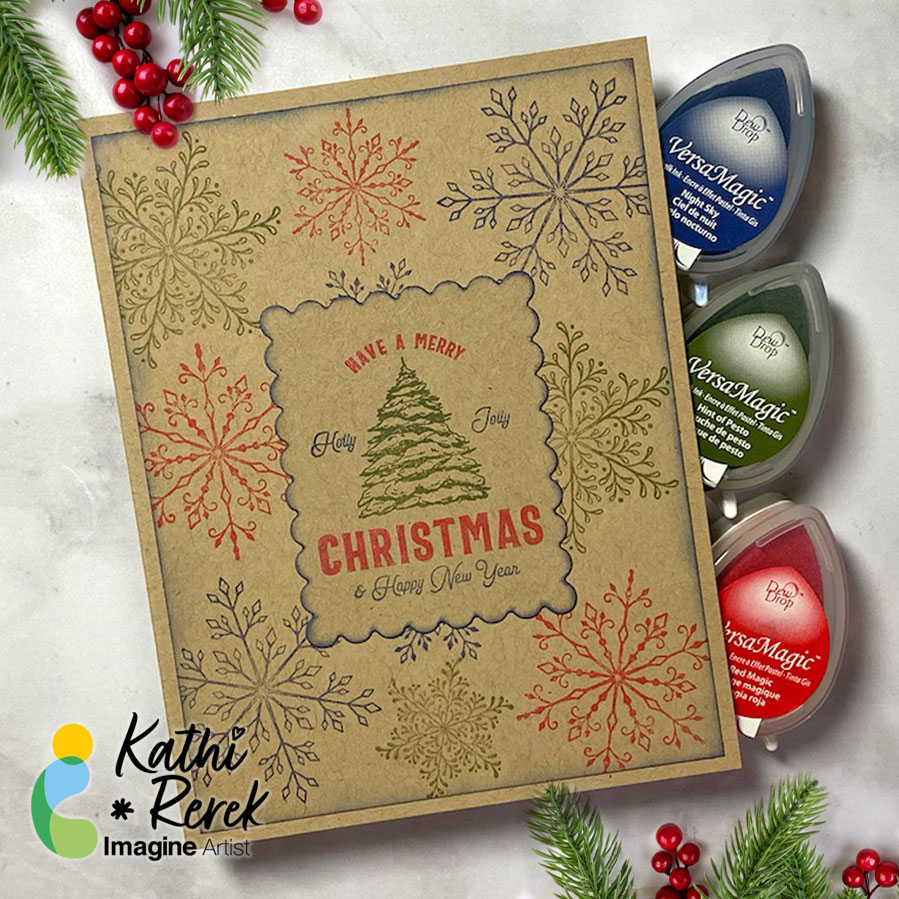
We Love Holiday Stamping On Kraft Cardstock

By Kathi Rerek

I recently saw a video on Unity Stamps’ Instagram that showed how to use colored inks to stamp snowflakes onto Kraft cardstock. I thought that it would be interesting to try VersaMagic Chalk Inks to see how it would work.

Skill Level: Beginner to Intermediate
Time: 1 hour
Step 1:
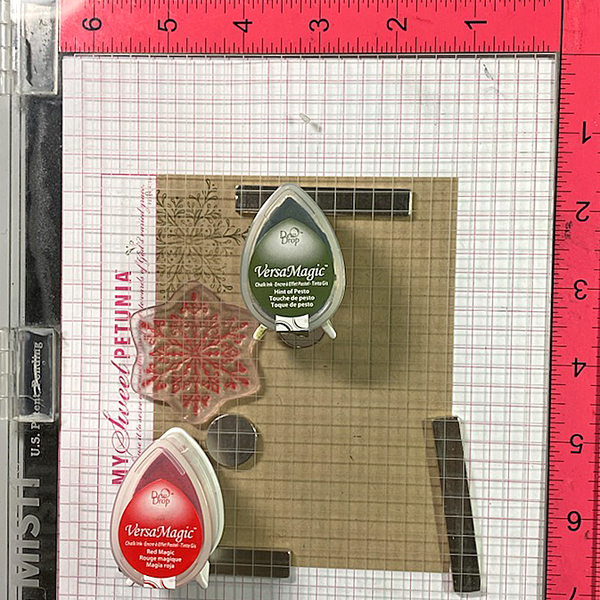
Use magnets to secure a 4” x 5.25” piece of Kraft cardstock onto the base of a stamping platform.

Use Hint of Pesto to stamp the leafy snowflake from the Snowflakes Large Clear Polymer Stamp Set on the top left. Re-ink and stamp again if necessary to create good impression.

Position the spiky snowflake from the set facedown on the image panel below green-stamped snowflake. Use Red Magic VersaMagic ink to stamp the snowflake. Re-ink and stamp again if necessary to create good images. Clean and dry both stamps.
Step 2:
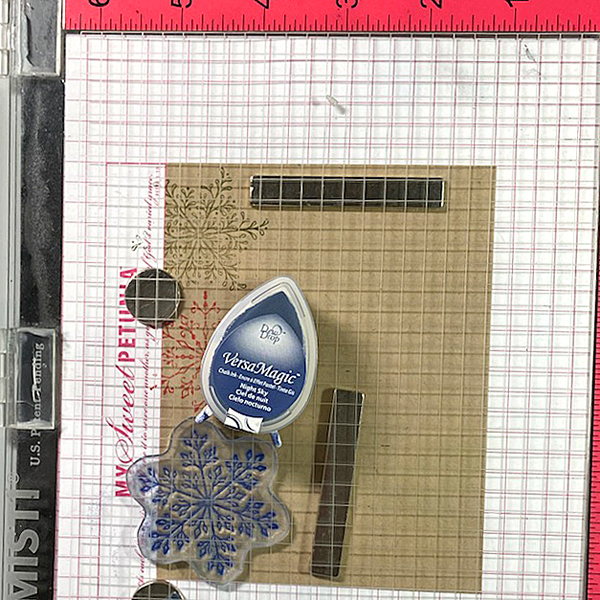
Position the third snowflake stamp from the stamp set facedown on the bottom left of the image panel. Ink the stamp with Night Sky VersaMagic Ink and stamp. Re-ink and stamp again if necessary to create a good impression. Clean and dry the stamp.

Repeat Steps 1 and 2 along the right edge of the image panel as shown in the card photo above.
Step 3:
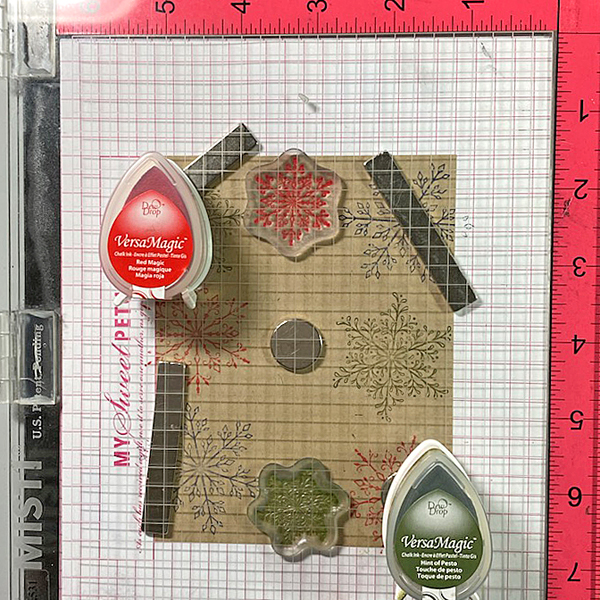
Position one of the snowflake stamps from the Snowflakes Small Clear Polymer Stamp Set facedown in the center top of the image panel. ink the stamp with Red Magic VersaMatic Ink and stamp. Re-ink and stamp again if necessary to create a good impression. Clean and dry the stamp.

Continue the process of stamping snowflakes from the Snowflakes Small Stamp set with all three colors of VersaMagic Inks  taking care to clean and dry the stamps between colors. Remove the image panel from the stamping panel and heat set.
Step 4:
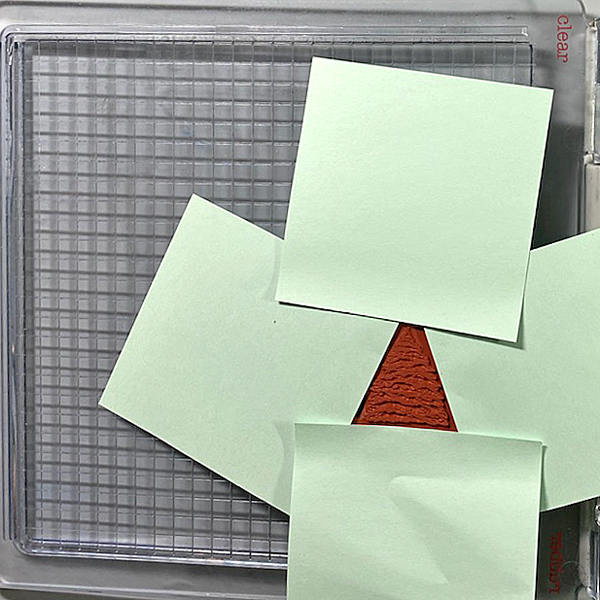
Secure a piece of Kraft cardstock to the base of the image panel. Position the Holiday Spruce Rubber Stamp face-down on the image panel. Press the platform’s lid onto the back of the stamp and lift.

Use Post-It Notes to cover all elements of the stamp except for the Christmas Tree. With the Post-It Notes in place, ink the stamp with Hint of Pesto VersaMagic Ink. Remove the Post-It Notes and stamp twice — once onto the image panel and once onto repositionable sticker paper. Fussy-cut the sticker paper version and place over the stamped tree on the image panel.

Use Post-It Notes to cover each element of the Holiday Spruce Rubber Stamp, ink with one of the the VersaMagic Inks, remove the Post-It Notes, and stamp.

Heat set when the image is completely stamped.
Step 5:
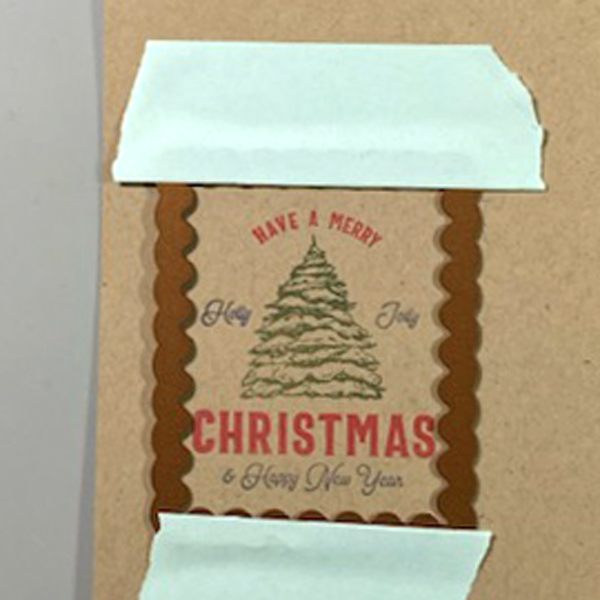
Use low-tack tape to secure a scalloped rectangle die to the sentiment panel. Run the sentiment panel through a die-cutting machine.
Step 6:
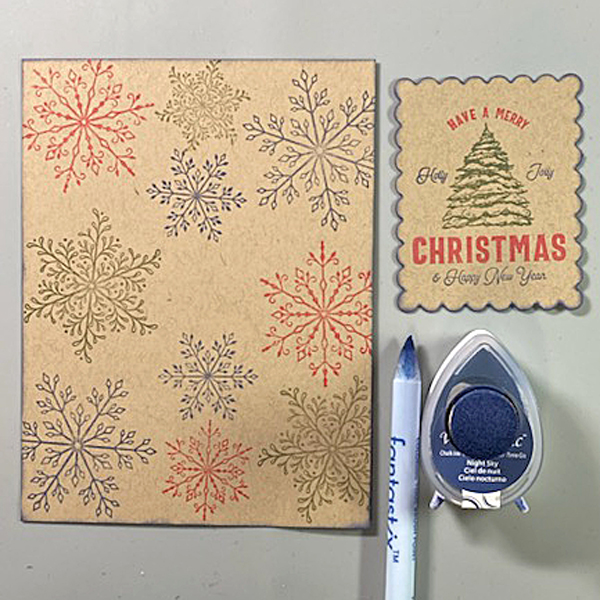
Use a sponge dauber and Night Sky VersaMagic Ink to edge both the image panel and the sentiment die-cut. Use a Fantastix to reach between the scallops! Heat set both panels.
Step 7:
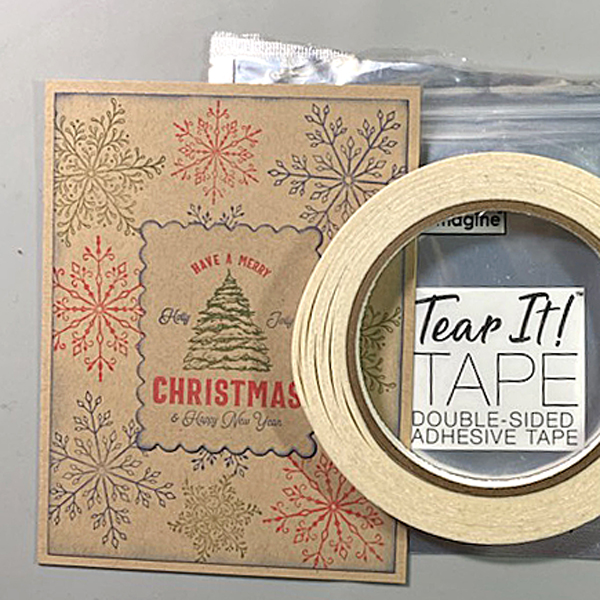
Use Tear It! Tape to adhere the image panel to a Kraft A2 Card. Use Tear-It Tape to adhere the sentiment die-cut to finish the card.

Imagine Crafts Supplies:

Other Supplies:

  • Kraft Cardstock by Bazzill Basics
  • Snowflakes Clear Polymer Stamp Set by Lavinia Stamps
  • Snowflakes Large Clear Polymer Stamp Set by Lavinia Stamps
  • Snowflakes Small Clear Polymer Stamp Set by Lavinia Stamps
  • Holiday Spruce Make a Tag Cling Rubber Stamp by Unity Stamps
  • Scalloped Rectangles Nestabilities by Spellbinders
  • Low-Tack Tape
  • Post-It Notes
  • Heat Gun by EK Success
  • Big Shot
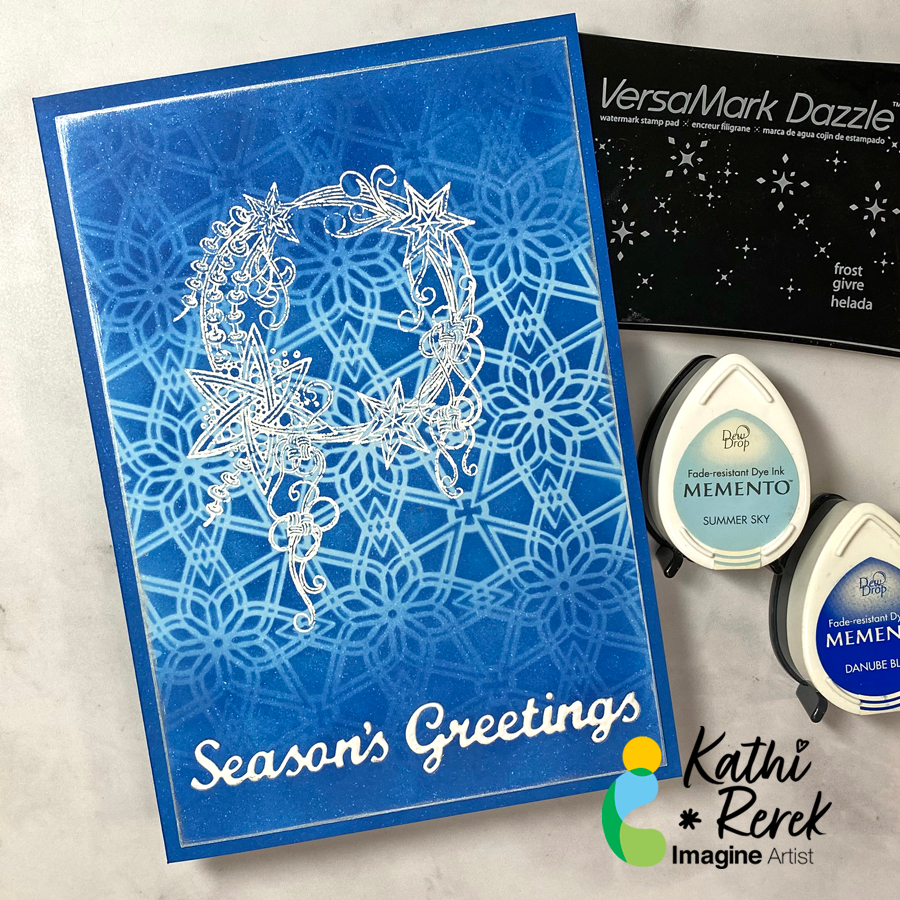
Quick and Easy Season’s Greetings Card

By Kathi Rerek

Here’s a dramatic, yet quick and easy Season’s Greeting’s Card

Skill Level: Beginner to Intermediate
Time: 1 hour

Step 1.
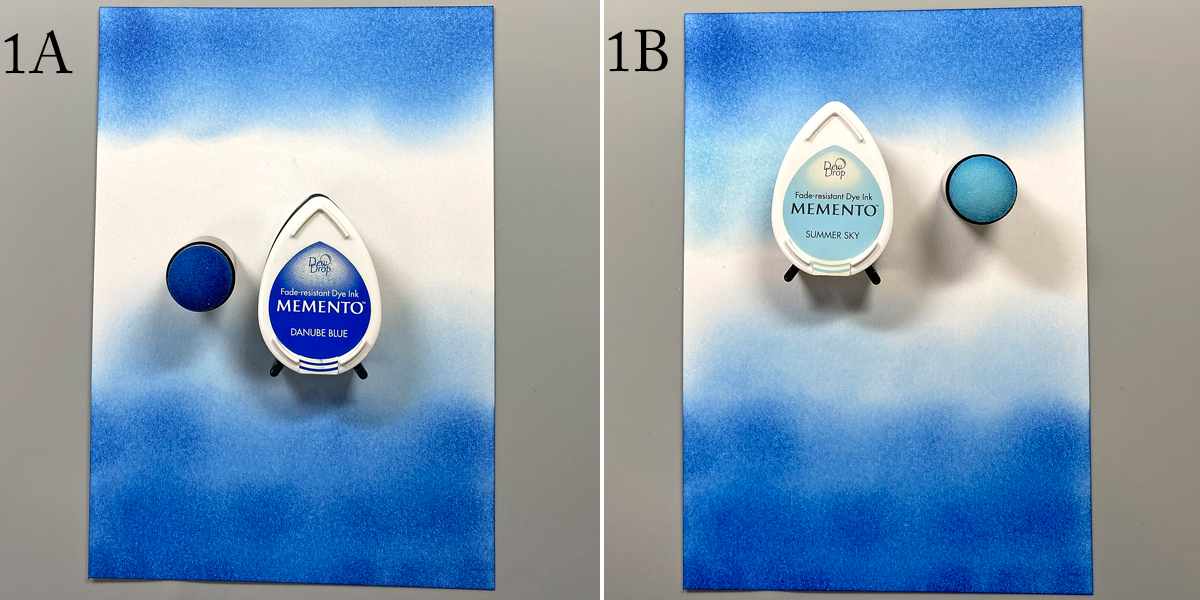
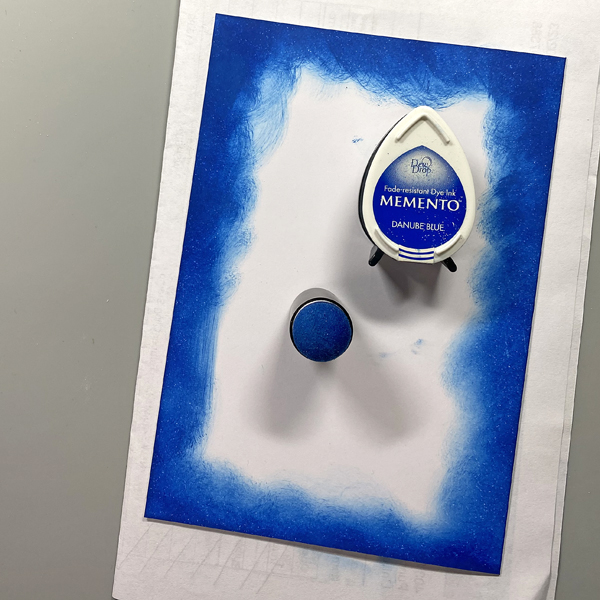
Use a Sponge Dauber to apply Danube Blue Memento Ink to the top and bottom of piece of white cardstock. Use another Sponge Dauber to apply Summer Sky Memento Ink to the center of the cardstock, taking care to blend the blues where they meet.

Step 2:
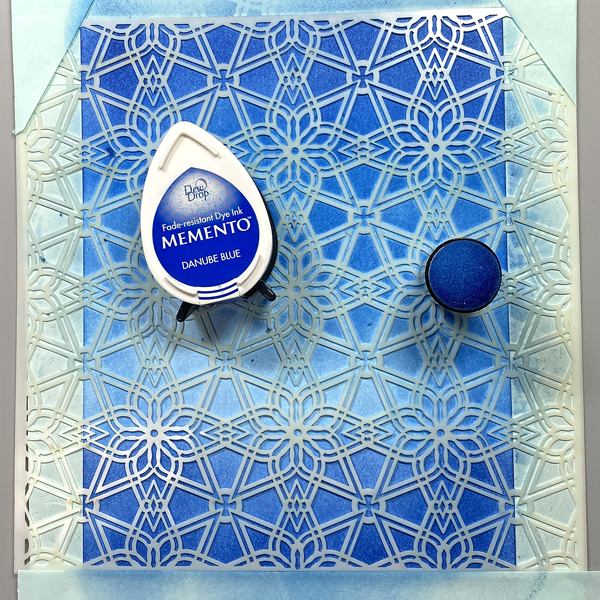
Use low-tack tape to secure the Florastella Stencil to the inked cardstock. Sponge Danube Blue Memento Ink over the stencil onto the cardstock.

Remove the stencil and rub a used dryer sheet onto the image panel.

Step 3:
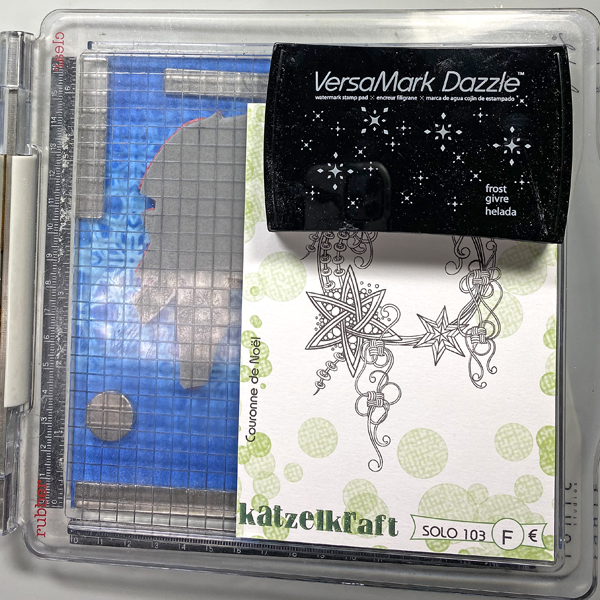
Use magnets to secure the image panel to the base of a stamping platform. Position the Christmas Crown stamp facedown where desired. Ink the stamp with Frost VersaMark Dazzle Ink and stamp. Re-ink and stamp again to ensure a good impression. Remove the image panel from the stamping platform.

Step 4:
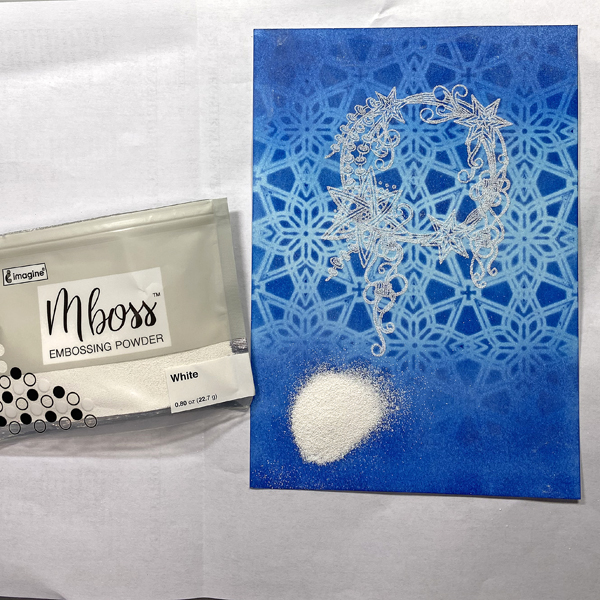
Place the image panel onto a sheet of folded copier paper. Pour White Mboss Embossing Powder onto the image panel. Pour the excess powder onto the copier paper, then pour it back into its packet. Tap off any stray powder and heat set the image. Set aside.

Step 5:
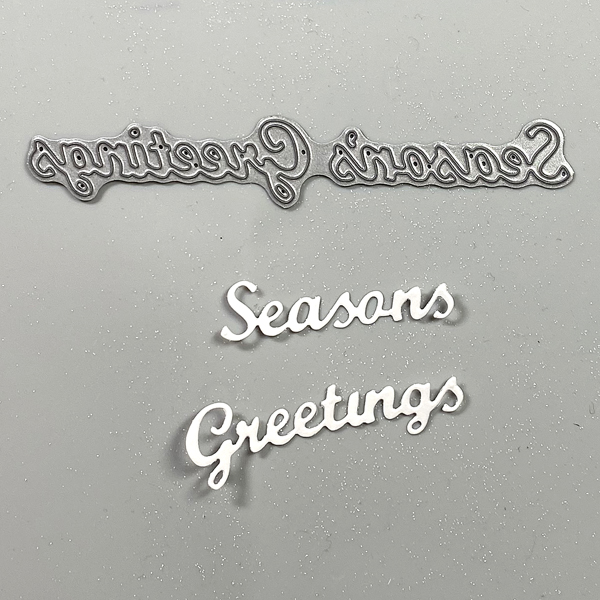
Use a “Season’s Greetings” cutting die to cut white cardstock.

Step 6:
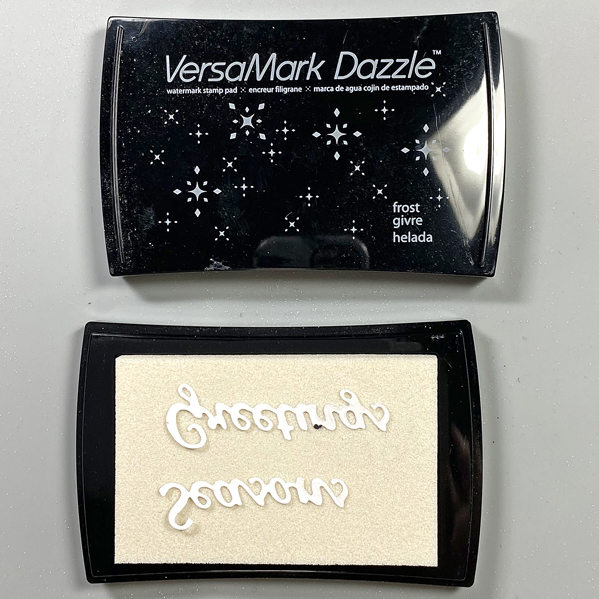
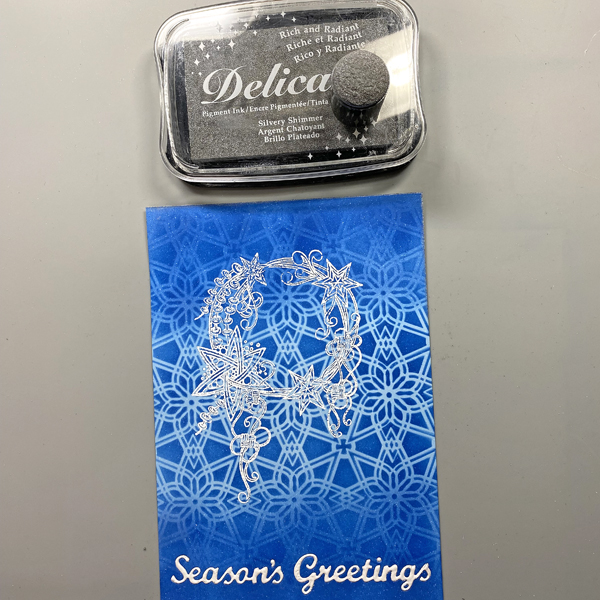
Press the die-cut words face-down onto the Frost VersaMark Dazzle Inkpad. 

Place the inked die-cut words onto the folded up copier paper, pour White Mboss Embossing Powder over the words, then use tweezers to remove them from the embossing powder. (Photo not shown.)

Pour the excess powder onto the copier paper, then pour it back into its packet.

Heat set the sentiment words to melt the embossing powder.

Step 7:
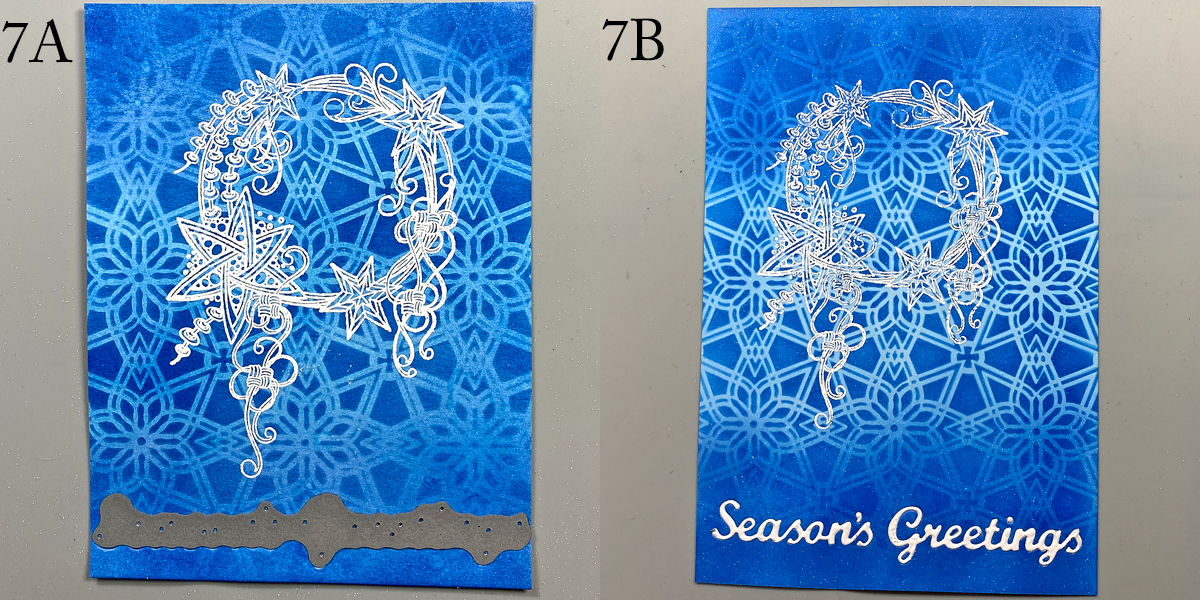
Place the “Season’s Greetings” dies facedown towards the bottom of the image panel and run through the machine to cut.

Use Tear-It Tape on the back of the image panel to cover the die-cut area. (Photo not shown)

Inset the embossed sentiments into the apertures.

Step 8:
Use a Sponge Dauber to apply Silvery Shimmer Delicata Ink to the edges of the image panel. Heat set. Use another Sponge Dauber to edge the image panel with White Shimmer Delicata Ink. Heat set.

Step 9:
Cut white cardstock to 9” x 6.5”. Score at 4.5” and fold to form a 4.5” x 6.5” card. Place a piece of scrap paper into the card. Use a Sponge Dauber to apply Danube Blue Memento ink to the periphery of the card.

Step 10:
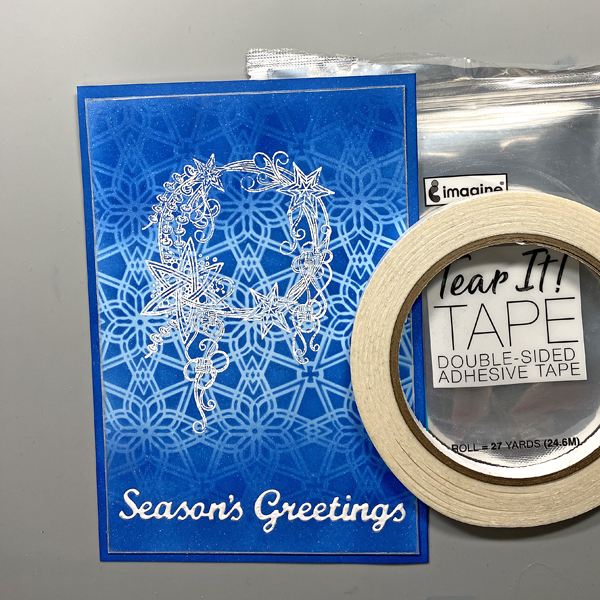
Use Tear It! Tape to adhere the image panel to the  front of the card .

Imagine Crafts Supplies:

Other Supplies:

  • Solar White Classic Crest Cardstock by Neenah Papers
  • Christmas Crown Unmounted Red Rubber Stamp by Katzelkraft
  • Florastella Stencil #53 by AALL and Create
  • Heat Gun by EK Success
  • Mini Guillotine Trimmer by Tim Holtz for Tonic
  • Big Shot

Fun Snow Globe Christmas Card

By Kathi Rerek

– Let’s make a festive and fun Christmas card with ink, stamps, stencils, and minimal coloring.

Skill Level: Beginner to Intermediate
Time: 1 hour

Step 1.

Use a stamping platform and Nocturne VersaFine Clair ink, stamp the penguin from the Penguin Clear Stamp Set onto a panel 6” x 8” panel of Mixed Media cardstock. Re-ink and stamp a second time to ensure a good impression. Keep the image panel secured to the base of the stamping platform. Remove and clean the stamp.

Step 2:

Position the the penguin from the Frost Clear Stamp Set to the right of the previously stamped penguin. Ink the stamp with Nocturne VersaFine Clair Ink and stamp. Re-ink and stamp if necessary to ensure a good impression. Remove the image panel from the platform. Remove and clean the stamp.

Step 3:

Place a piece of repositionable sticker paper on the base of the stamping platform. Place both penguins facedown onto the sticker paper. Ink the stamps with Nocturne VersaFine Clair Ink and stamp. Remove the stamps and the sticker paper sheet from the platform. Heat set the image panel.

Step 4:

Fussy-cut the sticker paper versions of the penguins and place atop their counterparts on the image panel to mask them.

Step 5:

Position the Snow Globe stencil so that the opening is framing the penguins. Use low-tack tape to secure the stencil to the image panel and to cover the base of the image panel. Use a Sponge Dauber to apply Summer Sky Memento ink heavily around the edges of the Snow Globe fading inward over the masked penguins.

Step 6:

Keeping the Snow Globe stencil in place, remove some of the tape from below the globe area. Position the Snow Globe’s Base stencil below the snow globe on the image panel. Secure it with low-tack tape.

Position the circle mask, included with the Snow Globe stencil set, so that it covers the penguins. Secure it with low-tack tape as shown.

Use a Sponge Dauber to apply Rhubarb Stalk Memento ink along the top, bottom, and both sides of the Snow Globe Base stencil. Use the same Sponge Dauber to apply and blend Lady Bug Memento from the edges towards the center of the Snow Globe Base. When happy with the blending and coverage, remove, clean, and dry the Snow Globe  stencil, Snow Globe Base stencil, and the circle mask. Use Scarlet Red and Red Chalk pencils to add dimension and detail to the Snow Globe base. Use a white chalk pencil to add a highlight.

Step 7:

Place low-tack tape horizontally across the inked Snow Globe Base. Place the circle mask over the inked Snow Globe and masked penguins on the image panel. Use low-tack tape to secure the circle mask in place.

Use a Sponge Dauber to apply New Sprout Memento ink to the top part of the image panel as shown.

Step 8:

Place the Holly Background stencil over the circle mask onto the image panel. Secure the stencil in place with low-tack tape. Use a Sponge Dauber to apply Oasis VersaFine Clair ink over the stencil’s  holly leaves onto the image panel. Use a paper towel to remove as much ink as possible from the stencil.

Use a Fantastix to apply Tulip Red VersaFine Clair ink over the stencil’s holly berries onto the image panel. Remove, clean, and dry the stencils and the circle mask. Heat set the image panel.

Step 9:

Use the stenciled leaves and berries as a guide to re-position the Holly Background stencil onto the image panel. Secure with low-tack tape. Place the Snow Globe stencil over top so that the globe aperture is framing the snow globe on the image panel. Secure with low-tack tape.

Use a Fantastix to lightly apply green ink from the Fresh Greens Kaleidacolor inkpad (the second pad from the left) over the stencil’s holly leaves onto the snow globe on the image panel. Use another Fantastix to apply Lady Bug Memento ink over the stencil’s holly berries onto the image panel.

Remove, clean, and dry the stencils.

Step 10:

Place low-tack tape horizontally on the line separating the snow globe from the holly leaf background.

Use a Sponge Dauber to apply Acorn VersaFine Clair ink to the image panel. Use black chalk pencils to add shading and horizontal lines. Smudge the chalk slightly.

Step 11:

Smoosh Sparkle Sheer Shimmer Stix onto the craft mat. Use a paintbrush to apply to the ground under the penguins to make it look icy.

Step 12:

Apply Sparkle Sheer Shimmer Stix onto the craft mat. Add a drop of New Sprout Memento Inker to the sparkly puddle. Mix with a paintbrush, then use the brush to make the penguins’ eyes green. Clean the craft mat.

Apply Sparkle Sheer Shimmer Stix onto the craft mat. Add a drop of Danube Blue Memento Inker to the sparkly puddle. Mix with a paintbrush, then use the brush to add an outline to the white areas of the penguins’ bellies.  Clean the craft mat.

Step 13:

Apply Frost Shimmer Stix to the craft mat. Use a paint brush to add white to the beak of the compass penguin (on the left). Clean the craft mat.

Step 14:

Place the Snow Globe stencil back over the image panel. Cover the remainder of the background with a ruler or tape. Add a drop or two of Moonlight White Brilliance Inker to the craft mat. Spray with 91% Isopropyl Alcohol. Mix with a paint brush and splatter the penguins to add a snowy touch. Remove and clean the stencil. Clean the craft mat. Use a white chalk pencil to add highlights to the right and left side of the snow globe.

Step 15:

Use Tulip Red VersaFine ink to stamp the “Merry Christmas” stencil onto white cardstock. Use a sentiment cutting die to cut the sentiment.

Use a fancy tag cutting die to cut green cardstock. Adhere the sentiment to the green die-cut. Adhere the matted sentiment to the image panel as shown. Enhance the sentiment with rhinestones.

Step 16:

Trim the image panel to 4.625” x 6.625”. Cut a piece of black cardstock to 4.75” x 6.75”. Use Tear-It!Tape to adhere the image panel to the black mat. Use Tear-It! Tape to adhere the matted image panel to a 5” x 7” green card.

Imagine Crafts Supplies:

Other Supplies:

  • 140 lb. Mixed Media Paper by Strathmore
  • Penguin Clear Stamp Set 604 by AALL and Create
  • Frosty Clear Stamp Set 603 by AALL and Create
  • Snow Globe Stencil Set by Funky Fossil
  • Holly Background Stencil by Funky Fossil
  • Classic Sentiments Clear Stamp Set by Hefty Doodle
  • Cutting Dies by Spellbinders
  • Diamond Sparkles by Hunkydory Crafts
  • Scarlet Red, Red, White, and Black Chalk Pencils by General’s
  • Heat Gun by EK Success
  • Mini Guillotine Trimmer by Tim Holtz for Tonic
  • Big Shot
Autumn Leaves Shaker Card

By Kathi Rerek

Intro: Here’s an embossed shimmery shaker card created with a Kaleidacolor Inkpad, several Memento Dew Drop Inkpads, and a Golden Glitz Delicata pad.

Skill Level: Beginner to Intermediate

Time: 1.5 hours

Step 1.

Place the square mini Gel Press onto an acrylic block.

Step 2:

Open the Autumn Leaves Kaleidacolor pad, Press the mini Gel Press against the pad, slide the Gel Press down to fill the Press with ink.

Step 3:

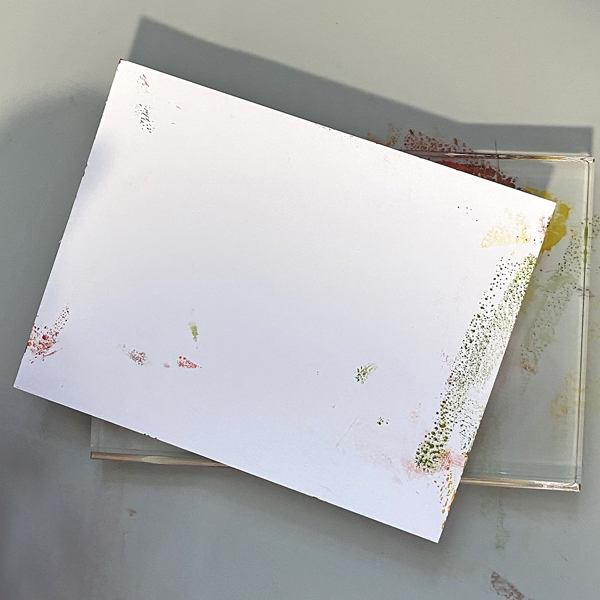
Flip the acrylic block so that the inked Gel Press is facing upward. You’ll notice that the paper is not straight. It’s good to apply the ink in a random pattern. Place a piece of white cardstock against the Gel Press and pull the print.

Repeat Step #2 and Step #3 until the paper is covered with ink.

Repeat Steps #2 and 3 again to create a second print.

Step 4:

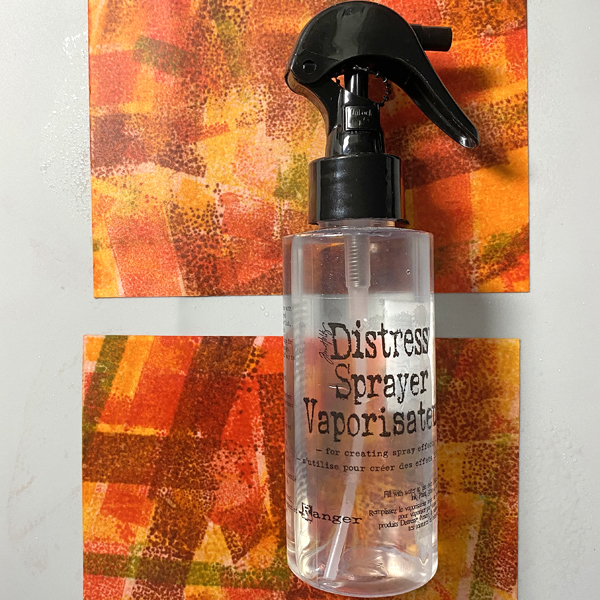
Spray the print (which looks like a hot mess at this point) with 91% Isopropyl Alcohol until the paper is saturated. Heat set.

Step 5:

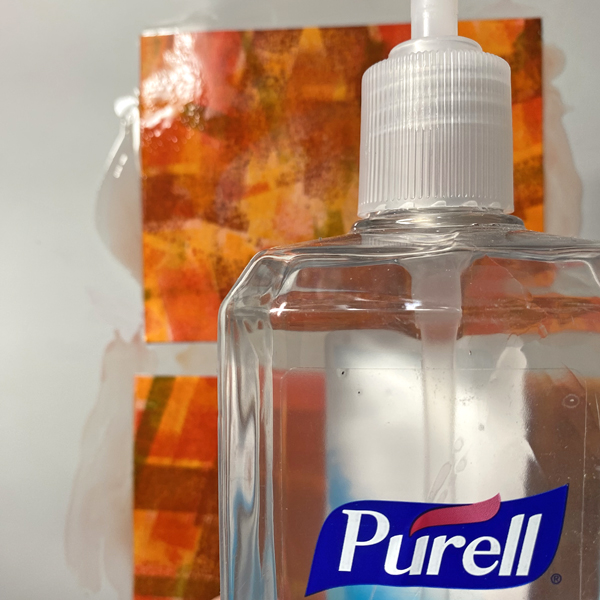
Coat both prints with Purell to further lighten and blend the colors. A side benefit is that your hands will get clean!

Step 6:

Mist the prints with water to add some droplets and white splatter. Heat set.

Step 7:

Use Sponge Daubers to yellow from the Kaleidacolor pad, New Sprout, Bamboo Leaves, Sugar Plum, Dandelion, Tangelo, Lady Bug, Rhubarb Stalk, Ladybug, and Lilac Posies to enhance both prints.

Step 8:

Spray the prints again with 91% Isopropyl Alcohol. Heat set and flatten the prints if necessary.

Step 9:

Place a print inside the embossing folder and run it through a die-cut machine.

Step 10:

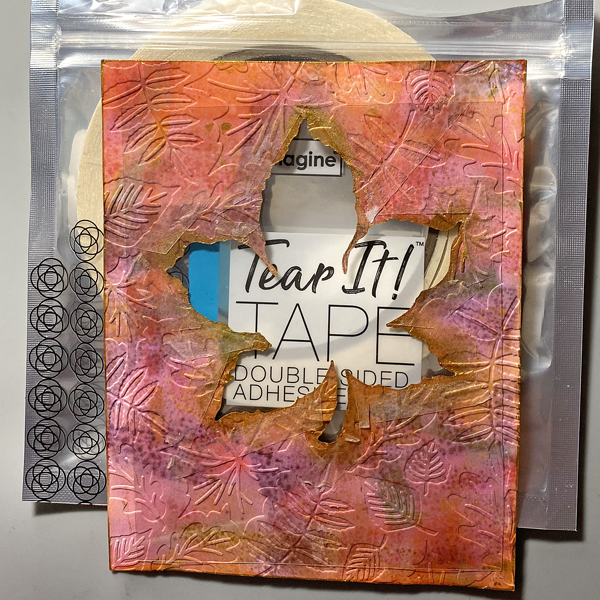
Use a leaf die to cut the embossed print. Reserve the leaf for another use.

Step 11:

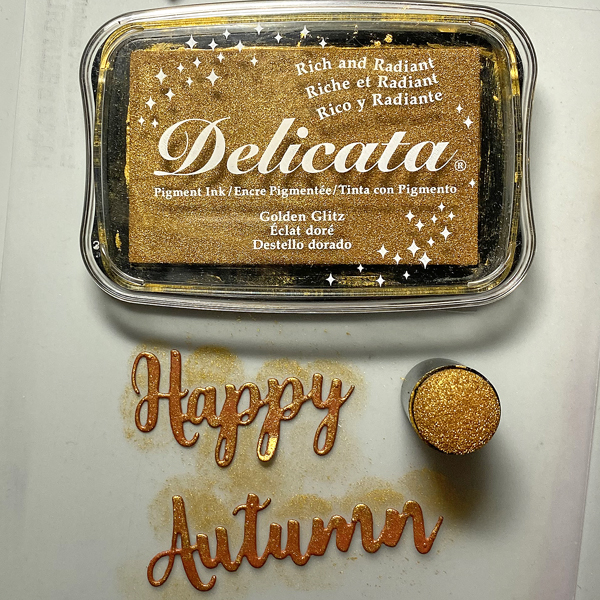
Apply Golden Glitz Delicata to the edges of the leaf window and the panel.

Lightly tickle the embossed elements to add some glittery golden touches to the design.

Heat set.

Step 12:

Flip the embossed print. Take a second to admire the colors of the reverse. The ink colors change and meld somewhat due to the Isopropyl Alcohol.

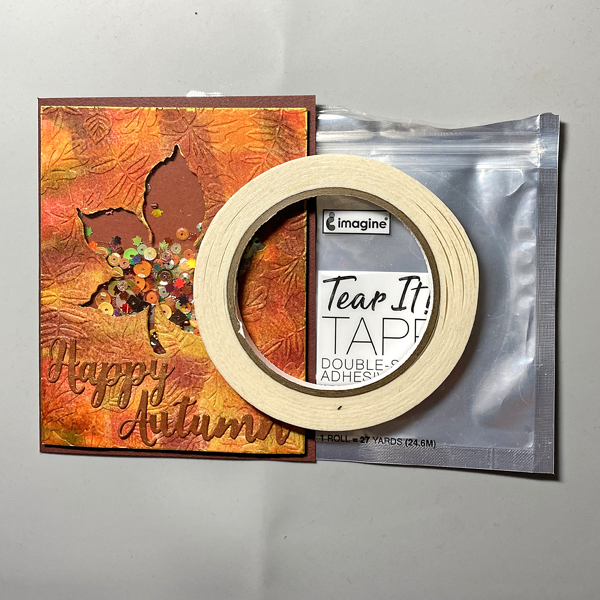
Place Tear It Tape around the edges of the leaf  on the back of the panel. Secure a piece of acetate to the tape on the panel.

Step 13:

Place foam tape around the edges of the leaf to create a well for the shaker contents. Be sure that there are no gaps between the pieces of tape. Use an embossing buddy or a dryer sheet to gently rub the sides of the tape and the acetate window so that the shaker contents can be move freely.

Fill the aperture with your selection of shaker contents.

Carefully pull the backing off of the foam tape and place a piece of cardstock over the aperture to seal the shaker.

Step 14:

Use cutting dies to cut rust cardstock (not shown).

Apply Golden Glitz Delicata Ink to the die-cuts.

Step 15:

Adhere the sentiment below the shaker element.

Step 16:

Use Tear It! Tape to adhere the front of the shaker card to an A2 Rust card.

Imagine Crafts Supplies:

Other Supplies:

  • Solar White Classic Crest Cardstock by Neenah Papers
  • Rust Cardstock by Bazzill Basics
  • Falling Leaves Embossing Folder by Spellbinders Paper Arts
  • Leaf Die Set by Stampendous
  • Word Dies by Frantic Stamper
  • Shaker Contents from a variety of sources
  • 91% Isopropyl Alcohol
  • Purell
  • Heat Gun by EK Success
  • Mini Guillotine Trimmer by Tim Holtz for Tonic
  • Big Shot
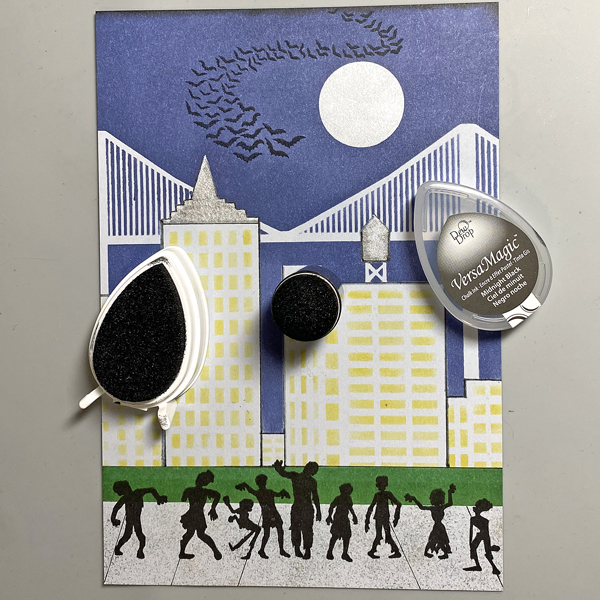
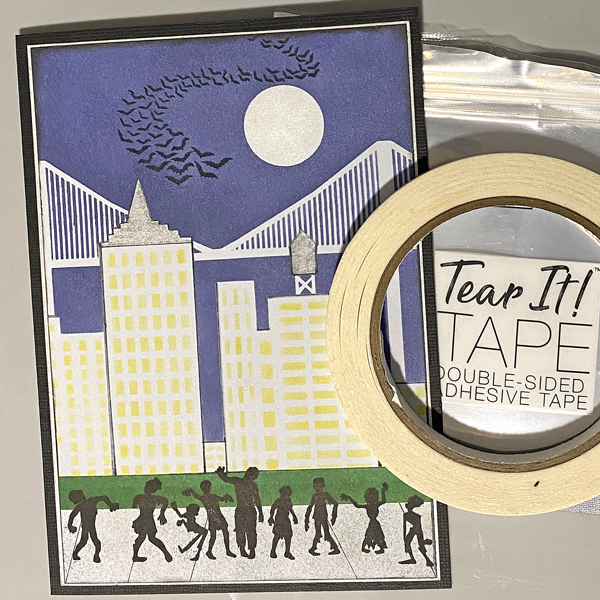
Zombies Invade Brooklyn Card

By Kathi Rerek

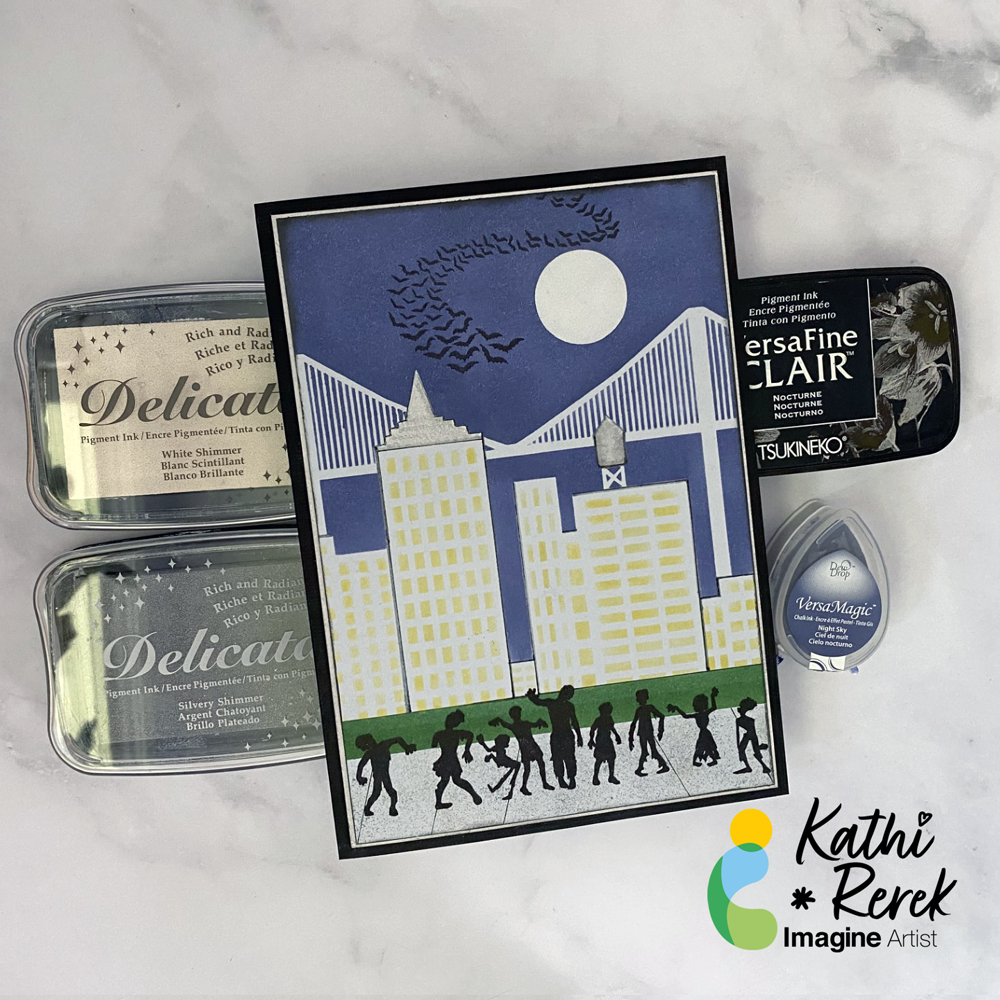
Halloween card made easy with VersaMagic, Brilliance, Delicata, VersaFine Clair, and Memento Inks!

Skill Level: Beginner to Intermediate

Time: 1 hour

Step 1.

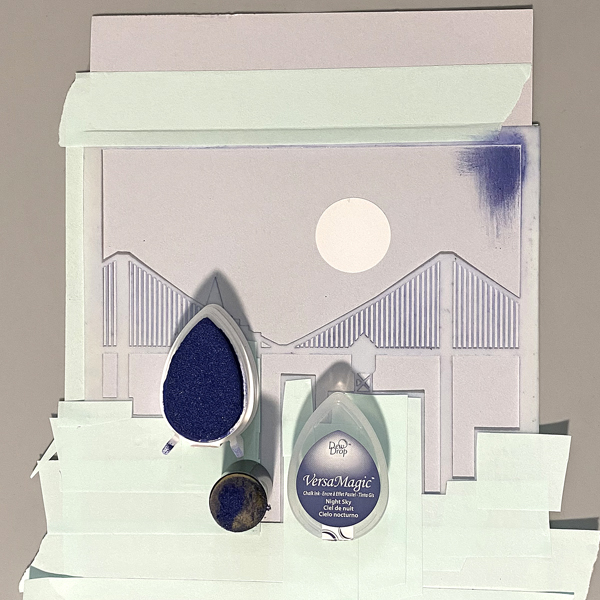
Use low-tack tape to secure the Cityscape Stencil to a 5.5” x 8.5” piece of light grey cardstock. Trim and place low-tack tape to cover the buildings’ windows. Use a circle punch to cut a circle from mask paper and adhere the circle mask above the bridge. Keep the mask paper with the circular hole for another step..

Use a sponge dauber to apply Night Sky VersaMagic Ink over the stencil and the moon mask onto the the grey cardstock to create a night sky.

Step 2:

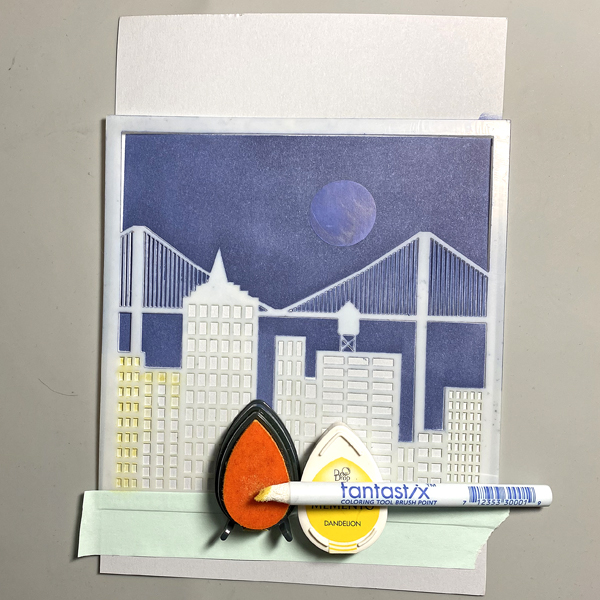
Keeping the stencil in place, remove the tape covering the windows. Use a Fantastix to apply Dandelion Memento Ink over the window apertures of the stencil.

Step 3:

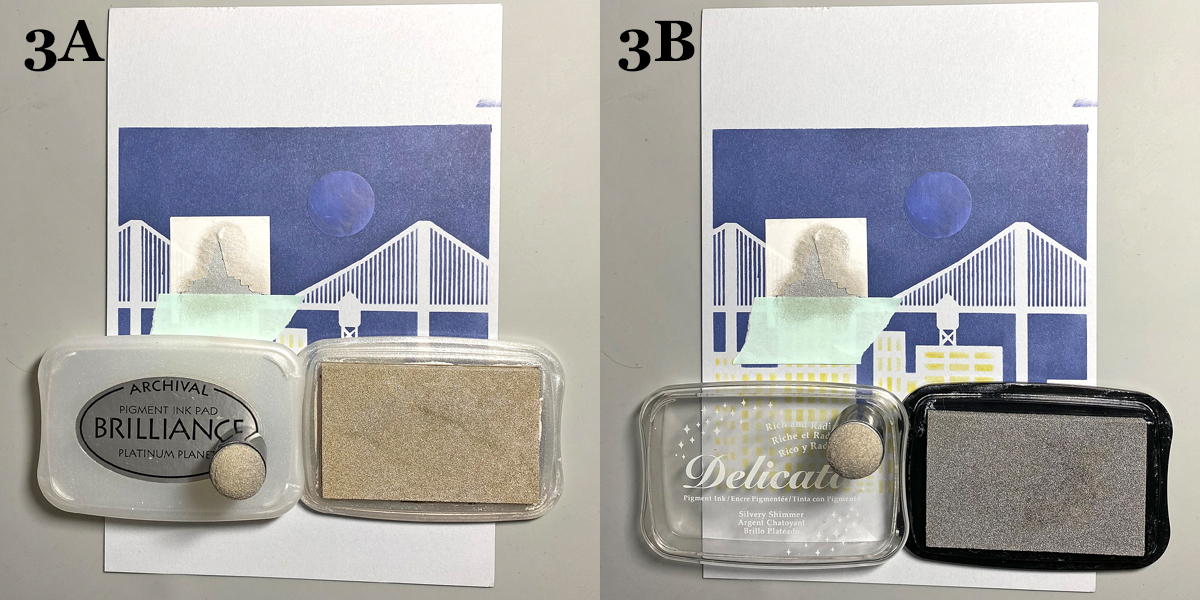
Trace the spire onto masking paper, fussy-cut along the lines, leaving the outline of the spire intact. Place the mask around the spire on the image panel. Use low-tack tape to cover the base of the spire.

Use a sponge dauber to apply Platinum Planet Brilliance Ink to the spire, then apply Silvery Shimmer Delicata Ink overtop to amp up the silver.

Step 4:

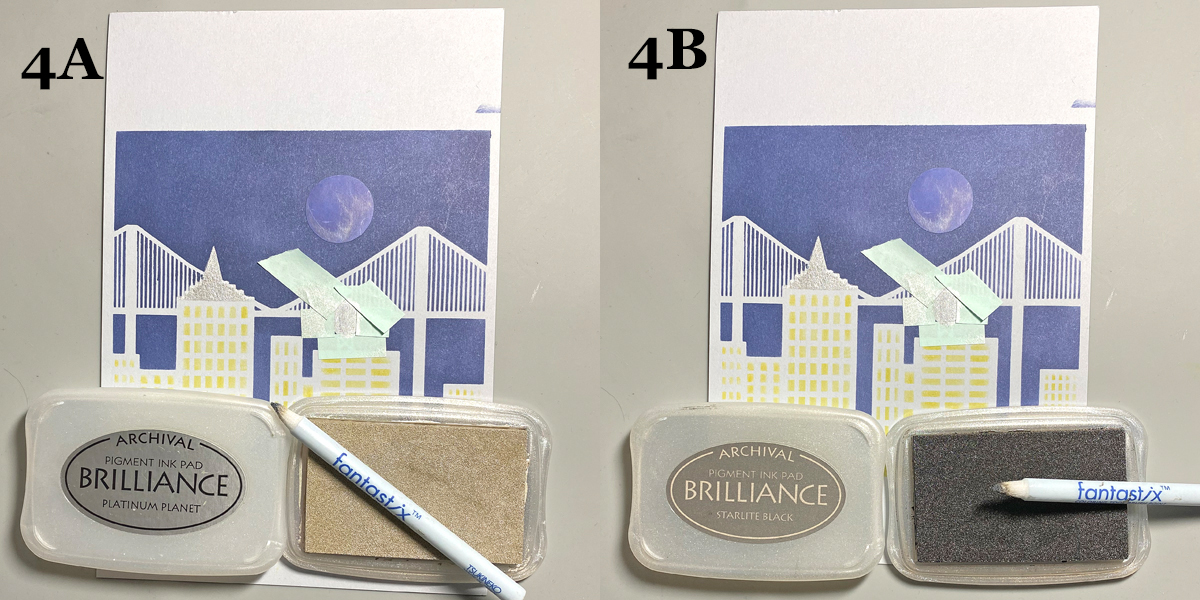
Use low-tack tape to cover the area around the rooftop water tower, leaving the tower unmasked. Use a Fantastix to apply Platinum Planet Brilliance Ink to color the water tower. Use another Fantastix to apply Starlight Black Brilliance Ink to add shading to the water tower.

Step 5:

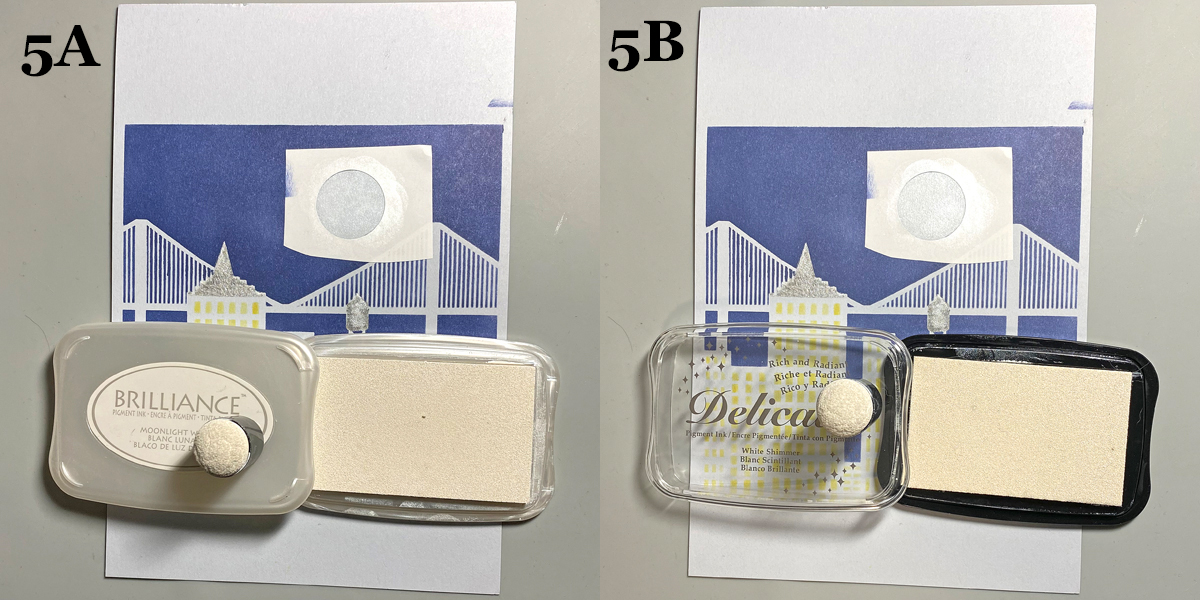
Remove the circle mask from the sky. Adhere the mask paper with the circle hole to the sky area, leaving the center open. Use a Sponge Dauber to apply Moonlight White Brilliance ink to color the moon white. Use a Sponge Dauber to apply White Shimmer Delicata Ink overtop to add shimmer to the moon.

Step 6:

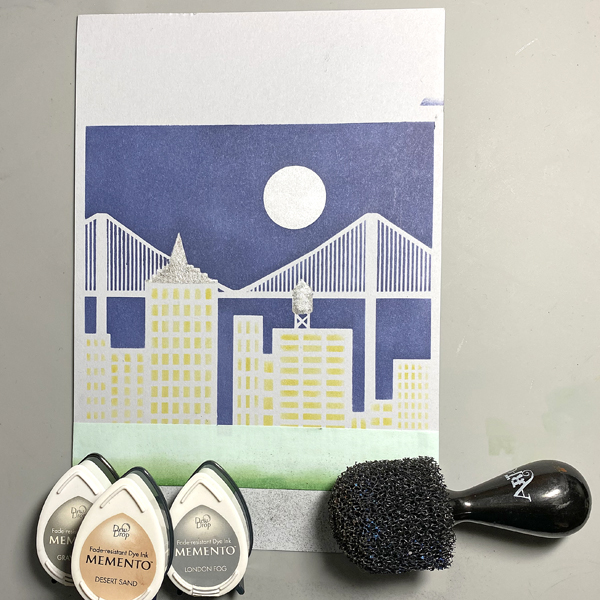
Use a scrap of cardstock and low-tack tape to cover the buildings. Place another piece of low-tack tape horizontally across the bottom 1.25” of the image panel.Use Sponge Daubers to apply Cottage Ivy and Bamboo Leaves Memento Ink between the masked areas to create a grassy lawn.

Step 7:

Use low-tack tape to cover the grassy areas. Use the pouncy tool to apply London Fog, Grey Flannel, and Desert Sand Memento Inks to create a cement sidewalk.

Step 8:

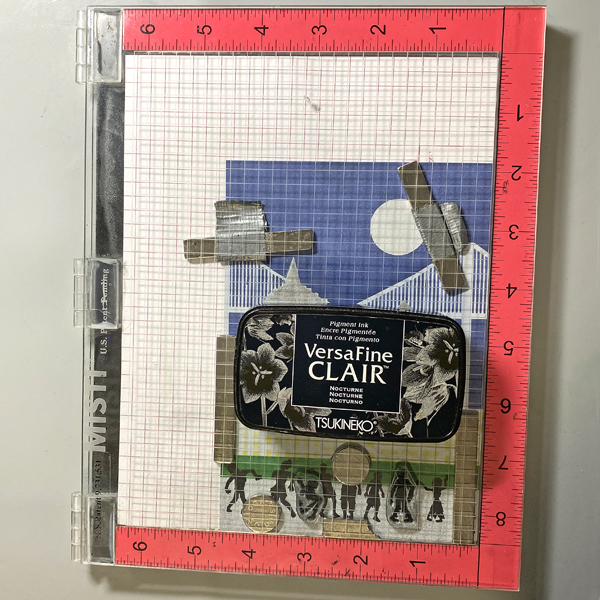
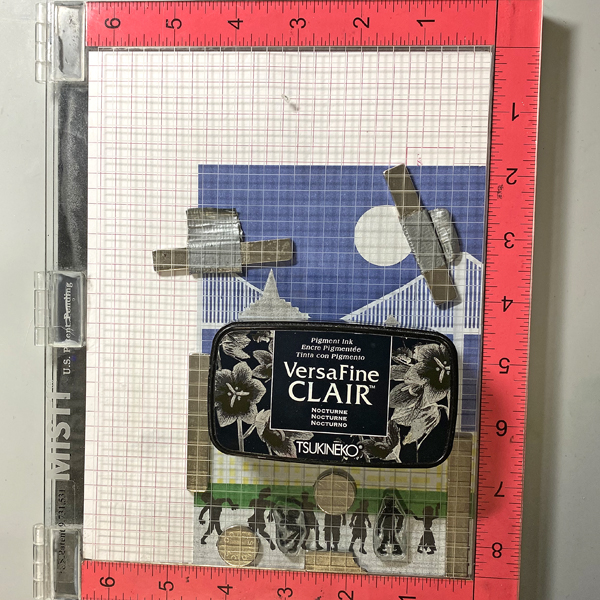
Use magnets to secure the image panel to the stamping platform. Position the Zombie stamps facedown where desired. Press the lid of the platform onto the back of the stamps, lift, ink the stamps with Nocturne VersaFine Clair Ink, and stamp. Re-ink and repeat stamping if needed to attain a good solid impression.

Remove the Zombie stamps from the platform., then remove the image panel from the platform,. Heat set the stamped images.

Step 9:

Place the image panel back onto the base of the stamping platform, secured with magnets.. Place the other two small Zombie stamps facedown between the other stamped images. Press the lid of the platform onto the back of the stamps, lift, ink the stamps with Nocturne VersaFine Clair Ink, and stamp. Re-ink and repeat stamping if needed to attain a good solid impression.

Remove the stamps from the platform Remove the image panel from the platform. Heat set.

Step 10:

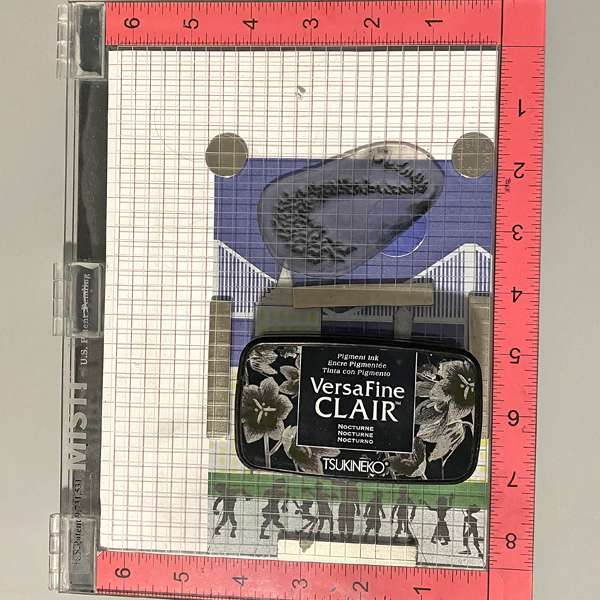
Place the image panel back onto the stamping platform, secured with magnets. Place the Bat Colony Stamp facedown in the sky area as shown. Press the lid of the platform onto the back of the stamps, lift, ink the stamps with Nocturne VersaFine Clair Ink, and stamp. Re-ink and repeat stamping if needed to attain a good solid impression.

Remove the stamps from the platform Remove the image panel from the platform. Heat set.

Step 11:

Trim the image panel to 4 5/8” x 6 5/8” . Use a Sponge Dauber to edge the image panel with Midnight Black VersaMagic Ink.

Step 12:

Trim a piece of white cardstock to 4.75” x 6.75”. Use a Sponge Dauber to apply Platinum Planet Brilliance Ink to the outside .5” of the image panel. Then use a Sponge Dauber to apply Silvery Shimmer Delicata Ink overtop to add to the metallic shine.

Step 13:

Use Tear It! Tape to mat the image panel to the silver-inked cardstock, then use Tear-It! Tape to adhere the matted image panel to a black 5” x 7” card.

Imagine Crafts Supplies:

Other Supplies:

  • Light Grey Cardstock
  • Cityscape Stencil TCW376 by The Crafters Workshop
  • Bat Colony Clear Polymer Stamp by Lavinia Stamps
  • Zombie Party by Whimsy Stamps
  • Low-Tack Tape
  • Mask Paper by Gina K Designs
  • Pouncy Tool
  • Heat Gun by EK Success
  • Mini Guillotine Trimmer by Tim Holtz for Tonic Studios
  • Misti Stamping Platform by My Sweet Petunia

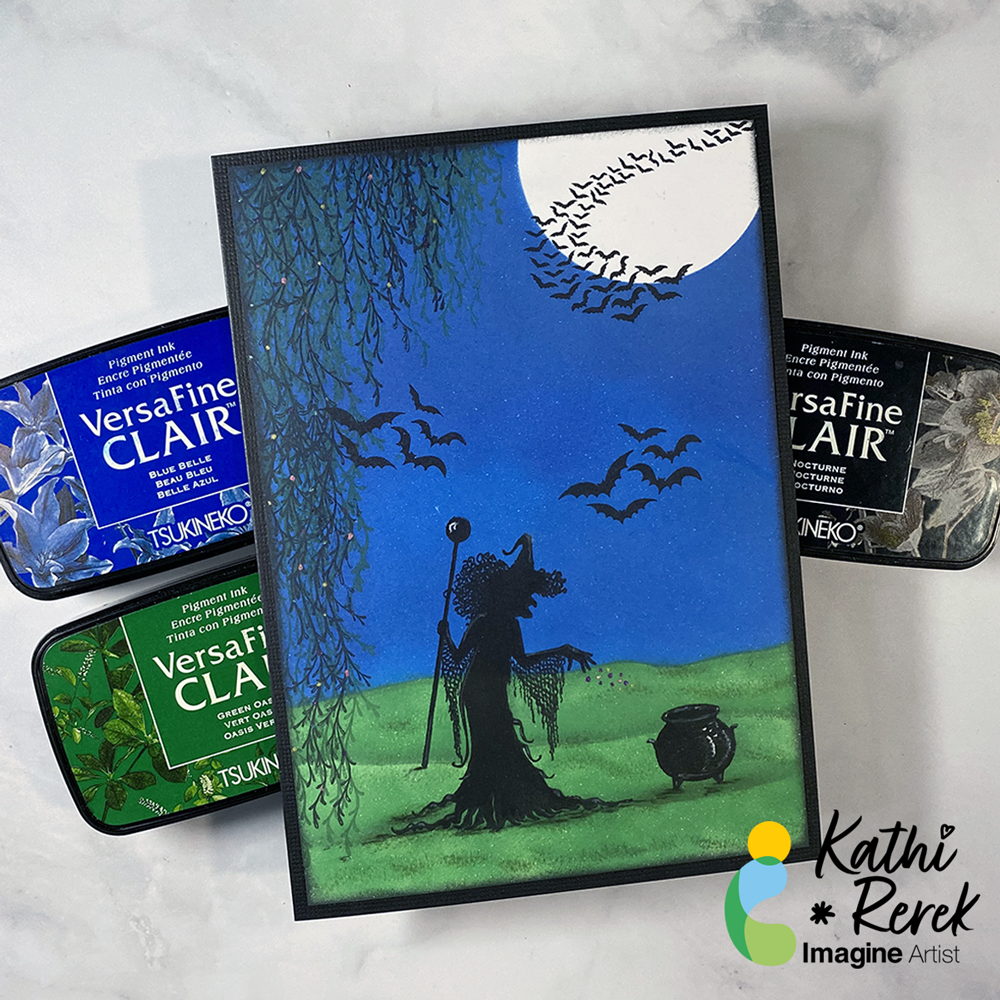
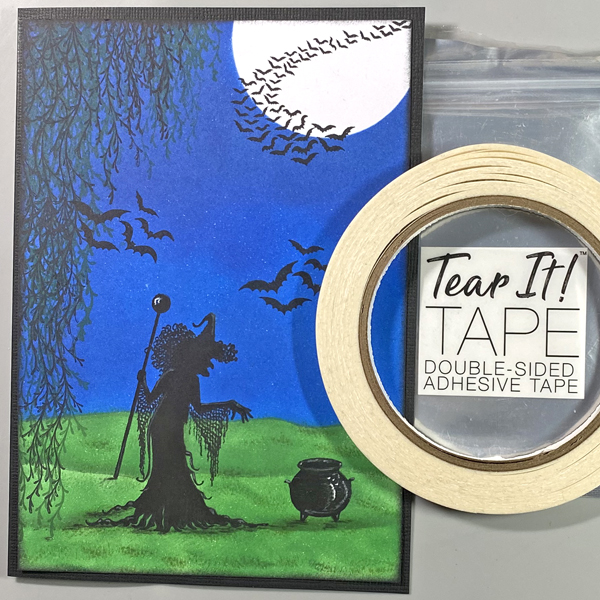
Bewitching Scene with VersaFine Clair

By Kathi Rerek

VersaFine Clair Inks make it easy to create a quick and bewitching Halloween scene!

Skill Level: Beginner to Intermediate

Time: 1 hour

Step 1.

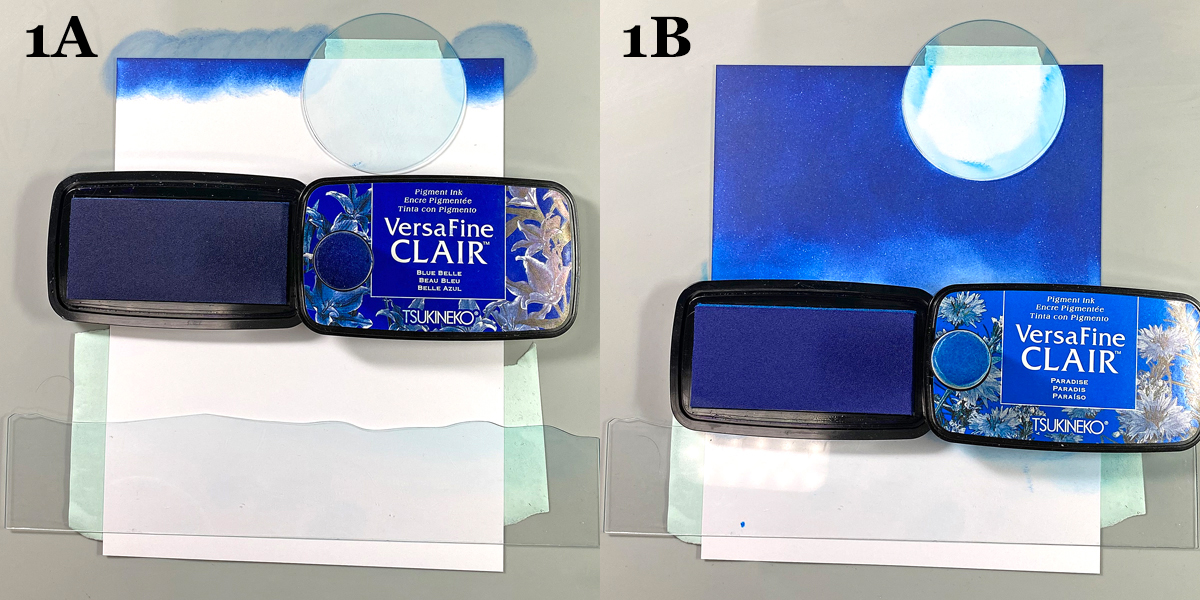
Use tape to secure the Moon mask and the flattest of the Hills mask to the back of a 4.75” x 6.75” panel of white cardstock.

Use a sponge dauber to apply Blue Belle VersaFine Clair Ink over the Moon mask onto the top part of the image panel to create a night sky.

Use another sponge dauber to apply Paradise VersaFine Clair Ink over the top of the Hills mask onto the image panel until the panel is covered.

Step 2:

Move the Hills mask slightly downward and use the existing tape to secure it in place.

I had previously traced the Hills mask onto a piece of cardstock and fussy-cut it to create a paper mask for the negative portion of the mask. This was placed over the night sky.

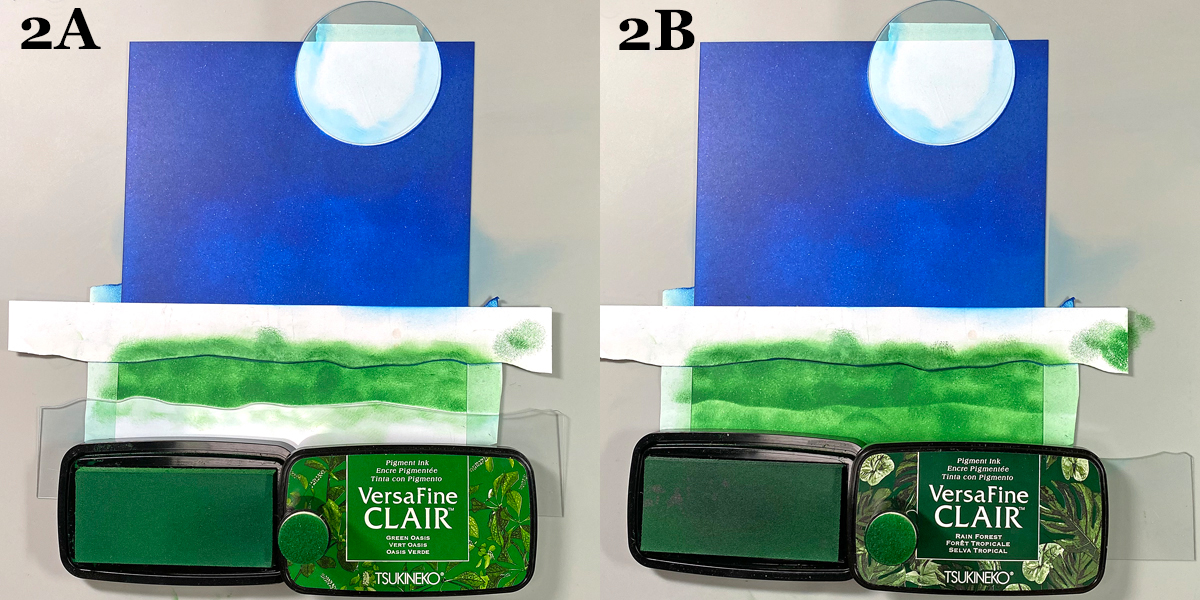
Use a sponge dauber to apply Green Oasis VersaFine Clair Ink between the paper and acetate mask. Move the acetate mask downwards again and sponge Green Oasis VersaFine Clair Ink to fill in the grassy areas.

Use a different sponge dauber to apply Rain Forest VersaFine Clair Ink below the paper mask to add contrast and fill in the lawn. Remove the masks and heat set the panel.

Use a black chalk pencil to deepen the shadows in the grass.

Step 3:

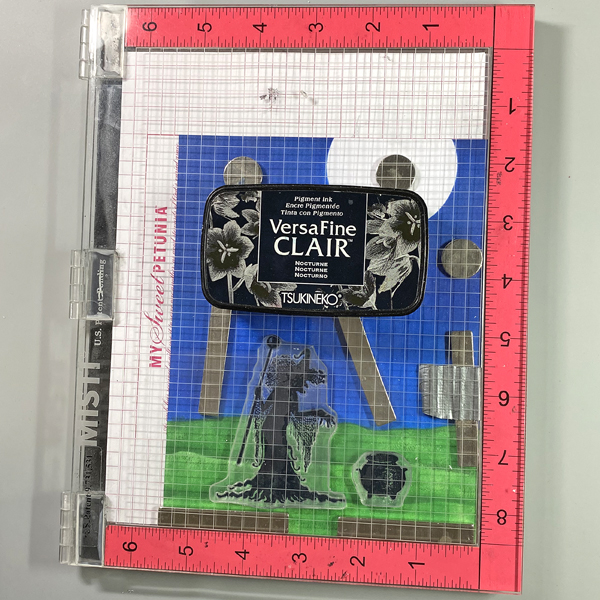
Use magnets to secure the image panel to the base of a stamping platform. Position the witch and  the cauldron stamps facedown as desired. Press the platform’s lid onto the back of the stamps, lift, and ink the stamps with Nocturne VersaFine Clair Ink. Stamp. Re-ink and stamp again if needed to attain a good impression.

Use a black chalk pencil to add shadows below the witch and the cauldron.

Step 4:

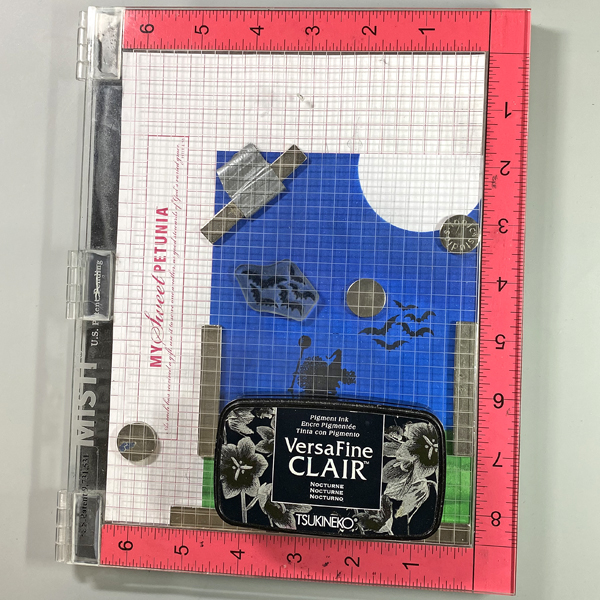
Position the Bats stamp on the right side of the witch and above the cauldron. Use Nocturne VersaFine Clair Ink to stamp the image. Oops. No photo.

Clean and dry the Bats stamp. Reposition it so that it’s to the left of the witch. Use Nocturne VersaFine Ink to stamp the image.

Step 5:

Position the Bat Colony stamp at the top right of the image panel so the bats are in front of the moon. Use Nocturne VersaFine Clair ink to stamp the image.

Step 6:

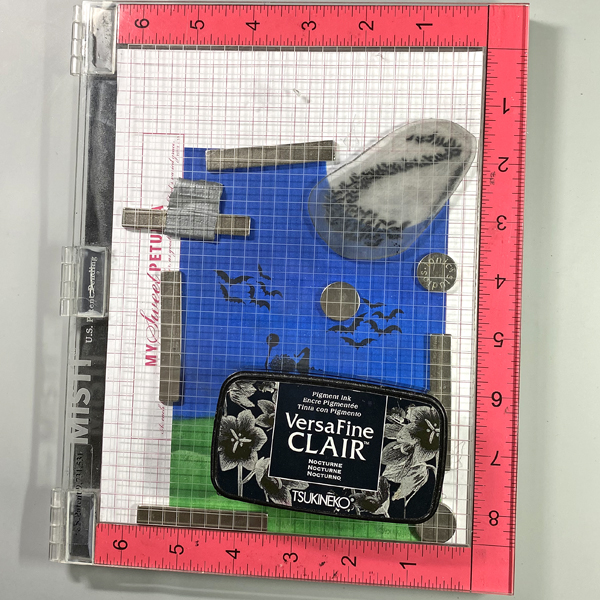
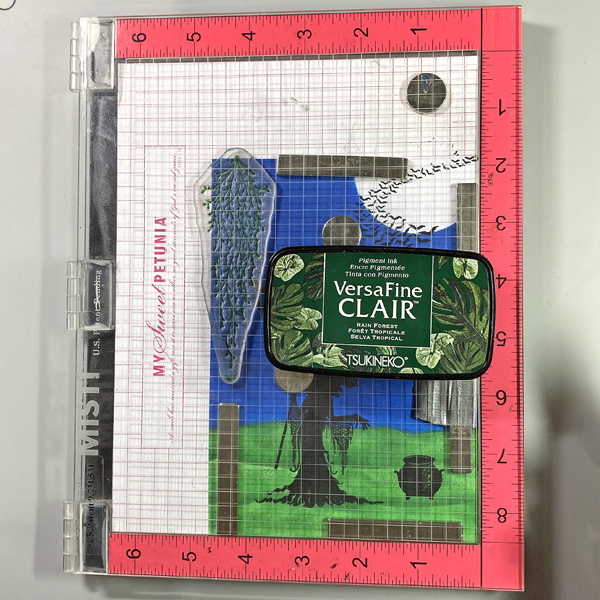
Position the larger of the Spanish Moss stamps along the right side of the image panel. Ink the stamp with Rain Forest VersaFine Clair Ink and stamp. Clean and dry the stamp. Move the stamp down, ink the stamp with Rain Forest VersaFine Clair Ink and stamp to extend the moss.

Step 7:

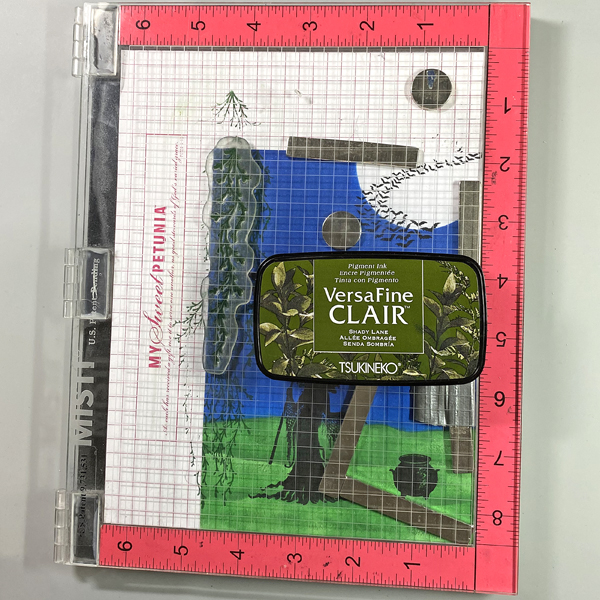
Position the smaller of the Spanish Moss stamps to the right of the stamped moss. Ink the stamp with Shady Lane VersaFine Clair Ink and stamp. Clean and dry the stamp. Move the stamp to the right, ink the stamp with Shady Lane VersaFine Clair Ink and stamp.

Step 8:

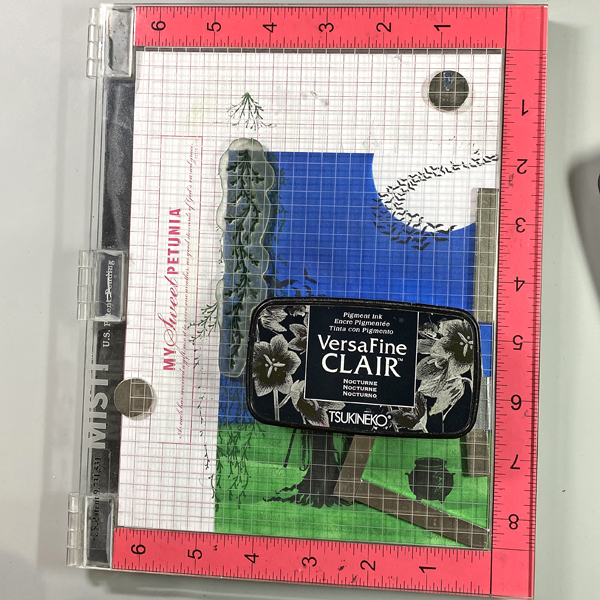
Clean and dry the stamp then move it back to the left. Ink the stamp with Nocturne VersaFine Clair Ink and stamp.

Step 9:

Place the larger of the Spanish Moss stamps onto an acrylic block. Ink the stamp with Nocturne VersaFine Clair Ink and stamp over the previous impressions using first and second generation stamping.  Sorry there’s no photo.

Heat set the image panel.

Step 10:

Use Tear It! Tape to adhere the image panel to a 5” x 7” black card.

Step 11:

Use a white Gelly Roll Gel pen to add highlights to the cauldron. Use a white colored pencil to add shading to the witch and the cauldron.

Use Stardust Glitter Gel pens to add sparkle to the contents being thrown in the cauldron and to the Spanish Moss.

Imagine Crafts Supplies:

Other Supplies:

  • Solar White Classic Crest Cardstock by Neenah Papers
  • Raven Cardstock by Bazzill Basics
  • Acetate Circle Masks by Lavinia Stamps
  • Acetate Hills Masks by Lavinia Stamps
  • Willow the Witch Clear Polymer Stamp Set by Lavinia Stamps
  • Bats Clear Polymer Stamp by Lavinia Stamps
  • Bat Colony Clear Polymer Stamp by Lavinia Stamps
  • Spanish Moss Clear Polymer Stamp Set by Lavinia Stamps
  • White Gelly Roll Gel Pen by Sakura of America
  • Purple, Rose, Sky Blue, and Gold Stardust Glitter Pens by Sakura of America
  • White Colored Pencil by Prismacolor
  • Black Chalk Pencil by General’s
  • Heat Gun by EK Success

Mini Guillotine Trimmer by Tim Holtz for Tonic Studios

Misti Stamping Platform by My Sweet Petunia