Create a Winter Card with Minimal Supplies 

By Jessica Lin 

Skill: Beginner 
Time: 15 minutes 

Hi everyone! It’s Jessica here. Today I have a beginner-friendly project to share with you. If you are just starting out and don’t have many ink pads, this tutorial is for you. I will be sharing some stamping techniques to help you create shades of color with just one ink pad. So let’s get started!

Step 1:
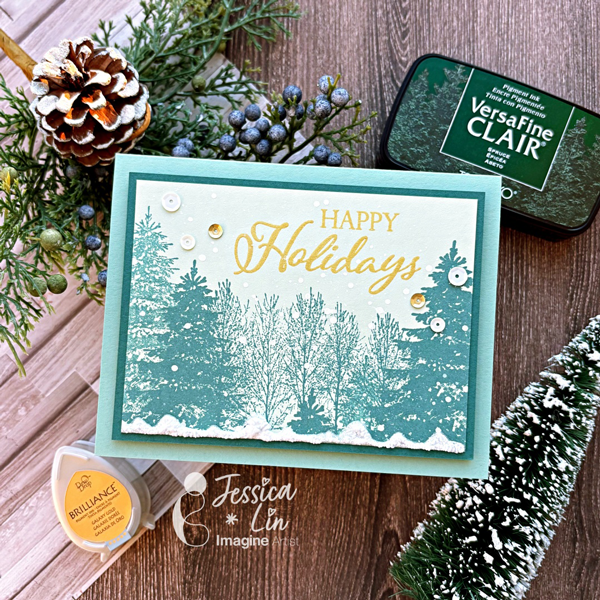
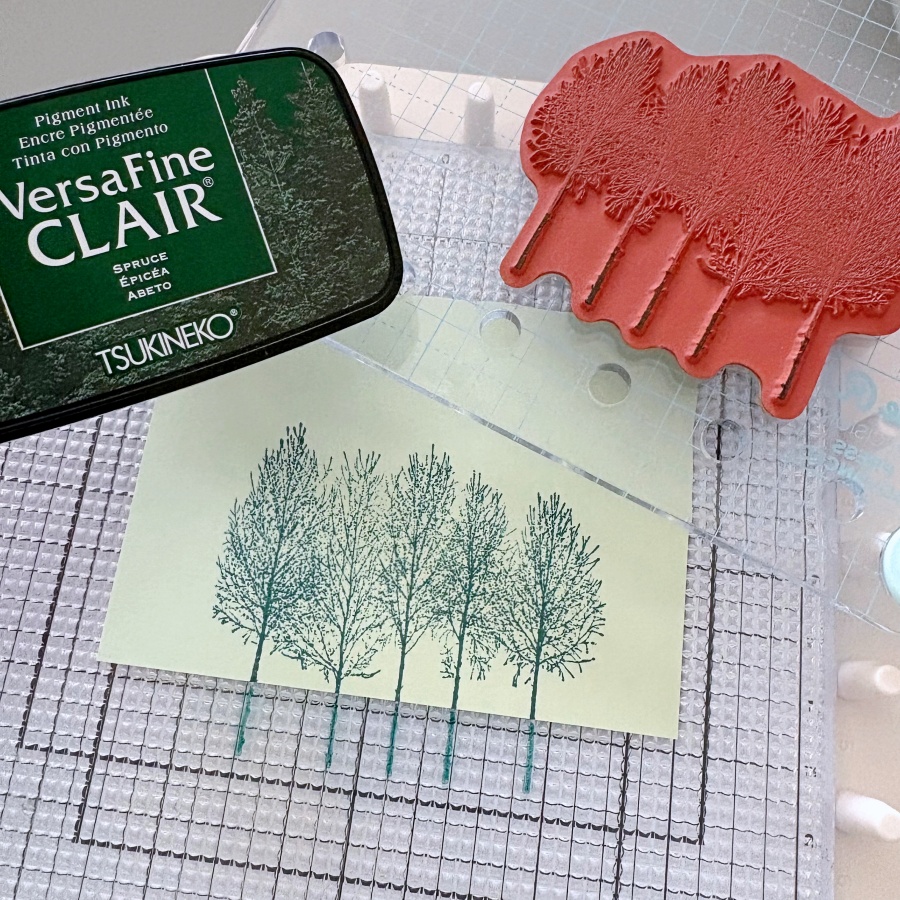
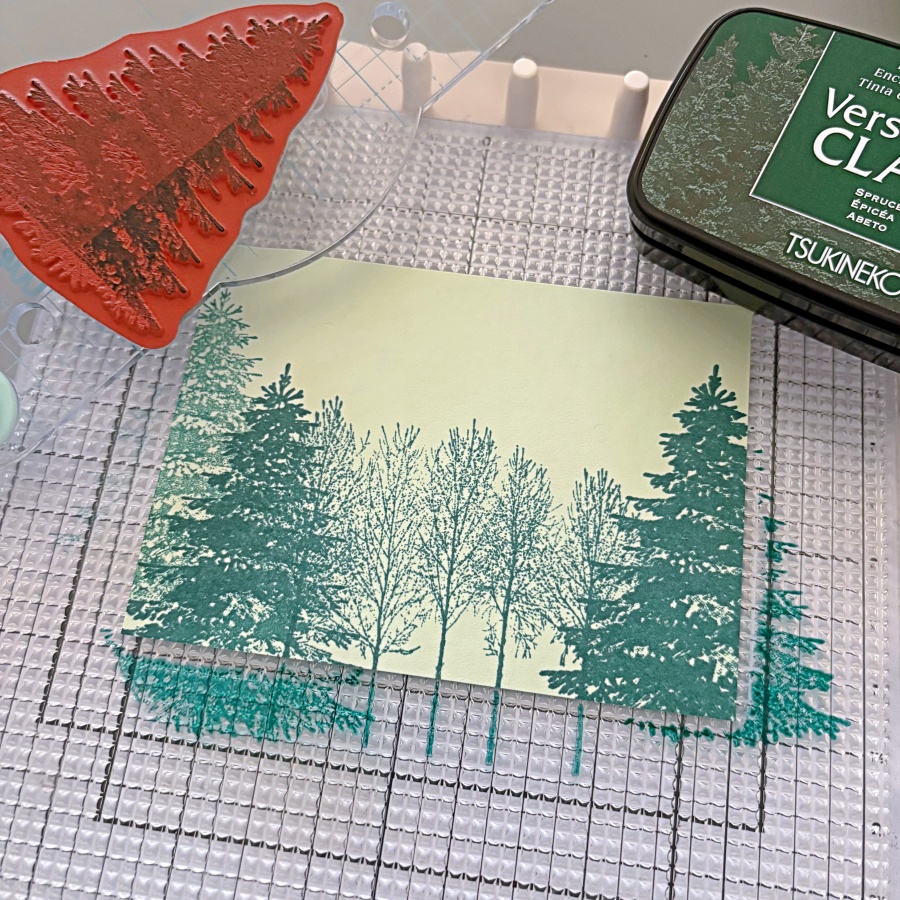
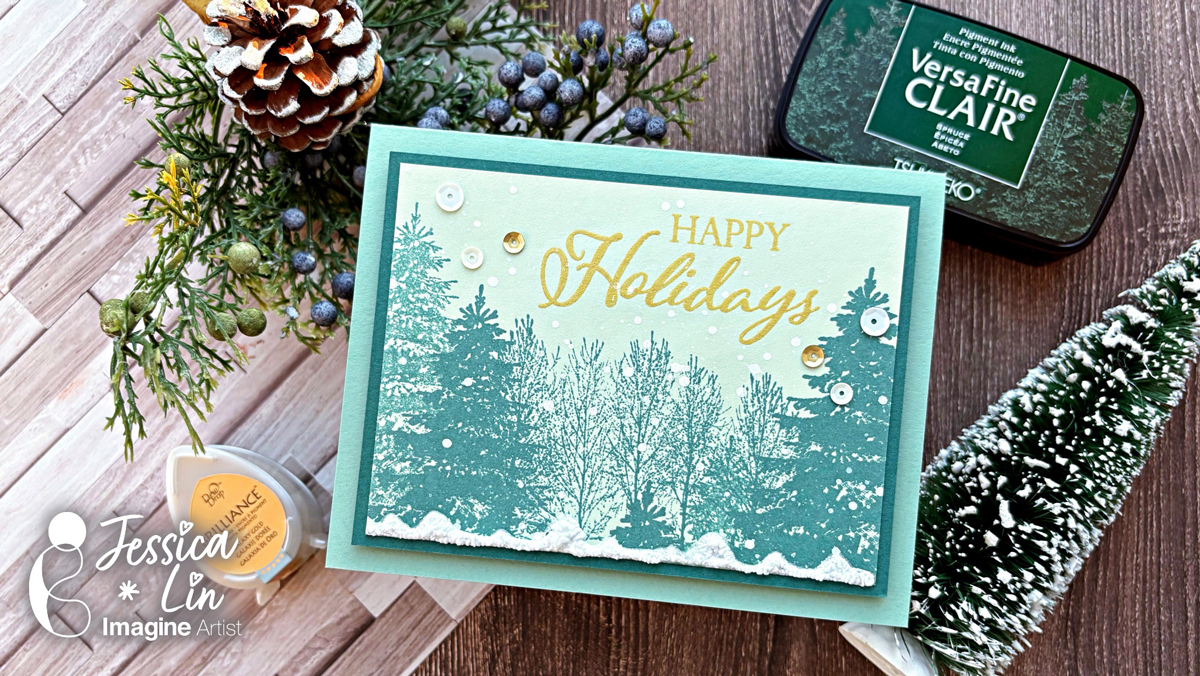
The ink pad I will be using today is VersaFine Clair Spruce. It is perfect for stamping the pine tree images from Stampin’ Up’s Winter Woods set. I stamped the image in the center on a piece of 3 ½’’ x 4 ¾’’ Soft Seafoam cardstock. 

Step 2:
Then I stamped a different pine tree image on the left and right at various heights. You might notice that some of the pine trees appear darker; that is because I stamped the image twice. By using a stamp positioning tool, you can restamp an image at the same spot. In this case, it creates a darker shade of color even though you are using the same color ink pad. On the very left, there is a pine tree that looks lighter in color. To achieve this effect, you can stamp lightly on a piece of scrap paper first. Then, using the leftover ink, stamp on the cardstock to create a lighter shade. 

Step 3:
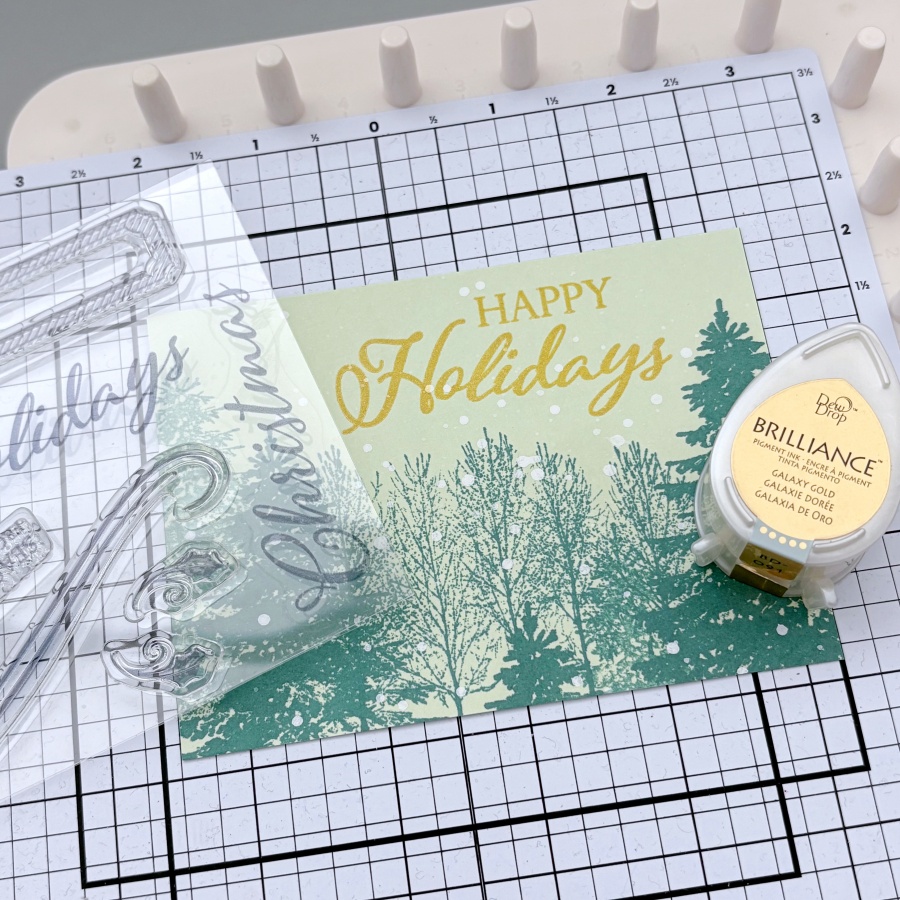
I then sprinkled some diluted white acrylic paint for a snowing effect. Once the acrylic paint is dried, you can stamp the sentiment. I decided to use Stampin’ Up’s Merry Christmas to All stamp set and stamped it with Brilliance Galaxy Gold ink pad. 

Step 4:
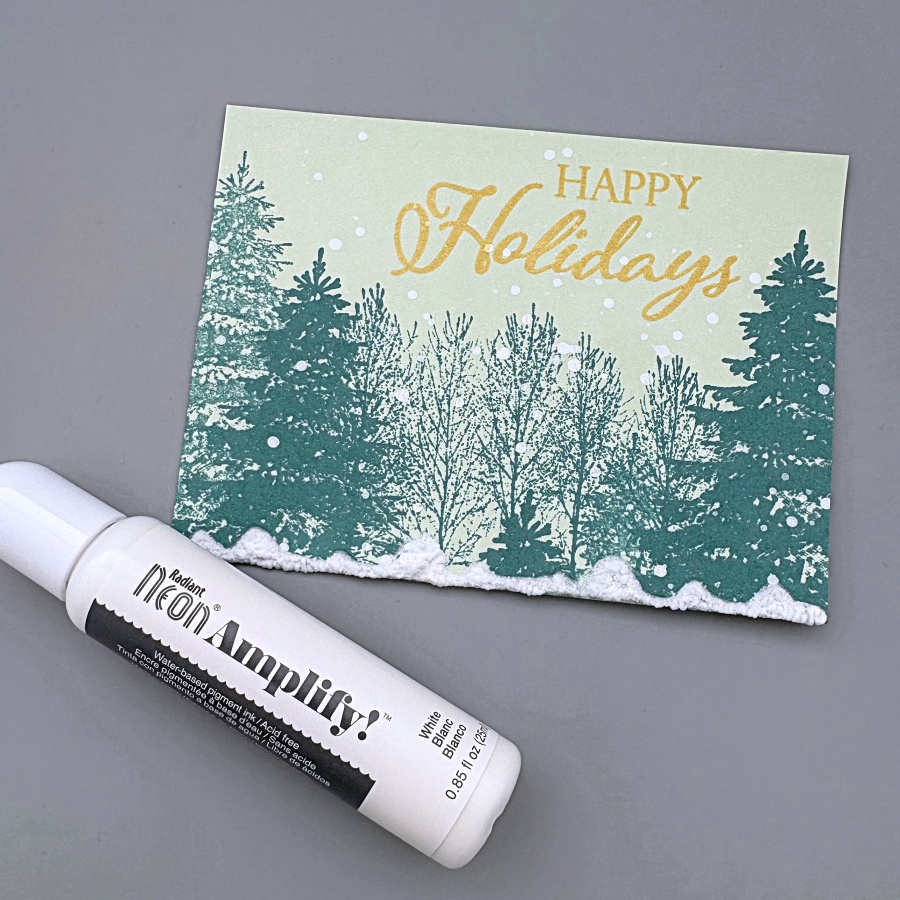
For an even more dramatic snow effect, you could add white Neon Amplify to the bottom edge of the cardstock. I drew a wavy pattern that mimics the looks of piles of snow. You don’t have to wait for the puff paint to dry, you can heat set it with a heat gun immediately and the paint will puff up! 

Step 5:
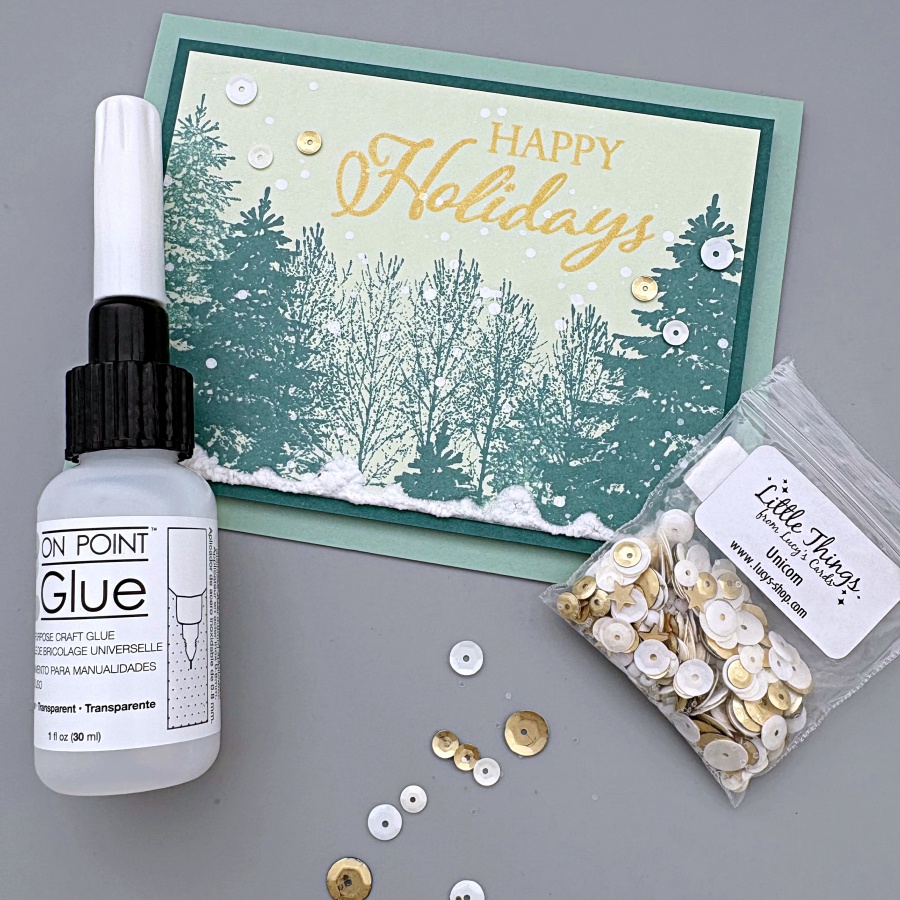
Then I adhered the stamped panel to a piece of Shaded Spruce cardstock that measures 3 ¾’’ x 5’’. After that, mount the cardfront to an A2 Mint Macaron cardbase. For some finishing touches, I adhered some white and gold sequins with On-Point Glue, and this holiday card is complete! 

Imagine Supplies: 

● VersaFine Clair – Spruce 
● Brilliance – Galaxy Gold 
● Neon Amplify – White 
● On-Point Glue 
● StazOn Cleaner 
● Tear It! Tape 
● Craft Mat 

Other Supplies: 

● Stampin’ Up! – Stamps – Winter Woods 
● Stampin’ Up! – Stamps – Merry Christmas to All 
● Stampin’ Up! – Cardstock – Soft Seafoam, Shaded Spruce, Mint Macaron 
● Heat gun 
● Gold and white sequins 

Create a Monochromic Winter Wedding Card

By Jessica Lin

Skill: Advanced
Time: 30 minutes

Hi everyone! It’s Jessica here. I am excited to share a wedding card idea today. This elegant layout is also perfect for wedding invitations. I love how this turned out and I’ll definitely be making more color variations in the future!

Step 1:
On a piece of 4 ¼’’ x 5 ½’’ cardstock, score at 3 ⅜’’ and 8 ⅞’’. Then adhere Stick-It adhesive to the inner left and right flaps of the card. The Stick-It adhesive is great for sticking down large pieces of intricate die cut. If you don’t have the Stick-It adhesive, a great alternative would be liquid glue with fine-tip nozzles, such as the On-Point Glue.

Step 2:
Die cut the left and right flaps with Stampin’ Up’s Detailed Floral dies. This would create beautiful card openings with delicate floral designs.
Step 3:
Peel off the Stick-It adhesive backing and adhere it to a piece of navy cardstock. Burnish the die cut area with a bone folder to ensure the two pieces of cardstock are fully stuck together.

Step 4:
Trim the excess navy cardstock along the top and bottom edges with a pair of scissors. Then die cut the floral border again with the Detailed Floral die. I chose to die cut right up against the edge of the first die cut layer. Alternatively, you could leave a border along the die cut piece if you place the die further away from the edge.

Step 5:
I stamped the coordinating floral stamp from Stampin’ Up’s Floral Phrases stamp set. I inked the stamp lightly with Brilliance Mediterranean Blue ink pad so that the shading details of the stamp could be captured.

Step 6:
This stamp set also includes some beautiful sentiment stamps that are perfect for wedding cards. I decided to use VersaFine Clair Medieval Blue ink pad to stamp the sentiment since this ink is known for giving crisp, clean lines. It is my favorite type of ink pad for sentiment stamping.

Step 7:
Since this card has asymmetrical folds, I added a ribbon belly band so that the card flaps would be kept in place. Then I cut a short piece of ribbon and tied it around the belly bend to create the bow.

Imagine Supplies:

Other Supplies:

  • Stampin’ Up! – Stamps – Floral Phrases
  • Stampin’ Up! – Dies – Detailed Floral
  • Navy and white cardstock

Stencil-Layering Thanksgiving Card Using VersaFine Clair Inks

By Jessica Lin

Skill: Beginner
Time: 30 minutes
Hi everyone! It’s Jessica here. Have you tried blending inks on kraft colored cardstock before? It’s an easy way to create a new look and I love using this trick for fall and Thanksgiving cards. I’ll be using several VersaFine Clair ink pads for today’s project. Let’s see how these color changes on kraft colored cardstock!

Directions:

Step 1:
Cut a piece of Neenah Desert Storm cardstock to 4’’ x 5 ¼’’. Then ink blend VersaFine Clair Cheerful ink onto Layer 1. The layering stencil set I’m using today is called Abundant Beauty from Stampin’ Up.

Step 2:
Using the same layer of stencil, ink blend the center of the sunflowers with VersaFine Clair Tulip Red ink pad. This is an orangey-red shade on white cardstock, but on kraft cardstock, it has a golden brown undertone.

Step 3:
Then I ink blended VersaFine Clair Sand Dune on Layer 4 of the Abundant Beauty stencils.

Step 4:
For Layer 3, I used VersaFine Clair Acorn. This is a darker brown shade so I ink blended very lightly. You could also use Sand Dune for Layer 3 and Acorn for Layer 4 instead.

Step 5:
The leaves images are on Layer 2. I ink blended with VersaFine Clair Verdant and Rain Forest. Usually I would pick Green Oasis to pair with Verdant. However, the kraft cardbase mutes the color saturation of the ink pad, so Rain Forest brings out the dark green contrast better than Green Oasis on kraft cardstock.

Step 6:
To add a little more texture to this simple card, I embossed the stenciled panel with Stampin’ Up’s Timeworn Type embossing folder. Then I embellished the card with Doodlebug Design’s Sprinkles enamel dots and some gold thread and the card is complete!

Craft Supplies

Imagine Supplies:
● VersaFine Clair – Cheerful, Tulip Red, Sand Dune, Acorn, Verdant, Rain Forest
● StazOn Cleaner
● Tear-It! Tape
● Craft Mat

Other Supplies:
● Stampin’ Up! – Stencils – Abundant Beauty
● Stampin’ Up! – Embossing Folder – Timeworn Type
● Doodlebug Design – Glitter Enamel Dots – Limeade, Bumblebee

Make a Father’s Day Card for Your Home Improvement Hero

By Jessica Lin

Skill Level: Medium
Time: 30 min

Hi everyone! It’s Jessica here. Today I would like to share a Father’s Day card that showcases different tools to thank my dad for all the home improvement projects he has done in the past year. I also ink blended Memento inks on the die cut pieces to create more depth. If you’d like to learn some tips and tricks on ink blending small paper elements, just keep reading!

Step 1:
First, I die cut several tools from a silver cardstock. I’ve had this paper for a long time since my scrapbooking days, and I am glad to finally use it again. I also adhered Stick It sheets to the back of the silver cardstock before die cutting, so that all of the elements are adhesive backed. This will make adhering to the small tool pieces easier and mess-free.

Step 2:
Die cut again with colored cardstock to create the handles on the tools. I used So Saffron cardstock for the wrench and Cajun Craze cardstock for the hammer.

Step 3:
For the power drill, I used Misty Moonlight and Blueberry Bushel cardstock. I also die cut a bolt from the silver cardstock to decorate this power drill.

Step 4:
One of the things I love about this die set is that it includes this pegboard die. You can extend the size of this die by matching up the holes on the die with a row of die cut holes and die cut again. They will fit like a puzzle and it almost feels like it is “locked” once the fitting is matched up.

Step 5:
I decided to dress up the die cuts further by ink blending the edges with Memento Inks. Since the die cut pieces are small, I opted for the small sponge daubers instead of my regular blending brushes. These small daubers are great for precise ink blending. I also lay the die cuts on Altenew’s Grip Mat, which conveniently secures the paper pieces and ink pads so they don’t shift around when ink blending.

Step 6:
The Jumbo Dauber is also a great blending tool. I used Desert Sand Memento Ink to add some shadows to the bottom edges of the pegboard piece.

Step 7:
Finally, I adhered the pieces with Tear It Tape and stamped the sentiment from Stampin Up’s Heartfelt Hello set. This card was fun to put together and I hope you enjoyed it.

Craft Supplies

Imagine Supplies:

Other Supplies:

  • Stampin’ Up! – Stamps – Heartfelt Hellos
  • Stampin’ Up! – Dies – Trusty Tools
  • Foam Tape
  • Colored cardstock

Comparing VersaFine Clair Inks – Brown & Earthy Shades 

By Jessica Lin

Skill: Beginner
Time: 30 minutes

Hi everyone! It’s Jessica here. Today’s project is inspired by the Pantone color of this year – Mocha Mousse. It is such a warm, rich shade that is perfect for a coffee card! I decided to compare the different brown and earthy tones in the VersaFine Clair ink line as well. There are many options to choose from, and each is special on its own.

Step 1:
Today I will be using an acrylic stamp set from iCrafter. It is called Latte Coffee and has several sets of coffee cup images. Since the image outlines are superfine, I chose VersaFine Clair inks to stamp with to ensure crisp, clean images. I typically stamp the outline images with Nocturne (the black color of this ink line). However, when I was experimenting with the colors, I found that Fallen Leaves is a great alternative. The dark brown color adds more warmth than black and complements the other earthy tones well. I love VersaFine Clair inks and use them very regularly, but Fallen Leaves was probably the one I reach for the least. I think I will start using it to stamp outline images from now on!

Step 2:
I used Sand Dune to stamp the first latte art image. This is one of the newer VersaFine Clair colors. I am really happy that they added a lighter earth shade to this collection.

Step 3:
For the second latte art stamp, I used Pinecone. This is also a rich, dark brown color. It is just a bit lighter than Fallen Leaves.

Step 4:
I used Acorn for the bottom coffee image with the swirl. It is a great middle-tone that completes the brown color gradient.

Step 5:
Today’s card is simple and beginner-friendly with easy layered stamping. However, you could also add a little flair by embossing the front panel of the card base. Embossing folders are easy to use and add such a great wow factor to your project. The one I am using today is called Brick & Mortar. I think it reminds me of the walls of a cute coffee shop!

Step 6:
Finally, I stamped this super cute sentiment with Sand Dune, and that completes today’s coffee card!

Imagine Supplies:

Other Supplies:

  • iCrafter – Stamps – Latte Coffee
  • Stampin’ Up! – Embossing Folder – Brick & Mortar
  • Foam Tape

Create Ink Swatches for New VersaFine Clair Inks 

By Jessica Lin

Skill: Beginner 
Time: 30 minutes 

Hi everyone, it’s Jessica here. I am loving the new VersaFine Clair inks and I hope you are enjoying the creations from the Imagine team! Today I decided to create new ink swatches so I can have a quick on-hand reference for the colors. 

Step 1:
Print the labels onto your go-to white cardstock. For me, that is Neenah Solar White Cover in 80lbs. I used Word to create the labels template and it takes a bit of trial and error to align everything perfectly. I found that checking the “show grid lines” box was helpful during the process. 

Step 2:
Trim the labels to 2 x 2’’ squares. I used a standard 8.5 x 11’’ cardstock to print so each page equals to 20 labels at the end. 

Step 3:
Then stamp each label with the corresponding ink pad. I used a stamp positioning tool but it is completely optional. As for the stamp used for ink swatching, I would recommend an image that is solid so that there is enough area to truly showcase the ink color. I like to pick something that also has some fine lines; some inks have great coverage but are not the best at showing fine details. I recently bought a coffee-themed stamp set called Latte Love from Stampin’ Up!, and this coffee swirl stamp is perfect. 

Below are all the new VersaFine Clair colors. As you can see, they are great inks that offer great ink coverage and retain super-fine details of the stamps. I double stamped most of them as I 

typically double stamp my images when I am creating. I tried to minimize the amount of editing on these images so the colors are kept as true as possible. Hopefully they can provide a visual for you as well if you are interested in these inks. 

I hope today’s tutorial inspires you to create new ink swatches! They are handy tools and the ink swatching process is so cathartic. I can’t wait to create more projects with these inks! 

Imagine Supplies: 

● VersaFine Clair -Baby Pink, Hawthorn Rose, Lilac Bloom, Arctic, Bali Blue, Very Peri, Grass Green, Avocado, Spruce, Sand Dune, Portobello, Strawberry 
● StazOn Cleaner 
● Craft Mat 

Other Supplies: 

● Stampin’ Up! – Stamps – Latte Love 
● Paper Trimmer 
● Neenah Solar White Cardstock