Zombie Graveyard Halloween Card with VersaMagic Inks

By Kathi Rerek

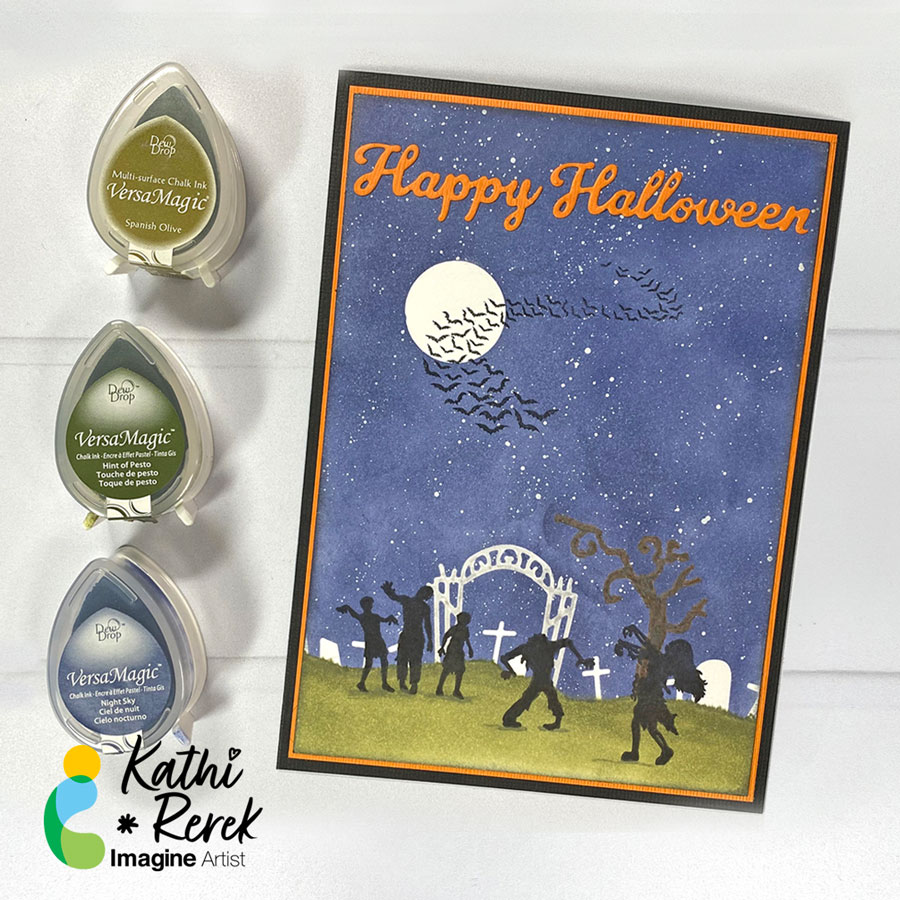
I might be an introvert, but I do love to make scenes — in card form. Here’s a Halloween card created with VersaMagic and VersaFine Clair inks, stamping, and some die-cuts.

Skill Level: Intermediate
Time: 1.5 hours

Instructions:

Step 1:
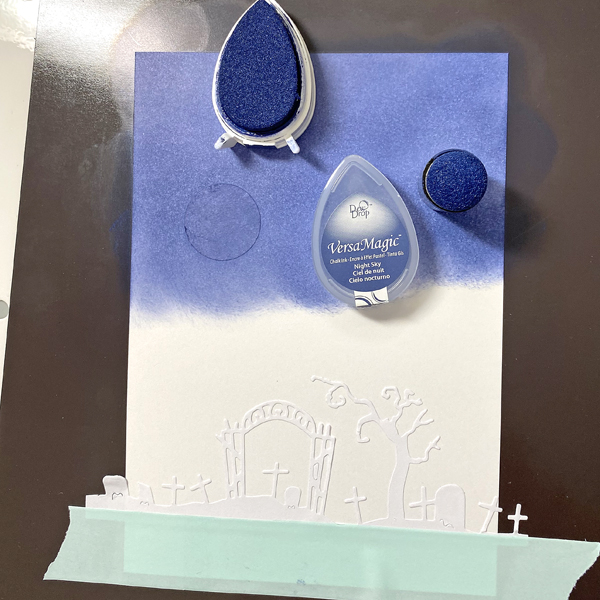
Cut a piece of Bristol paper to 4.75” x 6.75”. Use the Boneyard Edgers die to cut removable sticker paper and place along the bottom of the image panel. Place low tack tape below it.

Use the 1” circle punch to punch the sticker paper and adhere it to the upper left hand side as shown.
Step 2:
Use a Sponge Dauber to apply Night Sky VersaMagic Ink over the masked images onto the background. Heat set.

Step 3:
Spray a little water into a small container. Squeeze a few drops of Moonlight White VersaMagic Re-inker into the pot. Use a paint brush to mix the water and the ink. Tap the inky paintbrush over the night sky background to add splatter to look like stars.

Step 4:
Remove the sticker masks from the moon and from the cemetery.Smoosh the Jumbo Java VersaMagic Dewdrop Inkpad onto a piece of acetate. Lightly mist with water. Use a paintbrush to paint the tree in the graveyard. Heat set. Clean and dry the acetate.

Steps 5A and 5B:
Smoosh the Hint of Pesto VersaMagic Dewdrop Inkpad onto the cleaned piece of acetate. Lightly mist with water. Use a clean paintbrush to apply green ink at the top of the hill below the tombstones, crosses, gate, and tree (5A). Use a Fantastix to apply Spanish Olive VersaMagic Ink to blend this lighter ink below the ink applied in Step 5A. Continue apply the Spanish Olive Versa Magic Ink horizontally to fill in the base of the card and create the cemetery lawn. Heat set the image panel.
Step 6:
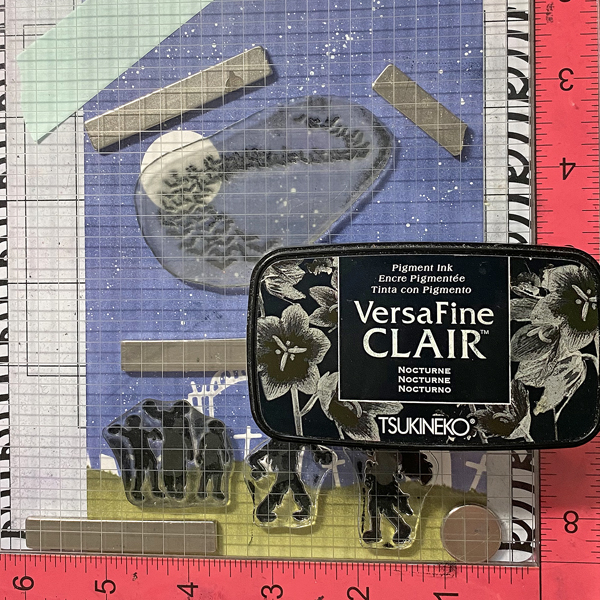
Place the image panel onto the base of a stamping platform secured with magnets and low-tack tape.

Position the clear Zombie stamps from the Zombie Party Clear Stamp Set facedown as desired on the cemetery lawn. Position the Bat Colony Clear Stamp facedown over the moon and sky.

Press the platform’s base onto the back of the stamps. Lift. Ink the stamps with Nocturne VersaFine Clair Ink and stamp. Re-ink and stamp if necessary to attain solid black images. Heat set the panel.

Step 7:
Trim the image panel to 4.625” x 6.625”. Use Nocturne VersaFine Clair Ink to edge the image panel. Cut a piece of orange cardstock to 4.75” x 6.75”. Sorry that there’s no photo.

Step 8:
Apply Tear It! Tape to cover the reverse of a piece of orange cardstock. Use the “Happy Halloween” sentiment dies to cut orange cardstock. Remove the tape’s backing and adhere the sentiment as shown.

Step 9:
Use Tear It! Tape to adhere the layers of the card.

Imagine Crafts Supplies:

Other Supplies:

  • Bristol Paper by Strathmore
  • Carrot Textured Cardstock by Bazzill Basics
  • Raven Textured Cardstock by Bazzill Basics
  • Boneyard Edgers Dies by Frantic Stamper
  • Happy Halloween Dies by Top Dog Dies (defunct)
  • Zombie Party Clear Stamp Set by Whimsy Stamps
  • Bat Colony Clear Polymer Stamp by Lavinia Stamps
  • Low-Tack Tape
  • Misti  Stamping Platform by My Sweet Petunia
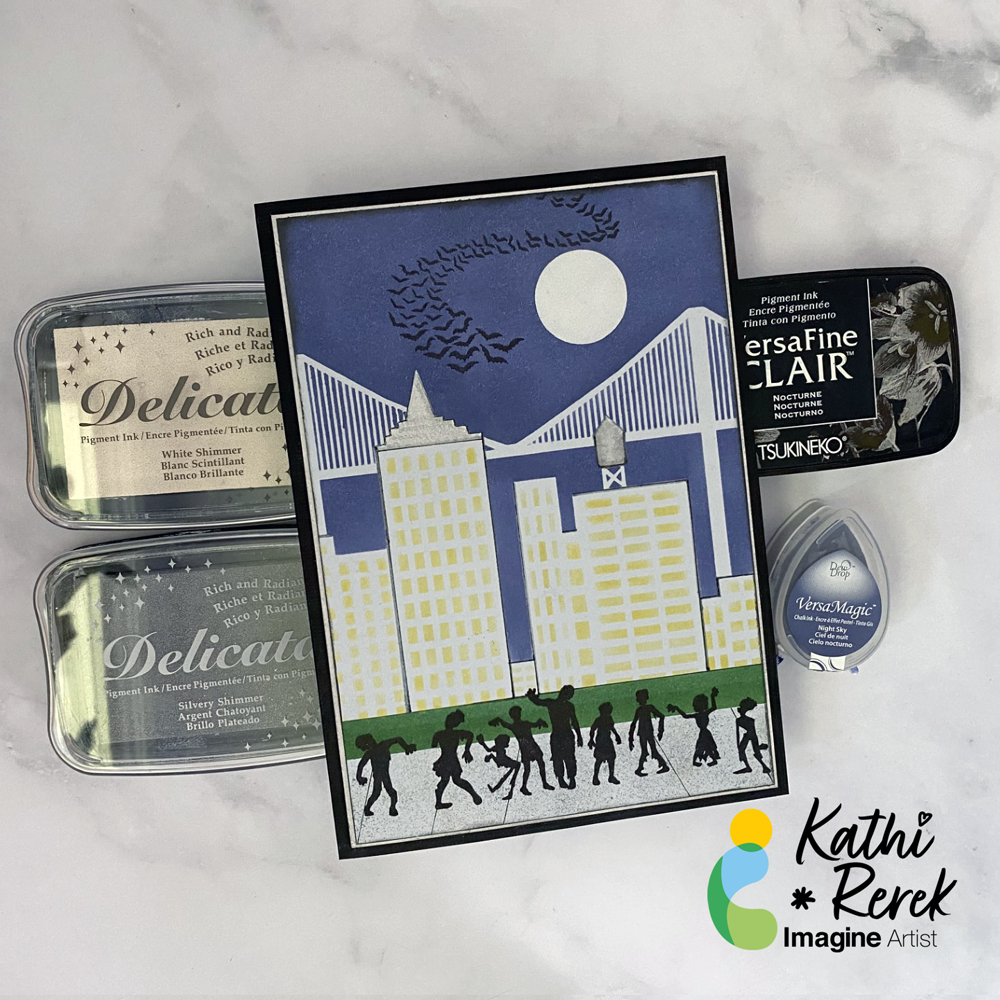
Zombies Invade Brooklyn Card

By Kathi Rerek

Halloween card made easy with VersaMagic, Brilliance, Delicata, VersaFine Clair, and Memento Inks!

Skill Level: Beginner to Intermediate

Time: 1 hour

Step 1.

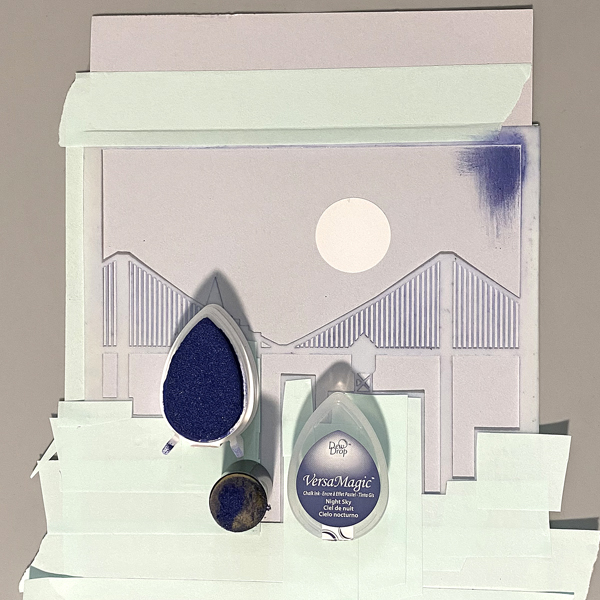
Use low-tack tape to secure the Cityscape Stencil to a 5.5” x 8.5” piece of light grey cardstock. Trim and place low-tack tape to cover the buildings’ windows. Use a circle punch to cut a circle from mask paper and adhere the circle mask above the bridge. Keep the mask paper with the circular hole for another step..

Use a sponge dauber to apply Night Sky VersaMagic Ink over the stencil and the moon mask onto the the grey cardstock to create a night sky.

Step 2:

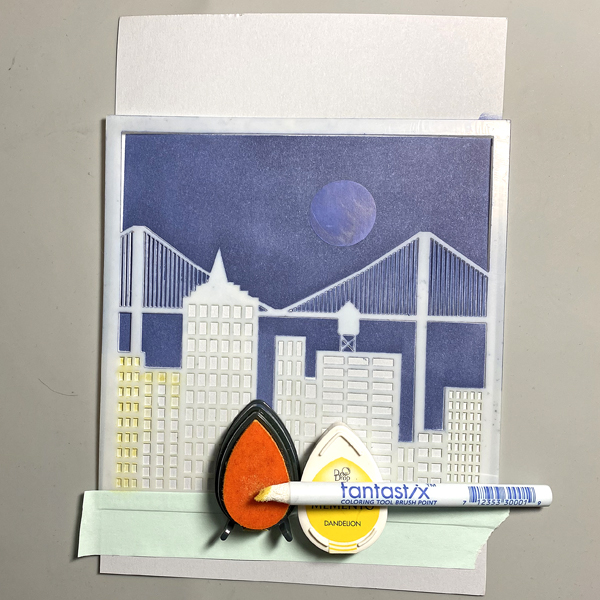
Keeping the stencil in place, remove the tape covering the windows. Use a Fantastix to apply Dandelion Memento Ink over the window apertures of the stencil.

Step 3:

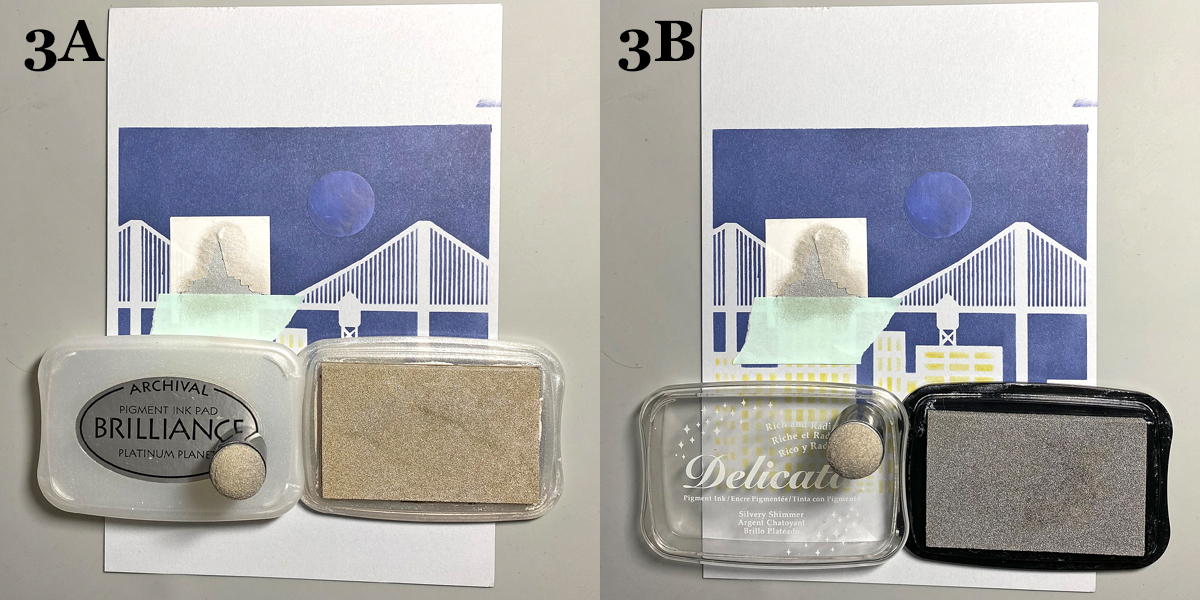
Trace the spire onto masking paper, fussy-cut along the lines, leaving the outline of the spire intact. Place the mask around the spire on the image panel. Use low-tack tape to cover the base of the spire.

Use a sponge dauber to apply Platinum Planet Brilliance Ink to the spire, then apply Silvery Shimmer Delicata Ink overtop to amp up the silver.

Step 4:

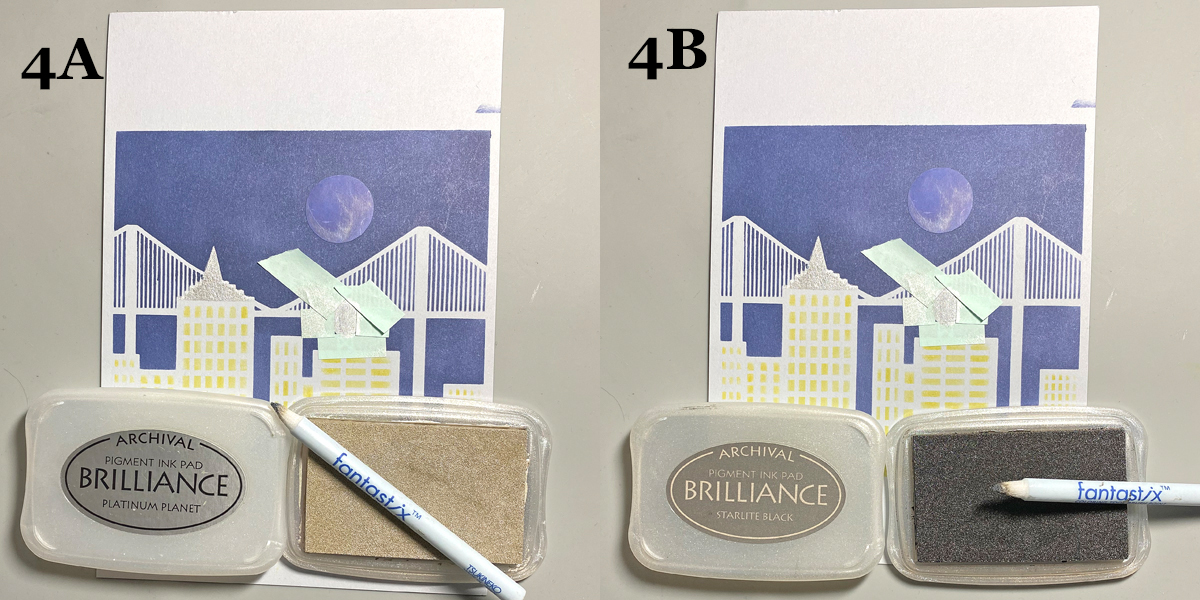
Use low-tack tape to cover the area around the rooftop water tower, leaving the tower unmasked. Use a Fantastix to apply Platinum Planet Brilliance Ink to color the water tower. Use another Fantastix to apply Starlight Black Brilliance Ink to add shading to the water tower.

Step 5:

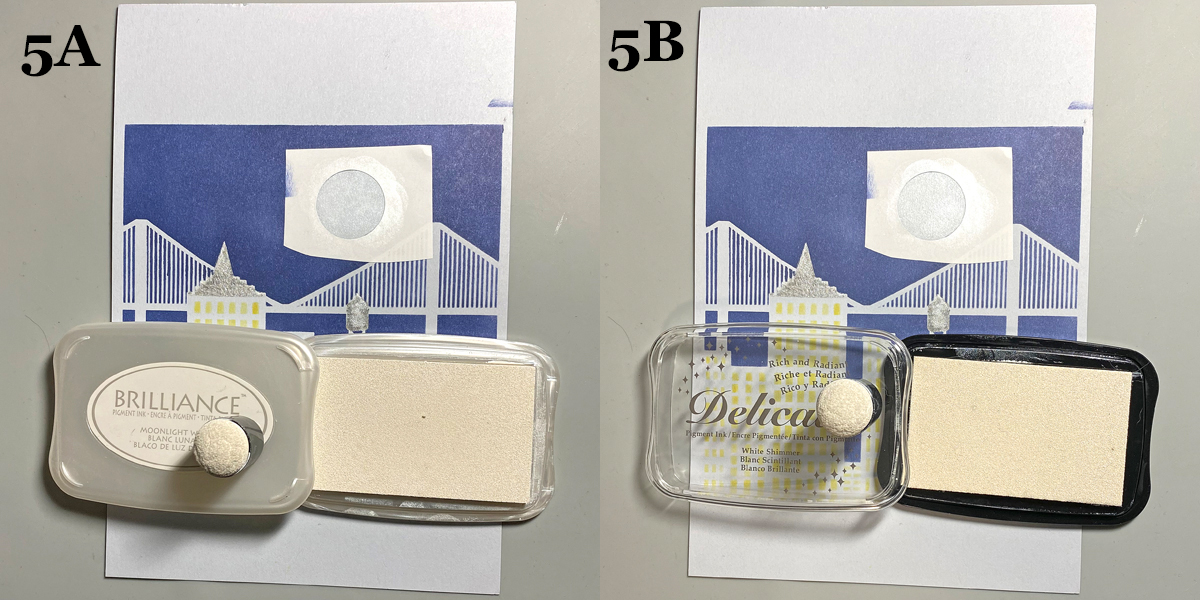
Remove the circle mask from the sky. Adhere the mask paper with the circle hole to the sky area, leaving the center open. Use a Sponge Dauber to apply Moonlight White Brilliance ink to color the moon white. Use a Sponge Dauber to apply White Shimmer Delicata Ink overtop to add shimmer to the moon.

Step 6:

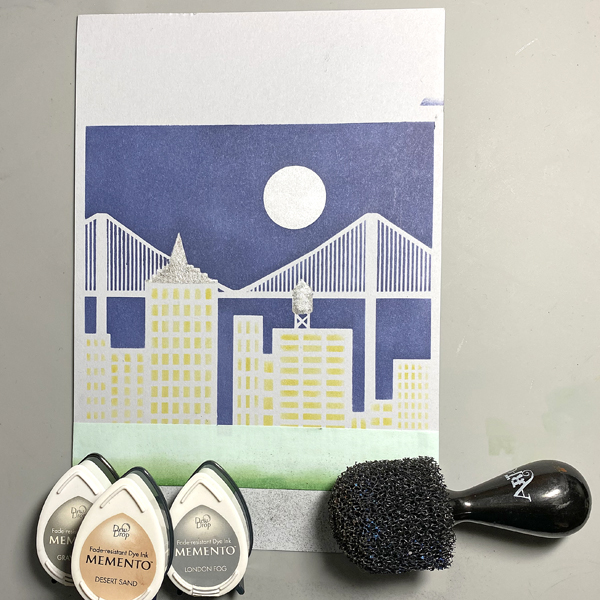
Use a scrap of cardstock and low-tack tape to cover the buildings. Place another piece of low-tack tape horizontally across the bottom 1.25” of the image panel.Use Sponge Daubers to apply Cottage Ivy and Bamboo Leaves Memento Ink between the masked areas to create a grassy lawn.

Step 7:

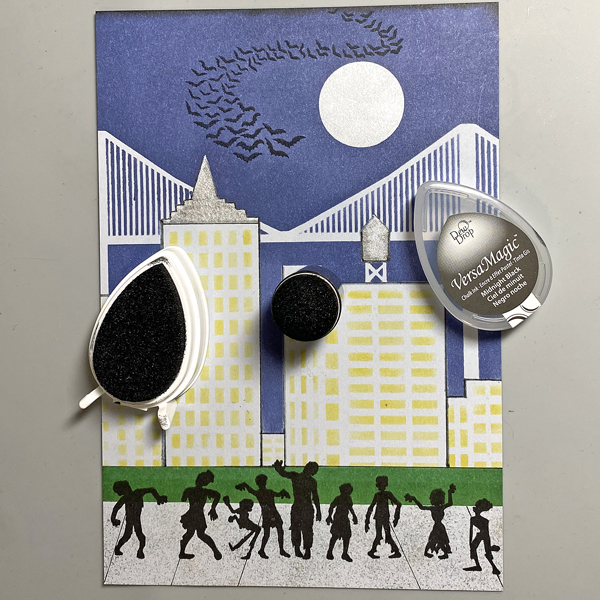
Use low-tack tape to cover the grassy areas. Use the pouncy tool to apply London Fog, Grey Flannel, and Desert Sand Memento Inks to create a cement sidewalk.

Step 8:

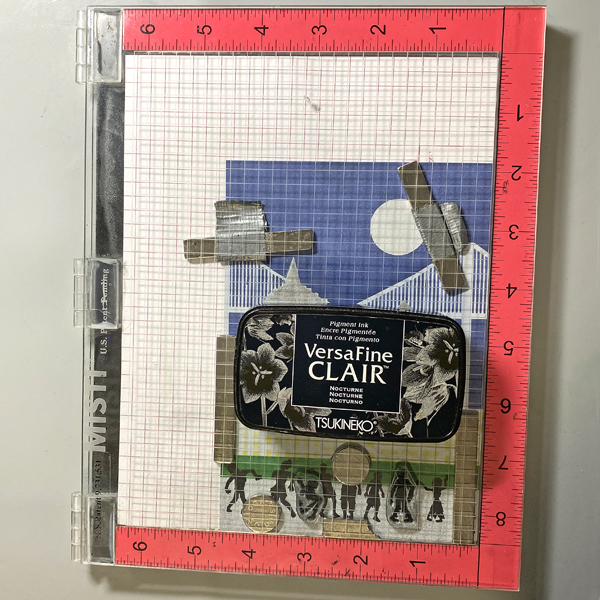
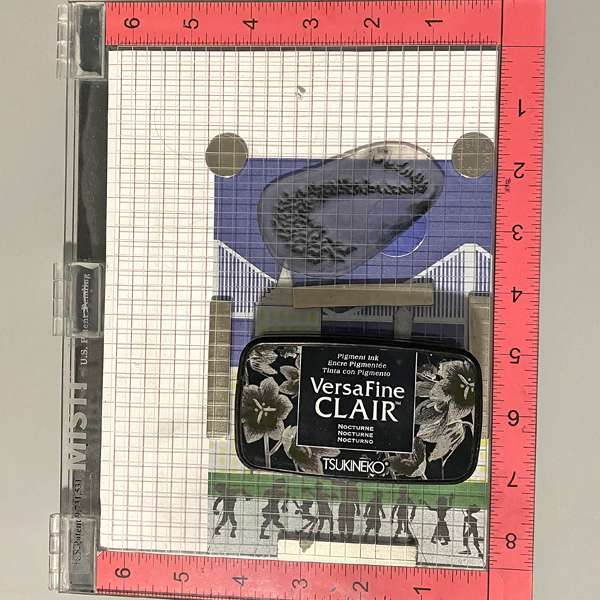
Use magnets to secure the image panel to the stamping platform. Position the Zombie stamps facedown where desired. Press the lid of the platform onto the back of the stamps, lift, ink the stamps with Nocturne VersaFine Clair Ink, and stamp. Re-ink and repeat stamping if needed to attain a good solid impression.

Remove the Zombie stamps from the platform., then remove the image panel from the platform,. Heat set the stamped images.

Step 9:

Place the image panel back onto the base of the stamping platform, secured with magnets.. Place the other two small Zombie stamps facedown between the other stamped images. Press the lid of the platform onto the back of the stamps, lift, ink the stamps with Nocturne VersaFine Clair Ink, and stamp. Re-ink and repeat stamping if needed to attain a good solid impression.

Remove the stamps from the platform Remove the image panel from the platform. Heat set.

Step 10:

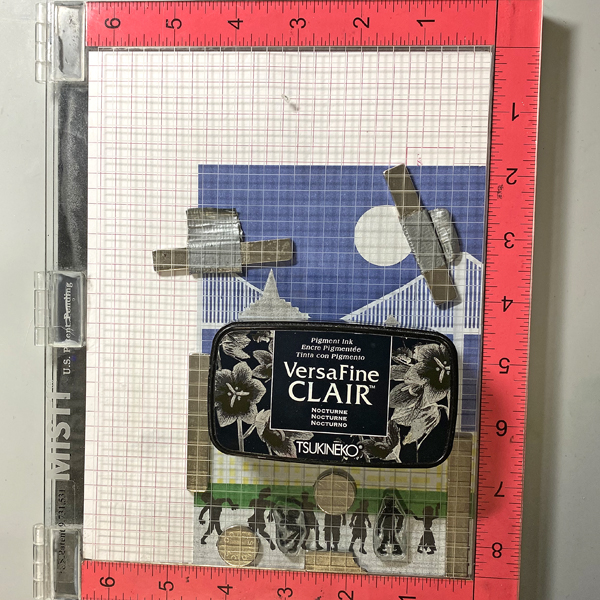
Place the image panel back onto the stamping platform, secured with magnets. Place the Bat Colony Stamp facedown in the sky area as shown. Press the lid of the platform onto the back of the stamps, lift, ink the stamps with Nocturne VersaFine Clair Ink, and stamp. Re-ink and repeat stamping if needed to attain a good solid impression.

Remove the stamps from the platform Remove the image panel from the platform. Heat set.

Step 11:

Trim the image panel to 4 5/8” x 6 5/8” . Use a Sponge Dauber to edge the image panel with Midnight Black VersaMagic Ink.

Step 12:

Trim a piece of white cardstock to 4.75” x 6.75”. Use a Sponge Dauber to apply Platinum Planet Brilliance Ink to the outside .5” of the image panel. Then use a Sponge Dauber to apply Silvery Shimmer Delicata Ink overtop to add to the metallic shine.

Step 13:

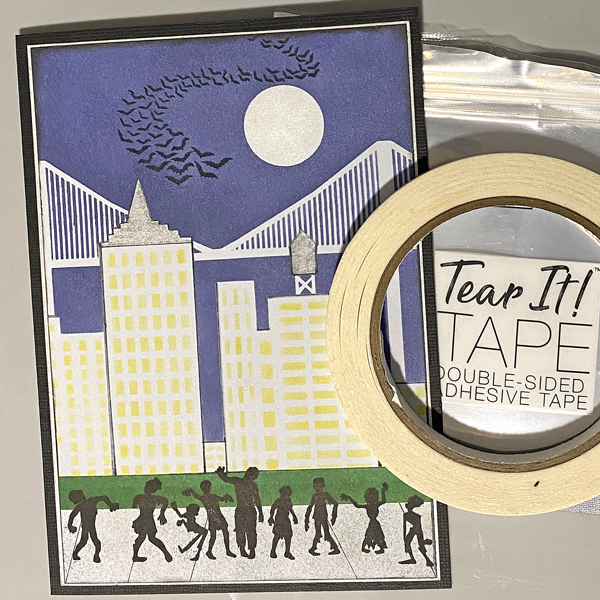
Use Tear It! Tape to mat the image panel to the silver-inked cardstock, then use Tear-It! Tape to adhere the matted image panel to a black 5” x 7” card.

Imagine Crafts Supplies:

Other Supplies:

  • Light Grey Cardstock
  • Cityscape Stencil TCW376 by The Crafters Workshop
  • Bat Colony Clear Polymer Stamp by Lavinia Stamps
  • Zombie Party by Whimsy Stamps
  • Low-Tack Tape
  • Mask Paper by Gina K Designs
  • Pouncy Tool
  • Heat Gun by EK Success
  • Mini Guillotine Trimmer by Tim Holtz for Tonic Studios
  • Misti Stamping Platform by My Sweet Petunia