Pawsome Card with VersaColor and Memento Inks

By Kathi Rerek

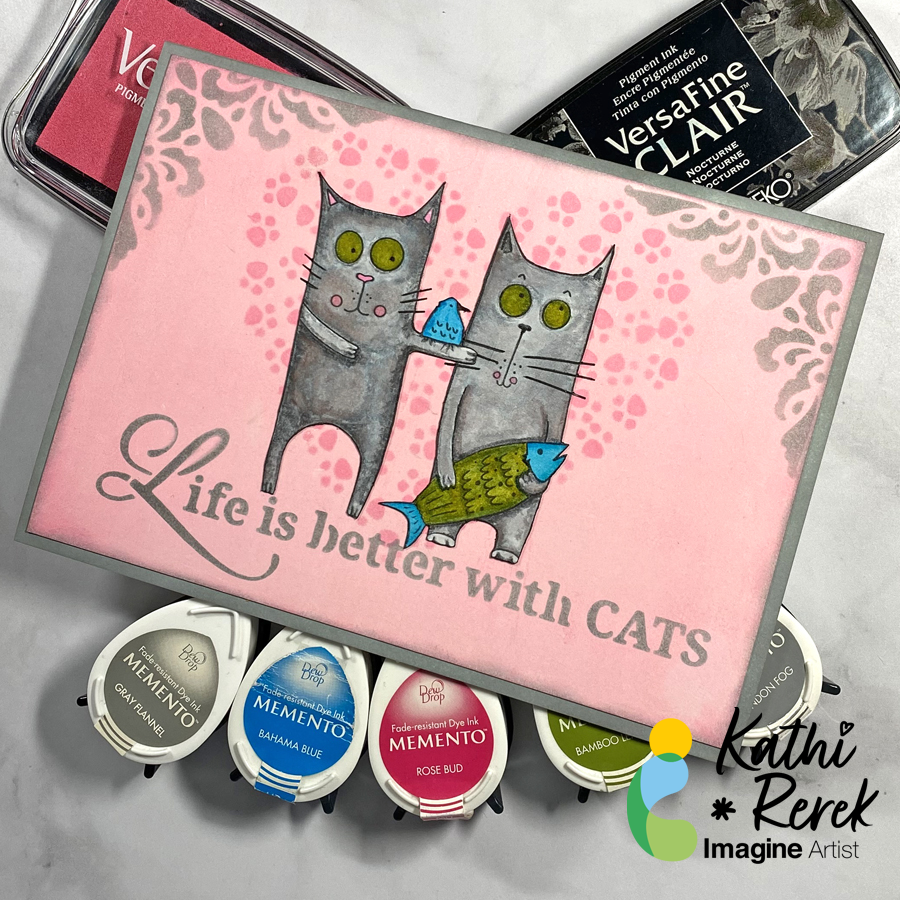
Cats rule the internet and my heart. Here’s a quick card created with inks, stencils, and white paper.

Skill Level: Beginner to Intermediate

Time: 1.5 hours

Directions:
Step 1.

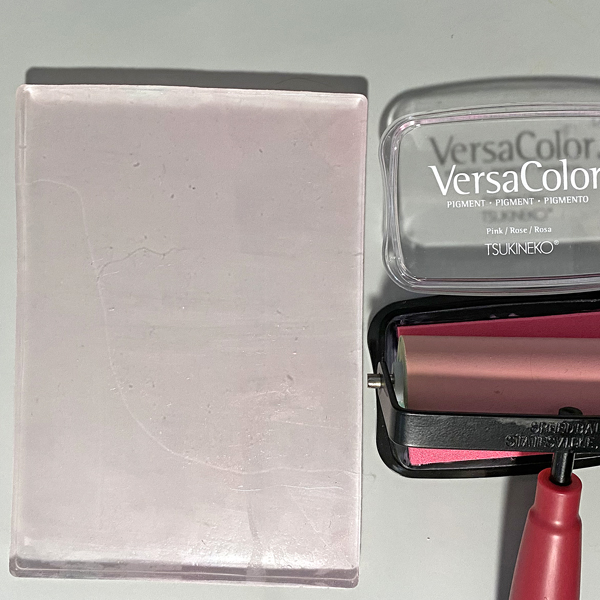
Roll a 4” Brayer onto a Pink VersaColor inkpad, then apply the ink onto a 5” x 7” Gel Press. Place a 5” x 7” panel of Bristol Paper onto the Gel Press, press the back of the paper to pull the print. Heat set the ink.
Step 2:

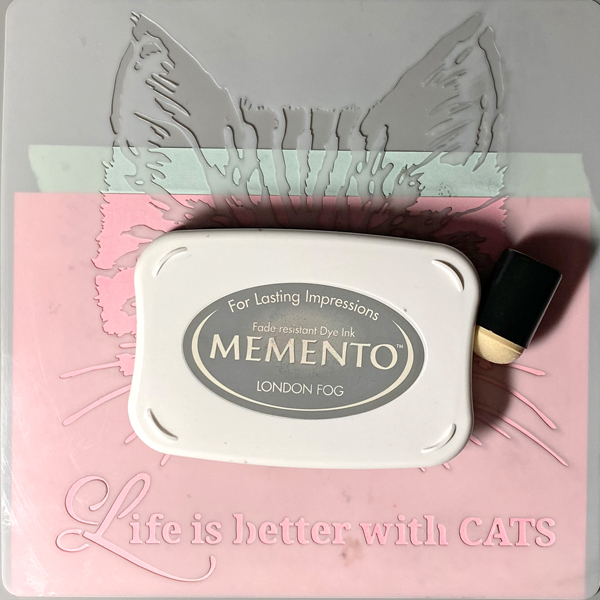
Position the quote on the Life with Cats stencil along the bottom of the inked paper panel. Use tape to secure the stencil to the back of the panel.

Use a Sponge Dauber to apply London Fog Memento Ink over the stencil onto the inked panel. Remove the stencil.
Step 3:

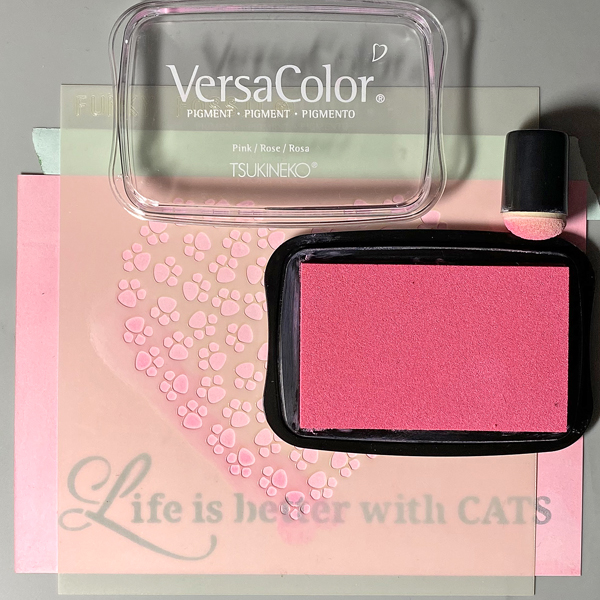
Position the Pawsome Hearts stencil to the center of the inked panel. Use tape to secure the stencil to the back of the panel.

Use a Sponge Dauber to apply Pink VersaColor Ink over the stencil onto the inked panel.

Remove the stencil and heat set the inked panel.
Step 4:

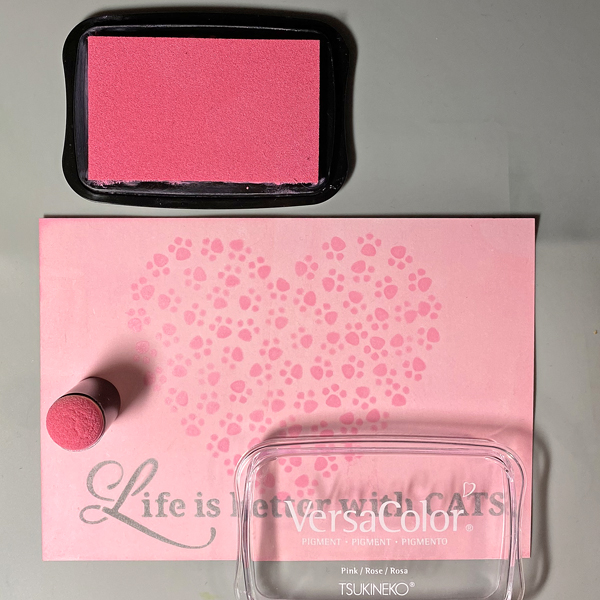
Use the Sponge Dauber to edge the stenciled panel with Pink VersaColor Ink. Heat set.
Step 5:

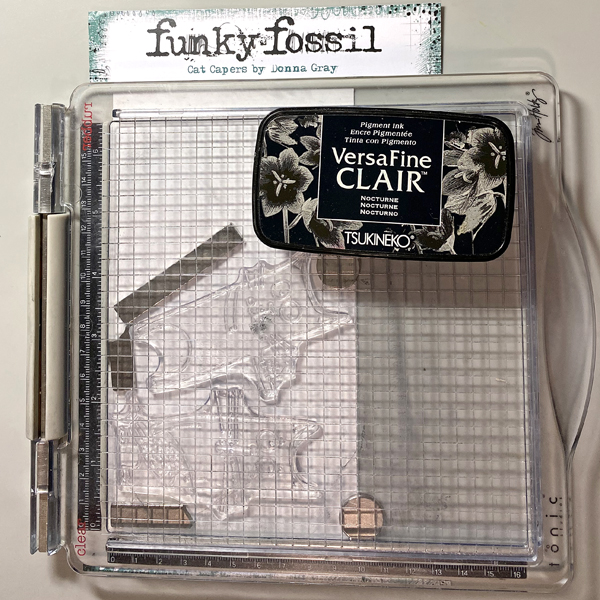
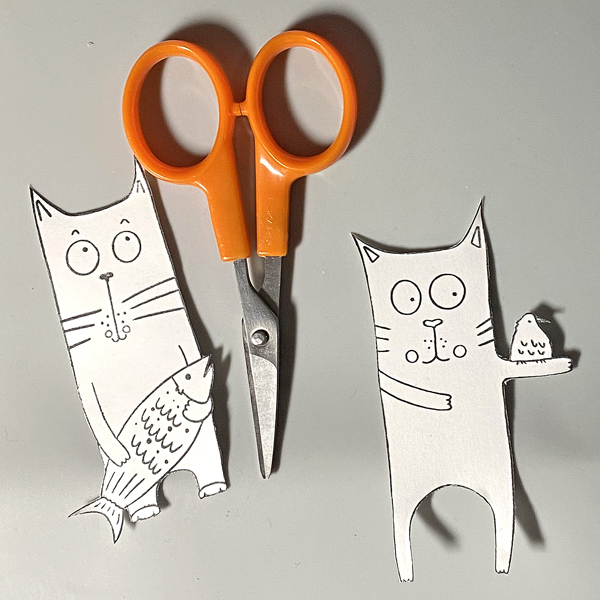
Use a stamping platform and Nocturne VersaFine Clair Ink to stamp two cats from the Cat Capers Clear Stamp Set onto a panel of Bristol Paper. Heat set.
Step 6:

Fussy-cut both cats.
Step 7:

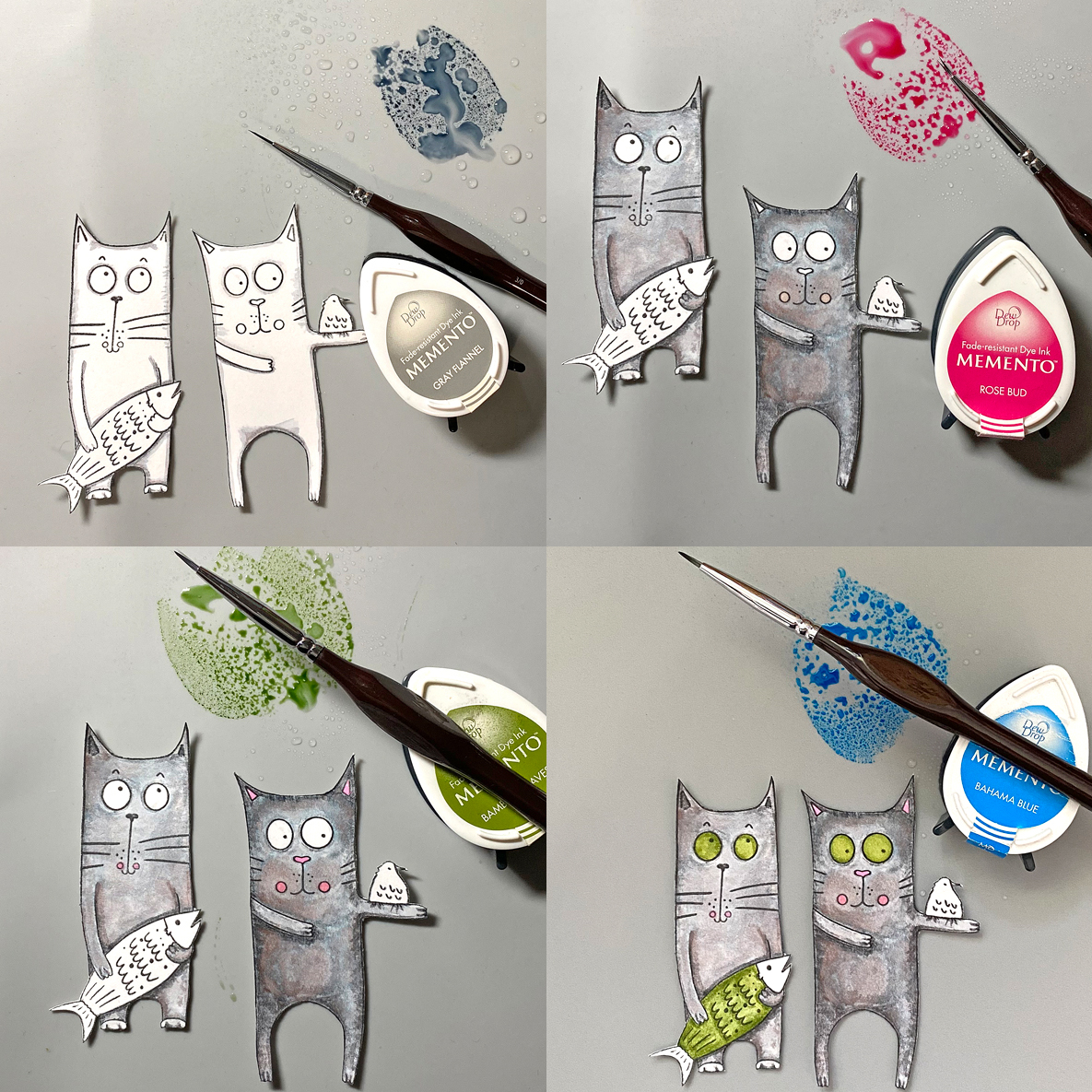
Smoosh London Fog Memento Ink onto a craft mat. Mist with water. Use a fine paintbrush to color the cats’ fur. Clean the ink off of the craft mat and the paint brush.

Repeat the above steps with Rose Bud Memento Ink to color the cheeks, nose, and ears. Bamboo Leaves Memento Ink for their eyes and the fish body, and Bahama Blue Memento Ink for the bird and the fish head and tail.
Step 8:

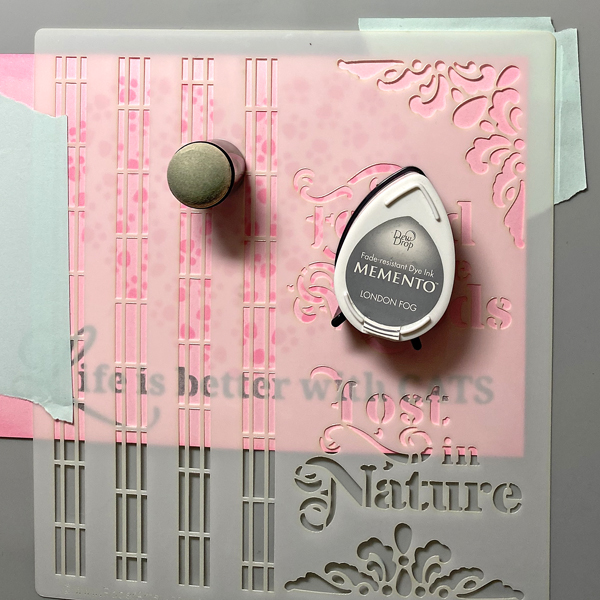
Position the corner flourish of the stencil on the upper right corner of the background panel. Secure with tape on the reverse.

Use a Sponge Dauber to apply London Fog Memento Ink over the stencil onto the panel.

Remove the stencil. Clean and dry it thoroughly.

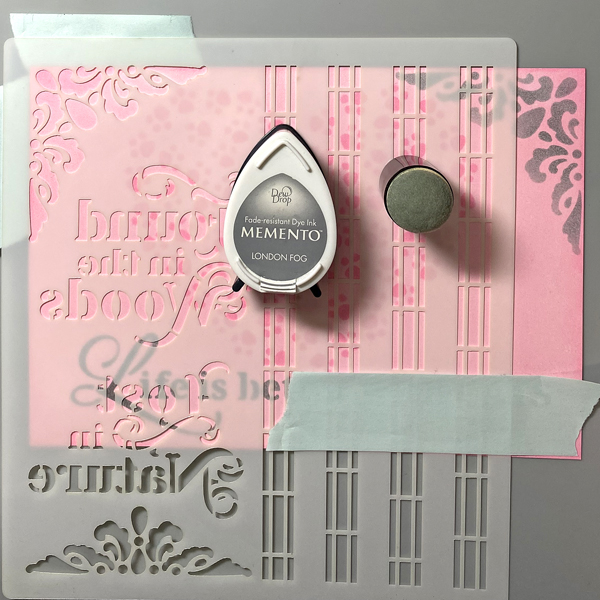
Flip the stencil, position the corner flourish of the stencil on the upper left of the background panel. Secure with tape on the reverse.

Use a Sponge Dauber to apply London Fog Memento Ink over the stencil onto the panel.

Remove the stencil. Use a Sponge Dauber to edge the panel with London Fog Memento ink.
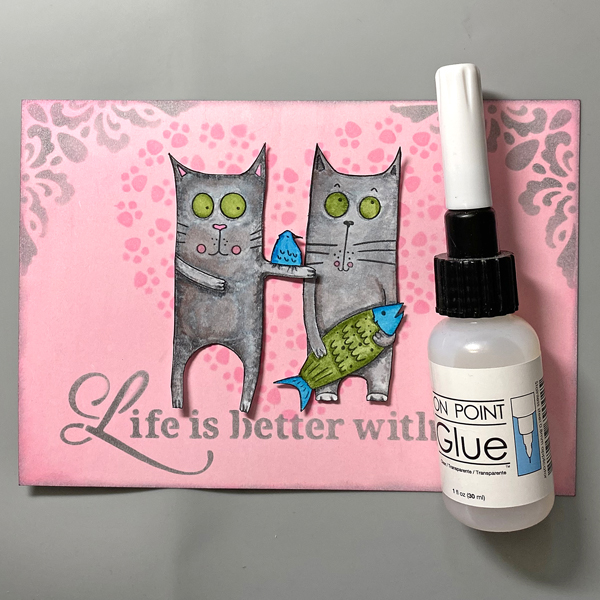
Step 9:

Use On Point Glue to secure the cats to the background panel as shown.
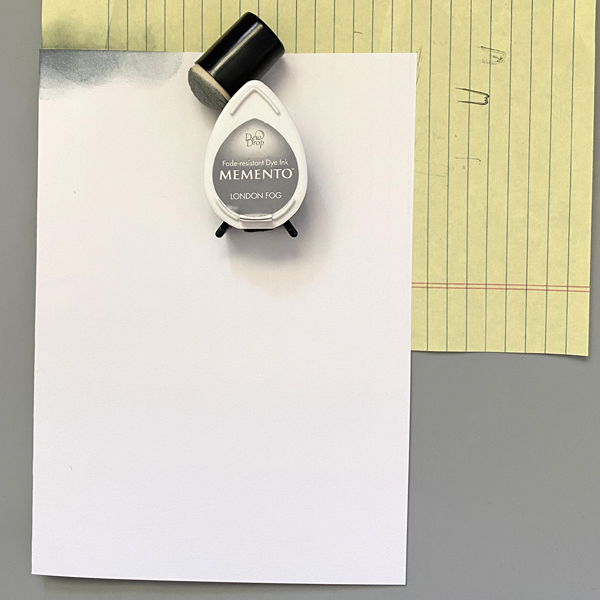
Step 10:

Create a 7” x 5” card from white cardstock. Apply London Fog Memento Ink around the edges of the white cardstock.
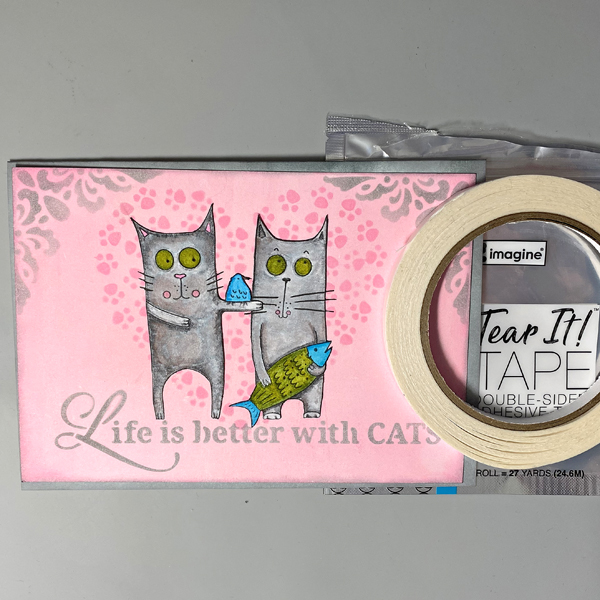
Step 11:

Use Tear It! Tape to adhere the panel to the inked card.

Craft Supplies:

Imagine Crafts :

Other Supplies:

  • Bristol Paper by Strathmore
  • Solar White Classic Crest Cardstock by Neenah Papers
  • Cat Capers Clear Stamp Set by Funky Fossil Designs
  • Pawsome Hearts Stencil by Funky Fossil Designs
  • Life Is Better With Cats Stencil by Stamperia
  • PS190 Stencil by ScrapCozy for PaperArtsy
  • Stamping Platform
  • Heat Gun by EK Success

Let’s Make a Flowers and Butterflies 3D Embossed Happy Birthday Card

By Martha Lucia Gomez –

Hello crafty friends! Today, I have a different way to use your VersaMagic Ink Pads. You only need a embossing folder and different colors of ink to create a colored background.  

Skill: Intermediate
Time: 60 minutes

Directions:

Select an embossing folder of your preference. If you use a 3D Embossing Folder, you will note a bigger difference in the background.

Step 1:

Select the colors of VersaMagic Ink that you want to use. In today’s card, I am using Purple Hydrangea, Red Magic, Mango, Ocean Depth and Turquoise Green.  Also select the embossing folder that you wanted to use.

Step 2:

Place the piece of cardstock behind your embossing folder before applying the ink to the embossing folder. With this you will see clearer how the colors will look on your background. Apply the ink directly with the ink pad over one of the sides of your folder. Remember that it has an embossing side and a debossing side. In my sample, I used the debossing side.

Insert the piece of cardstock inside of your embossing folder and pass it through the die cut machine before the ink dries.

Step 3:

To enhance the details that were not covered by the ink, you can use the Sheer Shimmer Stix Dauber. Just softly press the dauber directly over the details where you want to add the shimmer look. I used the Frost color to keep it neutral.

Step 4:

Now is the time to add the sentiment. I didn’t want to cover the colorful background, so I went for a large die cut sentiment. First, I inked a piece of white smooth cardstock with one of the colors used in the background. In my model it is the Turquoise Green. I applied it directly with the ink pad and let the paper dry naturally before the die cut the sentiment.

To add more contrast, I also die cut a tiny complement of the sentiment in a coordinated card stock. I pasted it directly over the large die cut sentiment using the OnPoint Glue.

Step 5:

Resize your layer and paste it directly over the card base using Tear it Tape. Paste the large sentiment over the colored background using crafty foam tape to add more dimension to the card.

Thanks for stopping by and remember, you don’t need to create complicated projects. Just use the best inks and let your creativity shine!

Art Supplies:

Imagine:

Other:

  • 3D Embossing Folder
  • Die Cut Machine
  • White and colored cardstick  
  • Crafty Foam Tape

Learn How to Create a Faux Wood Burning Stamping Technique

By Nancy May –

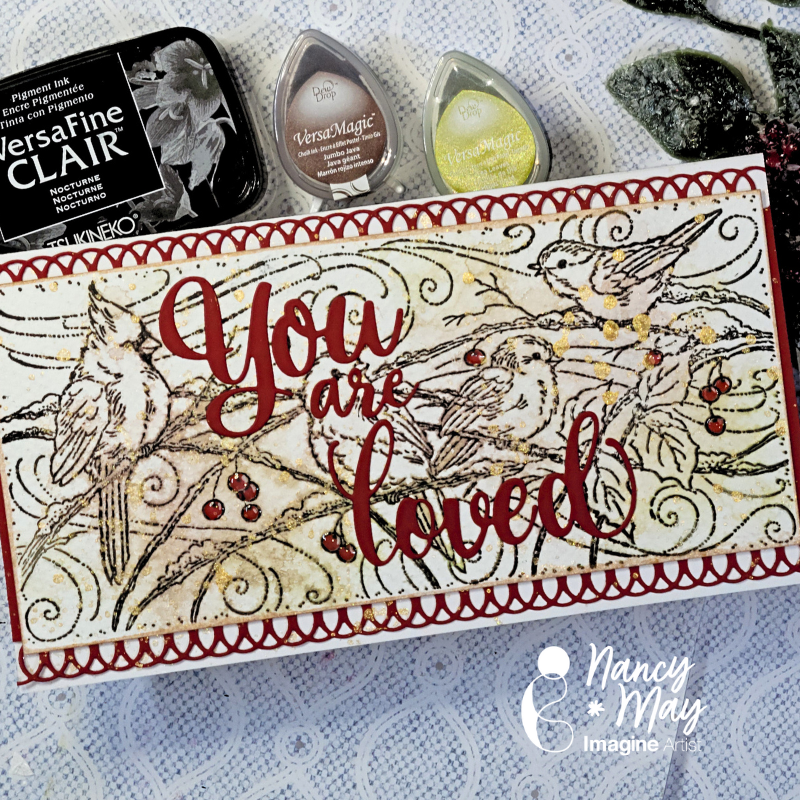
Pyrography is the art of wood burning and it has a very distinctive look. This stamping technique has a very similar look. Be sure to use watercolor card or this technique will likely not work. You will also need a stamping platform, water mister and a water reactive dye ink like VersaMagic, and a non-water reactive pigment ink, like VersaFine Clair.  Let’s get into it. 

~Nancy

Skill: Beginner, Intermediate

Time: undetermined

Art Supplies

Imagine:

● VersaMagic Dew Drop – Jumbo Java

● VersaMagic Dew Drop – Tea Leaves

● VersaFine Clair – Nocturne

Other:

● Stampendous – Snowy Birds Red Rubber Stamp

● Whimsy Stamps – You Are Loved Die set

● Dress My Craft – Rich Red 12×12 Cardstock

● PinkFresh – Slimline Lacy Edgers Dies

Let’s Make a Gel Print Cat Card

By Kathi F. Rerek 

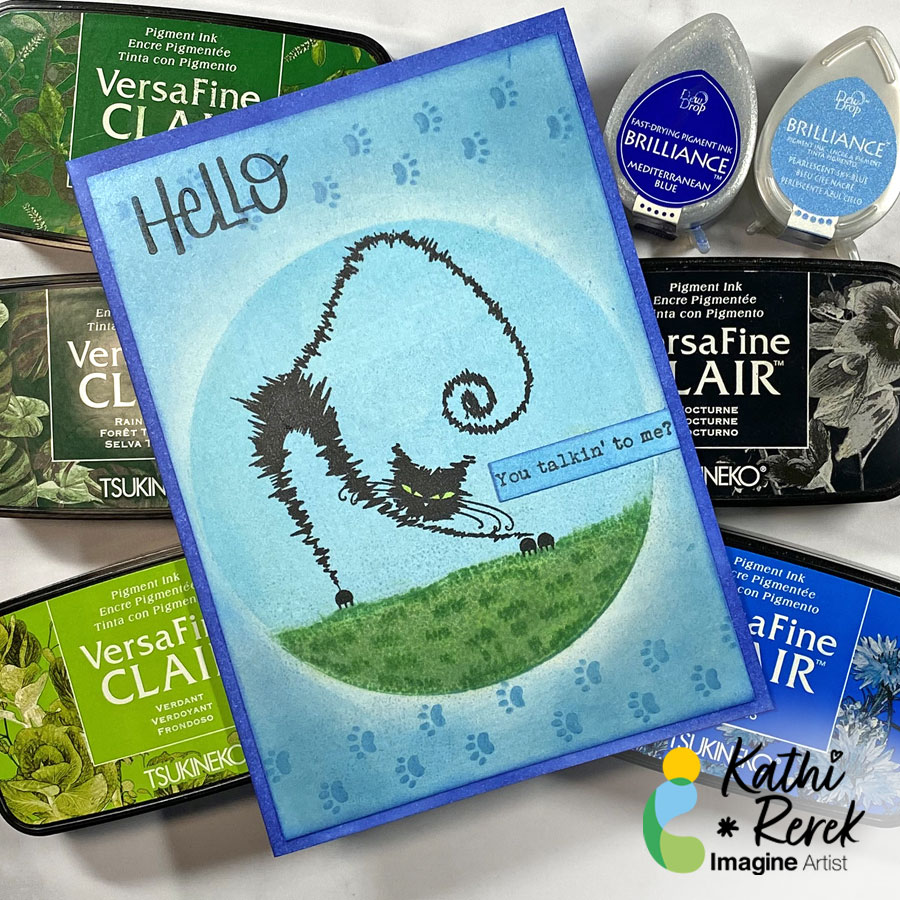
Using a Gel Press with VersaFine Clair inks is a great way to create a quick background.

Skill Level: Beginner to Intermediate

Time: 1 hour

Directions:

Step 1.

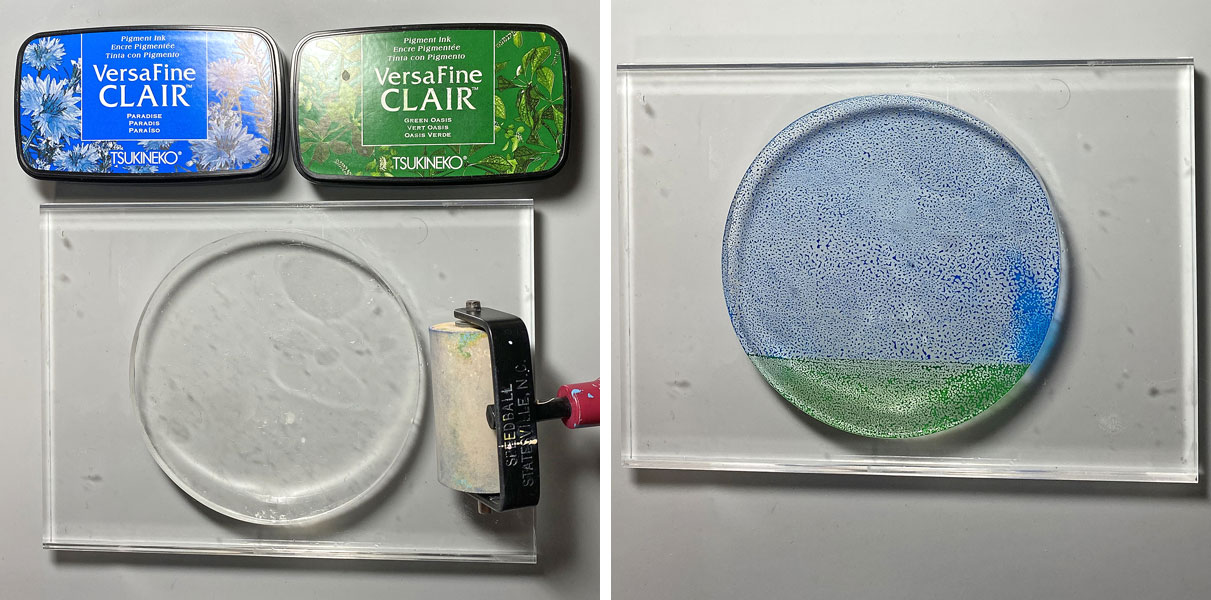
Use a 2” brayer to apply Paradise VersaFine Clair ink to the top part of a 4” round gel press. Clean the brayer, then use to apply Green Oasis VersaFine Clair Ink to the bottom  of the gel press.

Press a 6” x 4.25” piece of mixed media paper onto the gel press and pull the print. I actually used a leftover panel from a previous gel print session that was not successful.

Step 2:

Mist the print with with 91% Isopropyl Alcohol.

Use Fantastix to apply Verdant VersaFine Clair Ink to even out the green area of the print and then apply Rain Forest VersaFine Clair Ink to add dimension.

Step 3:

Use paper towel to gently dab the sky and grassy areas of the print with Purell to further blend the ink.

Heat set.

Step 4:

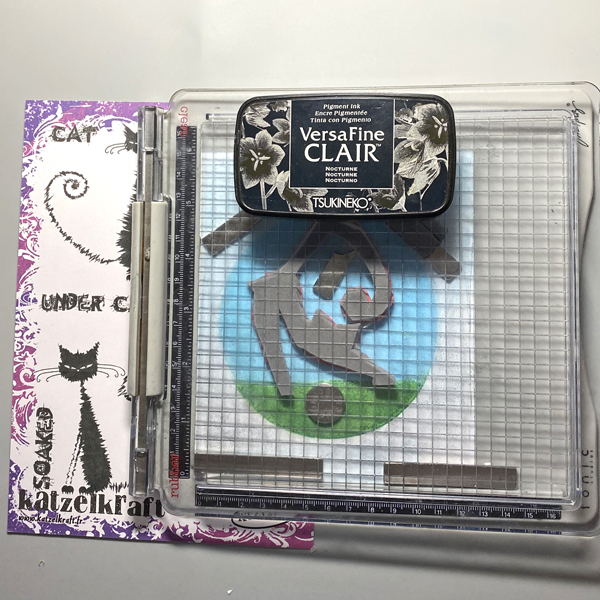
Use magnets to secure the image panel to the base of a stamping platform.

Position the stretching cat stamp from the The Furieux/Caffeinated Cats Unmounted Stamp Set facedown so that its paws are on the grass.

Ink the stamp with Nocturne VersaFine Clair Ink and stamp. Re-ink and stamp again if needed. Remove the stamp and heat set the panel.

Step 5:

The left paws were stamped slightly above the grass, so I used Fantastix and Green Oasis VersaFine Clair Ink to add a tuft of grass under his floating paws and to add detail to the lawn.

Step 6:

Use a Sponge Dauber to apply Pearlescent Sky Blue Brilliance Ink around the image circle, leaving a bit of a halo effect around the circle.

Step 7:

Tape the image panel to the back of the Pawprint Stencil so that the smallest paw prints run horizontally across the top of the image panel.

Use Sponge Daubers to apply Pearlescent Sky Blue and Mediterranean Blue Brilliance Inks over the stencil onto the image panel.

Remove and clean the stencil, then repeat the steps above to stencil the small paw prints across the bottom of the image panel.

Lift the stencil and use the Sponge Dauber to edge the panel with Mediterranean Blue Brilliance Ink. Heat set the panel.

Step 8:

Use a Sponge Dauber to apply Pearlescent Sky Blue Brilliance Ink to a strip of white cardstock. Heat set.

Secure the cardstock strip to the base of a stamping platform. Position the “You talking’ to me?” sentiment from the Whatchamacallit Unmounted Stamp Set facedown on the strip.

Ink the stamp with Nocturne VersaFine Clair Ink and stamp. Heat set.

Use scissors or a die-cut to cut the sentiment and edge it with Mediterranean Blue Brilliance Ink. Heat set.

Step 9:

Cut a piece of white cardstock to 9” x 6.25”, score at 4.5”, and fold to form a 4.5” x 6.25” card.

Use a Sponge Dauber to apply Mediterranean Blue Brilliance Ink around the the edges of the card. Heat Set.

Step 10:

Use Tear It! Tape to secure the image panel to the card front.

Step 11:

After looking at the finished card,I decided that the card needed a larger sentiment up at the top left.

Secure the entire card with magnets to the base of a stamping platform. Position the “Hello” stamp from the Holiday Quotes. Unmounted Stamp Set facedown on the upper left. Use Nocturne VersaMark Ink to stamp the sentiment. Heat set.

Supplies used:

Imagine:

Other Supplies:

  • 140 lb. Mixed Media Paper by Strathmore
  • Solar White Classic Crest Cardstock by Neenah Papers
  • The Furieux/Caffeinated Cats Unmounted Stamp Set 127 by Katzelkraft
  • Whatchamacallit Unmounted Stamp Set 276 by Katzelkraft
  • Holiday Quotes Unmounted Stamp Set 207 by Katzelkraft
  • 4” Circle Gel Press
  • Paw Prints 6×6 Stencil by KaiserCraft
  • Lemon Yellow Zig Clear Color Real Brush Marker by Kuretake
  • 91% Isopropyl Alcohol
  • Purell
  • Stamping Platform
  • Heat Gun by EK Success

Swipe Ink Technique Summer Card

By Martha Lucia Gomez 

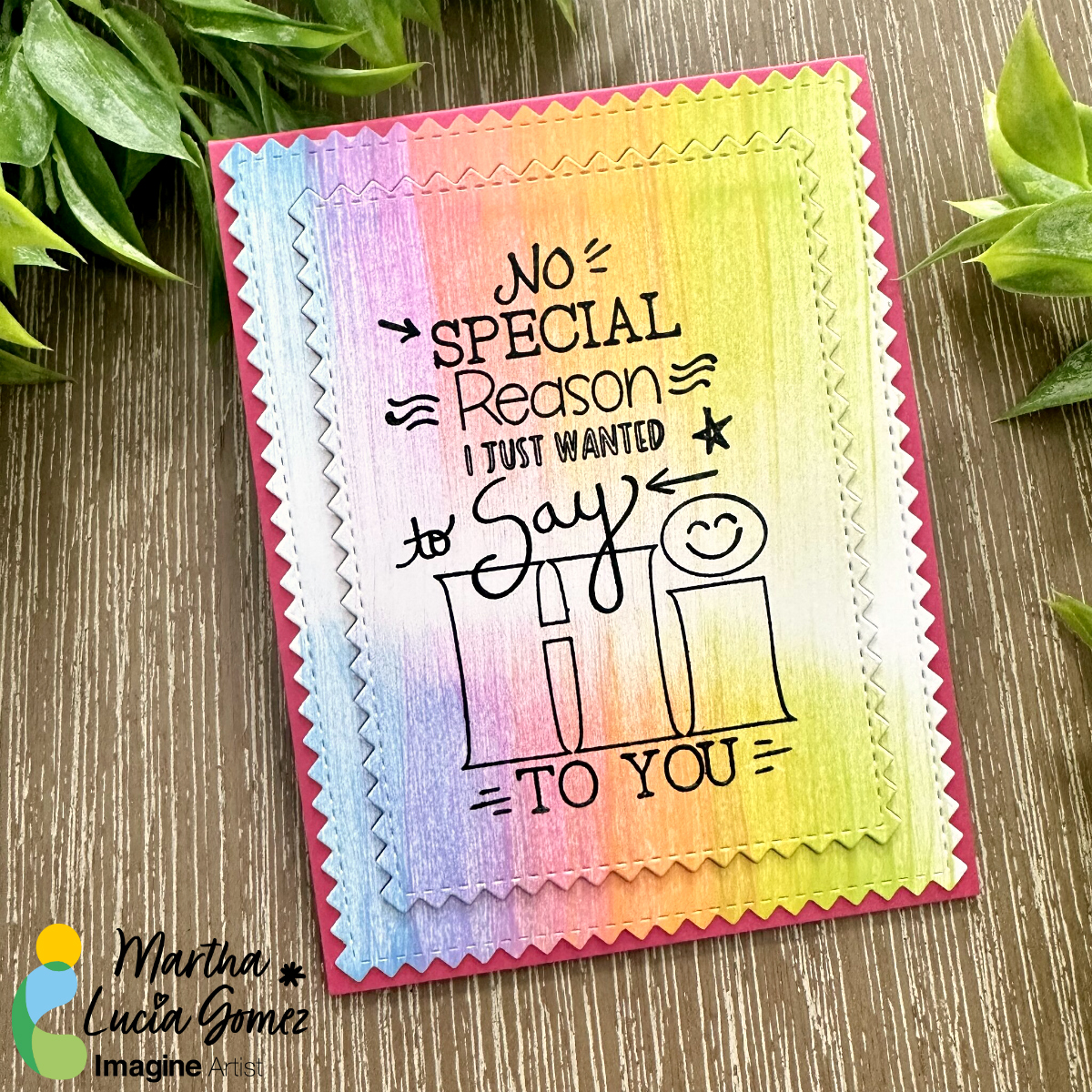
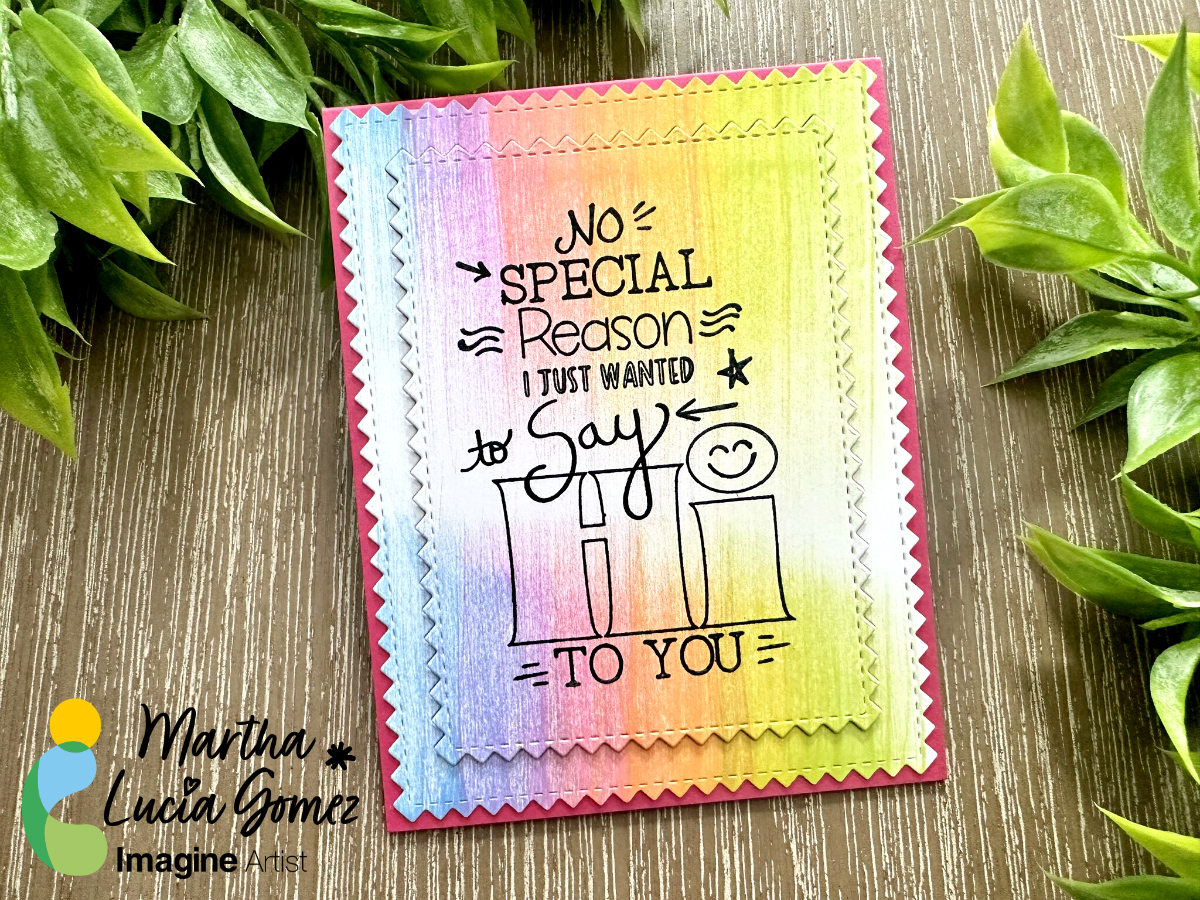
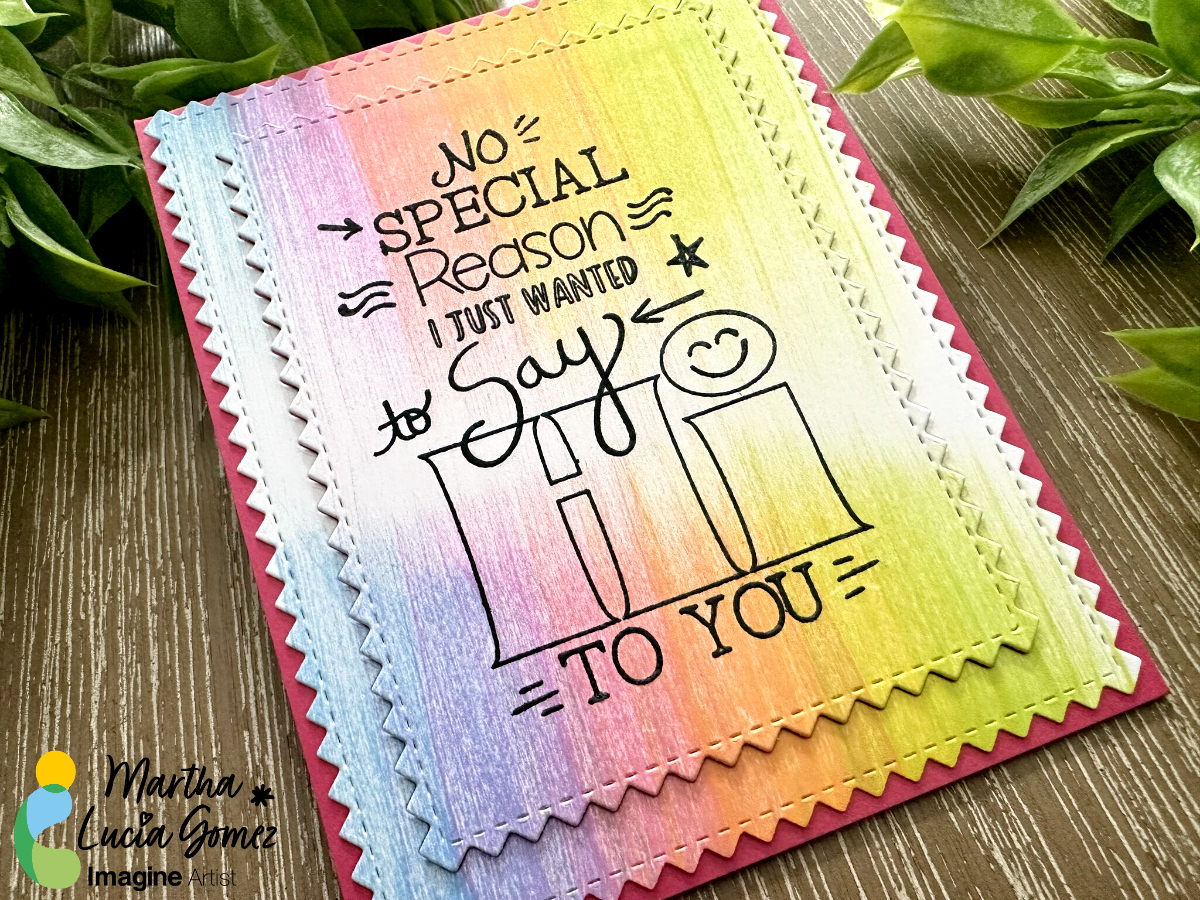
Hello crafty friends! Today, I have a new tutorial to create backgrounds. On this opportunity I am using the Swipe Ink Technique. Basically, you swipe the ink pad over your cardstock but this time we are using Kaleidacolor Inks that has 5 different colors in one single ink pad or swipe.  

Skill: Intermedia
Time: 60 minutes

Directions:

Step 1:

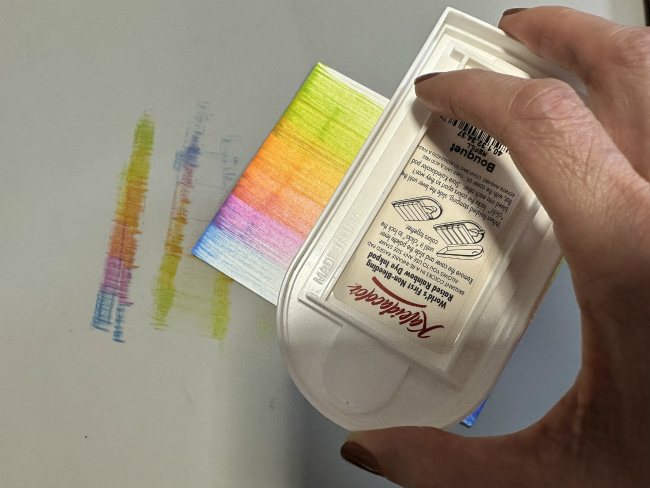
Pick your favorite Kaleidacolor Ink Pad. To make my project, I selected the Bouquet and white smooth cardstock.

Step 2:

Active your swipe putting together all the colors of your ink pad. Place the cardstock over the mat and softly swipe the ink over the paper without up your hand.
If you want, you can go from up to down in a single swipe or in any direction. In my sample, I stopped in the middle and turn around the cardstock to repeat the process and have the center of the cardstock clean or without color.

Let the ink dry naturally before continuing with the next steps or repeat the process to create your own layout.

Step 3:

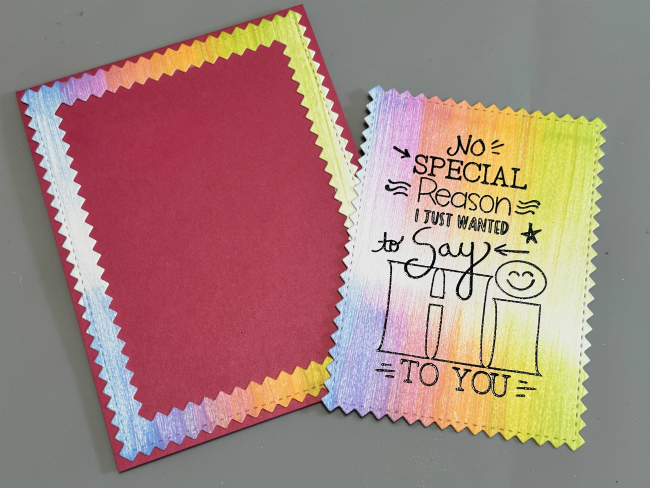
When the inked cardstock is totally dry, you can resize it or die cut It. Also, you can stamp over it, just like I made. I stamped a larger image over the center of the inked panel with VersaFine Clair Nocturne and heat embossed it with clear embossing powder. Then, I resized the layer with Zig Zag Stitched Rectangles.

Step 4:

To add more interest to the card, I pasted the large frame with Tear It! Tape over the card base. Then, I pasted the small rectangle with crafty foam tape to have more dimension.

Thanks for stopping by and remember, you don’t need to create complicated projects. Just use the best inks and let your creativity shine!

Art Supplies:

Imagine:

Other:

  • Melon Mambo and White Smooth Cardstock
  • Die Cut Machine
  • Zig Zag Stitched Die Cut Frames
  • Crafty Foam Tape

Create a Magical Card with Brilliance Inks

By Kathi Rerek 

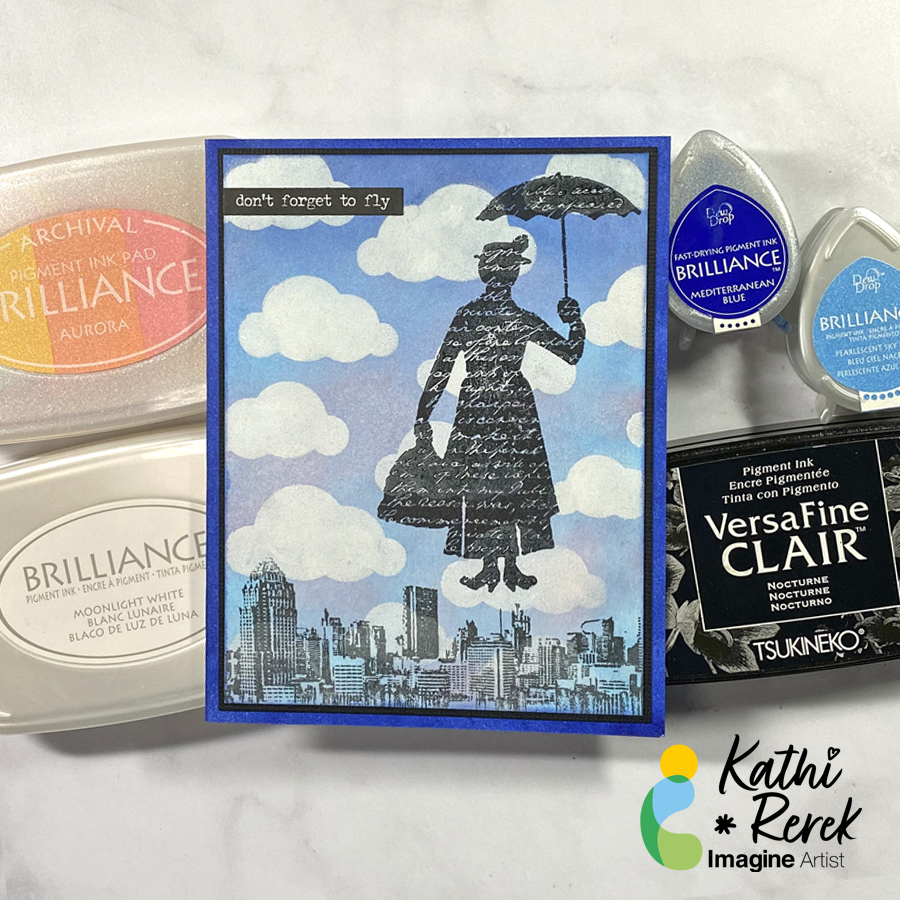
Intro: Brilliance inks blend beautifully and the pearlescent ones create a beautiful shimmer that enhances magical scenes like this one.

Skill Level: Beginner to Intermediate

Time: 1 hour

Directions:

Step 1.

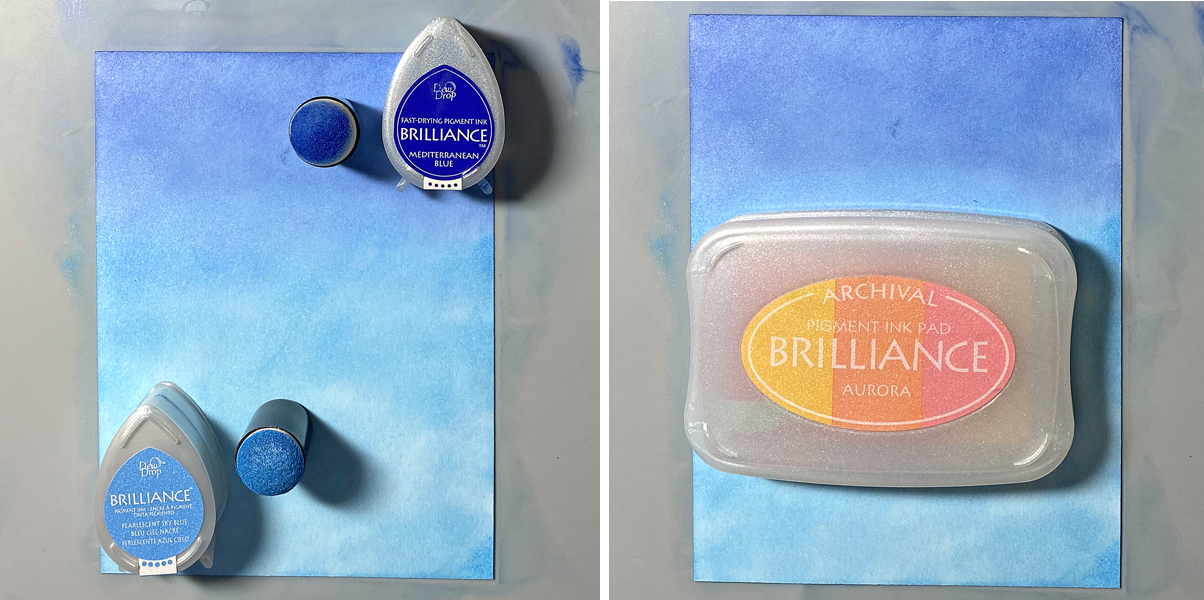
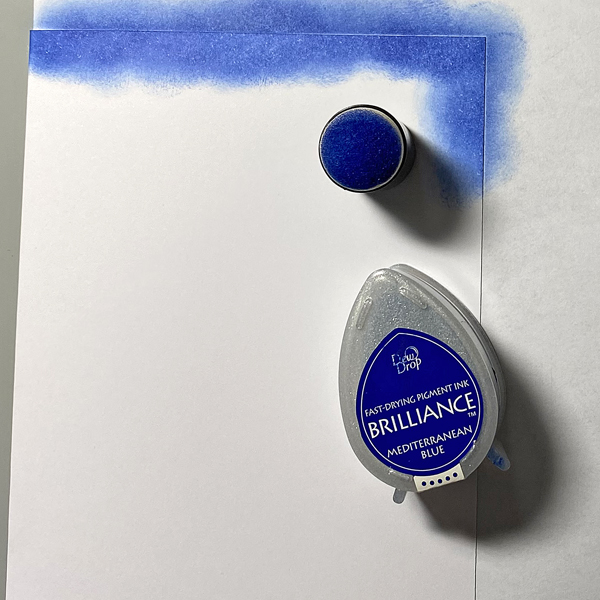
Use a Sponge Dauber to apply Mediterranean Blue Brilliance ink horizontally across the top of a 4” x 5.25” panel of white cardstock. Use a Sponge Dauber to apply Pearlescent Sky Blue Brilliance ink below the darker blue. Use both daubers to create a blended shimmery sky.

Use a Sponge Dauber to apply the Pearlescent Coral Brilliance ink from the Aurora 3-Color Brilliance Ink Pad. Sorry that there’s no photo!

Step 2:

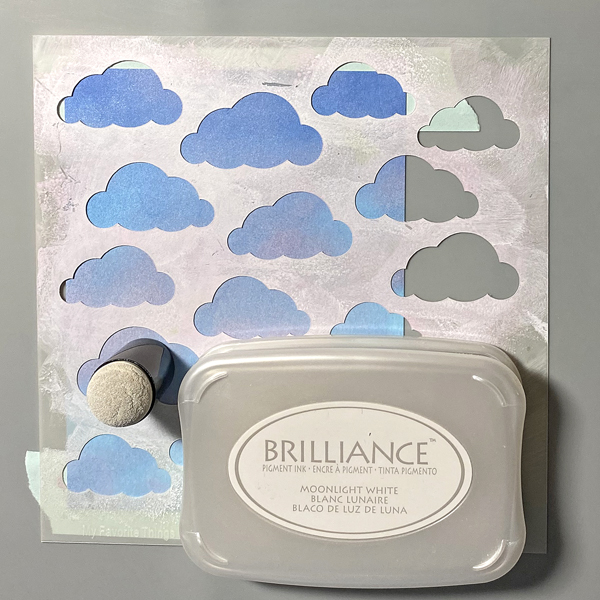
Tape the image panel to the back of the Clouds Stencil.

Using a Sponge Dauber, apply Moonlight White Brilliance ink over the stencil onto the image panel.

Remove the stencil and heat set the ink.

Step 3:

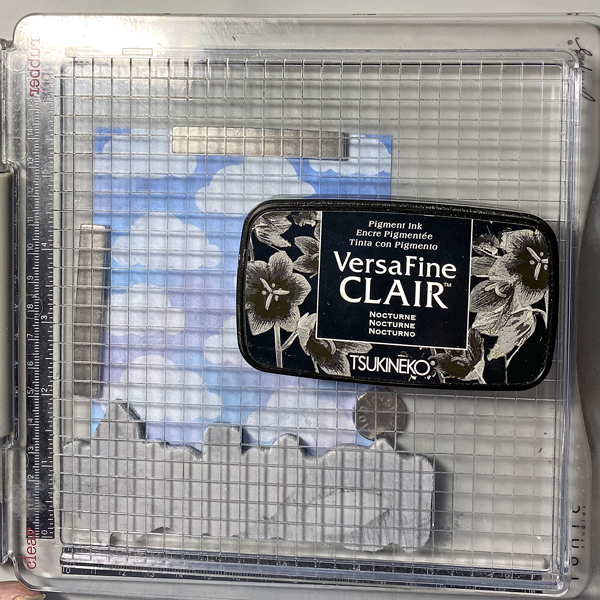
Use magnets to secure the ink-sponged panel approximately .5” from the right edge and 1” from the bottom of the stamping platform.

Position the Cityscape Reflections Stamp facedown along the bottom of the stamping platform.

Ink the stamp with Nocturne VersaFine Clair Ink and stamp. Re-ink and stamp again if needed. Remove the stamp and heat set the panel.

Step 4:

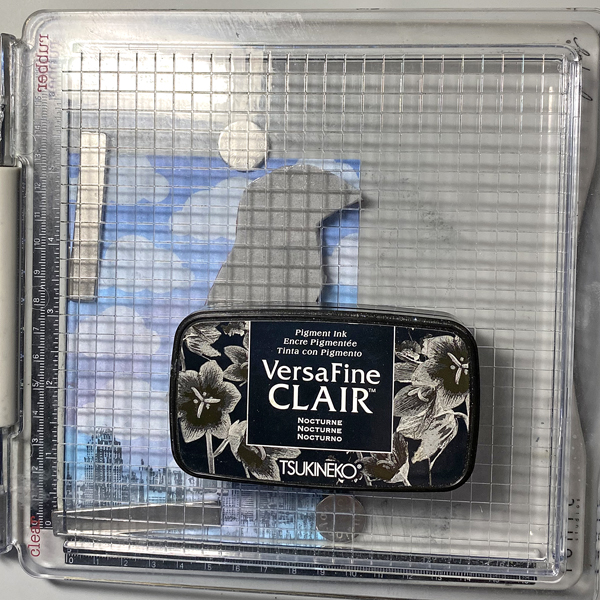
Move the image panel so that it’s flush the right and bottom edges of the stamping platform. Secure with magnets.

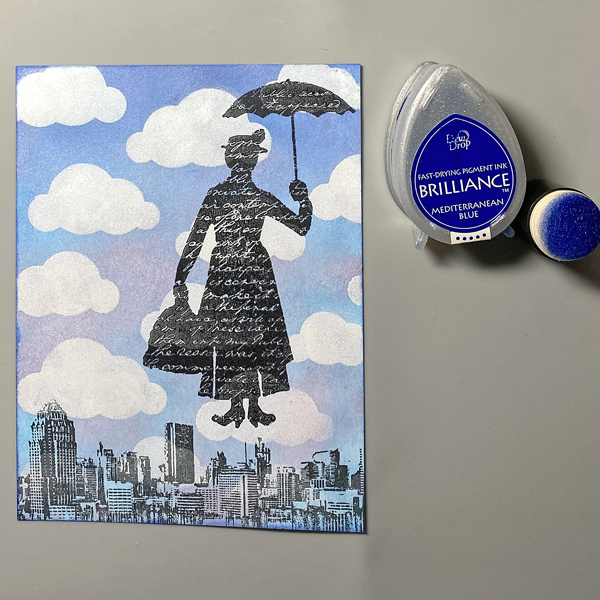
Position the Silhouette Lady with Umbrella Stamp facedown along the right edge above the cityscape.

Ink the stamp with Nocturne VersaFine Clair Ink and stamp. Re-ink and stamp again if needed. Remove the stamp and heat set the panel.

Step 5:

Trim the image panel to 3 7/8” x 5 1/8”.

Use a Sponge Dauber and Mediterranean Blue Brilliance Ink to edge the image panel.

Step 6:

Cut a piece of Raven cardstock to 4” x 5.25”.

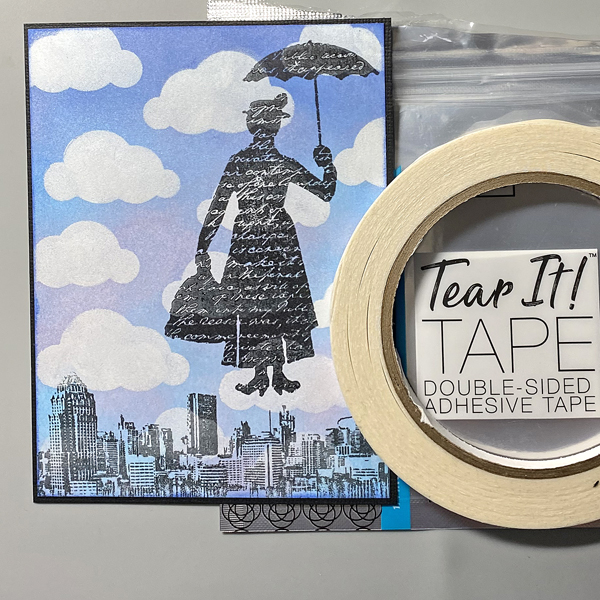
Use Tear It! Tape to adhere the image panel to the black cardstock.

Step 7:

Create an A2 Card from White cardstock.

Use a Sponge Dauber to apply Mediterranean Blue Brilliance Ink to the outer .5” of the folded card. Heat set.

Step 8:

Use Tear It! Tape to adhere the image panel to the card.

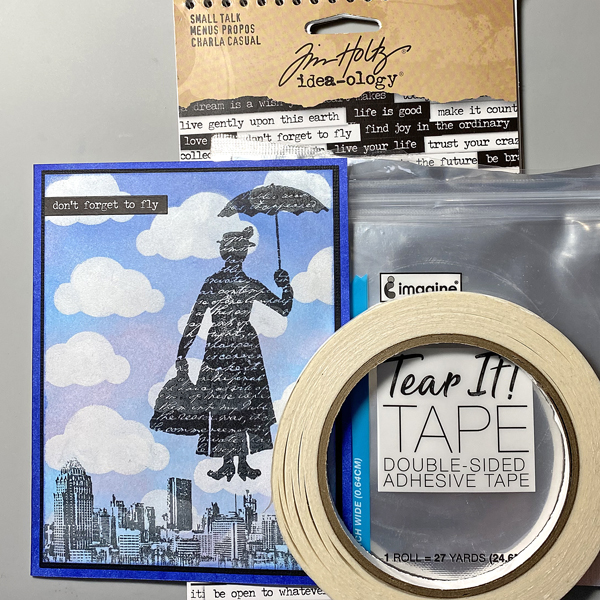
Adhere the sentiment sticker to finish the card.

Imagine Crafts Supplies:

Other Supplies:

  • 140 lb. Bristol Paper by Strathmore
  • Raven Black Cardstock by Bazzill Basics
  • Solar White Classic Crest Cardstock by Neenah Papers
  • Cityscape Reflections Cling Rubber Stamp by Andy Skinner for Creative Expressions
  • Silhouette Lady With Umbrella Unmounted Rubber Stamp by Lost Coast Stamps
  • Small Talk Idea-ology Stickers by Tim Holtz for Advents
  • Stamping Platform
  • Heat Gun by EK Success