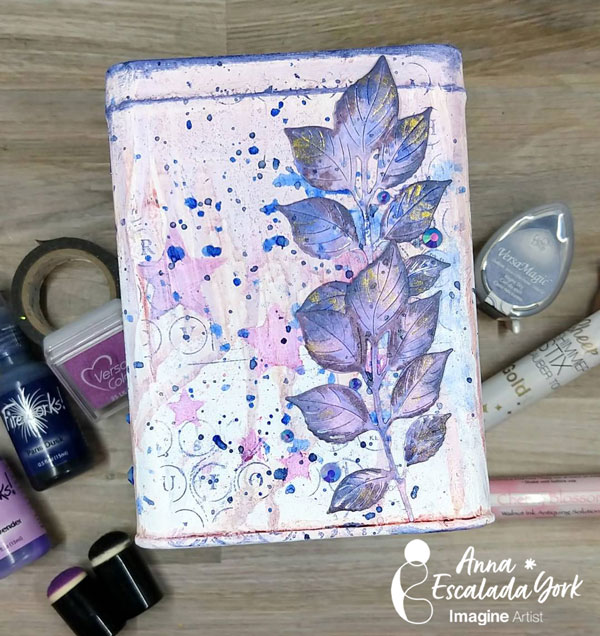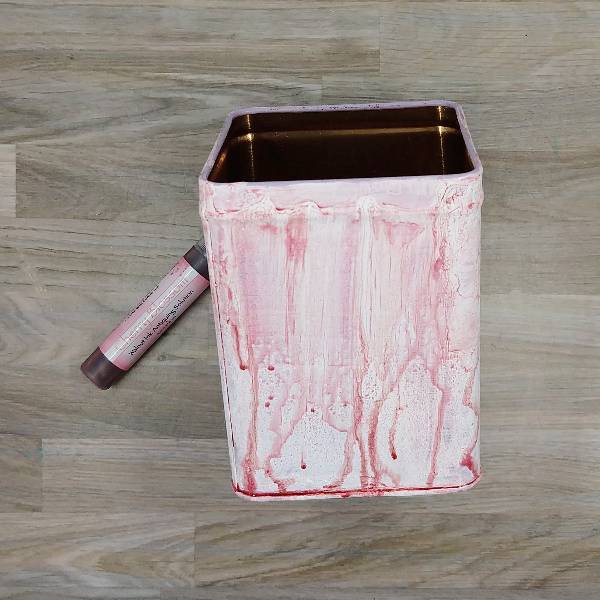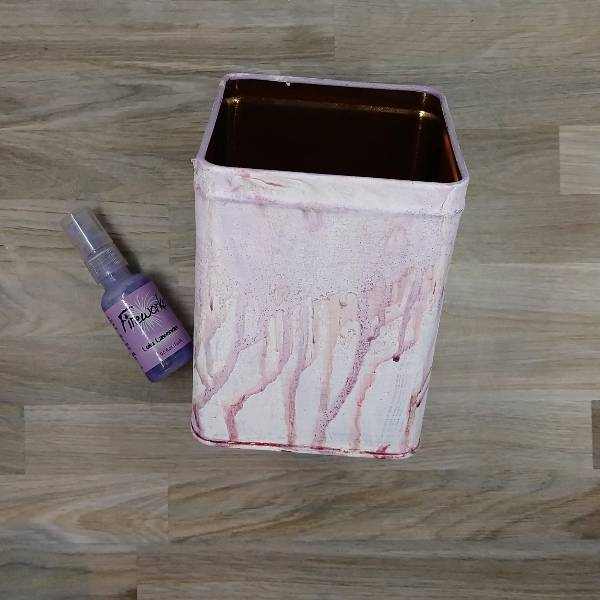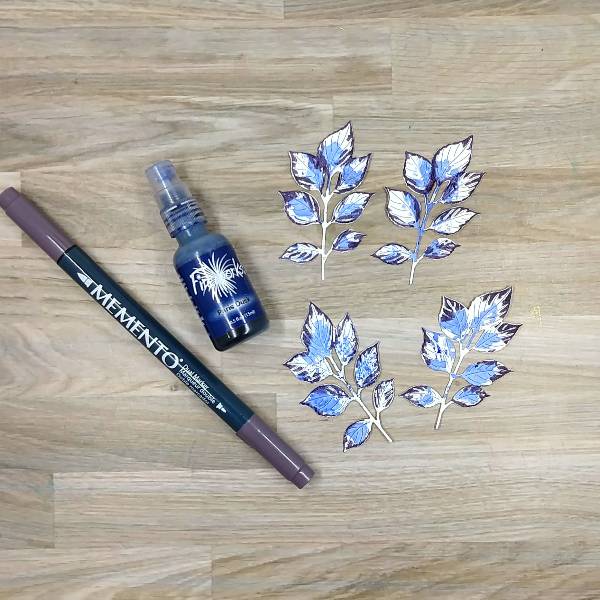
Let’s Give your Clipboard a Makeover

By Anna Escalada York

– I had an old clipboard that I wanted to decorate and was able to make it work with some of my Imagine Craft supplies.

Skill: Intermediate
Time: 2.0 hours (includes drying time)

Directions:

Step 1:
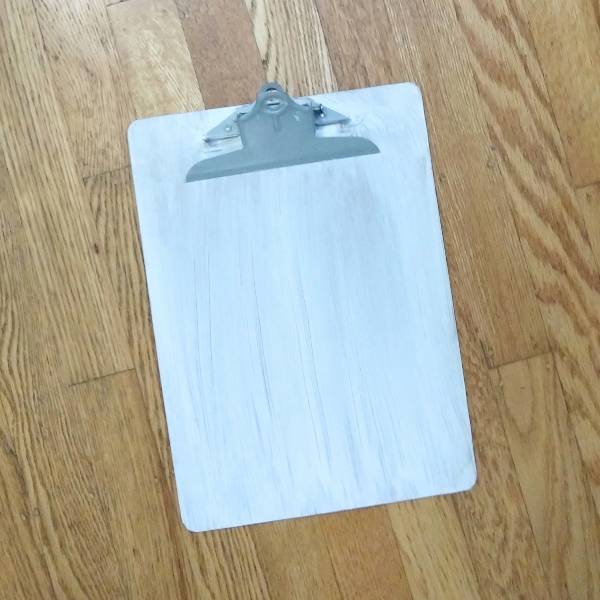
Paint a thin layer of thin layer of white gesso onto an old clipboard and set aside to dry. (I used some old spools of washi tape to hold open the metal clip so that it wouldn’t get stuck in the drying gesso.)

Step 2:
Spray Pear Tart Fireworks! Craft Spray through a detailed heart stencil on the lower left corner of the clipboard. Emboss with clear embossing powder to set the spray.

Here is a closeup of Step 2:

Step 3:
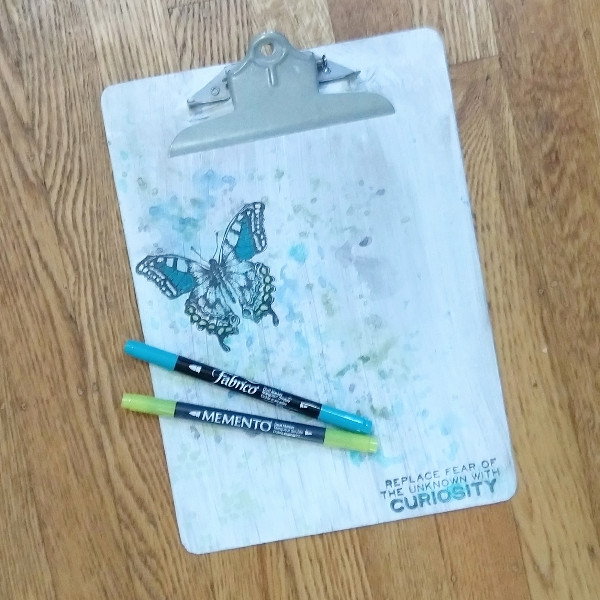
Stamp a large butterfly in the upper left part of the clipboard base and a sentiment (or maybe in this case affirmation) in the lower right corner with Nocturne VersaFine Clair ink and then heat emboss both with clear embossing powder.

Step 4:
Watercolor smoosh the clipboard with a variety of blue, green and black watercolor in layers.

  • Starting out with Turquoise Gem VersaMagic Chalk Ink, press the ink pad onto a scrap piece of acetate packaging and spray with water. Then press the acetate over the butterfly to create a light blue area around the butterfly. Press the remaining color from the acetate in a diagonal line across the clipboard from the upper left corner to the lower right corner into the stamped sentiment.
  • Repeat the process with Hint of Pesto VersaMagic Chalk Ink.
  • Then draw on the acetate with Danube Blue Memento Dual Marker and spray with water; this time focus most of this darker color around the butterfly and splatter the clipboard with the remainder of the dark blue watercolor.
  • Finally, draw on the acetate with Tuxedo Black Memento Dual Marker and spray with water. Use the black watercolor to splatter the butterfly (and to cover up any blemishes left behind when stamping).

Let everything dry.

Step 5:
Color in parts of the butterfly image with Tropical Lagoon Fabrico Dual Marker (center of the upper wings) and Pear Tart Memento Dual Marker (small circles on the edge of the lower wings). Color in the word curiosity in the sentiment with more of the Tropical Lagoon Fabrico Dual Marker. Heat emboss with clear embossing powder.

Step 6:
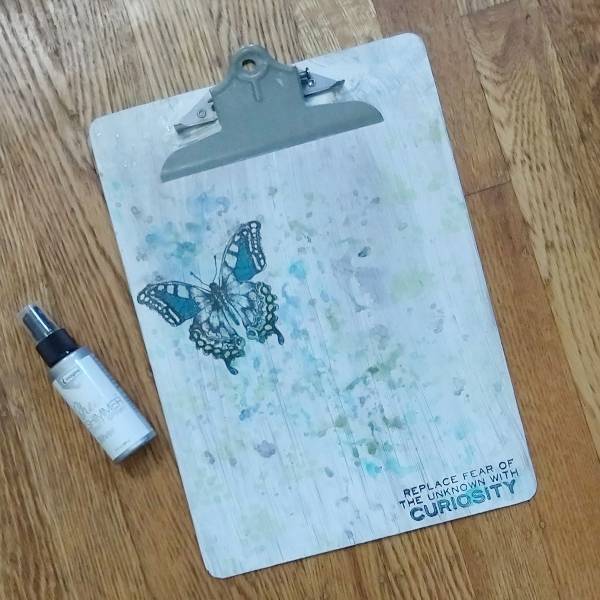
Spray Silver Sheer Shimmer Craft Spray onto the acetate and watercolor smoosh it onto the clipboard. Splatter any remaining spray on the acetate onto the clipboard. If larger individual splatters are desired, unscrew the top and use the tube/straw from the spray bottle to dab large blobs of Silver Sheer Shimmer Craft Spray onto the clipboard and finish the project.

Art Supplies

Imagine
• Fabrico Dual Marker – Tropical Lagoon
• Fireworks! Craft Spray – Pear Tart
• Memento Dual Markers – Danube Blue, Pear Tart and Tuxedo Black
• Sheer Shimmer Craft Spray – Silver
• VersaFine Clair ink – Nocturne
• VersaMagic Chalk ink – Hint of Pesto and Turquoise Gem

Other
• Golden – Gesso Semi-Opaque Acrylic Primer
• Stampers Anonymous and Tim Holtz – stamp set – Perspective CMS213 Clear Embossing Powder
• Foam paint brush (for the gesso) Thin paint brush (for splattering) Small detail stencil in my stash

Beginner Friendly 3D Christmas Card Using VersaMagic Ink Pads

By Jessica Lin

– Hi everyone! It’s Jessica here. Today I am sharing a simple way to create 3D Christmas trees for your holiday cards. It is beginner friendly with minimal supplies, and I think it’s perfect to mass produce as well.

Skill: Beginner
Time: 30 min

Directions:

Step 1:
Start by stamping Christmas tree images with VersaMagic Aloe Vera and Tea Leaves ink pads. I used stamps from Stampin’ Up’s Perfectly Plaid set, but any small Christmas tree image would work for today’s technique. For each 3D Christmas tree, you would need three layers. You could stamp each design three times for each layer, or only stamp the top layer for quick mass production of cards.

Step 2:
Next, use the matching paper punch to cut out the Christmas trees. If you only stamped the top layer, be sure to punch out 2 additional cutouts with white cardstock for each 3D tree you are building. Since I am making two 3D trees today, I would need 4 more white cutouts.

Step 3:
Score each Christmas tree cutout in the middle. I lined up the top and bottom of the cutout to the score guide to score.

Step 4:
After scoring, fold the stamped Christmas tree cutout in half, and apply On Point Glue to the top of the folded crease. Then adhere it to a blank (or stamped) cutout. Be sure to hold the folded layer in place for about 20 seconds before the glue dries. Repeat this process to adhere the second layer to the third tree cutout.

Step 5:
Now that the 3D Christmas trees are made, it is time to prepare the card base. Trim a piece of patterned paper to 4 x 2 ¼ inches and a cut a 4 ¼ inch piece of gold glitter washi tape. Trim one side at an angle to create a banner shape and adhere both pieces to the card base.

Step 6:
Finally, stamp the sentiment using VersaMagic Ocean Depth ink pad. Adhere the 3D Christmas trees using Tear-It! Tape and embellish the card with a few rhinestones.

Here is a finished card where I stamped all 3 layers of the 3D Christmas trees. I love how easy it is to create the 3D element, and it is mail-friendly, too! I hope this tutorial inspires you to get a headstart on making Christmas cards for this year. Thank you so much for stopping by, and I’ll see you in my next tutorial!

Imagine Supplies:

Other Supplies:

  • Stampin’ Up! – Stamps – Perfectly Plaid
  • Stampin’ Up! – Punch – Pine Tree Punch
  • Stampin’ Up! – Paper – Pool Party cardstock
  • Plaid Patterned Paper
  • Gold Glitter Washi Tape
  • Park Lane – Embellishment – Blue Adhesive Backed Rhinestones

3D Stenciling Technique | Whimsical Father’s Day Card

By Tracy Fear

Hello Friends! Tracy here and today I am excited to share this fun and quirky little Father’s Day card created with a family funny bone element!

In today’s video tutorial I am sharing how to get dimensional effects out of your lettering stencils and how to create background noise using our #8 Stippling Brush and our Brushstix along with some of our most popular inks!

Tracy

Skill: Intermediate
Time: 1 hour

Directions:

Art Supplies

Imagine Products

Other Products Used

  • Chunky Alphabet Stencil by Vaessen Creative
  • Guinea Pig and Fly stamps by Vaessen Creative
  • Cricut Black Fine Line Pen
  • Sticky Paper
  • Accent Opaque 120lb Cardstock
  • Blue Card Base
  • Stencil Brush
  • Blending Brush
  • Sticky Pad
  • PVA Adhesive

ALTERNATIVE PRODUCTS THAT CAN BE USED TO RECREATE SOMETHING SIMILAR

  • Any Pigment Inks
  • Any Dye-based Inks

To learn how to make this silly Father’s Day Card, click here!

Watercolor with VersaMagic, Brilliance and Delicata Ink Pads

By Jessica Lin

Skill: Beginner
Time: 45 minutes

Hi everyone! It’s Jessica here and welcome back to another card tutorial. Thanksgiving is coming up and I love to make cards to express my gratitude! Today I’m also watercoloring with various ink pads from the VersaMagic, Brilliance and Delicata ink lines. Let’s begin!

Step 1: Stamp the critter images from The Greeting Farm Wood Friends stamp set with VersaFine Clair Nocturne ink. This is my favorite black ink for stamping and it’s perfect for watercoloring.

Step 2: Color the images with VersaMagic inks. I used Gingerbread, Pumpkin Spice and Wheat for the deer, and to add some shimmer and shine, I watercolored a layer of Celestial Copper from the Delicata ink line. For the squirrel, I used Sahara Sand and Jumbo Java as the base color and added Cosmic Copper Brilliance ink as an accent. VersaMagic, Delicata, and Brilliance ink pads are all pigment inks and I love that you can mix and match the colors for maximum creativity. For the final touch, I added small amounts of Pink Grapefruit to create their rosy cheeks.

Step 3: I decided to use Stampin’ Up!’s Mossy Meadow cardstock as the cardbase since it’s a nice foresty color. I also stamped some geometric striped pattern with my VersaMark ink pad. Did you know that you could stamp with VersaMark as well? It’s known for being the best ink for heat embossing, but I also stamp with it quite often to create additional interest to the background.

Step 4: Then I spritzed on a layer of Sheer Shimmer Spray in Sparkle. I wish you could see the shimmer in real life! The photo does not do its justice. The shimmer is just so beautiful and it truly transformed this simple card base.

Step 5: Next, I die cut an oval panel as a frame for the little critters, and I die cut the Grateful sentiment from gold glitter cardstock as well.

Step 6: To make the sentiment stand out a little bit more, I die cut again using white cardstock and layered it underneath the gold one. This creates a subtle shadow effect. The On Point Glue has a fine tip nozzle that makes applying small amounts of glue so easy. If you work with intricate dies all the time, I recommend having this glue in your stash!

Step 7: Finally, I stamped the “For You” stamp in gold as well to complete the sentiment. Initially I picked the Brilliance Galaxy Gold ink pad as it is my go-to gold ink, but I realized that the tone is slightly too warm compared to the gold glitter cardstock I used. So I

re-stamped with Gold Encore ink instead. I have a close-up comparison below as well.

The picture on the top used Brilliance Galaxy Gold and the one below used Encore Gold. Brilliance Galaxy Gold is a really yellow, sunny kind of gold while Encore Gold shows a cooler tone. The finish is different between the two as well! Brilliance ink pads are shimmery and the Encore line is metallic.

Craft Supplies

Imagine Supplies:

Other Supplies:

  • The Greeting Farm – Stamps – Wood Friends
  • Lawn Fawn – Dies – Stitched Oval
  • Stamplorations – Dies – Grateful
  • Stampin’ Up! – Cardstock – Mossy Meadow
  • We R – Tool – Precision Press
  • DCVW – Cardstock – Gold Glitter
  • White and Watercolor cardstock

Zombie Graveyard Halloween Card with VersaMagic Inks

By Kathi Rerek

I might be an introvert, but I do love to make scenes — in card form. Here’s a Halloween card created with VersaMagic and VersaFine Clair inks, stamping, and some die-cuts.

Skill Level: Intermediate
Time: 1.5 hours

Instructions:

Step 1:
Cut a piece of Bristol paper to 4.75” x 6.75”. Use the Boneyard Edgers die to cut removable sticker paper and place along the bottom of the image panel. Place low tack tape below it.

Use the 1” circle punch to punch the sticker paper and adhere it to the upper left hand side as shown.

Step 2:
Use a Sponge Dauber to apply Night Sky VersaMagic Ink over the masked images onto the background. Heat set.

Step 3:
Spray a little water into a small container. Squeeze a few drops of Moonlight White VersaMagic Re-inker into the pot. Use a paint brush to mix the water and the ink. Tap the inky paintbrush over the night sky background to add splatter to look like stars.

Step 4:
Remove the sticker masks from the moon and from the cemetery.Smoosh the Jumbo Java VersaMagic Dewdrop Inkpad onto a piece of acetate. Lightly mist with water. Use a paintbrush to paint the tree in the graveyard. Heat set. Clean and dry the acetate.

Steps 5A and 5B:
Smoosh the Hint of Pesto VersaMagic Dewdrop Inkpad onto the cleaned piece of acetate. Lightly mist with water. Use a clean paintbrush to apply green ink at the top of the hill below the tombstones, crosses, gate, and tree (5A). Use a Fantastix to apply Spanish Olive VersaMagic Ink to blend this lighter ink below the ink applied in Step 5A. Continue apply the Spanish Olive Versa Magic Ink horizontally to fill in the base of the card and create the cemetery lawn. Heat set the image panel.

Step 6:
Place the image panel onto the base of a stamping platform secured with magnets and low-tack tape.

Position the clear Zombie stamps from the Zombie Party Clear Stamp Set facedown as desired on the cemetery lawn. Position the Bat Colony Clear Stamp facedown over the moon and sky.

Press the platform’s base onto the back of the stamps. Lift. Ink the stamps with Nocturne VersaFine Clair Ink and stamp. Re-ink and stamp if necessary to attain solid black images. Heat set the panel.

Step 7:
Trim the image panel to 4.625” x 6.625”. Use Nocturne VersaFine Clair Ink to edge the image panel. Cut a piece of orange cardstock to 4.75” x 6.75”. Sorry that there’s no photo.

Step 8:
Apply Tear It! Tape to cover the reverse of a piece of orange cardstock. Use the “Happy Halloween” sentiment dies to cut orange cardstock. Remove the tape’s backing and adhere the sentiment as shown.

Step 9:
Use Tear It! Tape to adhere the layers of the card.

Imagine Crafts Supplies:

Other Supplies:

  • Bristol Paper by Strathmore
  • Carrot Textured Cardstock by Bazzill Basics
  • Raven Textured Cardstock by Bazzill Basics
  • Boneyard Edgers Dies by Frantic Stamper
  • Happy Halloween Dies by Top Dog Dies (defunct)
  • Zombie Party Clear Stamp Set by Whimsy Stamps
  • Bat Colony Clear Polymer Stamp by Lavinia Stamps
  • Low-Tack Tape
  • Misti  Stamping Platform by My Sweet Petunia

Create a Death-Head Moth Halloween Card Using Ink Blending Techniques

By Anna Escalada York

In today’s card, I used sprays and and ink-blending to make a Halloween card.

Skill: Intermediate
Time: 1.5 hours

Directions:

Step 1:
Stamp the Death’s-Head Moth stamp onto a piece of white watercolor paper with Nocturne
VersaFine Clair ink. Emboss with Clear Mboss powder.

Step 2:
Spray a pre-die cut panel of watercolor paper with Lilac Posies Fireworks! Shimmery Craft
Spray and Rose Gold Sheer Shimmer Craft Spray. Allow the panel to dry.

Step 3:
Color two corner filigree stamps–one at the top right corner and one at the lower left corner–with
the Sweet Plum Memento Marker directly and then stamp the sprayed panel. Flip the panel 180
degrees (so the top is now the bottom) and repeat the process to add a stamped image to each
corner.

Step 4:
Ink blend Perfect Plumeria VersaMagic Chalk Ink around the border of the card panel,
overlapping with the stamped decoration just added. Then ink blend the edge of the panel with
Midnight Black VersaMagic Chalk Ink.

Step 5:
Die cut a piece of black watercolor paper with a frame die. Then spray the die cut with Rose
Gold Sheer Shimmer Craft Spray and let dry. If desired, repeat this process to add more shine
and color.

Step 6:
Fussy cut the Death’s-Head Moth, then use a sponge dauber to ink blend the outer part of the
wings with Perfect Plumeria VersaMagic Chalk Ink.

Step 7:
Spray the moth with Angel Pink Fireworks! Shimmery Craft Spray and allow to dry.

Steps 8 and 9:
Stamp a border and a sentiment on a piece of watercolor paper with Nocturne VersaFine Clair
ink. Heat emboss with Clear Mboss embossing powder. Then fussy cut the border.
Then ink blend the edges of the sentiment with Perfect Plumeria VersaMagic Chalk ink with a
sponge dauber. Then lightly spray the sentiment with Rose Gold Sheer Shimmer Craft Spray.
Allow the spray to dry.

Step 10:
Glue the frame, Death’s-Head Moth and sentiment onto the background panel.

Step 11:
Die cut a piece of sparkly black cardstock with a larger panel die cut. Glue it behind the sprayed
panel as a matte layer.

Step 12:
Glue embellishments onto the panel and finish the card by gluing the whole thing onto an
A2-sized card base.

Art Supplies

Imagine

• Fireworks! Shimmery Craft Spray – Angel Pink and Lilac Posies
• Mboss – Clear
• Memento Marker – Sweet Plum
• Sheer Shimmer Craft Spray – Rose Gold
• VersaFine Clair ink – Nocturne
• VersaMagic Chalk Ink – Midnight Black and Perfect Plumeria
• Sponge Daubers

Other
• Crafty Meraki – Embellishments – Meraki Sparkle Gold
• Erin Lee Creative – Paper – Las Vegas Sparkly Cardstock
• Gina Marie Designs – Die set – Big and Little Chain Rectangle die set
• Whimsy Stamps – Stamp Set – Exquisite Beauty stamp set
• Whimsy Stamps – Die Set – Forever Cameo Frames die set
• Watercolor paper
• Paper Trimmer
• Scissors
• Glue