Create a Monochromatic Floral Card

By Helen Gullett

Skill: Intermediate
Time: 30 – 45 minutes

Hi everyone! Helen is here. I am super excited today to share with you all my very first project as one of the new Imagine Artists in Residence!!!
I have been a big fan of Imagine Crafts products since I started making crafts. I made this monochromatic card. It is clean-and-simple yet has some layers to create an encouragement card or any occasion card.

Directions:

Step 1
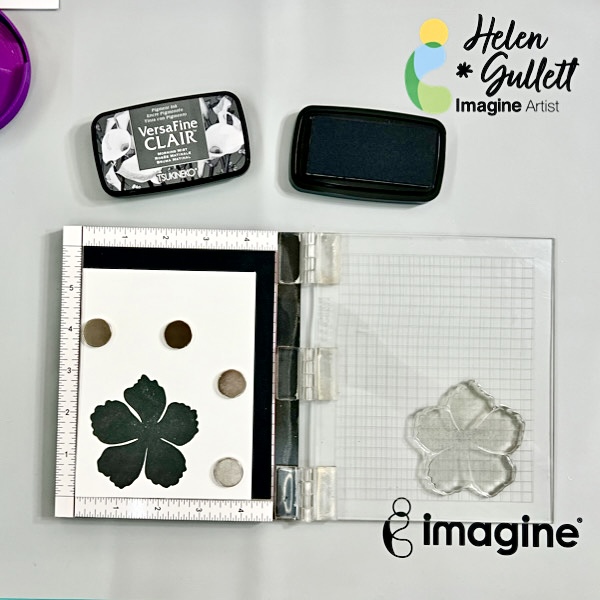
Stamping the sentiment labels. Arrange the stamp labels you want to use on the stamping tool and then stamp them on a piece of white cardstock with VersaFine Clair Nocturne ink pad. Stamping tool will help to get great second stamping for bold result. After stamping, dry the ink with craft heat gun and then trim them using the paper trimmer.
Step 2
Using the stamping tool, stamp the solid image of the flower (the first layer base of the layering flower stamps) using the VersaFine Clair Morning Mist ink pad on the white cardstock. Use the pressure tool to press the inked stamp to the cardstock to get even and better transfer ink. This pressure tool is very handy to use when stamping big images. But you can always stamp it again if needed.

Step 3
Line up the second layer of the flower stamp image on top of the solid stamped image. Make sure you position it in the right direction. Grab the stamp using the lid of the stamping tool and then ink it with VersaFine Clair Nocturne ink pad and then stamp it. Use the pressure tool to press the inked stamp to the cardstock to get even and better transfer ink. You can always stamp it again if needed.

Step 4
Grab the last part of the layering flower stamps, position it in the center of the stamped flower and then stamp it using the VersaFine Clair Nocturne ink pad. For this center part, I stamped it 3 times to get darker stamped image. You still can use the pressure tool to press the inked stamp to the cardstock to get even and better transfer ink.

Repeat these steps: 2, 3, and 4 for the leaves.

After stamping the images, use the StazOn All-Purpose Stamp Cleaner Dauber Top to clean the ink of all the clear stamps.

Step 5
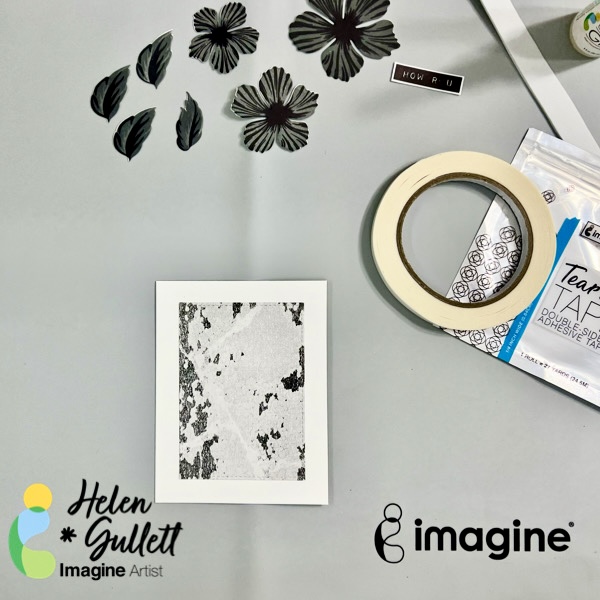
Cut all the flowers and leaves using the matching thin metal dies using the die cutting machine. And then after that, you can cut the pattern paper also with one of the Stitched Rectangle Dies to make a background mat for the flowers.
Step 6
Make a white card base out of the 8.5-inch x 11-inch 110lb white cardstock you cut into 2 pieces using the paper trimmer, using score in the middle of the cardstock, and then fold it into a card.

Put some of the Tear It! Tape on the back for the pattern background mat and then add it to the card base. This tape is strong and permanent, so make sure you position it at the center of the card lightly and then press it down.

Step 7
This is the time we arrange all the stamped flowers and leaves. Using the On Point Glue to add the first layer of the flower and leaves on the card. This glue gives you a few seconds of its drying time so you can position the flower and leaves to the spot where you like it. Then press them down and hold them down for a few seconds for the glue to dry permanently.

Step 8
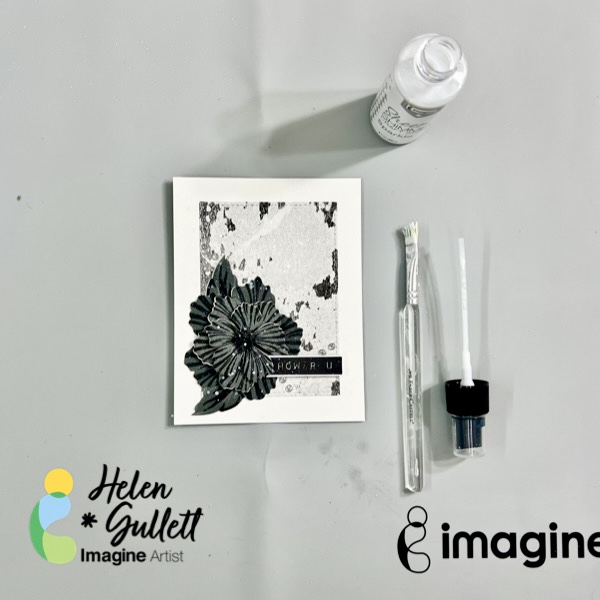
For the second and third layers, we will use foam tape for extra dimension to the flower. I made the foam tape out of white fun foam and Tear It! Tape. I put pieces of the foam tape on the petals of the flowers and added them to the base flower. And then, add one of the sentiment labels to the card with foam tape, too.
Step 9
Add some splatters of the Sheer Shimmer Craft Spray on the card using the spray bottle nozzle and flat brush (or fan brush). Add also some white paint splatters on it for more texture.

Dry the splatters on the card with a craft heat gun by moving the heat lightly around the top.

It is optional, you can embellish the card with some clear gems or other embellishment you like.
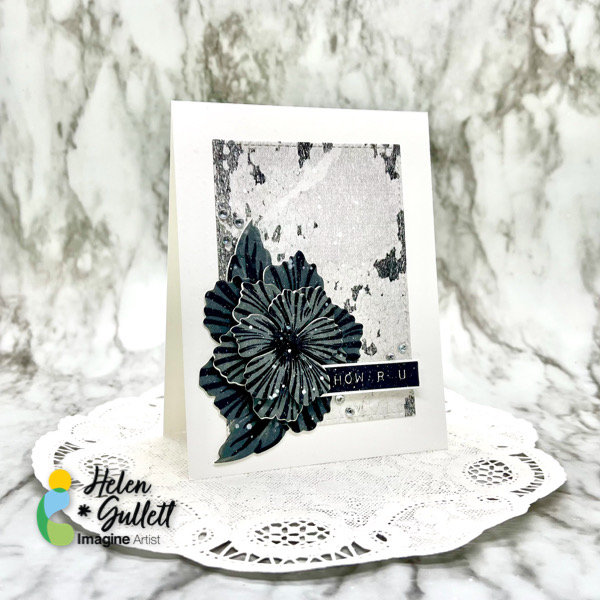
Look at those layers on a CAS style card! That’s my first project to share with you. Thanks for stopping by the blog today!

Craft Supplies
Imagine Craft supplies:

Other Supplies:

  • Altenew – Label Love Stamp Set
  • Altenew – Build A Flower: Peony Blossom (stamp and die set)
  • Altenew – White Ink Spray
  • Sweet ‘n Sassy Stamp – Stitched Rectangle Die Set
  • Neenah Classic Crest White Cardstock 110lb
  • Graciellie Design – Botanical Dream Digital Paper Pack
  • Clear gems (or other embellishments)
  • White fun foam
  • Fiskar Paper Trimmer
  • MISTI Stamping Tool
  • TwiddlersNook Pressure Pal
  • Gemini Junior cutting machine
  • Craft heat gun
  • White brush (flat or fan)
  • Micro-tip scissors

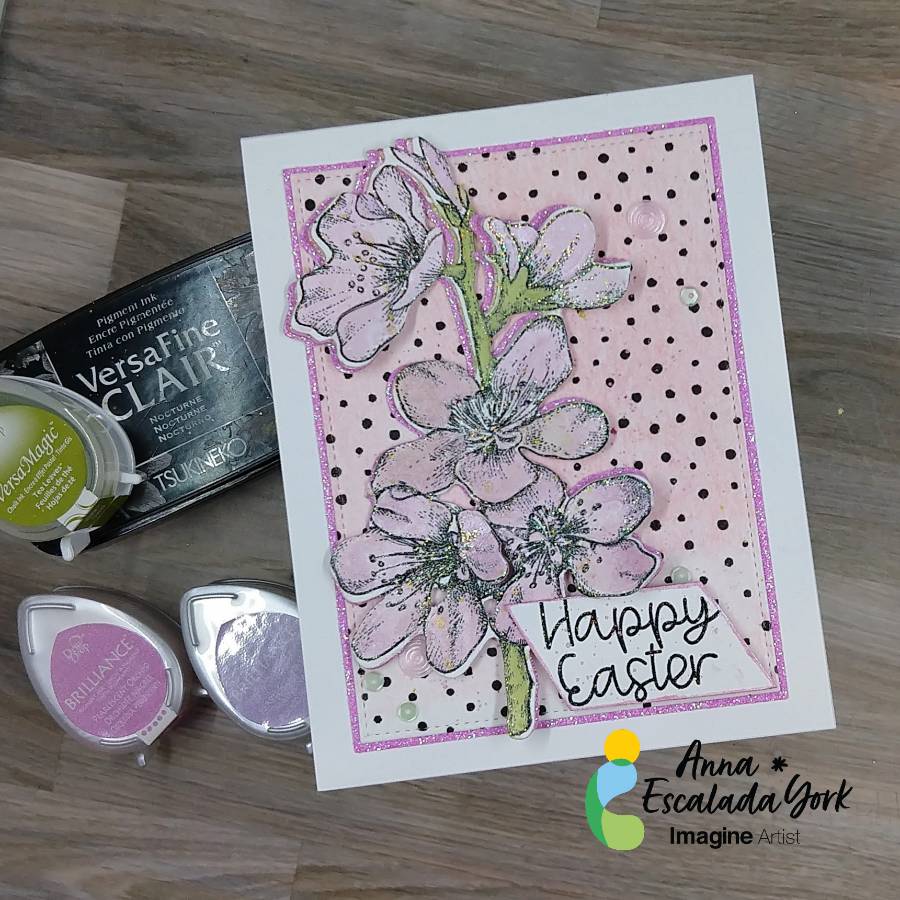
Let’s Make a Happy Easter Card

By Anna Escalada York

– In today’s tutorial, I will show you how to use Brilliance Pigment Ink and VersaMagic Chalk Ink
to watercolor an image. This is a wonderful way to stretch your supplies and possibly try a new
technique. In addition, I will share some mistakes I made along the way while making this card.

Skill: Intermediate
Time: 1.5 hours

Directions:

Step 1:
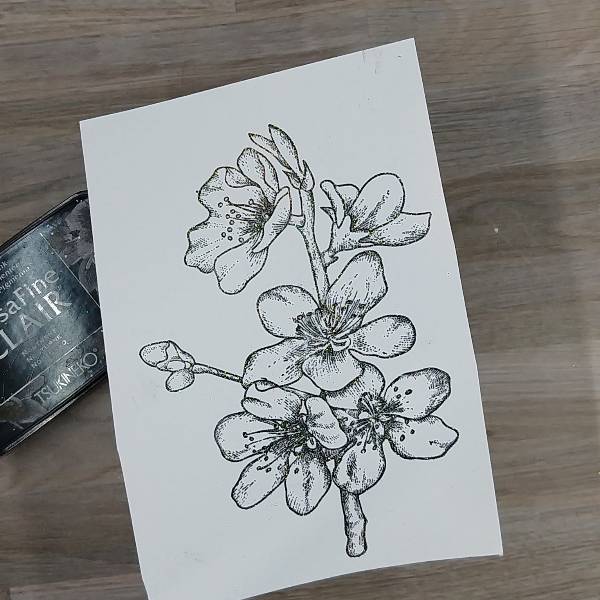
Using a stamping platform, stamp the floral image with Nocturne VersaFine Clair ink.
Optional step: Heat emboss with a clear or holographic embossing powder. I did this because I
didn’t want to wait for the VersaFine Clair ink to dry.

Step 2:
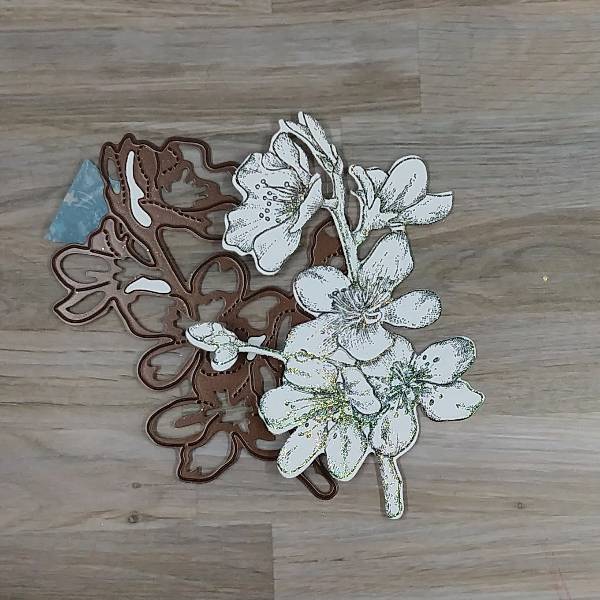
Die cut the floral image with the corresponding die. I was “off” in the die cutting and so some of
the stamped image was cut off. You can mostly see this on the singular bud on the left side of
the image.
Not shown: Using the same die to die cut a piece of pink glitter cardstock.

Step 3:
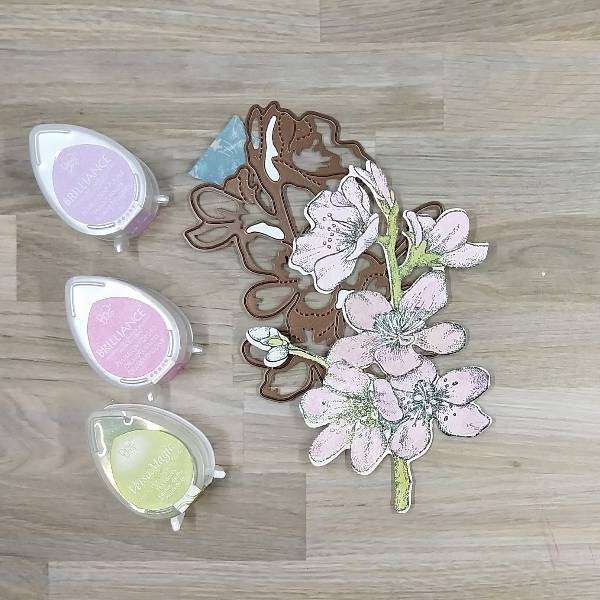
Press the Pearlescent Orchid Brilliance Dew Drop pad onto a piece of acetate packaging and spray with Sparkle Sheer Shimmer Spray. On another part of the same acetate packaging (or possibly a palette or other non-porous surface, press the Pearlescent Purple Brilliance Dew Drop pad onto the surface and spray with more of the Sparkle Sheer Shimmer Spray. You should have two areas of color that you can mix with the spray to use as a watercolor.

Paint each flower or bud with a single layer of Pearlescent Orchid Brilliance Ink mixed with the
Sparkle Sheer Shimmer Spray. Let the watercolor dry. Add some Pearlescent Purple Brilliance
Ink mixed with the Sparkle Sheer Shimmer Spray to the edges of the petals to add some
dimension and interest.

Repeated the process for the stems. Press the Tea Leaves VersaMagic Chalk Ink pad onto a
piece of acetate and Spray the ink with more of the Sparkle Sheer Shimmer Spray. Use a
paintbrush to paint the stem green. Let dry. If desired, repeat the process to amplify the intensity
of the green watercolor. Let dry.

Not pictured: Gluing the pink glitter cardstock die cut behind the flower so that it can be seen on
the left side of the floral image.

Step 4:
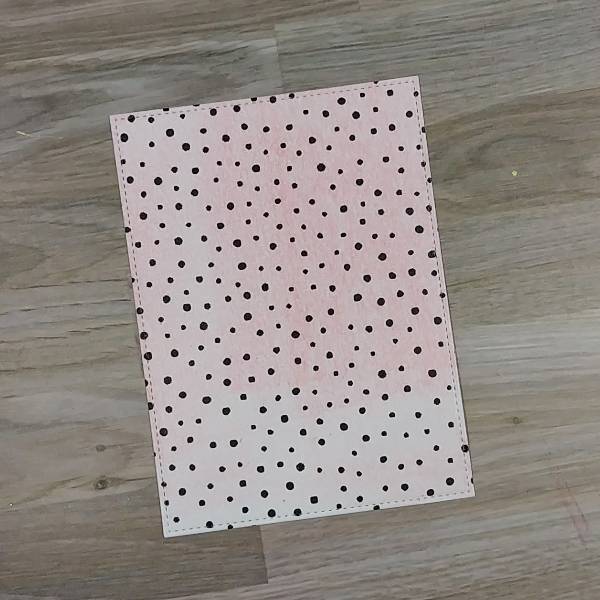
Place a piece of wide washi tape over a piece of cardstock for the background panel
before die cutting that cardstock. (I used a leftover piece of cardstock that had some leftover
pink gel press printing on it so that you can see a little of the pink through the washi tape).
Don’t have washi tape? Use a piece of patterned paper.

Step 5:
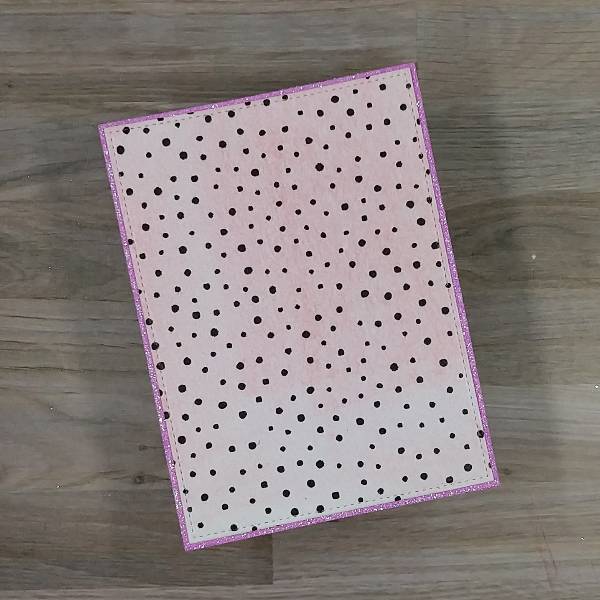
The die cut set that was used to make the panel allows for two layers if desired. To make the
matte layer, use a slightly larger die to die cut a piece of pink glitter cardstock and then glue the
two panels together. Set them aside to dry.

Step 6:
Press more of the Pearlescent Orchid Brilliance Ink Dew Drop onto the acetate packaging and
spray more of the Sparkle Sheer Shimmer Spray onto the ink to create more watercolor and
splatter both the floral image and the background with the orchid colored watercolor. To splatter,
extend your finger parallel to the paper and tap a brush that has the Orchid watercolor on it
multiple times. To create a more uniform splatter, move the paint brush or the paper around so
that the splatter is added to a variety of places.

Spray more of the Sparkle Sheer Shimmer Spray (or water) into the gold watercolor pan and
then tap the paintbrush across the floral image and panel a second time. Let dry.

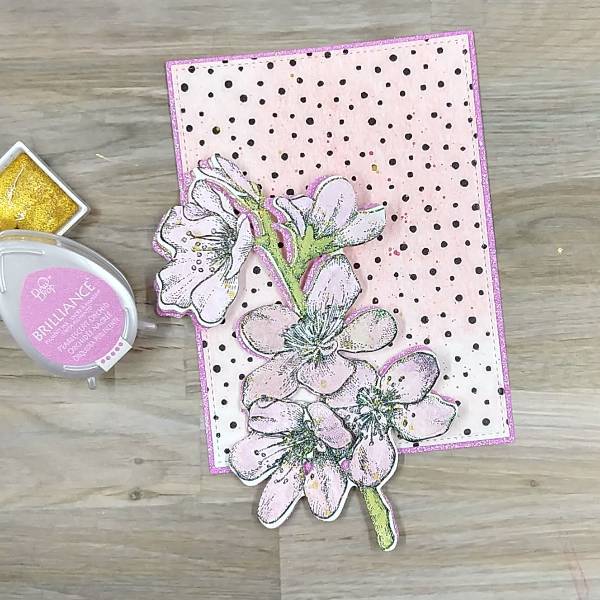
As you can see in the picture, between step 3 and now, the singular bud on the left was trimmed
from both the stamped layer and the pink glitter cardstock so the die cutting mistake was
eliminated.

Step 7:
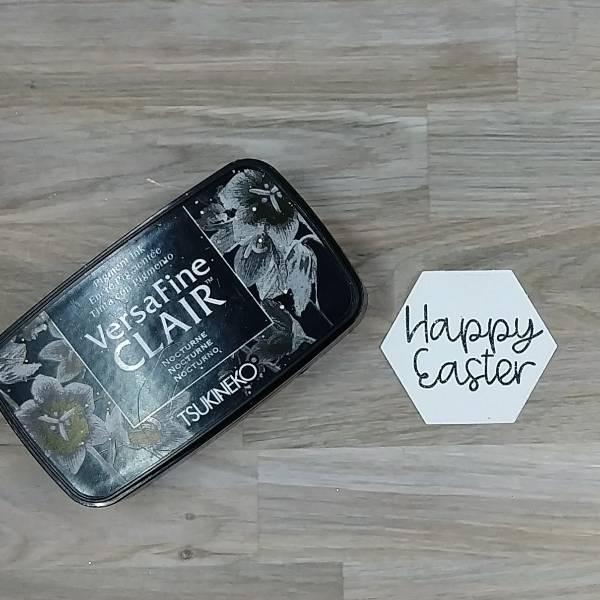
Stamp the sentiment with Nocturne VersaFine Clair ink.
Optional step: Heat emboss the ink with holographic embossing powder to eliminate drying
time. (I originally was going to use this die cut sentiment, but later realized that it wouldn’t fit. I also
forgot to take pictures of the sentiment I trimmed with my paper cutter and ended up adding to
the card. So please use your imagination.)

Step 8:
On the sentiment that you see on the finished card, I trimmed the sentiment with my paper
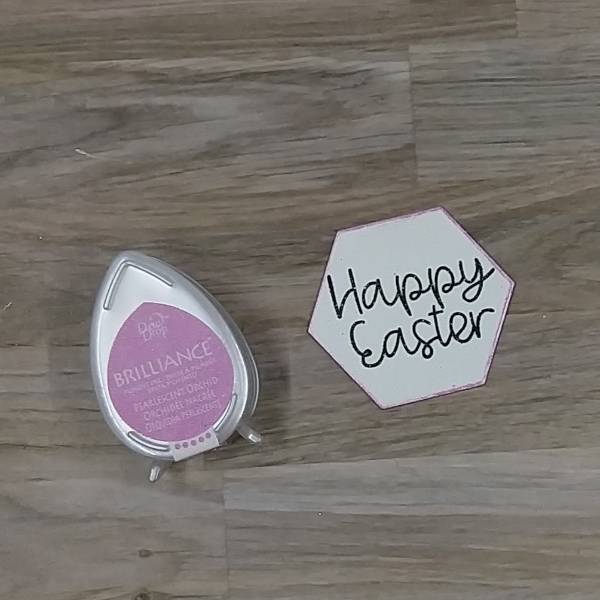
trimmer. The one picture above was die cut with a hexagon die. Regardless of how you end up
shaping your sentiment (using a trimmer or a die), press the edges of the sentiment into the
Pearlescent Orchid Brilliance Dew Drop pad to add color to the edges. Set aside to dry.

Steps 9 and 10:
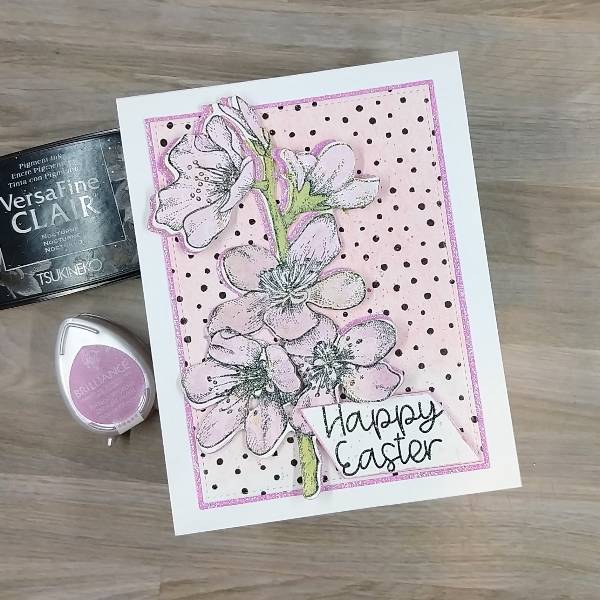
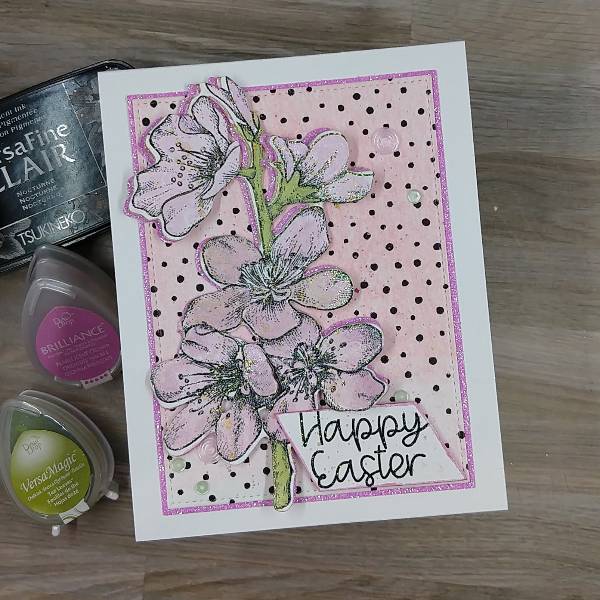
Time to glue! Glue the flower on the left third of the background panel. Then glue the panel onto
an A2-sized white card base.

For step 10, attach foam tape behind the sentiment except on the upper left corner (since that
will be overlapping with the floral image. Attach the sentiment to the lower right corner of the
panel.

Step 11:
Add pink and green sequins onto the card–on the lower left corner, close to the sentiment, and
on the upper right corner of the card panel.

Art Supplies
Imagine
• Brilliance Ink – Pearlescent Orchid, Pearlescent Purple
• Sheer Shimmer Spray – Sparkle
• VersaMagic Ink – Tea Leaves
• VersaFine Clair Ink – Nocturne

Other
• Altenew – washi tape – Dotted Wide Washi Tape
• Altenew-Foam Tape-Instant Dimension Foam Tape
• Catherine Pooler- sequins -Mission sequin mix
• Gina K Designs – dies- Master Layout 2 die set
• Kuretake – watercolor – Starry Colors Gansai Tambi Watercolors
• Local King Rubber Stamp – stamp and die set- Cherry Blossom
• Pink & Main – stamp set- Spring Sayings
• Embossing powder in my stash
• Watercolor paper
• Pink glitter cardstock
• Scissors
• Holographic embossing powder
• Small paint brush
• Stamp positioner
• Paper trimmer
• Glue

White Wash Technique Using Delicata Reinkers

By Jessica Lin

– Have you ever tried coloring on colored cardstock? The white washing technique is great for
creating a blank canvas for your coloring, making the colors pop against navy, kraft, or even black cardstock.

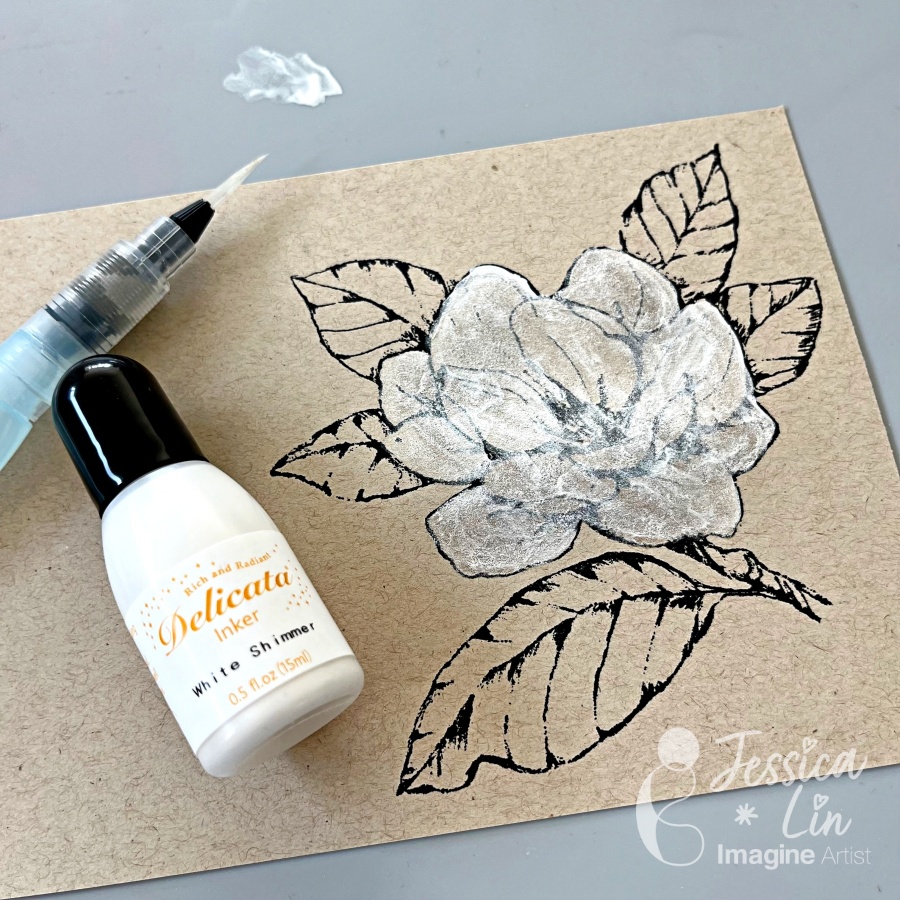
There are many white reinkers to choose from for this technique. I picked Delicata White Shimmer reinker and was surprised with how luscious the pearl shimmer looks!

Skill Level: Intermediate
Time: 45 minutes

Directions:

Step 1:
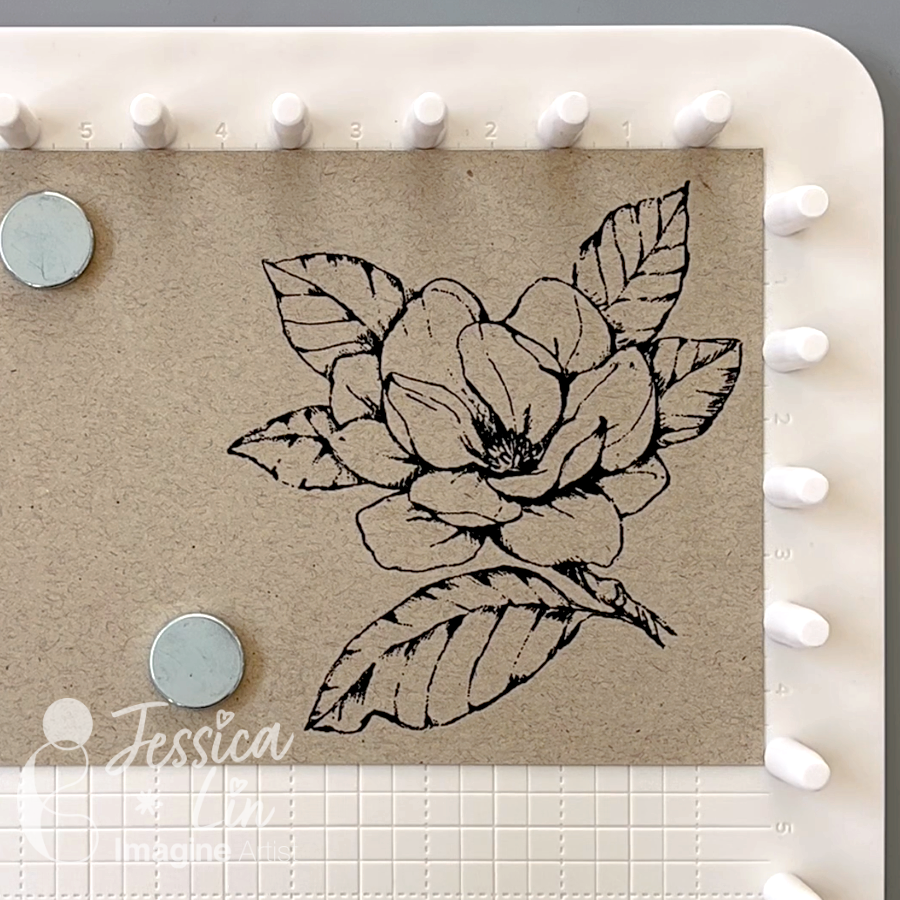
The white wash technique works well with large stamps containing big, open areas. I chose this floral image from Stampin’ Up!’s Good Morning Magnolia set and stamped it with VersaFine Clair Nocturne ink. You may use any waterproof black ink pad in your stash, but the VersaFine Clair Nocturne has been my go-to. Look at how crisp the lines are!

Step 2:
Using a waterbrush, color the center flower with Delicata White Shimmer ink from the reinker. I used the Craft Mat as my watercolor palette. Repeat this step a few times until you achieve a good coverage. Don’t worry if the black lines are covered by the white pigment ink; we will restamp the image at the end. 

Step 3:
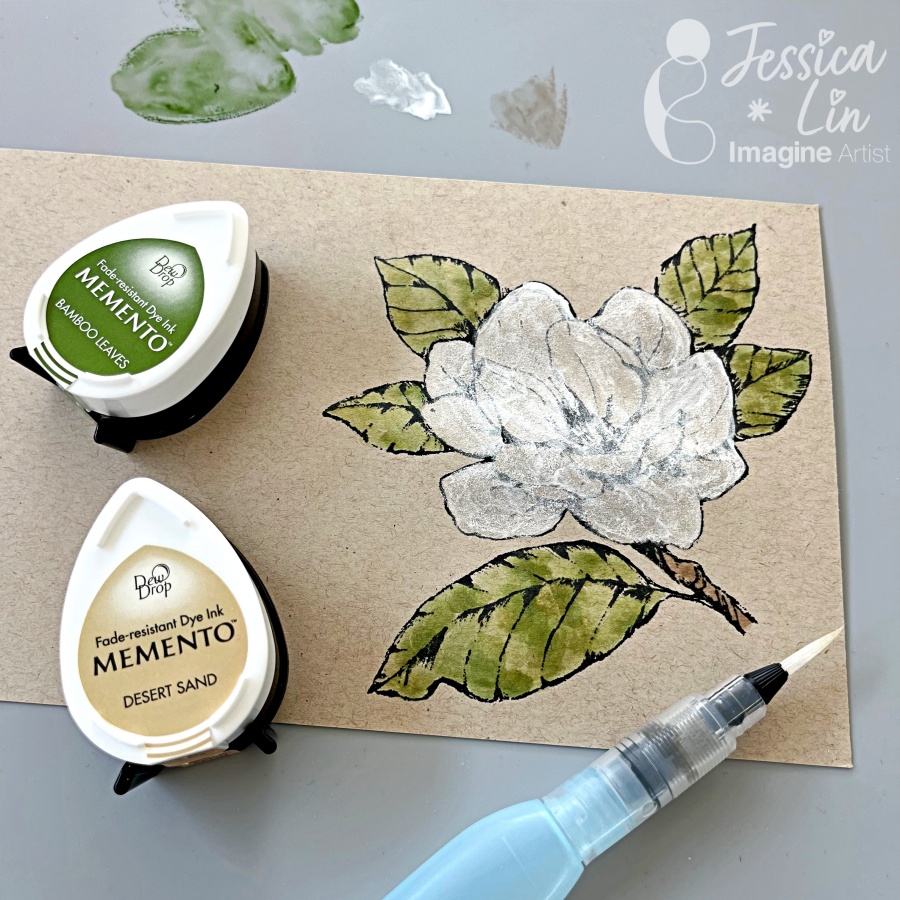
Color the leaves with Memento ink pads in Bamboo Leaves and the branch with Desert Sand.

Step 4:
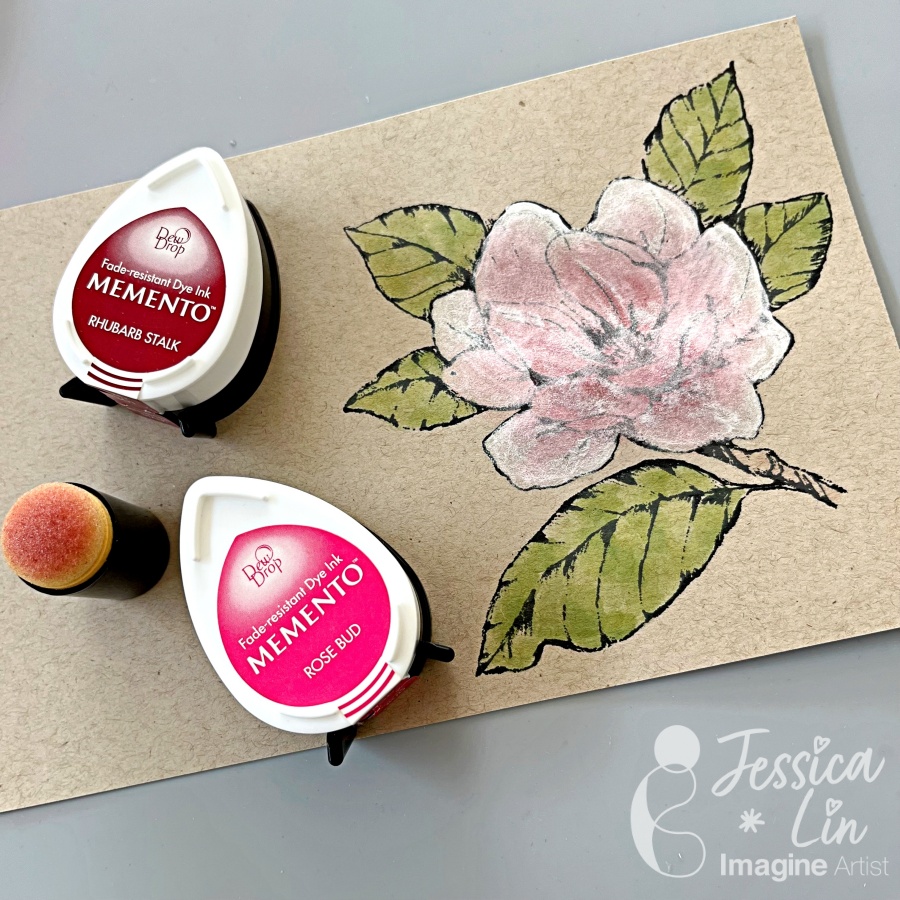
Use a sponge dauber to quickly apply color to the flower image. I dabbed on Memento Rose Bud and used Memento Rhubarb Stalk scarcely to create some shadows.

Step 5:
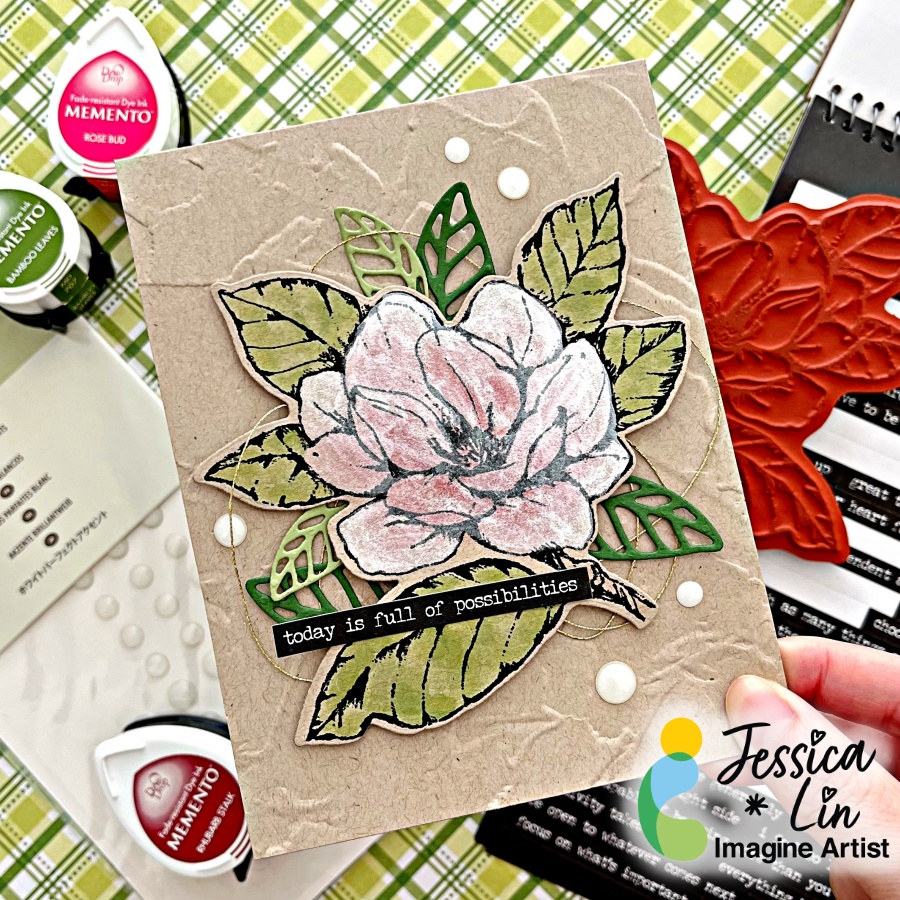
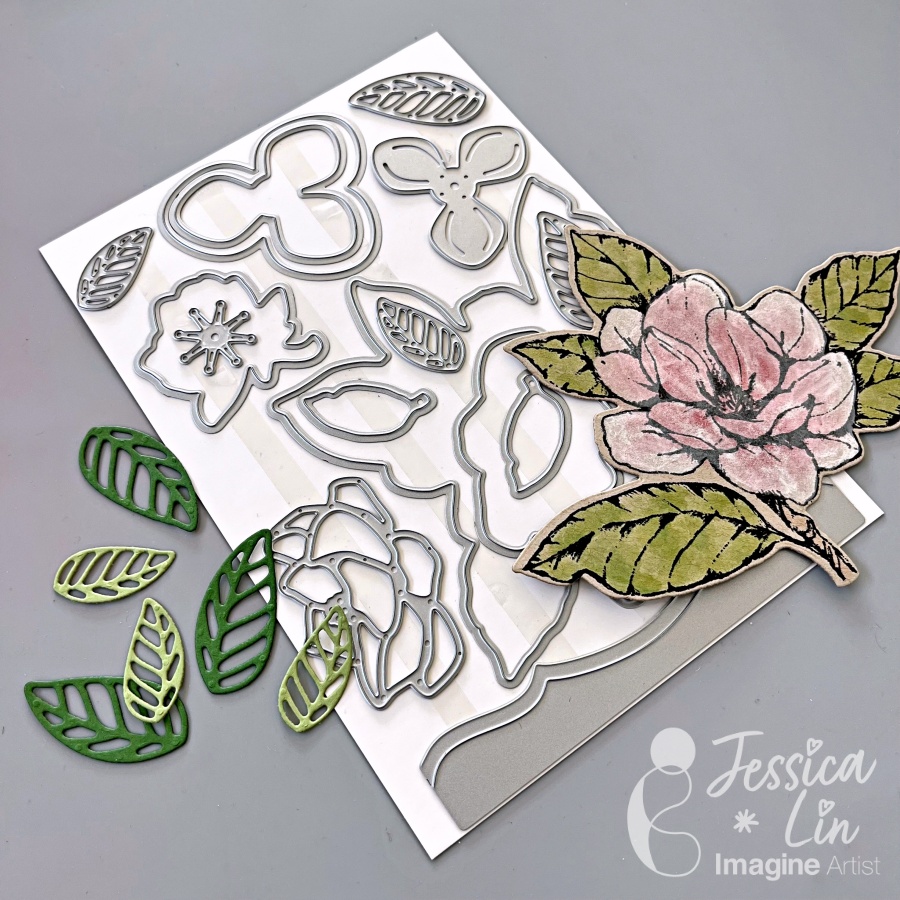
Restamp the floral image with VersaFine Clair Nocturne ink once again to darken the outline. Die cut the floral image and some leaves using the Magnolia Memories dies from Stampin’ Up!. 

Step 6:
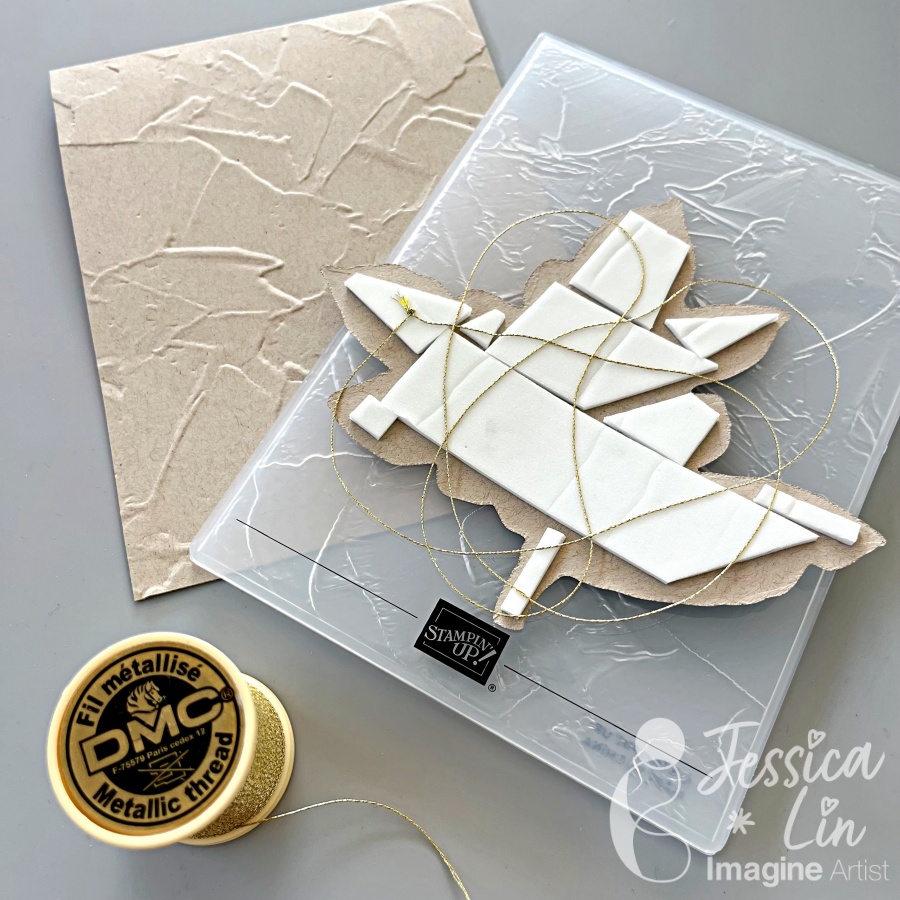
Emboss the front of your A2 card with Painted Textures embossing folder to create a textured background. Mount the floral piece with foam tape to add even more dimension. I also decided to add some gold thread as a finishing touch.

Step 7:
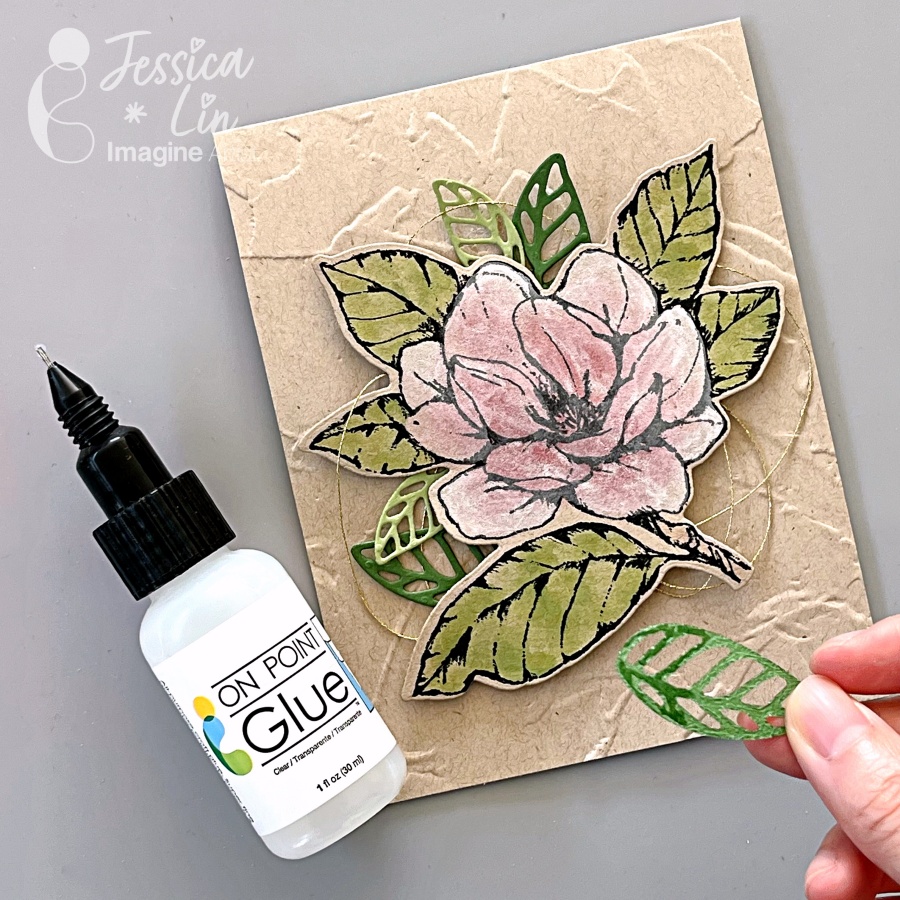
Apply On-Point Glue partially on the bottom of the leaves die cuts, and tuck them behind the center floral image. Press down and hold for 30 seconds to create a tight bond.

Step 8:
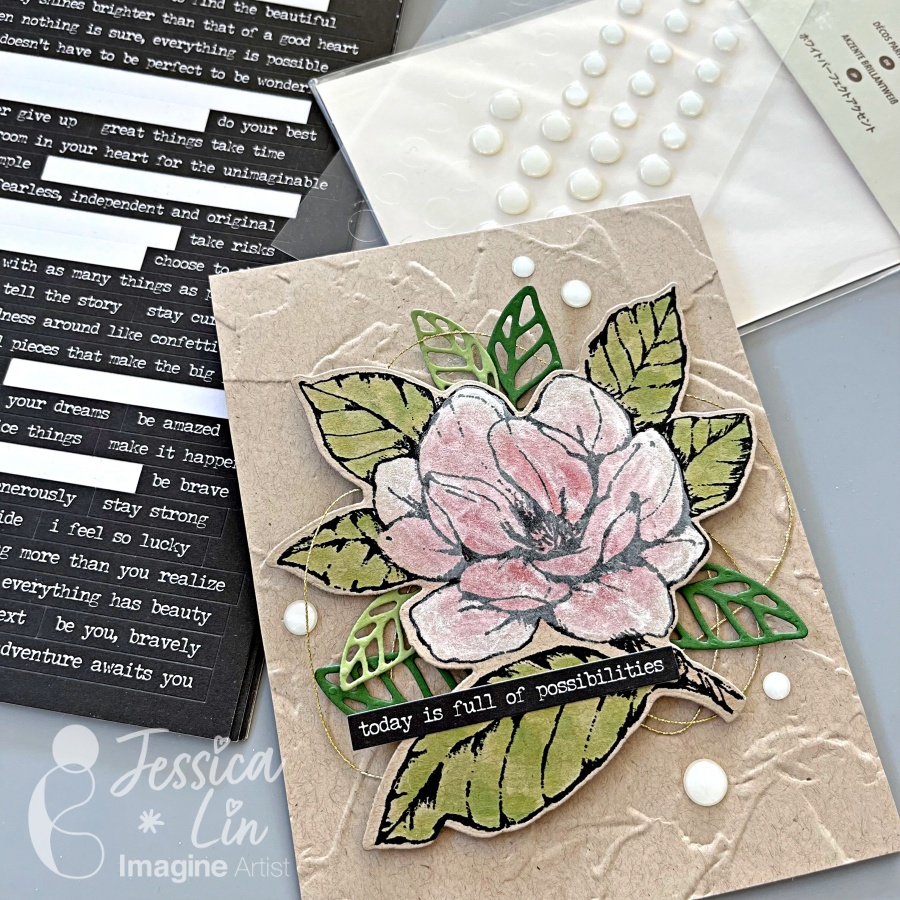
Embellish the card with some white enamel dots and sentiment strip stickers and that’s the finished card!

I hope you enjoy this creation and give the whitewashing technique a try. It’s so simple to paint with the Delicata White Shimmer reinker, and I just love the pearly shine.

Imagine Supplies:

Other Supplies:

https://www.stampinup.com/products/water-painters?demoid=2164794

  • Gold thread
  • Foam Tape
  • Embellishment

How to Use Amplify! with Stencils

By Alison Heikkila

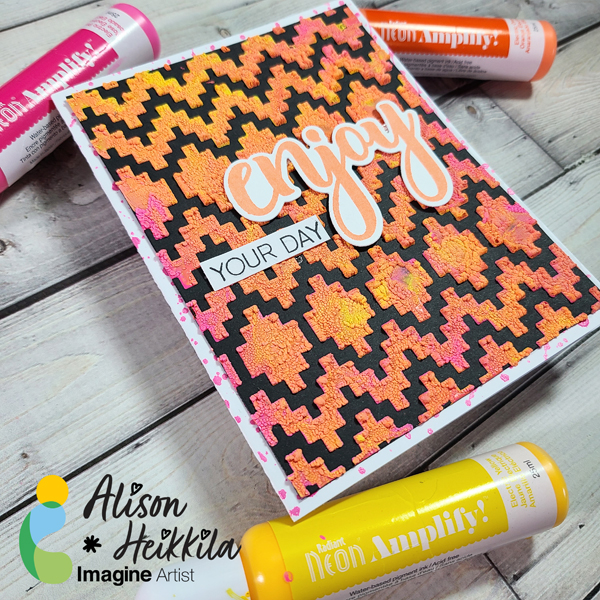
– Hello! Alison Heikkila here. I am so excited to share today’s video today because we’re using a product I haven’t used in quite a while. If you have never seen Amplify! before, you’re in for a textural treat. We’re going to use it with a cool stencil from A Colorful Life Designs.

*Some affiliate links are used in this post. That means that if you shop through these links, I may receive a small compensation, at no cost to you. For more information, please see my Affiliates page, where I also have some coupon codes.

Skill Level: Intermediate
Time to Complete: 20-25 minutes

Craft Supplies

Imagine:
Radiant Neon Amplify! in Electric Yellow, Electric Orange, and Electric Pink
VersaFine Clair Ink in Sunshine and Nocturne
Fireworks! Spray in Rose Bud
Craft Mat
On Point Glue
Tear It! Tape (not shown)

Other:
A Colorful Life Designs: Aztec Pattern Stencil (use code AlFan10 to save 10%)
Honey Bee Stamps: Enjoy Stamps & Dies- No longer available
Therm O Web: Pixie Spray
Metal Paste Spreader
Palette Knife
Accent Opaque Cardstock: 100lb. White
Recollections: Black Cardstock 110lb.
Bearly Arts Glue

I think you can tell from the video that I had a blast making this card. I plan on making more like this soon, so I hope you’ll check them out. Thanks so much for stopping by. Have an inspiring day!

Winter Wishes Card with Re-inkers

By Alison Heikkila

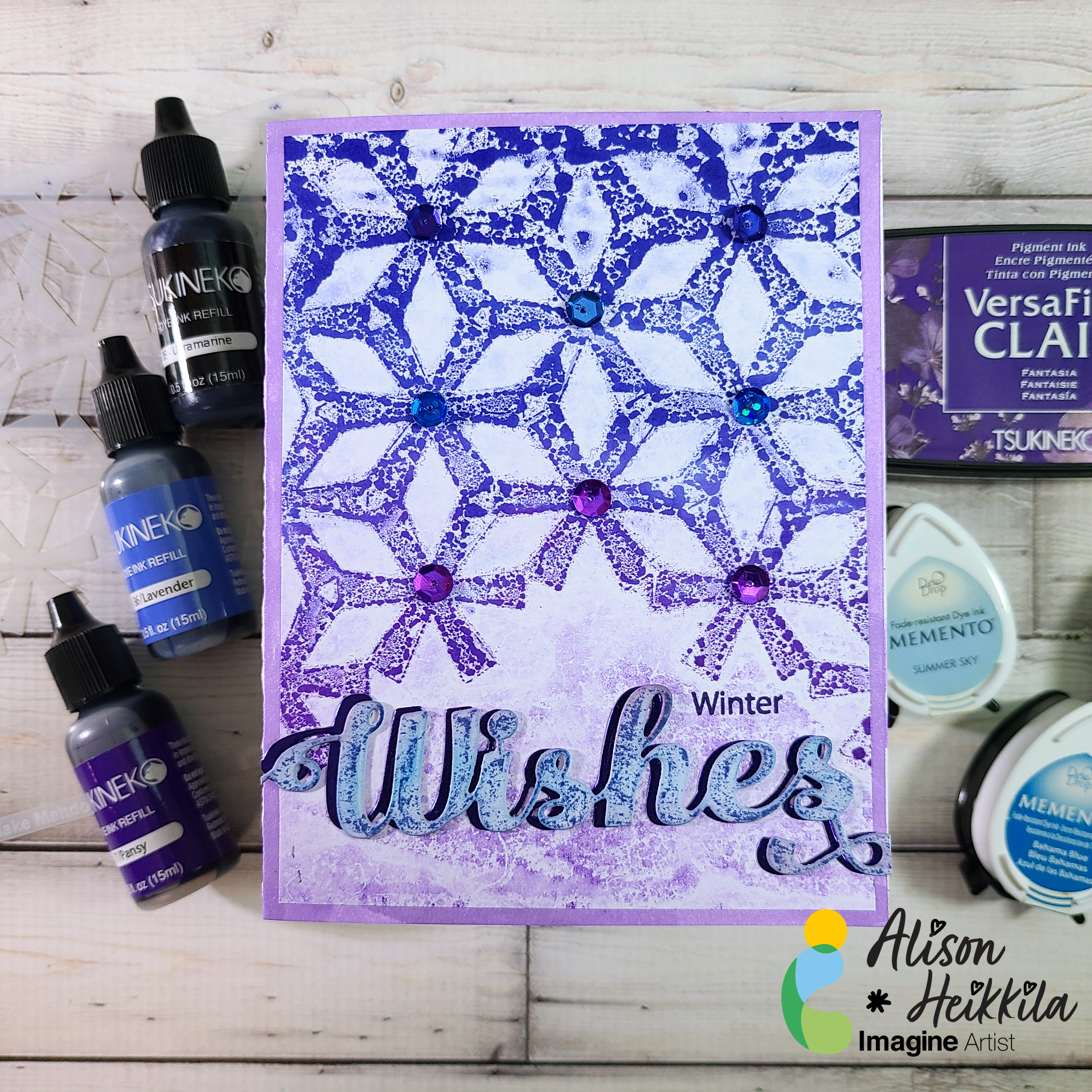
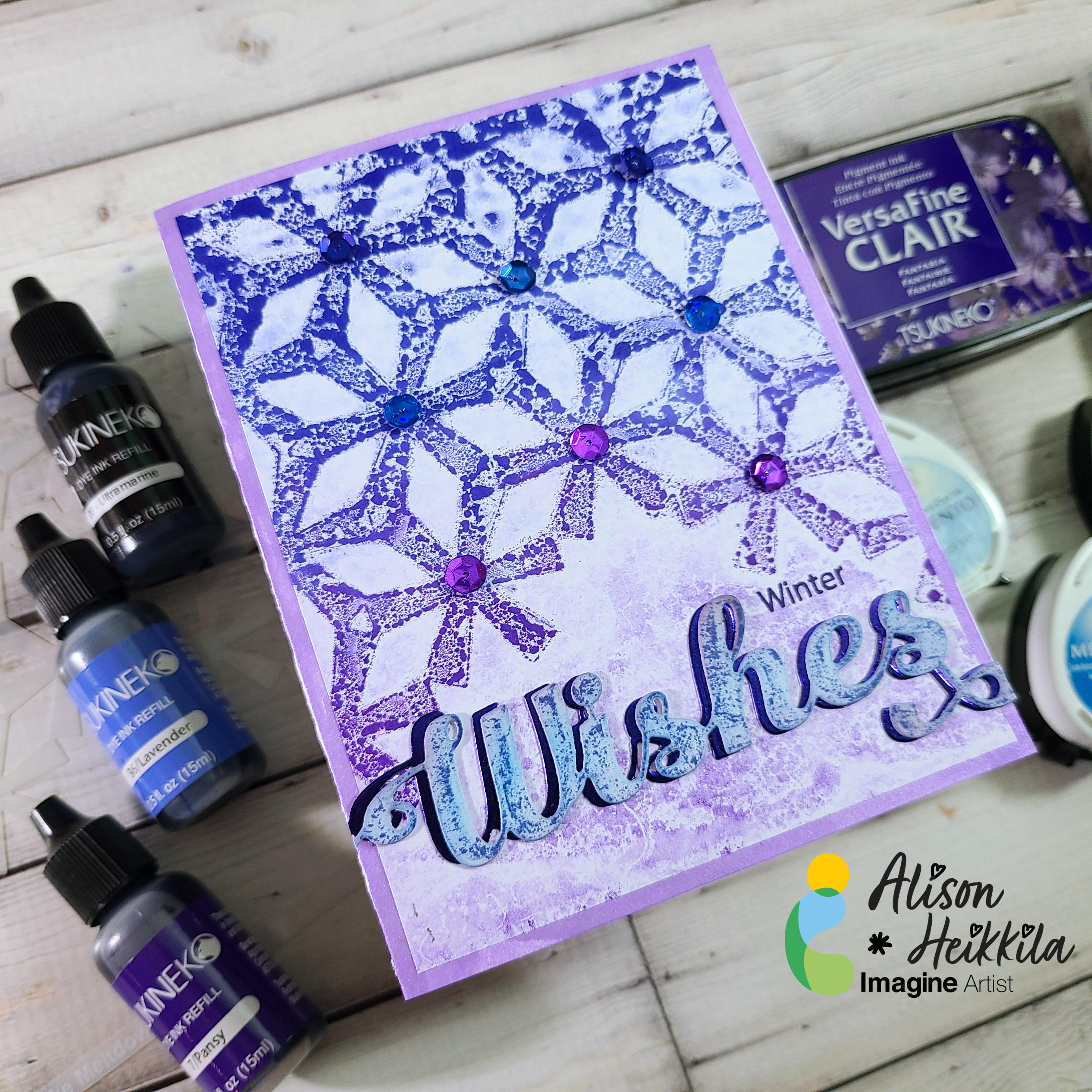
Hello! I’m Alison Heikkila and I’ve got my latest YouTube video for Imagine to share with you today. We’re going to use dye re-inkers on a Gel Press Plate with a pretty stencil to make some cool wintery monoprints. This is one of those instances where I wanted to just keep pulling prints, but I thought you’d want to see a finished card this time.

*Some affiliate links are used in this post. That means that if you shop through these links, I may receive a small compensation, at no cost to you. For more information, please see my Affiliates page, where I also have some coupon codes.

Skill Level: Basic to Intermediate
Time to Complete: 20+ minutes, depending on how many prints you pull.

Craft Supplies Used:
Imagine:
Dye Ink Reinkers in Pansy, Lavender, Ultramarine
Memento Inks in Summer Sky, Bahama Blue, Paris Dusk, Elderberry
VersaFine Clair Ink in Fantasia
Fireworks! Spray in Grape Jelly
On Point Glue

Other:
Gel Press: 6×6 Plate
A Colorful Life Designs: Flake Meltdown Stencil
Creative Expressions: Festive Collection: Wishes
The Rabbit Hole Designs: Cotton Tail Blending Brushes
Bearly Arts Glue
Michaels: Blue Foiled Cardstock
Blue and Purple Sequins
Copy Paper
White Cardstock

This is a great card for winter birthdays (like mine!), or perhaps you didn’t get around to sending all of your holiday cards. However, this would make a great holiday card too! I hope you pull out your re-inkers and give this a try with some of your stencils. Thanks so much for stopping by. Have an inspiring day!

Fun Snow Globe Christmas Card

By Kathi Rerek

– Let’s make a festive and fun Christmas card with ink, stamps, stencils, and minimal coloring.

Skill Level: Beginner to Intermediate
Time: 1 hour

Step 1.

Use a stamping platform and Nocturne VersaFine Clair ink, stamp the penguin from the Penguin Clear Stamp Set onto a panel 6” x 8” panel of Mixed Media cardstock. Re-ink and stamp a second time to ensure a good impression. Keep the image panel secured to the base of the stamping platform. Remove and clean the stamp.

Step 2:

Position the the penguin from the Frost Clear Stamp Set to the right of the previously stamped penguin. Ink the stamp with Nocturne VersaFine Clair Ink and stamp. Re-ink and stamp if necessary to ensure a good impression. Remove the image panel from the platform. Remove and clean the stamp.

Step 3:

Place a piece of repositionable sticker paper on the base of the stamping platform. Place both penguins facedown onto the sticker paper. Ink the stamps with Nocturne VersaFine Clair Ink and stamp. Remove the stamps and the sticker paper sheet from the platform. Heat set the image panel.

Step 4:

Fussy-cut the sticker paper versions of the penguins and place atop their counterparts on the image panel to mask them.

Step 5:

Position the Snow Globe stencil so that the opening is framing the penguins. Use low-tack tape to secure the stencil to the image panel and to cover the base of the image panel. Use a Sponge Dauber to apply Summer Sky Memento ink heavily around the edges of the Snow Globe fading inward over the masked penguins.

Step 6:

Keeping the Snow Globe stencil in place, remove some of the tape from below the globe area. Position the Snow Globe’s Base stencil below the snow globe on the image panel. Secure it with low-tack tape.

Position the circle mask, included with the Snow Globe stencil set, so that it covers the penguins. Secure it with low-tack tape as shown.

Use a Sponge Dauber to apply Rhubarb Stalk Memento ink along the top, bottom, and both sides of the Snow Globe Base stencil. Use the same Sponge Dauber to apply and blend Lady Bug Memento from the edges towards the center of the Snow Globe Base. When happy with the blending and coverage, remove, clean, and dry the Snow Globe  stencil, Snow Globe Base stencil, and the circle mask. Use Scarlet Red and Red Chalk pencils to add dimension and detail to the Snow Globe base. Use a white chalk pencil to add a highlight.

Step 7:

Place low-tack tape horizontally across the inked Snow Globe Base. Place the circle mask over the inked Snow Globe and masked penguins on the image panel. Use low-tack tape to secure the circle mask in place.

Use a Sponge Dauber to apply New Sprout Memento ink to the top part of the image panel as shown.

Step 8:

Place the Holly Background stencil over the circle mask onto the image panel. Secure the stencil in place with low-tack tape. Use a Sponge Dauber to apply Oasis VersaFine Clair ink over the stencil’s  holly leaves onto the image panel. Use a paper towel to remove as much ink as possible from the stencil.

Use a Fantastix to apply Tulip Red VersaFine Clair ink over the stencil’s holly berries onto the image panel. Remove, clean, and dry the stencils and the circle mask. Heat set the image panel.

Step 9:

Use the stenciled leaves and berries as a guide to re-position the Holly Background stencil onto the image panel. Secure with low-tack tape. Place the Snow Globe stencil over top so that the globe aperture is framing the snow globe on the image panel. Secure with low-tack tape.

Use a Fantastix to lightly apply green ink from the Fresh Greens Kaleidacolor inkpad (the second pad from the left) over the stencil’s holly leaves onto the snow globe on the image panel. Use another Fantastix to apply Lady Bug Memento ink over the stencil’s holly berries onto the image panel.

Remove, clean, and dry the stencils.

Step 10:

Place low-tack tape horizontally on the line separating the snow globe from the holly leaf background.

Use a Sponge Dauber to apply Acorn VersaFine Clair ink to the image panel. Use black chalk pencils to add shading and horizontal lines. Smudge the chalk slightly.

Step 11:

Smoosh Sparkle Sheer Shimmer Stix onto the craft mat. Use a paintbrush to apply to the ground under the penguins to make it look icy.

Step 12:

Apply Sparkle Sheer Shimmer Stix onto the craft mat. Add a drop of New Sprout Memento Inker to the sparkly puddle. Mix with a paintbrush, then use the brush to make the penguins’ eyes green. Clean the craft mat.

Apply Sparkle Sheer Shimmer Stix onto the craft mat. Add a drop of Danube Blue Memento Inker to the sparkly puddle. Mix with a paintbrush, then use the brush to add an outline to the white areas of the penguins’ bellies.  Clean the craft mat.

Step 13:

Apply Frost Shimmer Stix to the craft mat. Use a paint brush to add white to the beak of the compass penguin (on the left). Clean the craft mat.

Step 14:

Place the Snow Globe stencil back over the image panel. Cover the remainder of the background with a ruler or tape. Add a drop or two of Moonlight White Brilliance Inker to the craft mat. Spray with 91% Isopropyl Alcohol. Mix with a paint brush and splatter the penguins to add a snowy touch. Remove and clean the stencil. Clean the craft mat. Use a white chalk pencil to add highlights to the right and left side of the snow globe.

Step 15:

Use Tulip Red VersaFine ink to stamp the “Merry Christmas” stencil onto white cardstock. Use a sentiment cutting die to cut the sentiment.

Use a fancy tag cutting die to cut green cardstock. Adhere the sentiment to the green die-cut. Adhere the matted sentiment to the image panel as shown. Enhance the sentiment with rhinestones.

Step 16:

Trim the image panel to 4.625” x 6.625”. Cut a piece of black cardstock to 4.75” x 6.75”. Use Tear-It!Tape to adhere the image panel to the black mat. Use Tear-It! Tape to adhere the matted image panel to a 5” x 7” green card.

Imagine Crafts Supplies:

Other Supplies:

  • 140 lb. Mixed Media Paper by Strathmore
  • Penguin Clear Stamp Set 604 by AALL and Create
  • Frosty Clear Stamp Set 603 by AALL and Create
  • Snow Globe Stencil Set by Funky Fossil
  • Holly Background Stencil by Funky Fossil
  • Classic Sentiments Clear Stamp Set by Hefty Doodle
  • Cutting Dies by Spellbinders
  • Diamond Sparkles by Hunkydory Crafts
  • Scarlet Red, Red, White, and Black Chalk Pencils by General’s
  • Heat Gun by EK Success
  • Mini Guillotine Trimmer by Tim Holtz for Tonic
  • Big Shot