– Hello friends! This is Linh (or LV Handcrafted on all the socials). Today I have a new video up on the Imagine Crafts YouTube channel showing how to create your own Tie-dyed backgrounds! This is SO amazing! And now I want all the colors of the Kaleidacolor ink pads. Because they already come with 5 beautiful colors, you can quickly and easily whip up these fun tie-dyed backgrounds. The pre-made color combos are amazing but you can always buy a blank Kaleidacolor ink pad and make your own color combination like my rainbow one!
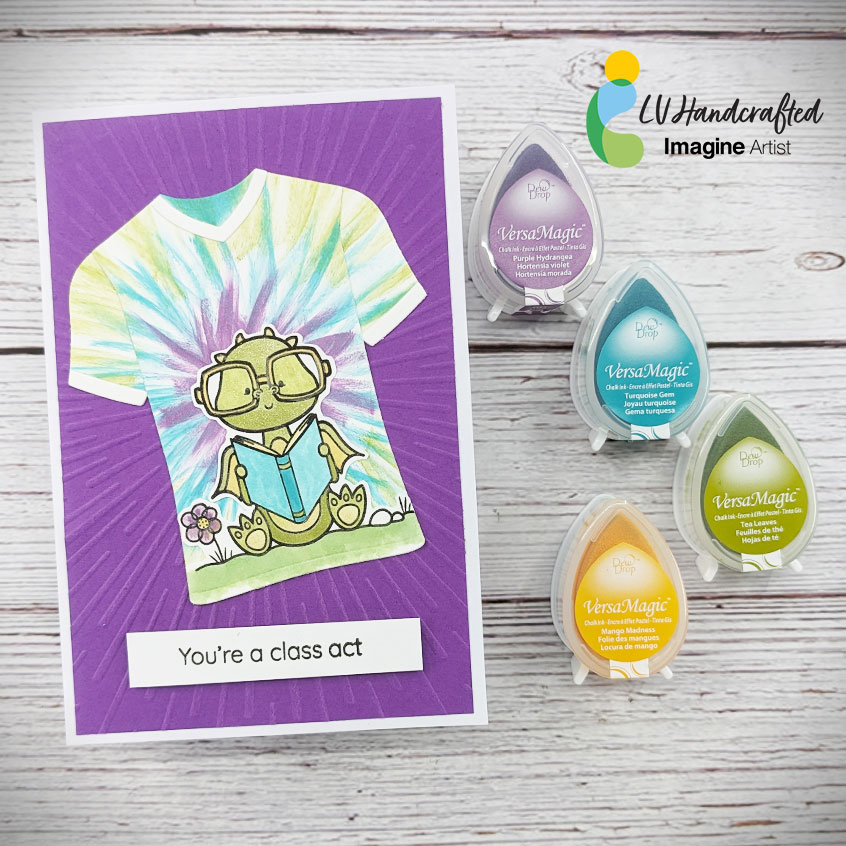
Hello friends! This is Linh (or LV Handcrafted on all the socials). I’m a little bit hooked on creating tie-dyed backgrounds. With this technique, I was able to create a smaller scale tie-dyed pattern, which fit perfectly for the t-shirt die I wanted to use. With this technique, you can use any dies you already have in your stash! I chose VersaMagic dewdrops because they are so juicy and you can really get very wispy swipes of ink to create that classic tie-dye effect. I used the same dew drop inks to color in my cute dragon as well.
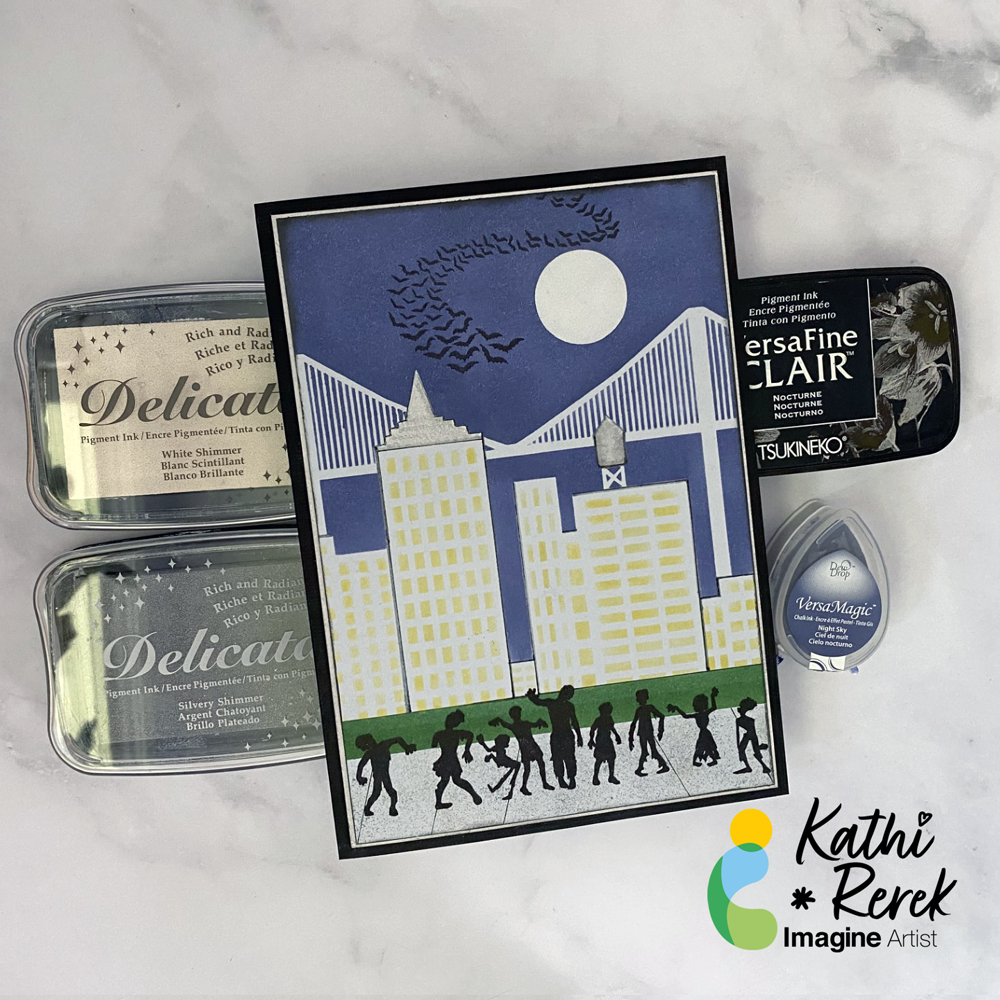
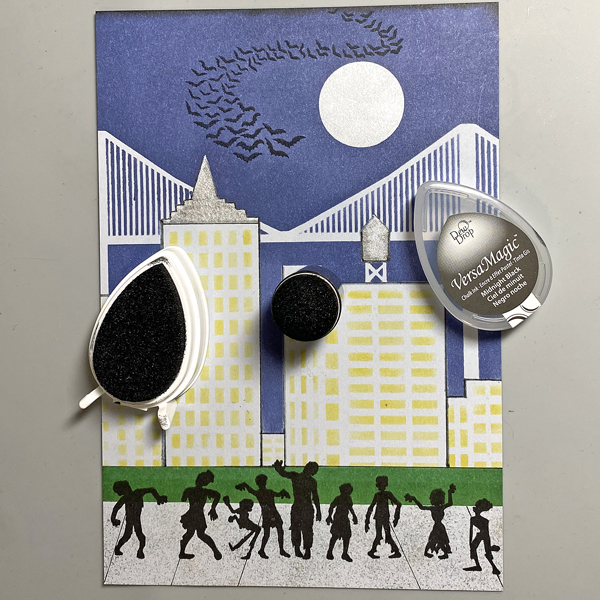
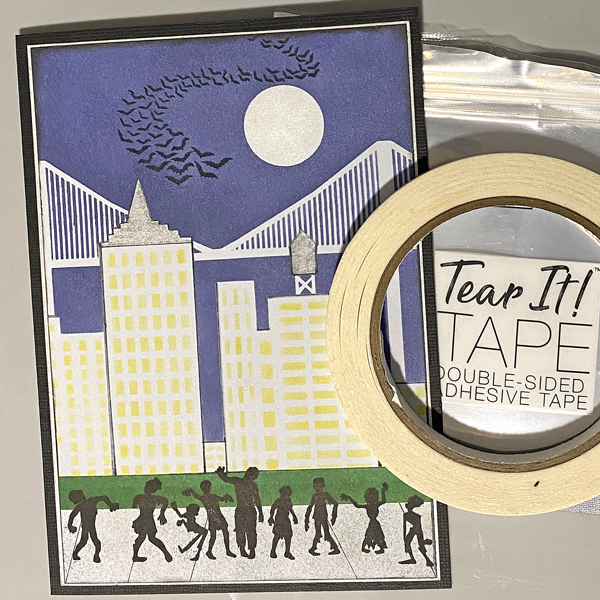
Halloween card made easy with VersaMagic, Brilliance, Delicata, VersaFine Clair, and Memento Inks!
Skill Level: Beginner to Intermediate
Time: 1 hour
Step 1.
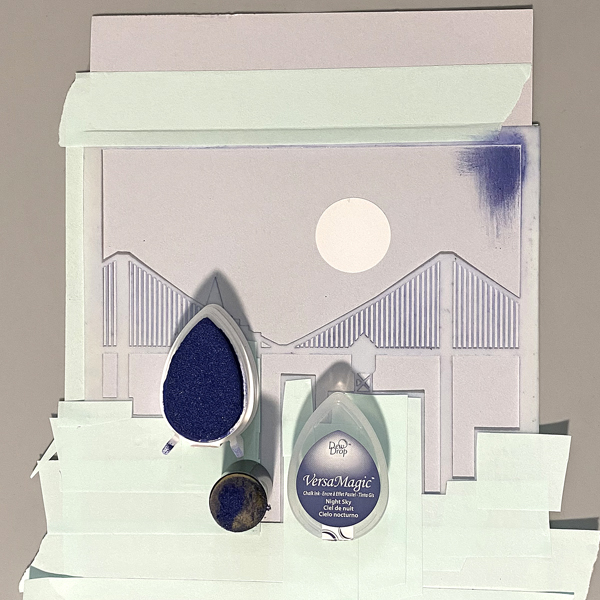
Use low-tack tape to secure the Cityscape Stencil to a 5.5” x 8.5” piece of light grey cardstock. Trim and place low-tack tape to cover the buildings’ windows. Use a circle punch to cut a circle from mask paper and adhere the circle mask above the bridge. Keep the mask paper with the circular hole for another step..
Use a sponge dauber to apply Night Sky VersaMagic Ink over the stencil and the moon mask onto the the grey cardstock to create a night sky.
Step 2:
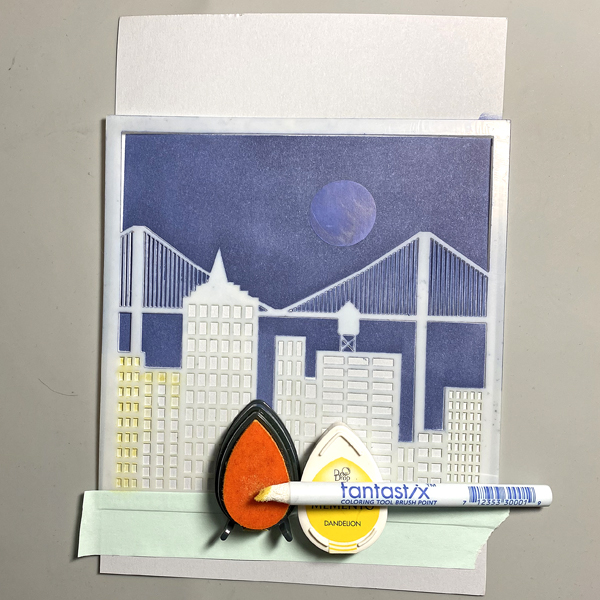
Keeping the stencil in place, remove the tape covering the windows. Use a Fantastix to apply Dandelion Memento Ink over the window apertures of the stencil.
Step 3:
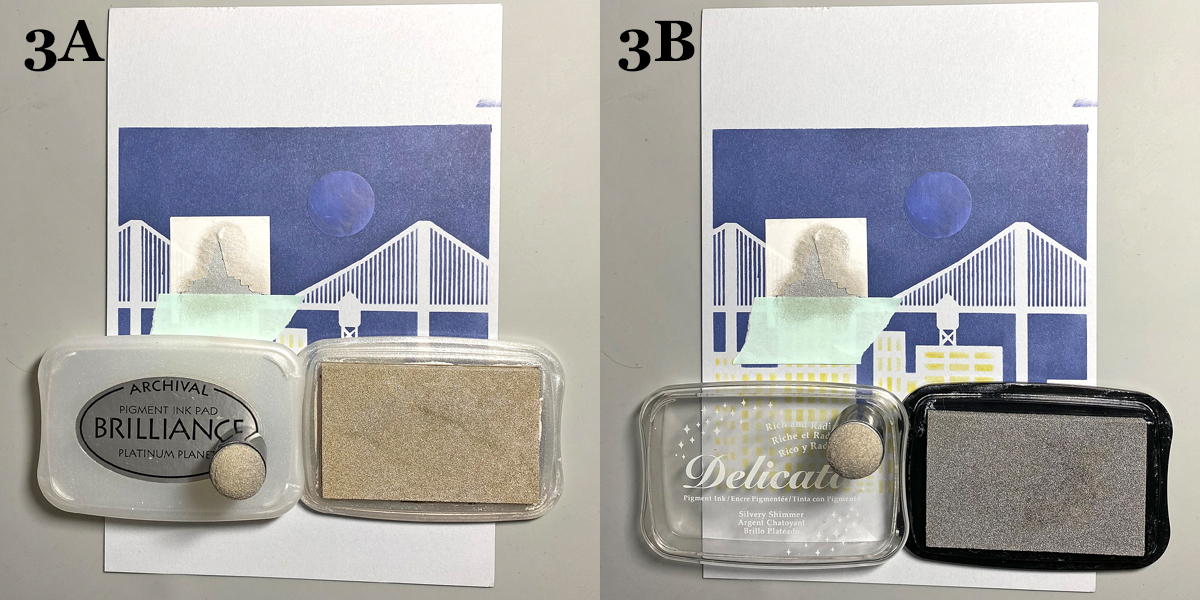
Trace the spire onto masking paper, fussy-cut along the lines, leaving the outline of the spire intact. Place the mask around the spire on the image panel. Use low-tack tape to cover the base of the spire.
Use a sponge dauber to apply Platinum Planet Brilliance Ink to the spire, then apply Silvery Shimmer Delicata Ink overtop to amp up the silver.
Step 4:
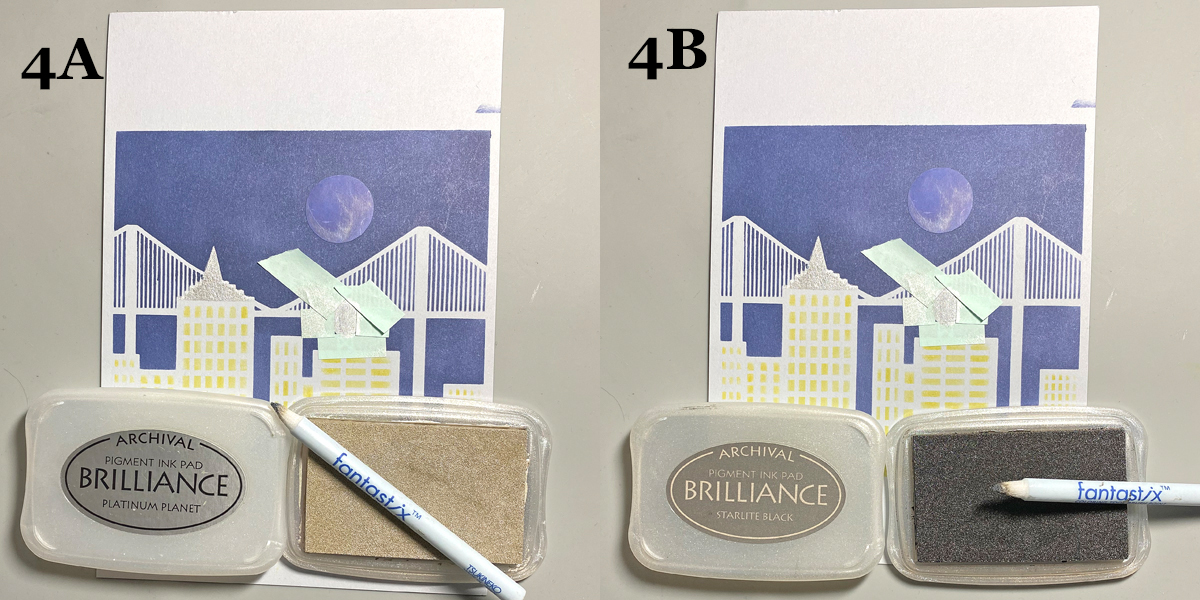
Use low-tack tape to cover the area around the rooftop water tower, leaving the tower unmasked. Use a Fantastix to apply Platinum Planet Brilliance Ink to color the water tower. Use another Fantastix to apply Starlight Black Brilliance Ink to add shading to the water tower.
Step 5:
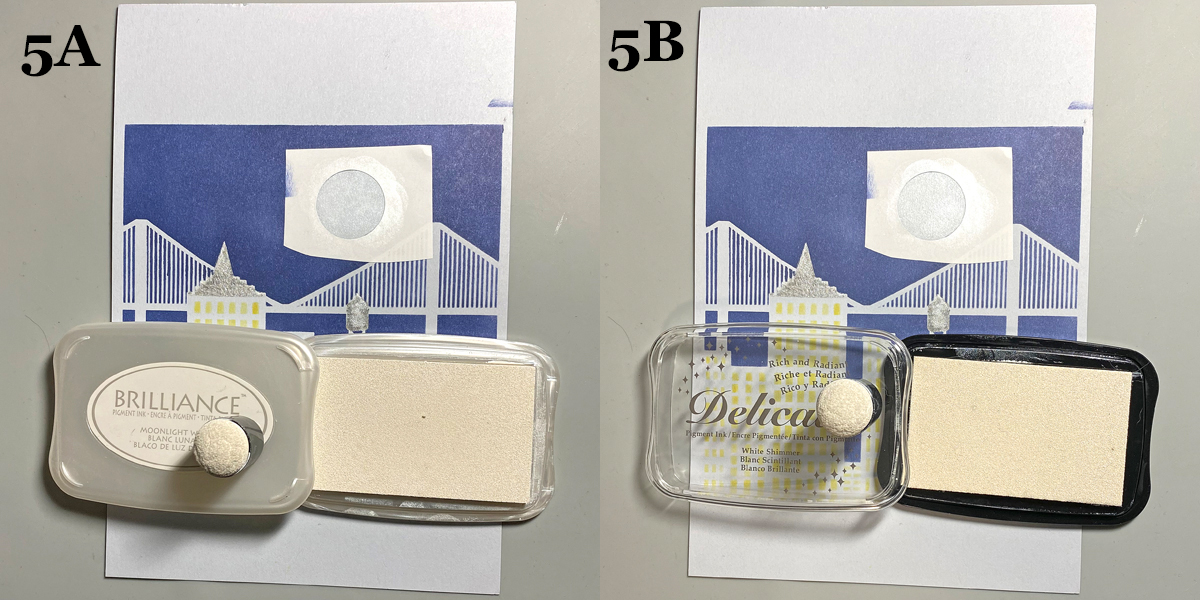
Remove the circle mask from the sky. Adhere the mask paper with the circle hole to the sky area, leaving the center open. Use a Sponge Dauber to apply Moonlight White Brilliance ink to color the moon white. Use a Sponge Dauber to apply White Shimmer Delicata Ink overtop to add shimmer to the moon.
Step 6:
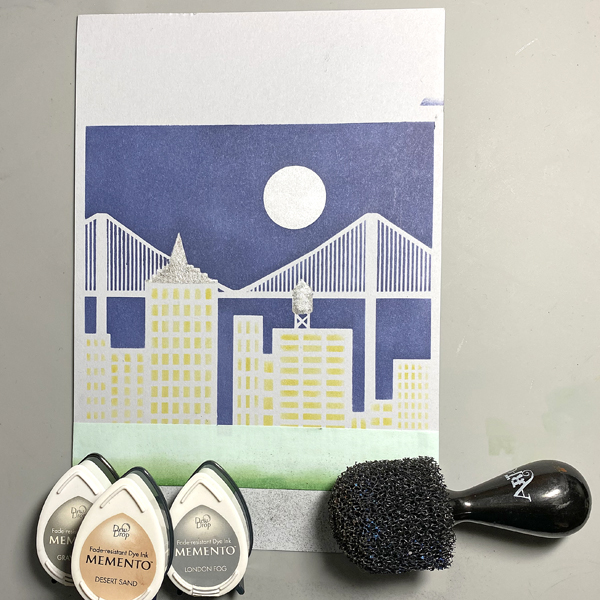
Use a scrap of cardstock and low-tack tape to cover the buildings. Place another piece of low-tack tape horizontally across the bottom 1.25” of the image panel.Use Sponge Daubers to apply Cottage Ivy and Bamboo Leaves Memento Ink between the masked areas to create a grassy lawn.
Step 7:
Use low-tack tape to cover the grassy areas. Use the pouncy tool to apply London Fog, Grey Flannel, and Desert Sand Memento Inks to create a cement sidewalk.
Step 8:
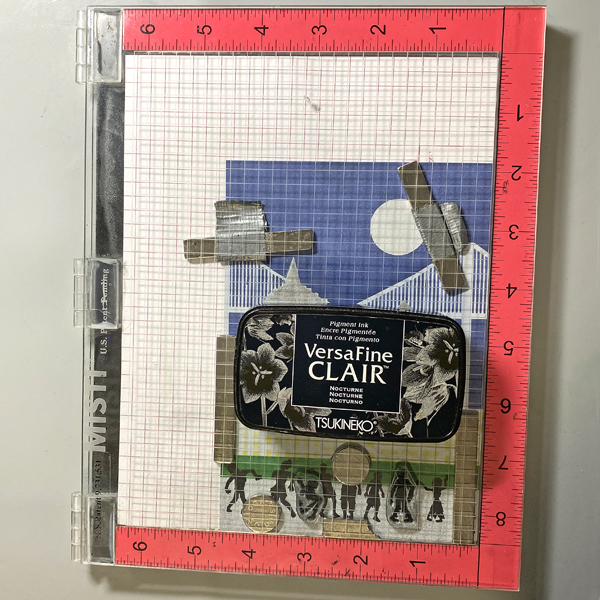
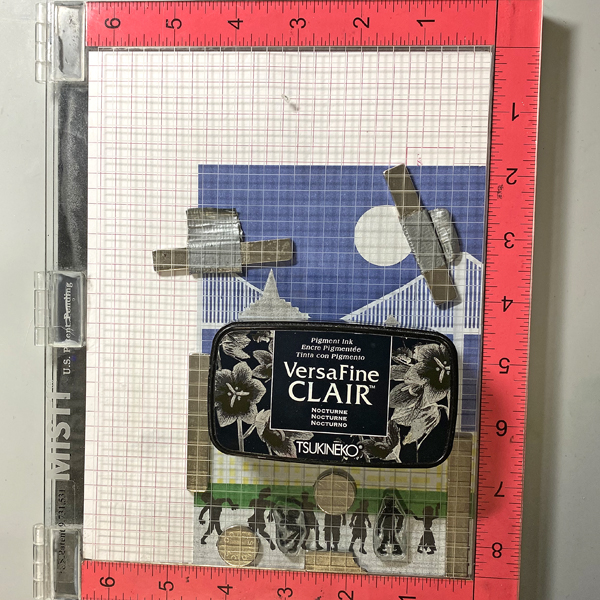
Use magnets to secure the image panel to the stamping platform. Position the Zombie stamps facedown where desired. Press the lid of the platform onto the back of the stamps, lift, ink the stamps with Nocturne VersaFine Clair Ink, and stamp. Re-ink and repeat stamping if needed to attain a good solid impression.
Remove the Zombie stamps from the platform., then remove the image panel from the platform,. Heat set the stamped images.
Step 9:
Place the image panel back onto the base of the stamping platform, secured with magnets.. Place the other two small Zombie stamps facedown between the other stamped images. Press the lid of the platform onto the back of the stamps, lift, ink the stamps with Nocturne VersaFine Clair Ink, and stamp. Re-ink and repeat stamping if needed to attain a good solid impression.
Remove the stamps from the platform Remove the image panel from the platform. Heat set.
Step 10:
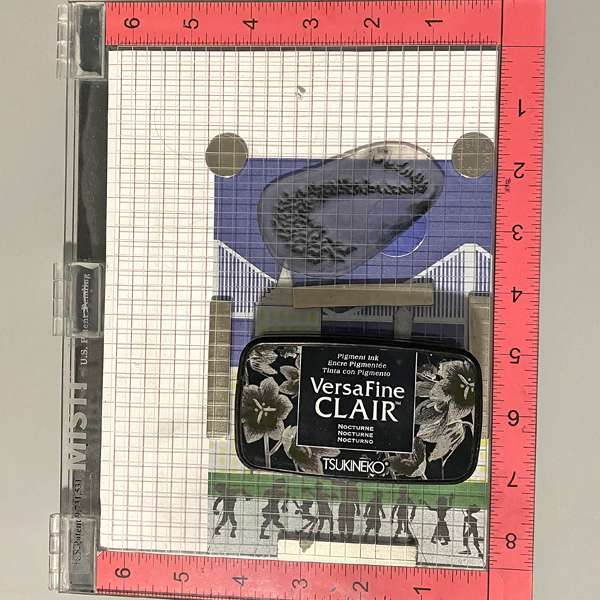
Place the image panel back onto the stamping platform, secured with magnets. Place the Bat Colony Stamp facedown in the sky area as shown. Press the lid of the platform onto the back of the stamps, lift, ink the stamps with Nocturne VersaFine Clair Ink, and stamp. Re-ink and repeat stamping if needed to attain a good solid impression.
Remove the stamps from the platform Remove the image panel from the platform. Heat set.
Step 11:
Trim the image panel to 4 5/8” x 6 5/8” . Use a Sponge Dauber to edge the image panel with Midnight Black VersaMagic Ink.
Step 12:
Trim a piece of white cardstock to 4.75” x 6.75”. Use a Sponge Dauber to apply Platinum Planet Brilliance Ink to the outside .5” of the image panel. Then use a Sponge Dauber to apply Silvery Shimmer Delicata Ink overtop to add to the metallic shine.
Step 13:
Use Tear It! Tape to mat the image panel to the silver-inked cardstock, then use Tear-It! Tape to adhere the matted image panel to a black 5” x 7” card.
Hello friends! This is Linh (or LV Handcrafted on all the socials). Today I have a new video up on the Imagine Crafts YouTube channel showing how to create easy ombre papers to die cut from. The easiest way is Kaleidacolor ink pads! Just swipe and you’re done! Just as simple though is to swipe VersaMagic ink across your cardstock. I like using a small blending brush to create a smooth transition from one color to the next. Whichever method you prefer, the results are stunning!
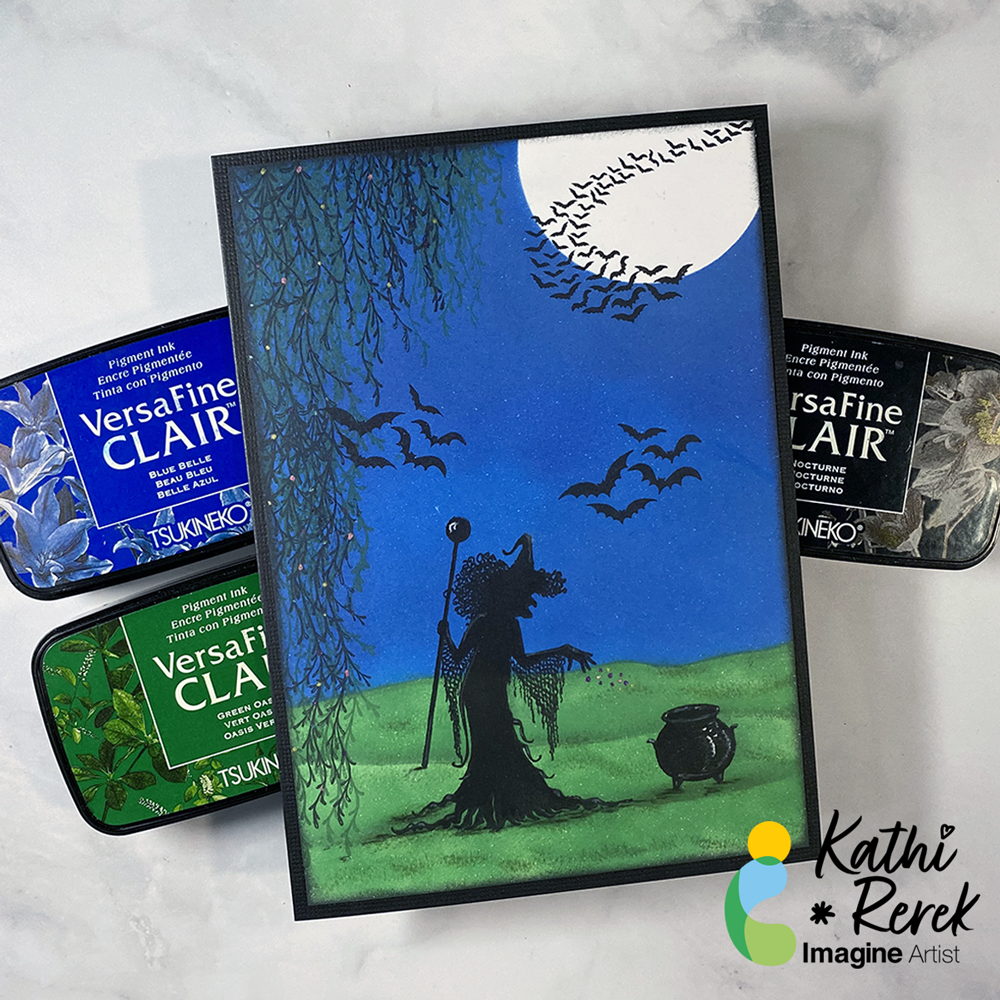
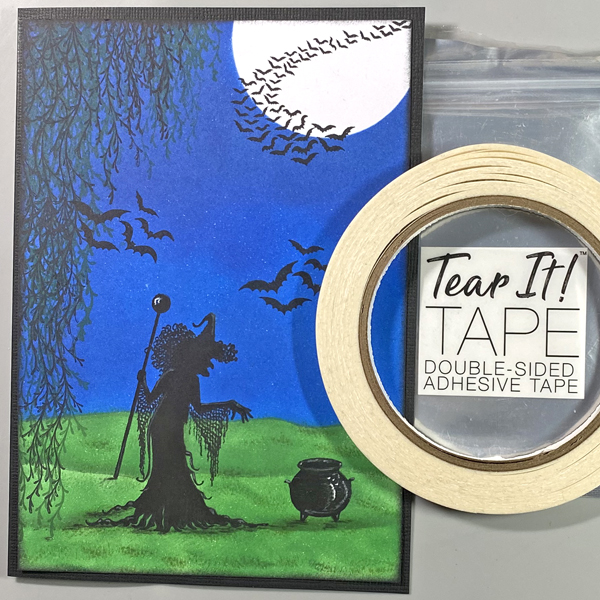
VersaFine Clair Inks make it easy to create a quick and bewitching Halloween scene!
Skill Level: Beginner to Intermediate
Time: 1 hour
Step 1.
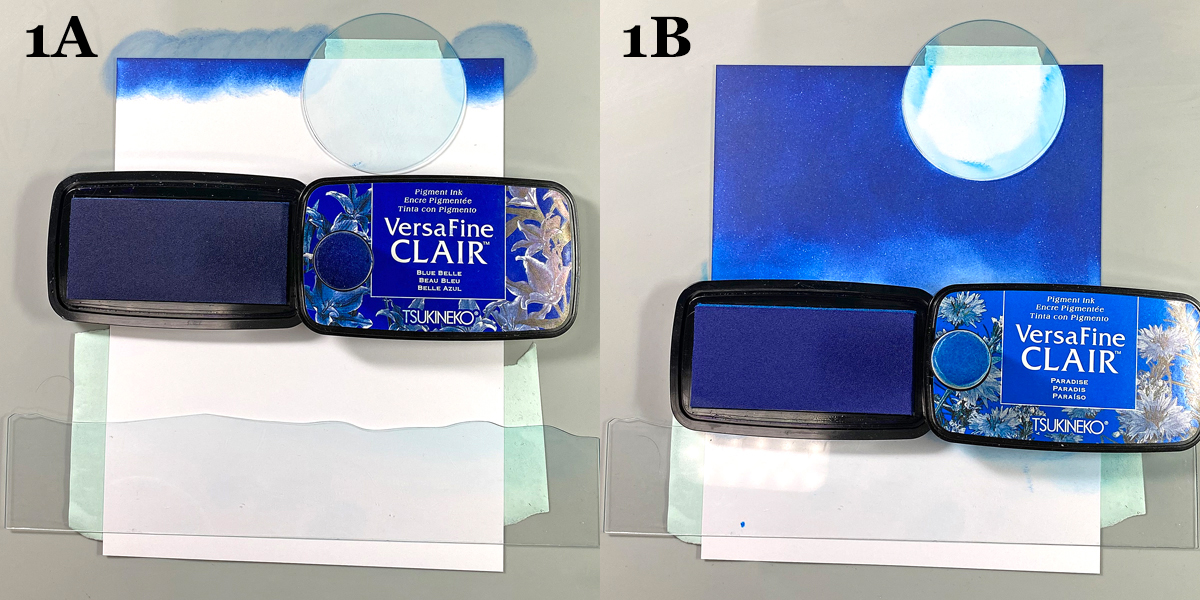
Use tape to secure the Moon mask and the flattest of the Hills mask to the back of a 4.75” x 6.75” panel of white cardstock.
Use a sponge dauber to apply Blue Belle VersaFine Clair Ink over the Moon mask onto the top part of the image panel to create a night sky.
Use another sponge dauber to apply Paradise VersaFine Clair Ink over the top of the Hills mask onto the image panel until the panel is covered.
Step 2:
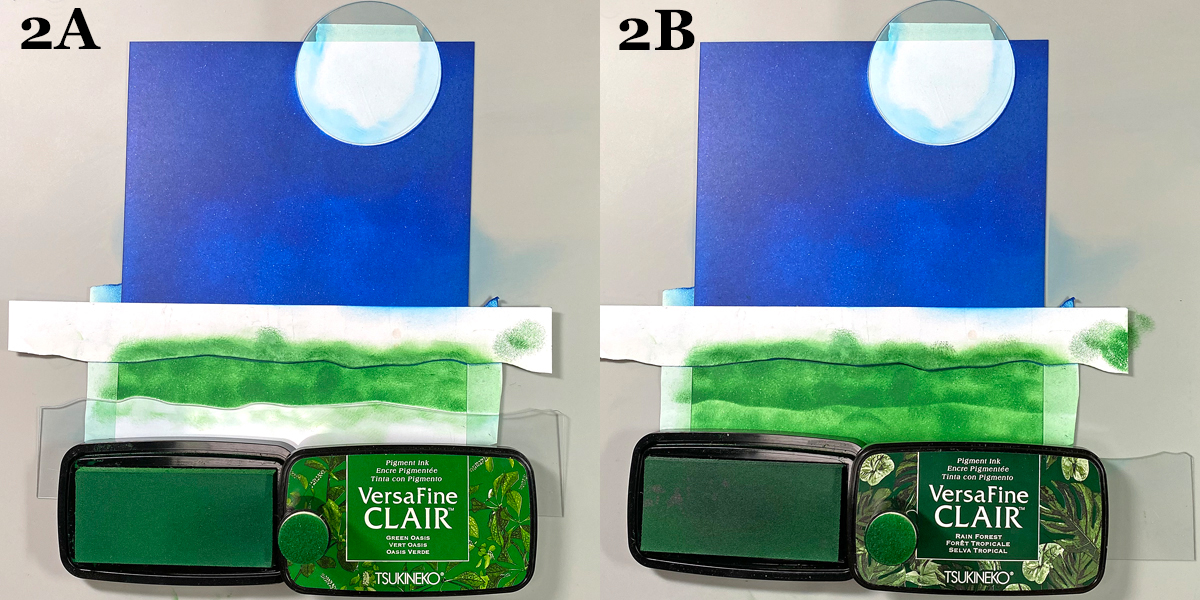
Move the Hills mask slightly downward and use the existing tape to secure it in place.
I had previously traced the Hills mask onto a piece of cardstock and fussy-cut it to create a paper mask for the negative portion of the mask. This was placed over the night sky.
Use a sponge dauber to apply Green Oasis VersaFine Clair Ink between the paper and acetate mask. Move the acetate mask downwards again and sponge Green Oasis VersaFine Clair Ink to fill in the grassy areas.
Use a different sponge dauber to apply Rain Forest VersaFine Clair Ink below the paper mask to add contrast and fill in the lawn. Remove the masks and heat set the panel.
Use a black chalk pencil to deepen the shadows in the grass.
Step 3:
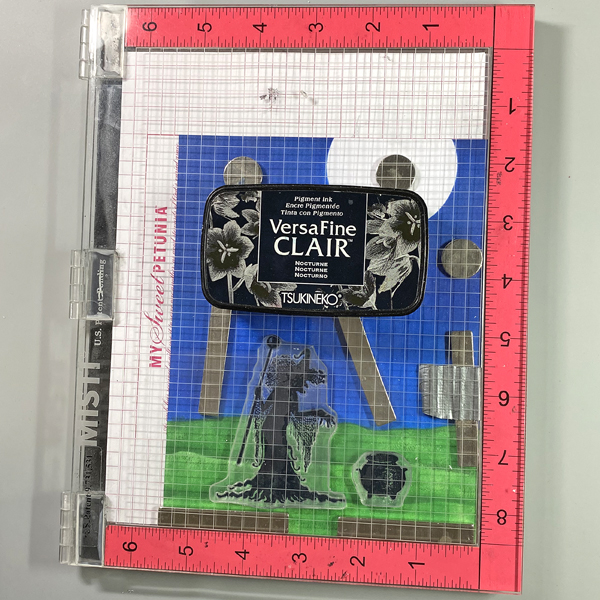
Use magnets to secure the image panel to the base of a stamping platform. Position the witch and the cauldron stamps facedown as desired. Press the platform’s lid onto the back of the stamps, lift, and ink the stamps with Nocturne VersaFine Clair Ink. Stamp. Re-ink and stamp again if needed to attain a good impression.
Use a black chalk pencil to add shadows below the witch and the cauldron.
Step 4:
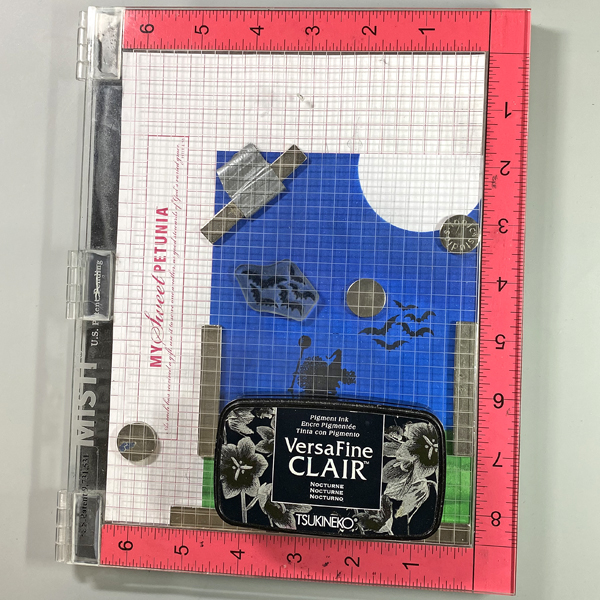
Position the Bats stamp on the right side of the witch and above the cauldron. Use Nocturne VersaFine Clair Ink to stamp the image. Oops. No photo.
Clean and dry the Bats stamp. Reposition it so that it’s to the left of the witch. Use Nocturne VersaFine Ink to stamp the image.
Step 5:
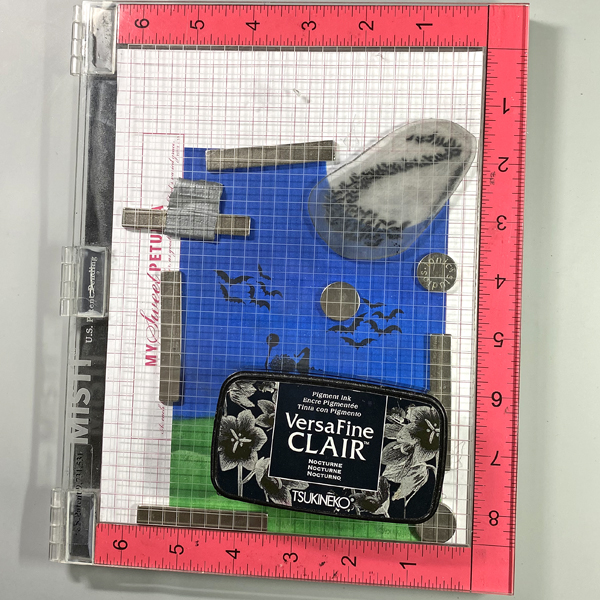
Position the Bat Colony stamp at the top right of the image panel so the bats are in front of the moon. Use Nocturne VersaFine Clair ink to stamp the image.
Step 6:
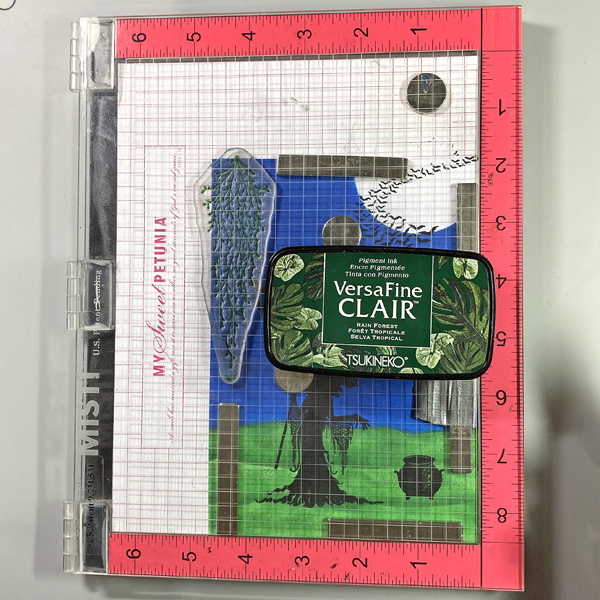
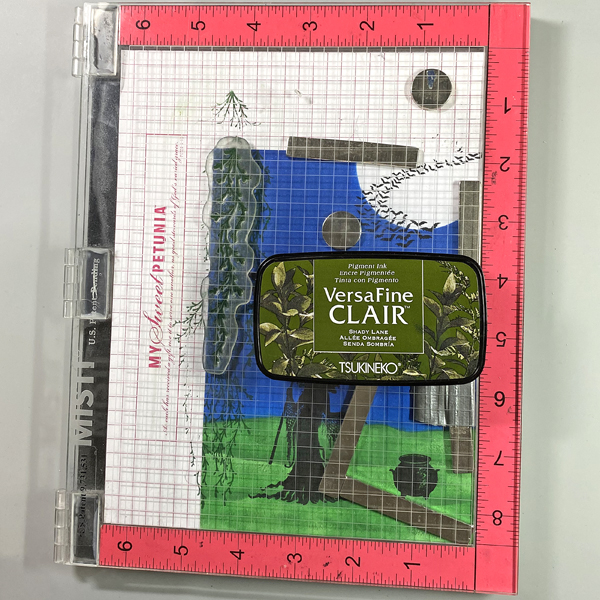
Position the larger of the Spanish Moss stamps along the right side of the image panel. Ink the stamp with Rain Forest VersaFine Clair Ink and stamp. Clean and dry the stamp. Move the stamp down, ink the stamp with Rain Forest VersaFine Clair Ink and stamp to extend the moss.
Step 7:
Position the smaller of the Spanish Moss stamps to the right of the stamped moss. Ink the stamp with Shady Lane VersaFine Clair Ink and stamp. Clean and dry the stamp. Move the stamp to the right, ink the stamp with Shady Lane VersaFine Clair Ink and stamp.
Step 8:
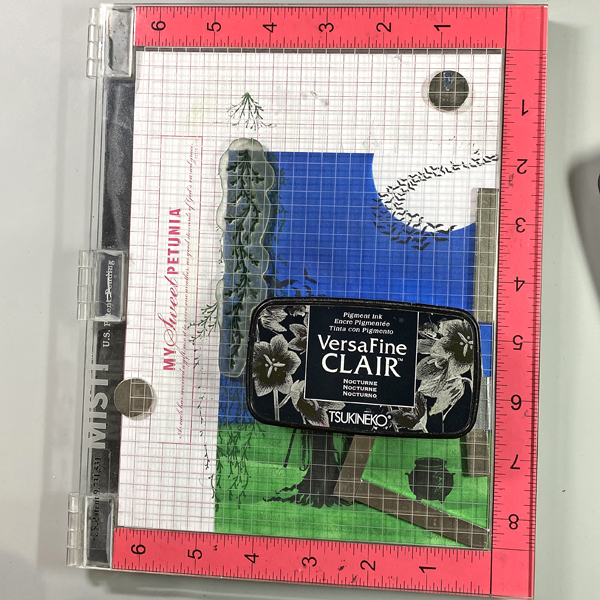
Clean and dry the stamp then move it back to the left. Ink the stamp with Nocturne VersaFine Clair Ink and stamp.
Step 9:
Place the larger of the Spanish Moss stamps onto an acrylic block. Ink the stamp with Nocturne VersaFine Clair Ink and stamp over the previous impressions using first and second generation stamping. Sorry there’s no photo.
Heat set the image panel.
Step 10:
Use Tear It! Tape to adhere the image panel to a 5” x 7” black card.
Step 11:
Use a white Gelly Roll Gel pen to add highlights to the cauldron. Use a white colored pencil to add shading to the witch and the cauldron.
Use Stardust Glitter Gel pens to add sparkle to the contents being thrown in the cauldron and to the Spanish Moss.
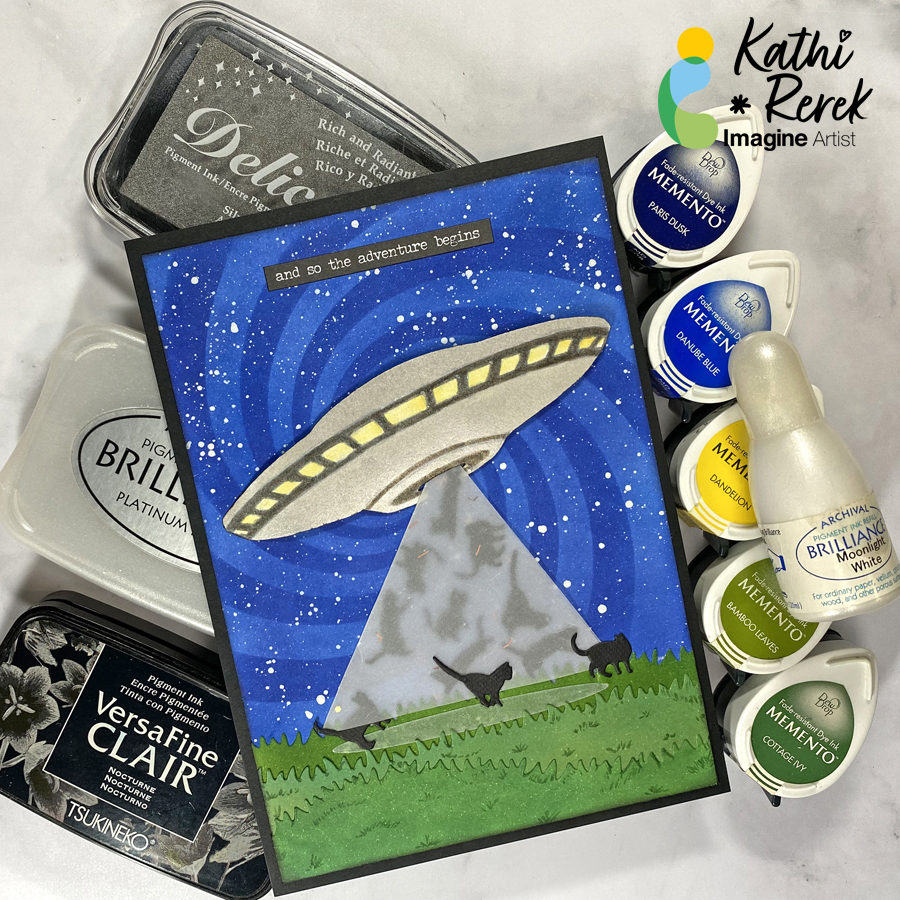
– Here’s a rare project from me that with no stamping at all. I’ve used inks, stencils, and cutting dies to create what will either be a wall hanging or a journal page.
Skill Level: Beginner to Intermediate
Time: 1.5 hours
Step 1.
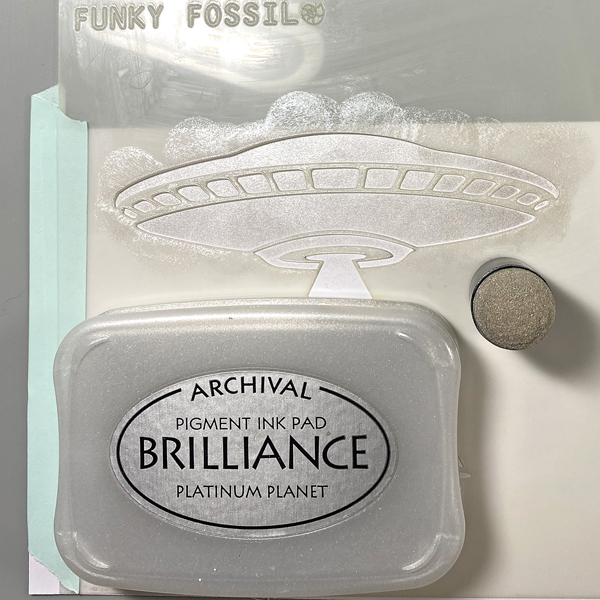
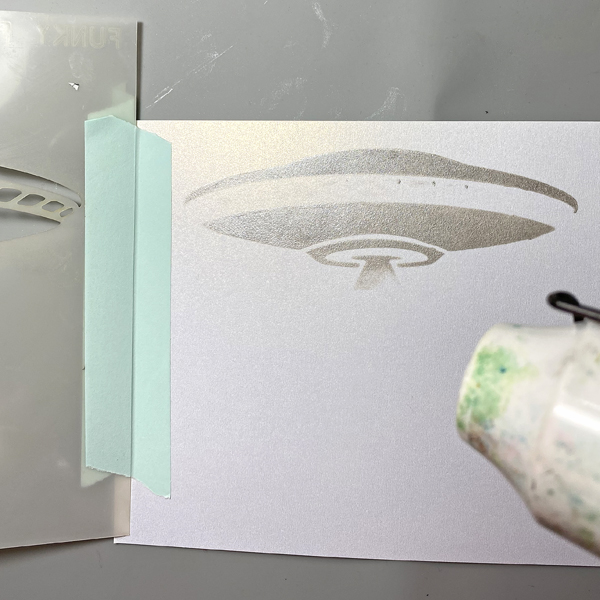
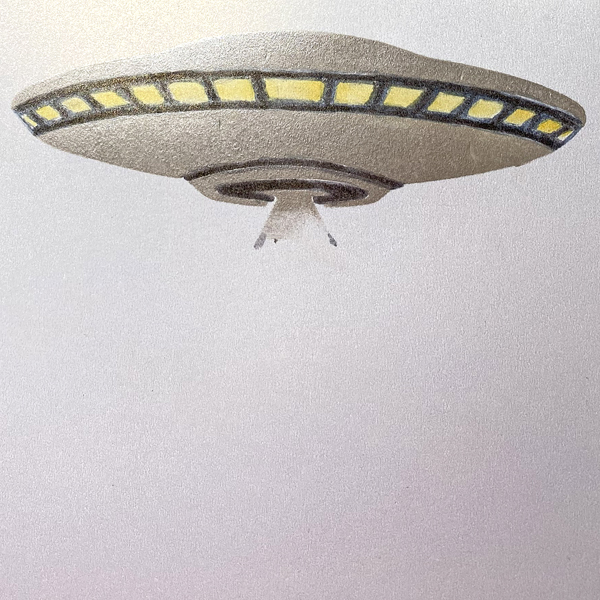
Secure the UFO stencil to a piece of cardstock with removable tape on both sides of the paper, creating a hinge. Apply Platinum Planet Brilliance over the stencil onto the cardstock. Open the hinged stencil and heat set the image panel.
Step 2:
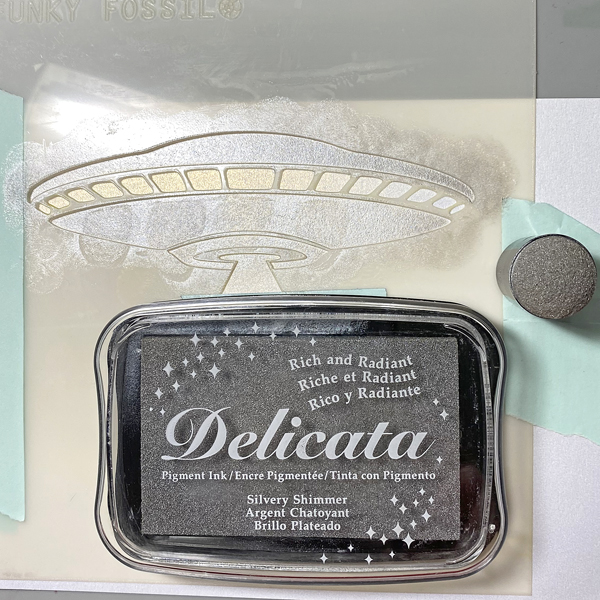
Put the UFO stencil back in place. Use a sponge dauber to apply Silver Shimmer Delicata over the stencil onto the image panel. Open the hinged stencil and heat set the image panel.
Step 3:
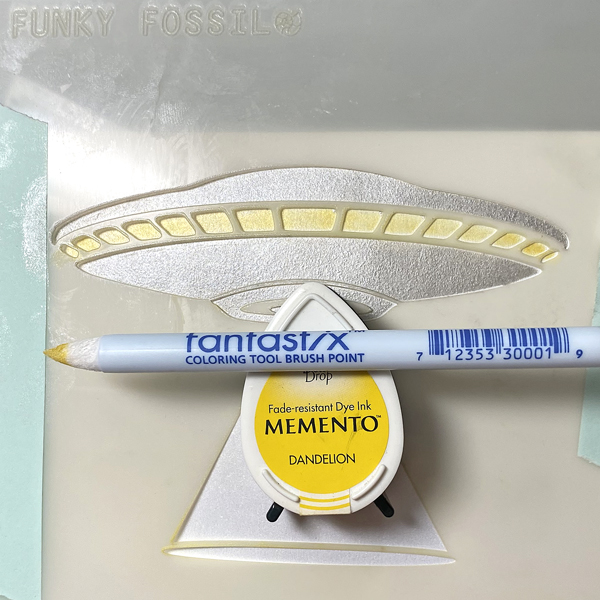
Use a brush-tipped Fantastix to apply Dandelion Memento ink through the UFO’s windows onto the image panel. Remove and clean the stencil.
Step 4:
Touch up the windows with the Fantastix. Use a grey watercolor marker to color the window frames and the bottom aperture of the UFO.
Step 5:
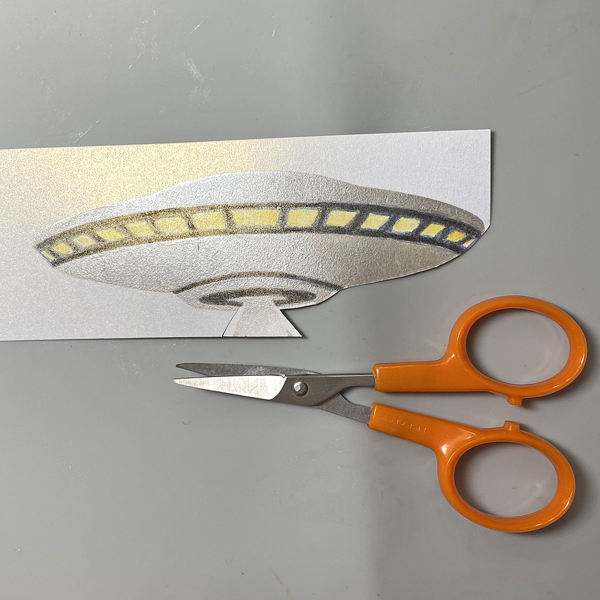
Fussy-cut the UFO, edge with a dark marker, and set aside.
Step 6:
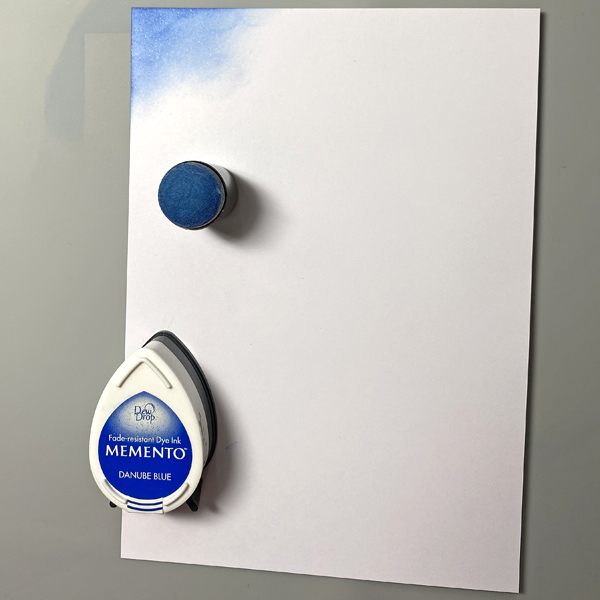
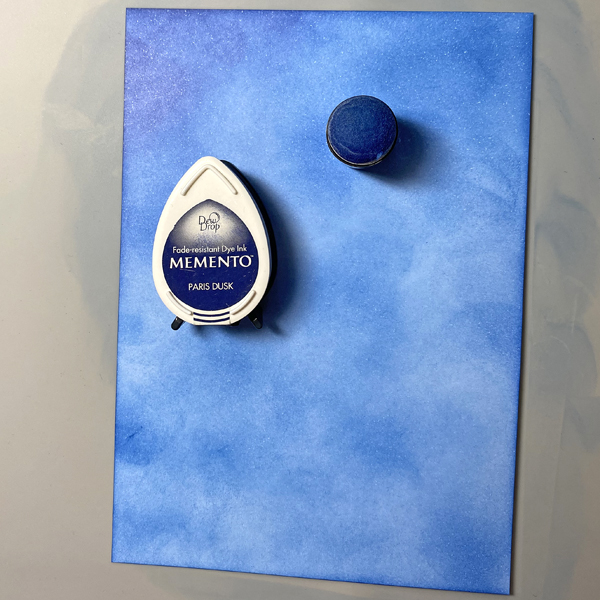
Use a sponge dauber to apply Danube Blue onto a 4.75” x 6.75” piece of Bristol Paper. Use a sponge dauber to blend Paris Dusk onto the Bristol Paper to create a mottled background.
Step 7:
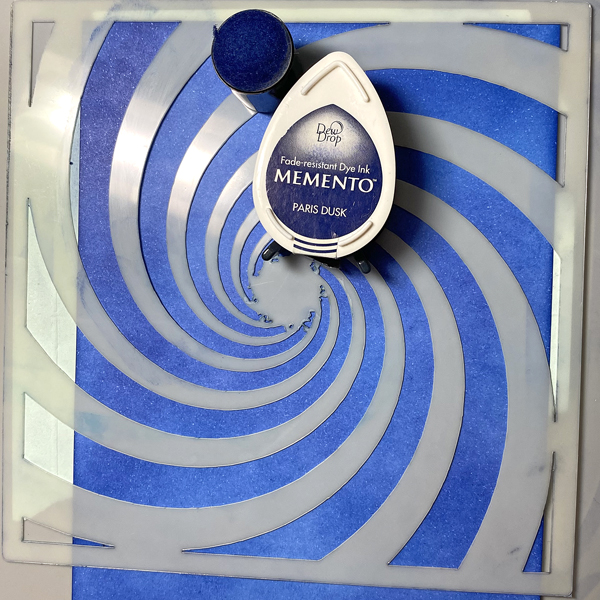
Tape the Time Tunnel Stencil over the inked background panel. Use a sponge dauber to apply Paris Dusk Memento ink over the stencil onto the paper.
Step 8:
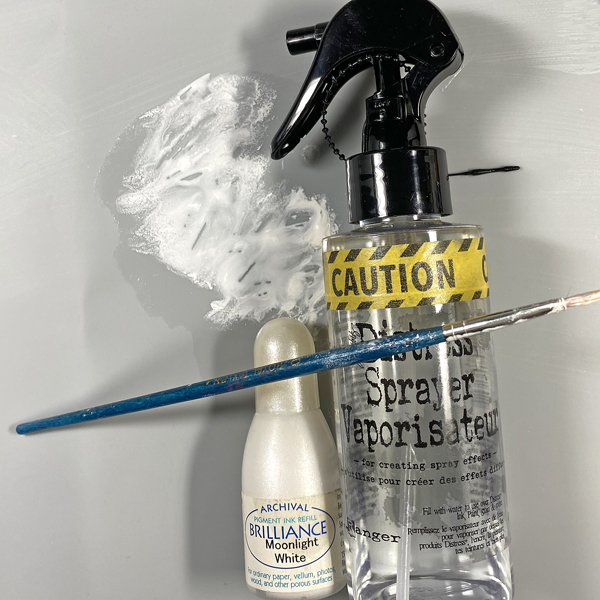
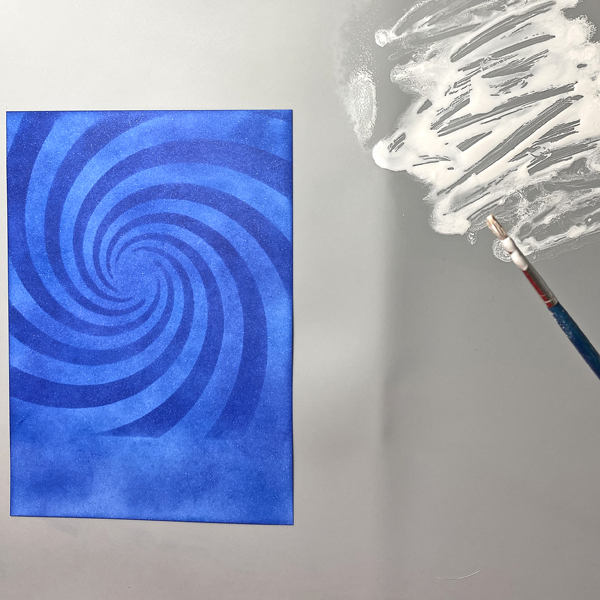
Squeeze a few drops of Moonlight White Brilliance re-inker onto a craft mat. Spray with 91% Isopropyl Alcohol. Use a paintbrush to mix the ink. Load the paintbrush with the diluted Moonlight Brilliance ink and splatter the background panel. Let air dry or heat set.
Step 9:
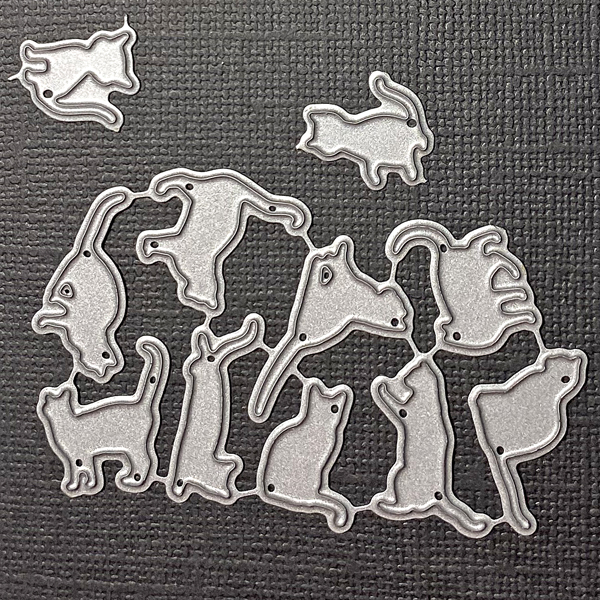
Use the Mini Cats die to cut Raven cardstock. Set the cat dies aside.
Step 10:
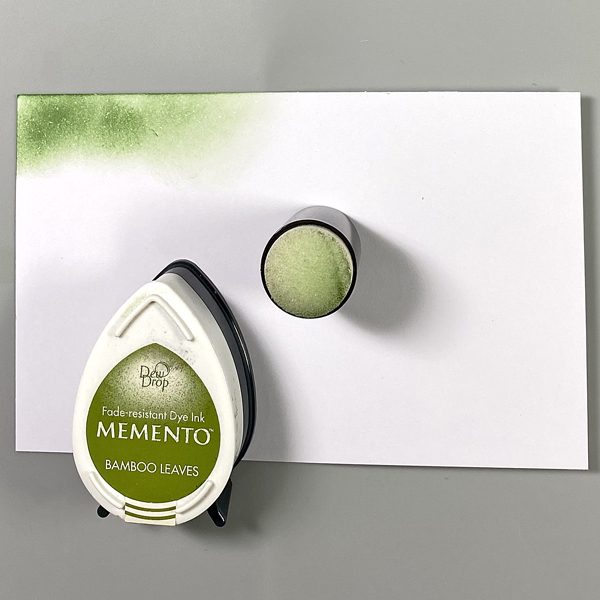
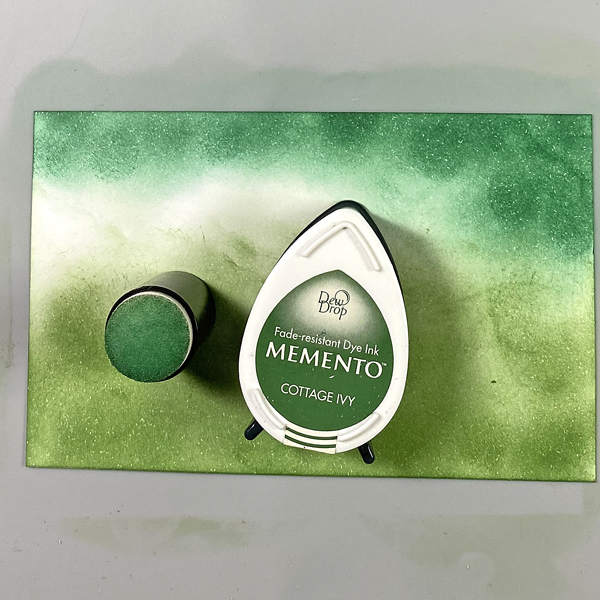
Use a sponge dauber to apply Bamboo Leaves Memento ink onto a white cardstock panel. Repeat Cottage Ivy Memento ink until the panel is covered.
Step 11:
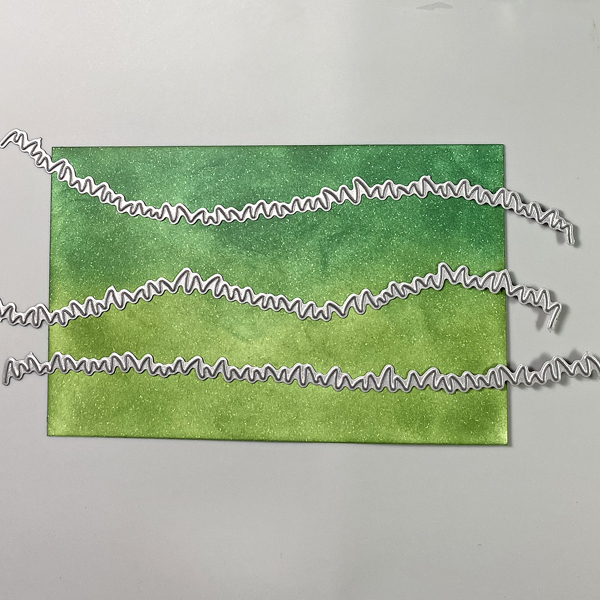
Use the Grassy Hills Die set to cut the inked panels. Use a green Copic marker to edge the grass and to add details. Using Memento Ink to create backgrounds allows you to use Copic markers overtop!
Step 12:
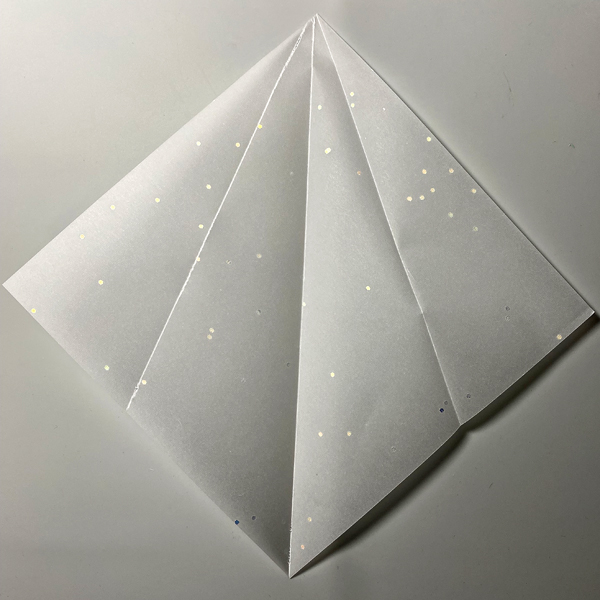
Cut a piece of vellum to 6” square. Score on the diagonal from one point to the opposite point. Fold.
Repeat with both sides until it looks like the above photo.
Step 13:
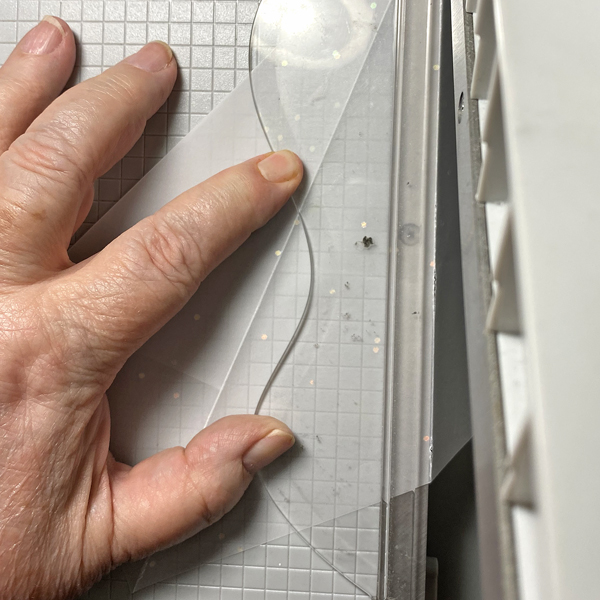
Place one edge of the scored, folded square along the cutting edge of a guillotine trimmer. Cut.
Step 14:
Use On Point Glue to adhere the die-cut cats to the interior of the folded vellum triangle. Sorry that I forgot to take a photo.
Step 15:
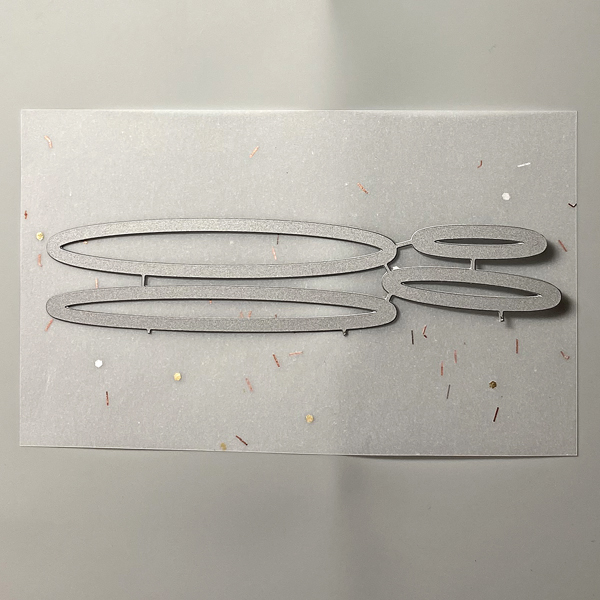
Back a piece of vellum with two-sided tape. Use the Oval Shadows Die-namics to cut the vellum.
Step 16:
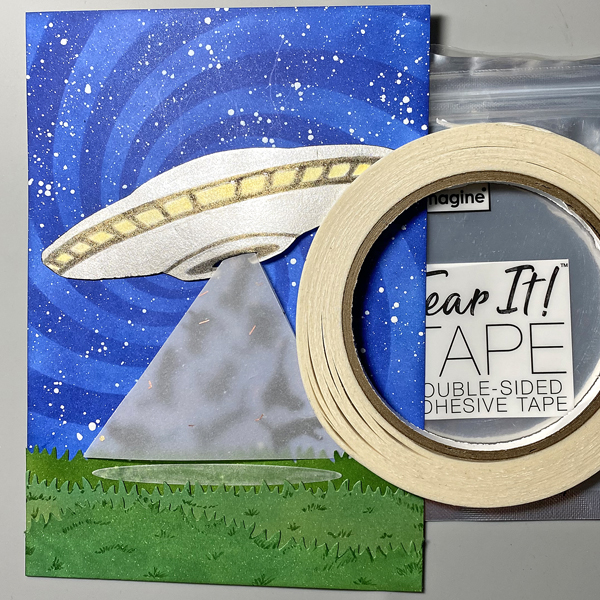
Use Tear It! Tape to adhere the three layers of grass to the background panel as shown. Edge the panel with VersaFine Clair Nocturne .
Adhere the vellum cone and the vellum oval as shown. Use On Point Glue to adhere escaping and/or partially beamed-up cats atop the vellum oval and cone.
Use dimensional foam adhesive to adhere the UFO as shown.
Step 17:
Adhere the image panel to a 5” x 7” piece of Black Mixed Media paper. Add the sentiment sticker to finish the piece.





 Imagine Blog