Learn How To Arrange A Scrapbook Page With The Imagine Craft Mat

by Elina Stromberg

Learn How To Arrange A Scrapbook Page With The Imagine Craft Mat

Scrapbooking is my favorite way to unwind. I love patterned papers, simple layouts, and combining ready-made embellishments with decoration elements I’ve made myself. For this scrapbook layout, you only need two sheets of patterned paper, scrap pieces of solid color papers, a few stamps, and your favorite inks, letter stickers, leftover pieces of chipboards and a mix of any ready-made embellishments you have available at arm’s reach. The center of your layout is your favorite photo, a memory you want to cherish and keep for the years to come!

Skill: Intermediate
Time: 1 hour

Directions


Step 1

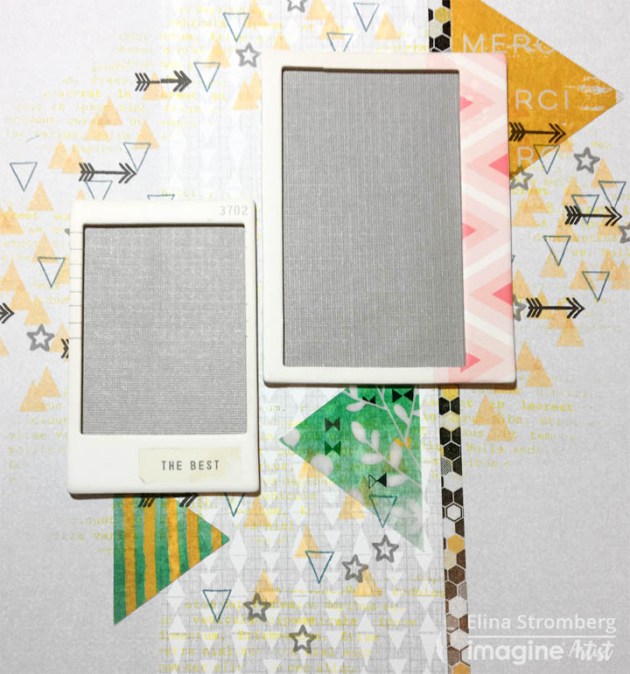
Attach a strip of washi tape or a strip of patterned paper on the left side of your background paper. The grid side of Imagine’s Craft Mat will help you in aligning the long strip. 
Glue a panel of patterned paper on the left side of the strip, partly covering it.


Step 2

Stamp patterns on the background around the area where you want to place your photo. Use the lightest color for the largest patterns and add smaller highlights with darker colors on top.
 On this layout, I continued the triangle pattern on the stamped areas; I often get inspired by the patterns on the paper I decide to use and like to replicate similar images elsewhere on the project. You may spot the triangle shape also in larger sizes on this layout; I had a couple of triangle-shaped transparencies I included on the page.


Step 3

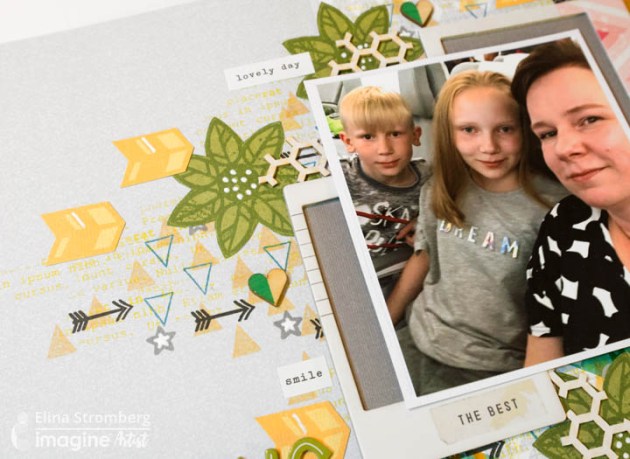
Stamp and fussy-cut embellishments. Combine your DIY decorations with ready-made stickers, die-cuts, and chipboards. Feel free to mix and match embellishments of various types and styles!
 Layer embellishments and use them in clusters. Don’t try to cover the entire page but leave some areas undecorated.

Step 4

Highlight your photo: Mat the photo on a piece of white cardstock. Layer pieces of solid color or patterned papers underneath it or use ready-made chipboard frames for lifting the photo from the layout background.
 On this layout, the background color was quite light, and for making the photo really pop I backed the chipboard frames with a darker grey color paper. For attaching the photo on the layout, I used foam stickers.


Step 5

Adding a hint of white and/or black will brighten all the other colors. I added black by stamping small black arrows on the background and white by highlighting the stamped embellishments and parts of the stamped background patterns with a white gel pen.


Step 6

Sometimes it may be tricky to align the letter stickers on the layout. A long ruler and the grid pattern on the Craft Mat will be of great help!
 If you want the title word to end close to your main photo, start writing it from the end. This way you will manage the positioning of the complete word more easily!

Here are some additional close-ups from the finished page:
Supplies

Imagine
Other
  • Patterned papers in size 12”x12”
  • Photo
  • Washi tape with honeycomb pattern
  • Cardstock – green, yellow, white and dark grey
  • American Crafts – Letter stickers
  • Stamps: Carabelle Studio: Mixed Media Flowers #1. 
Studio Calico: Arrows, triangles, stars.
Wycinanka: Lorem Ipsum
  • Embellishments:
 Wooden hearts – Pinkfresh Studio, Felicity – 
Chipboard frames, Heidi Swapp -
Triangle-shaped transparencies
, White sentiment stickers
, Leftover pieces of honeycomb chipboards
  • White gel pen
  • Foam stickers
  • Glue

See How to Upcycle a Tea Tin with Walnut Ink

by Kassy Tousignant

See How to Upcycle a Tea Tin with Walnut Ink

I love upcycling old, found items. In today’s video, I give this tea tin has a fresh new shabby chic look while still holding on to that vintage feel using the VersaFine Clair ink in Fallen Leaves paired with the Walnut ink. I love this way this turned out and hopefully, you will give this project a try.

Skill: Intermediate
Time: 1 hour

Directions

Supplies

Imagine

Walnut Ink – Walnut
On Point Glue
VersaFine Clair – Fallen Leaves
InkBlusher
Tear It! Tape

Other

• Jewels
• Patterned paper
• Metal die
• Die-cutting machine (Gemini)
• Glitter
• Tea Tin
• Paintbrush

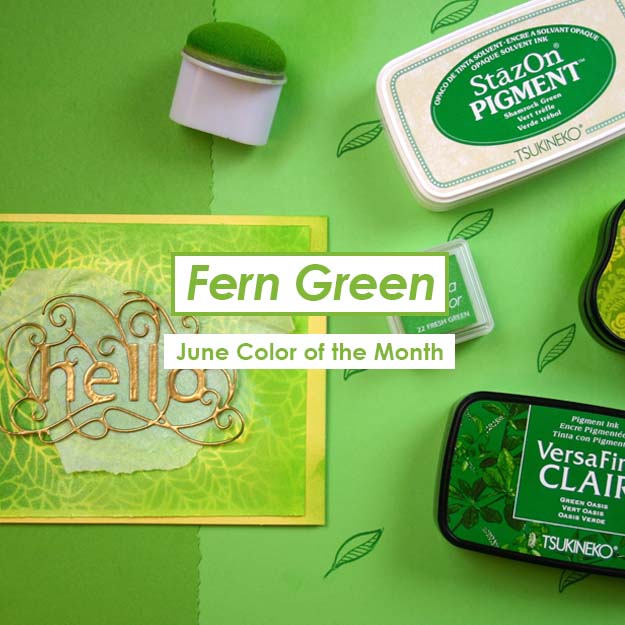
Color of the Month for June is Fern Green

Color of the Month for June is Fern Green. We love this soft green color because it reminds us of the beautiful plants that come bursting forward into the lushness of Summer. Some of the inks we recommend for this color are StazOn Cactus Green, VersaColor Fresh Green, VersaFine Clair in Green Oasis and Verdant.

Here is a sneak peek for what we have coming up this month…

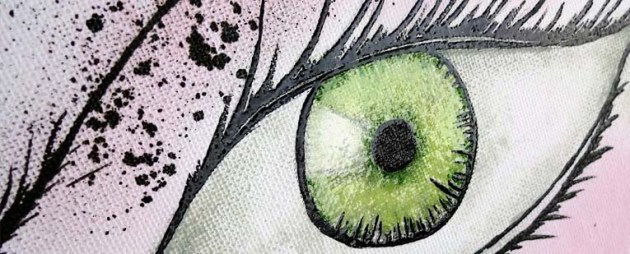
Green Eyes Art Canvas by Kyriakos Pachadiroglou

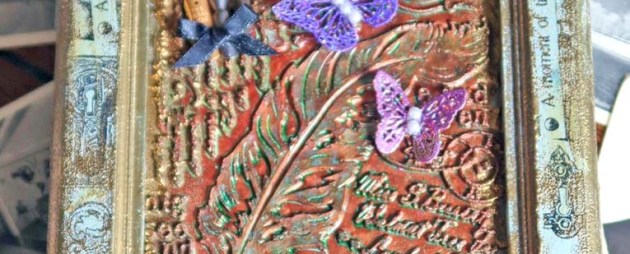
Mixed Media by Roni Johnson

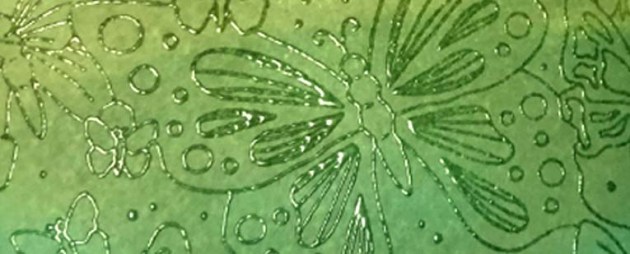
Resist Embossing by Martha Lucia Gomez

Learn How to Create Galaxy Backgrounds with 2 Different Embossing Techniques

by Lindsay Adreon

Learn How to Create Galaxy Backgrounds with 2 Different Embossing Techniques

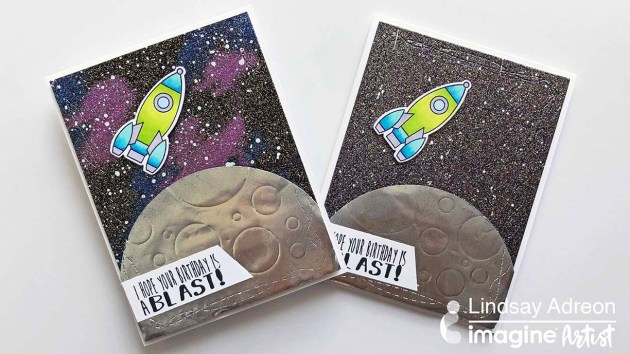
There are many ways to create galaxy/night sky backgrounds for your cards. You can use ink blending, watercolor, ink smooshing, braying, and so much more. But did you know you can create galaxy and night sky backgrounds with embossing powder? It’s such a fast and easy way to get the galaxy look! I’m using a few of the new glittery Mboss Embossing Powders from Imagine to show you how to create your own backgrounds! I hope you all enjoy it!

Skill: Intermediate
Time: 30 – 45 minutes

Directions

Supplies

Imagine
Other
  • Heat Tool
  • MISTI Stamping Tool
  • Papertrey Ink – Out of This World Mini Stamp Set & Rocket Die
  • Joy Clair Stamps – Out of This World Stamp Set
  • Rinea Silver Foil Paper
  • Circle Die Set
  • Kat Scrappiness Wonky Wavy Stitched Rectangle Dies
  • Die Cutting Machine

The Best Things in Life Aren’t Things

by Kyriakos Pachadiroglou

The Best Things in Life Aren't Things Greeting Card Design

The best things in life aren’t things! This is a lovely reminder to take time to appreciate your life and live it to the fullest. I wanted to create a holographic look to go along with this nice message. Combining Mboss, StazOn ink pads and Vertigo sheets is the best way to create a holographic card theme. The StazOn inks will quickly dry on the Vertigo sheet and following the pattern of the sheet will enhance the result. The white card base brightens the StazOn colors adding extra background lighting and the Mboss in Hologram creates an added effect.

Skill: Intermediate
Time: 1 hour

Directions


Step 1

On a 2 x 4 inch piece of watercolor paper, stamp the flourish design with VersaMark, cover with the Mboss embossing powder in Hologram and heat set.


Step 2

Cut the Vertigo sheet to 4 x 6 inches.


Step 3

Color with the StazOn in Fuchsia Pink and Vibrant Violet using sponge daubers trying to follow the pattern of the Vertigo sheet.


Step 4

Continue adding color with the StazOn Sunflower Yellow and Azure.


Step 5

Stamp the sentiment, butterfly and flourish design with the VersaMark, cover, and heat set the Mboss embossing powder in Black both on the Vertigo sheet and the watercolor paper. Fussy cut the butterfly. Cut out the sentiment in a square and set aside.


Step 6

Set the Vertigo sheet and the flourish embossed paper strip on the card base using the Tear It! Tape.


Step 7

Continue adding the butterfly stamped image, the sentiment and the rest of the embellishments as you see fit.

Supplies

Imagine
Other
  • Cardbase
  • Watercolor paper
  • Kaiserkraft stamps – Flourish, Tigerlilly
  • Paper Roses
  • Metallic beads
  • Scissors

Learn How To Make An Intricate Wedding Congratulations Card

by Arjita Sepaha Singh

Learn How To Make An Intricate Wedding Congratulations Card using Mboss embossing powder and a metal diecut

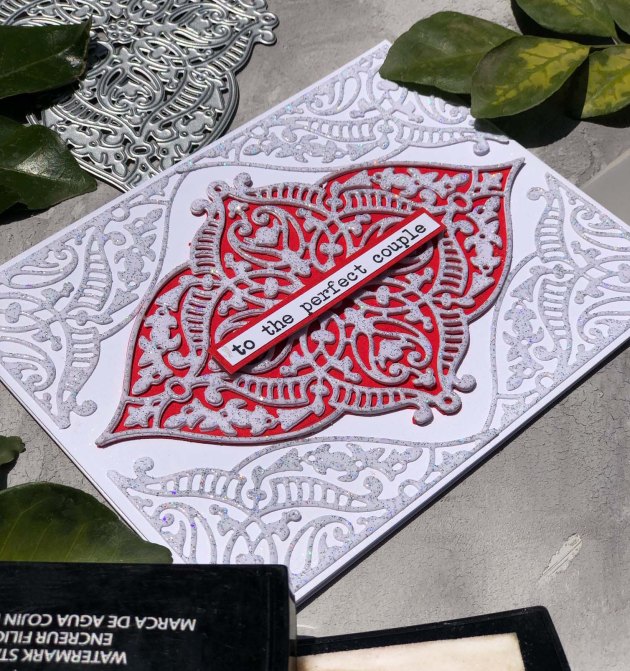
For today’s card, I used a very intricate die that has a bit of a mandala look and the gorgeous Mboss embossing powder in Sparkle. This “To the Perfect Couple” Wedding card is super simple to create and the sparkle you get is amazing. I stacked 3 die cuts on top of each other to create a chipboard effect and added a red paper to make it look brighter and festive. I finished it with a sentiment. This design is perfect for wedding invites & envelopes.

Skill: Intermediate to Advanced
Time: 45 minutes

Directions

Supplies

Imagine
Other
  • Cardstock – White, Red
  • Heat gun
  • Acrylic block
  • Intricate metal diecut
  • Diecut Machine
  • Sentiment Stamp
  • Paintbrush