
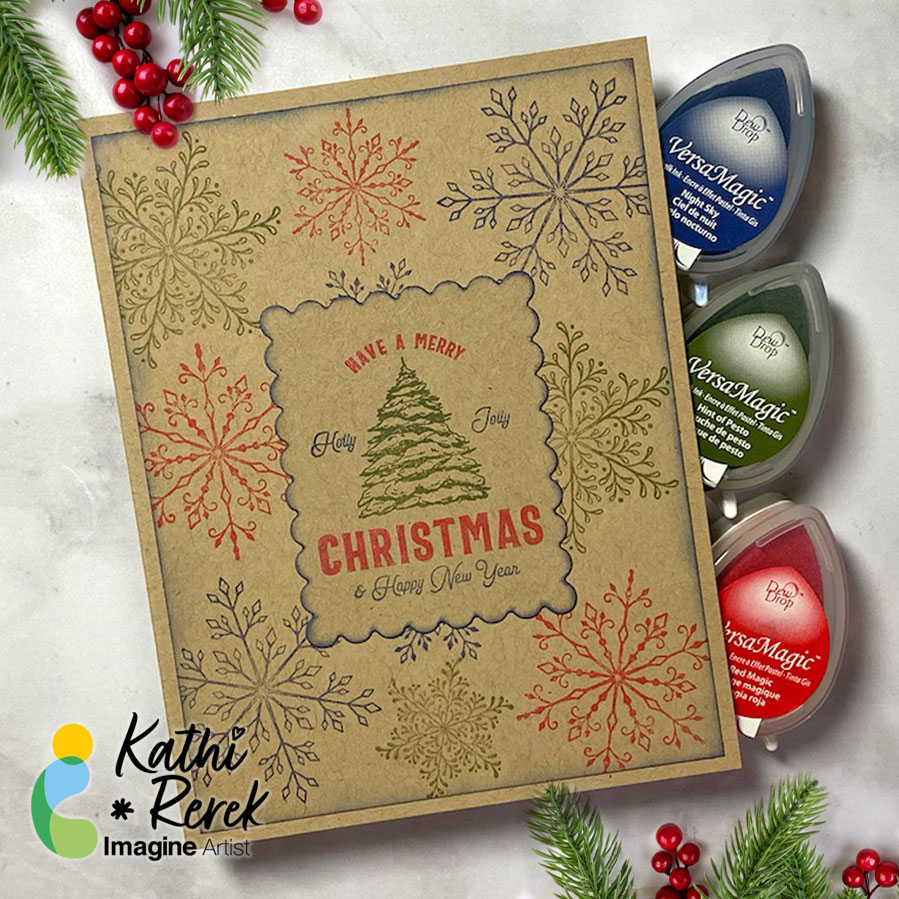
By Kathi Rerek
I recently saw a video on Unity Stamps’ Instagram that showed how to use colored inks to stamp snowflakes onto Kraft cardstock. I thought that it would be interesting to try VersaMagic Chalk Inks to see how it would work.
Skill Level: Beginner to Intermediate
Time: 1 hour
Step 1:
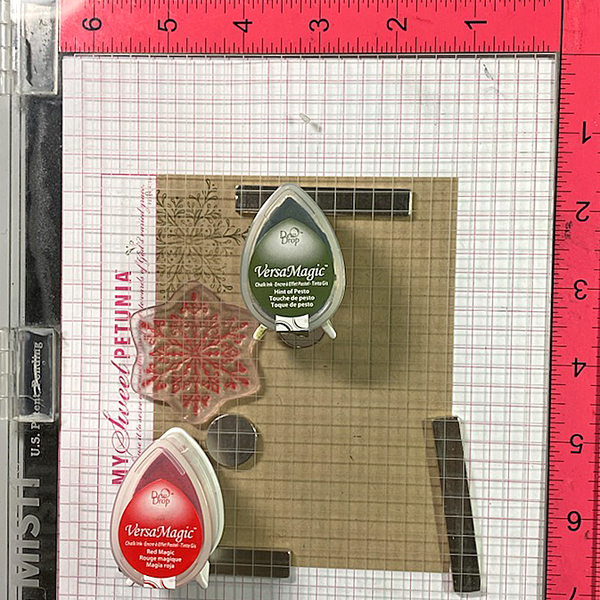
Use magnets to secure a 4” x 5.25” piece of Kraft cardstock onto the base of a stamping platform.
Use Hint of Pesto to stamp the leafy snowflake from the Snowflakes Large Clear Polymer Stamp Set on the top left. Re-ink and stamp again if necessary to create good impression.
Position the spiky snowflake from the set facedown on the image panel below green-stamped snowflake. Use Red Magic VersaMagic ink to stamp the snowflake. Re-ink and stamp again if necessary to create good images. Clean and dry both stamps.
Step 2:
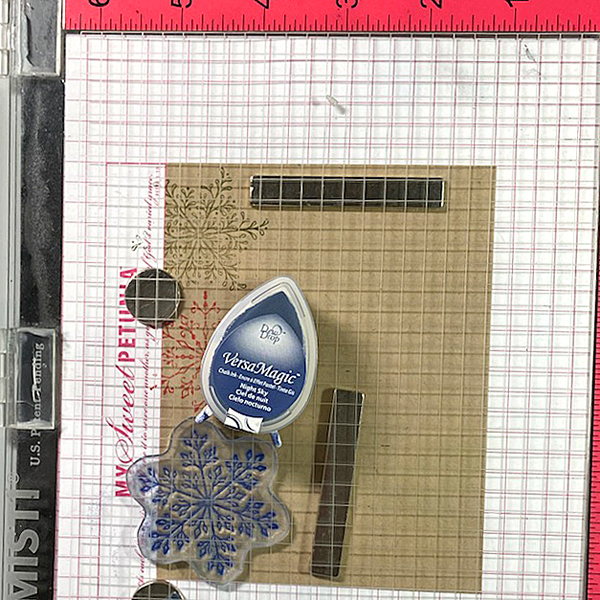
Position the third snowflake stamp from the stamp set facedown on the bottom left of the image panel. Ink the stamp with Night Sky VersaMagic Ink and stamp. Re-ink and stamp again if necessary to create a good impression. Clean and dry the stamp.
Repeat Steps 1 and 2 along the right edge of the image panel as shown in the card photo above.
Step 3:
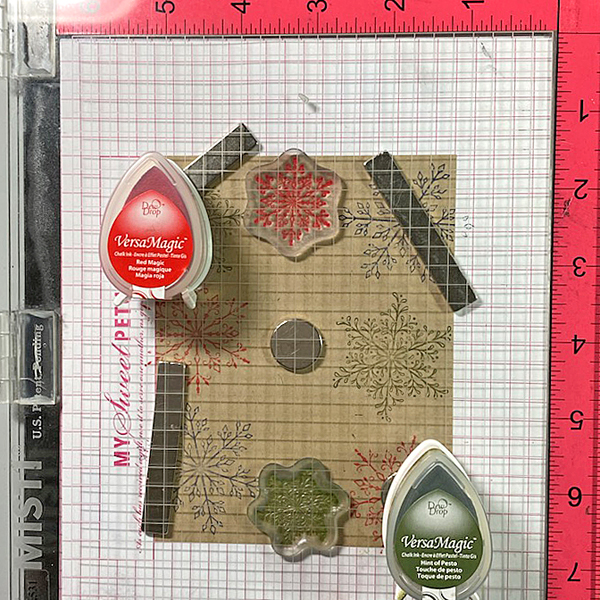
Position one of the snowflake stamps from the Snowflakes Small Clear Polymer Stamp Set facedown in the center top of the image panel. ink the stamp with Red Magic VersaMatic Ink and stamp. Re-ink and stamp again if necessary to create a good impression. Clean and dry the stamp.
Continue the process of stamping snowflakes from the Snowflakes Small Stamp set with all three colors of VersaMagic Inks taking care to clean and dry the stamps between colors. Remove the image panel from the stamping panel and heat set.
Step 4:
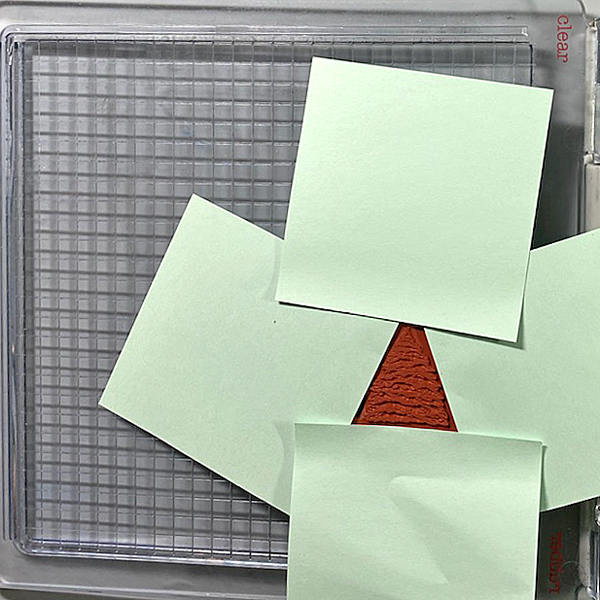
Secure a piece of Kraft cardstock to the base of the image panel. Position the Holiday Spruce Rubber Stamp face-down on the image panel. Press the platform’s lid onto the back of the stamp and lift.
Use Post-It Notes to cover all elements of the stamp except for the Christmas Tree. With the Post-It Notes in place, ink the stamp with Hint of Pesto VersaMagic Ink. Remove the Post-It Notes and stamp twice — once onto the image panel and once onto repositionable sticker paper. Fussy-cut the sticker paper version and place over the stamped tree on the image panel.
Use Post-It Notes to cover each element of the Holiday Spruce Rubber Stamp, ink with one of the the VersaMagic Inks, remove the Post-It Notes, and stamp.
Heat set when the image is completely stamped.
Step 5:
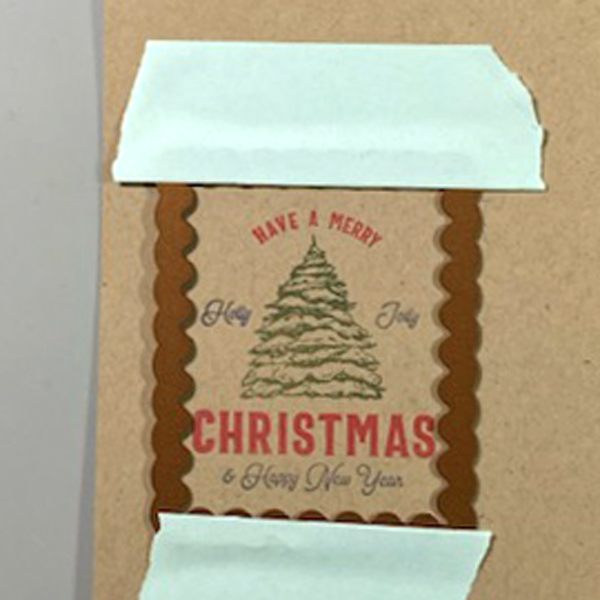
Use low-tack tape to secure a scalloped rectangle die to the sentiment panel. Run the sentiment panel through a die-cutting machine.
Step 6:
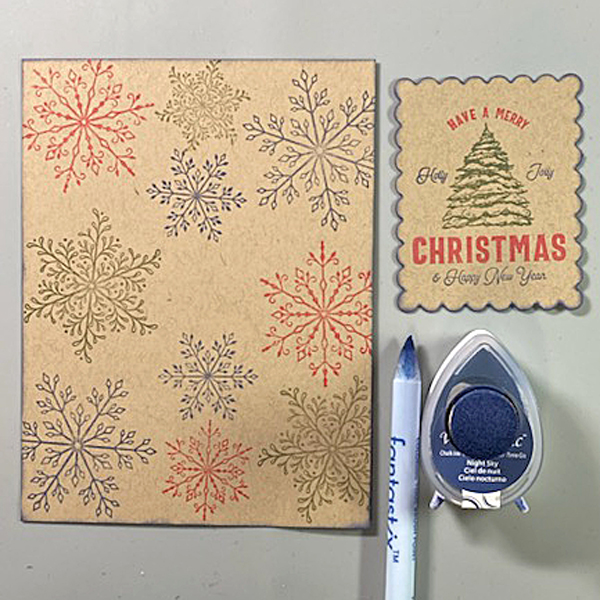
Use a sponge dauber and Night Sky VersaMagic Ink to edge both the image panel and the sentiment die-cut. Use a Fantastix to reach between the scallops! Heat set both panels.
Step 7:
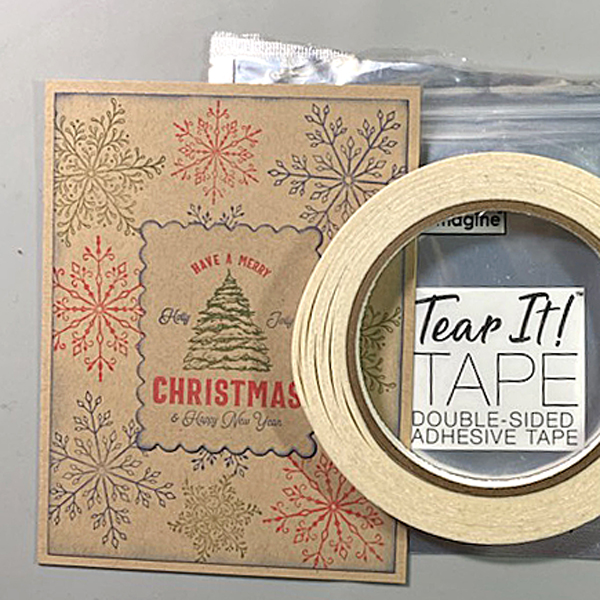
Use Tear It! Tape to adhere the image panel to a Kraft A2 Card. Use Tear-It Tape to adhere the sentiment die-cut to finish the card.
Imagine Crafts Supplies:
- Hint of Pesto VersaMagic Dew Drop Ink
- Red Magic VersaMagic Dew Drop Ink
- Night Sky VersaMagic Dew Drop Ink
- Sponge Daubers
- Fantastix
- Tear It! Tape
- Craft Mat
Other Supplies:
- Kraft Cardstock by Bazzill Basics
- Snowflakes Clear Polymer Stamp Set by Lavinia Stamps
- Snowflakes Large Clear Polymer Stamp Set by Lavinia Stamps
- Snowflakes Small Clear Polymer Stamp Set by Lavinia Stamps
- Holiday Spruce Make a Tag Cling Rubber Stamp by Unity Stamps
- Scalloped Rectangles Nestabilities by Spellbinders
- Low-Tack Tape
- Post-It Notes
- Heat Gun by EK Success
- Big Shot

 Imagine Blog