Trick or Treat… Let’s Made a Halloween Card

By Anna Escalada York

I’ve been really enjoying Halloween cards lately and it was so fun to use a bunch of sprays to make this one.

Skill: Intermediate
Time: 1.5 hours

Directions:
Step 1:
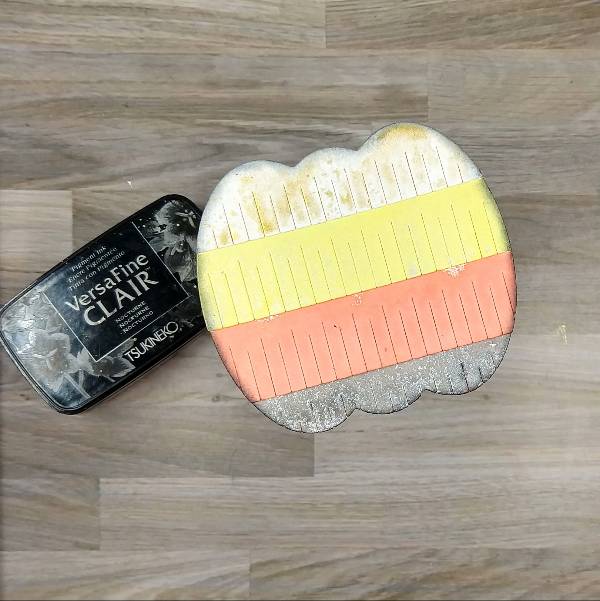
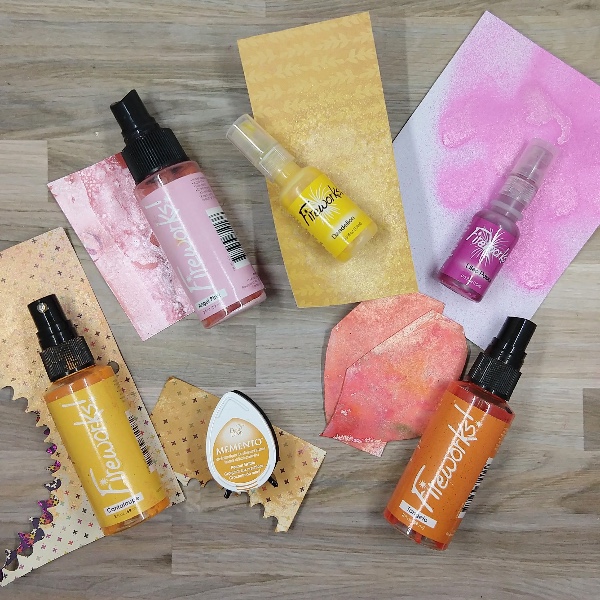
Die cut all of the pieces for the die cut pumpkin out of watercolor paper and then spray the two bottom pieces with Rich Cocoa Fireworks! Craft Spray (bottom-most layer) and Tangelo! Craft Spray (second-largest layer) and let dry.

Step 2:
Spray the other three die cut pieces: Dandelion Fireworks! Craft Spray on the middle die cut, Gold Sheer Shimmer Craft Spray on the upper part of the pumpkin’s body, and Bamboo Leaves Fireworks! Craft Spray for the pumpkin stem. Allow all the layers to dry.

Step 3:
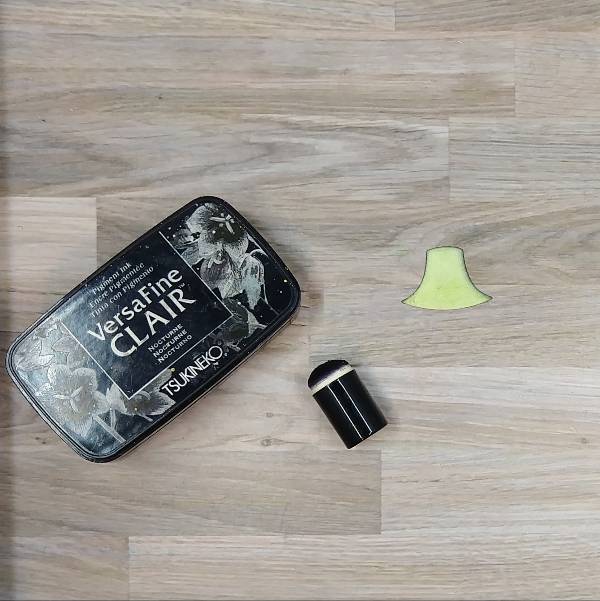
Glue the layers of the pumpkin together and then ink blend the edges of the pumpkin with Nocturne VersaFine Clair ink and a sponge dauber.
Step 4:
Ink blend the pumpkin stem die cut with Nocturne VersaFine Clair ink and a sponge dauber.

Step 5:
Spray the whole pumpkin die cut with more Gold Sheer Shimmer Craft Spray and set aside to dry.

Step 6:
Spray the Dandelion and Tangelo Fireworks! Craft Spray onto a piece of acetate packaging and use it to watercolor smoosh a panel of watercolor paper. After the spray dries, die cut it with an A2-sized die cut.

Step 7:
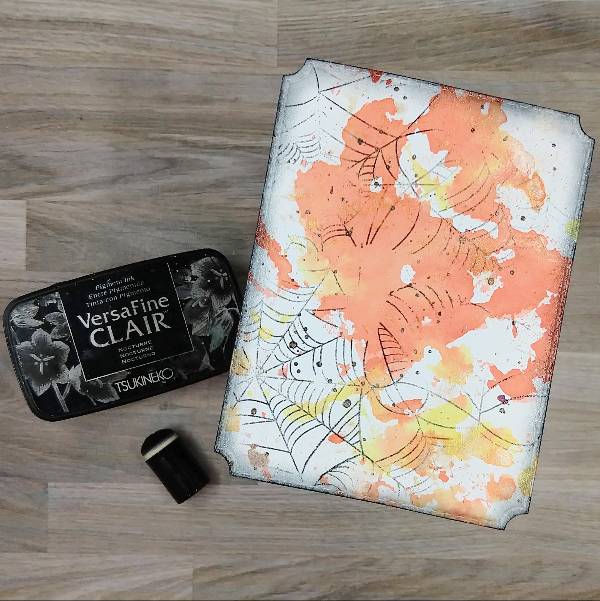
Splatter Rich Cocoa Fireworks! Craft Spray onto the background panel with the stick from the bottle’s spray nozzle. Then use a Nocturne VersaFine Clair ink to partially stamp the panel as well as ink blend the edges. Heat emboss the cobwebs and ink blended edges with clear embossing powder

Step 8:
Press the Nocturne VersaFine Clair ink pad onto a small piece of watercolor paper to color it black.

Step 9:
Die cut the now black piece of watercolor paper to create the sentiment and spray it with Gold Sheer Shimmer Craft Spray.

Step 10:
Die cut a piece of vellum with the sentiment’s shadow and glue both layers together.

Step 11:
Assemble the card. Glue the pumpkin’s stem and the rest of the pumpkin together and glue it approximately in the center of the panel. Glue the sentiment on the right side of the pumpkin. Then add orange and yellow sequins onto the card. To finish the card, glue the whole card panel onto an orange A2-sized card base.
Art Supplies

Imagine

Fireworks! Craft Sprays- Bamboo Leaves, Dandelion, Rich Cocoa and Tangelo
Sheer Shimmer Craft Spray – Gold
VersaFine Clair ink – Nocturne
Sponge Dauber

Other

Pink and Main – die set – Notched Corners
Pretty Pink Posh – die set – Fringe Pumpkin
Simon Says Stamp – die cut – Trick or Treat 2
Simon Says Stamp – sequin mix – Autumn Leaves (retired)
Tailored Expressions – stamp – Spiderweb Cling & Clear Combo
A2-sized orange card base
Clear Embossing Powder
Watercolor paper
Die cutting machine Scissors
Glue

Stamping on Fabric: Muslin Bags with Ink and Stencils

By Helen Gullett

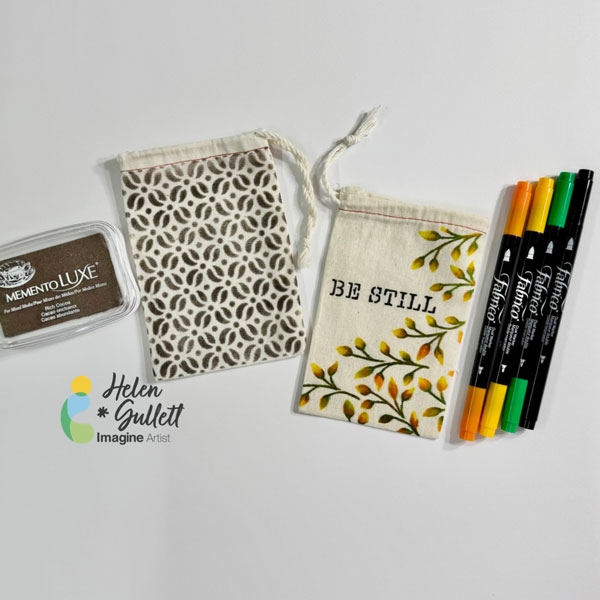
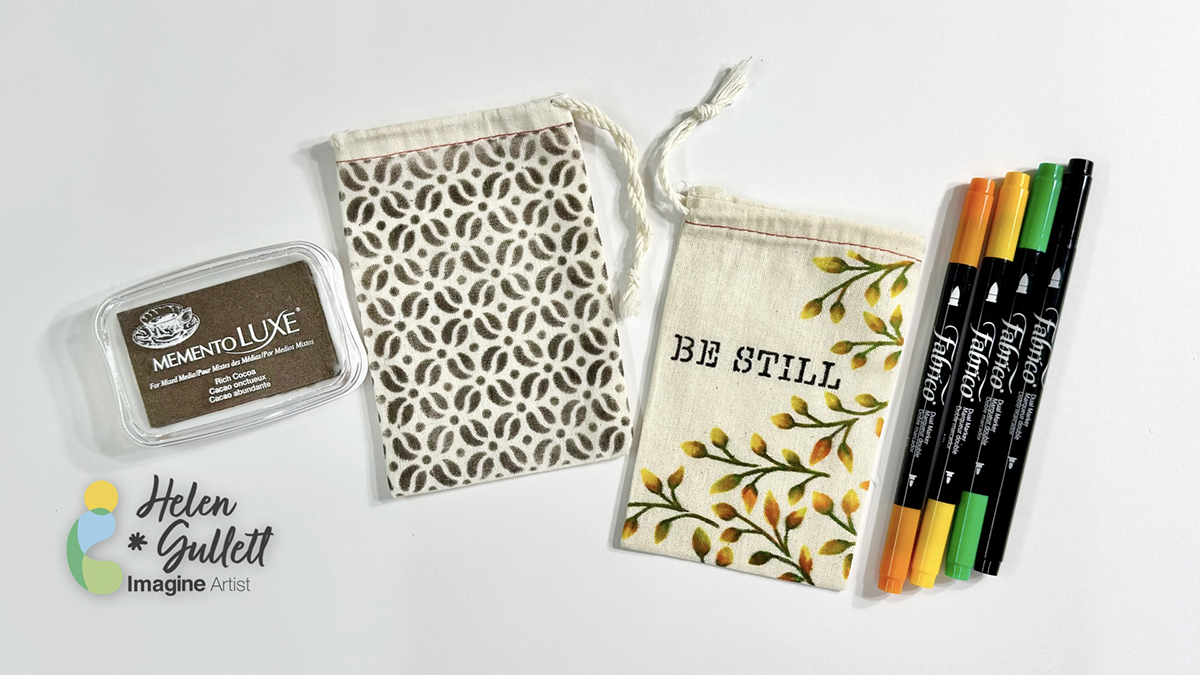
Hello crafty friends! Today’s projects are about how you can personalize any muslin bags or canvas bags by adding patterns, words, or anything you can think of with Fabrico Markers, Memento Luxe ink pads, and stencils. It will be fun projects to make for any occasion gift ideas or even for yourself to use. So, let’s make some together!

Skill: Easy
Time: 15-20 minutes

Direction:

Step 1
If your muslin or canvas bag has some wrinkles or folded lines on it, you can iron it before stenciling on it. I ironed my mini muslin bags that I used on these projects today.
Cut out a piece of a thick cardboard or cardstock as an insert mat to put inside the bag to prevent the ink from bleeding through the other side of the bag.
Tape the stencil on the bag with masking tape or washi tape.
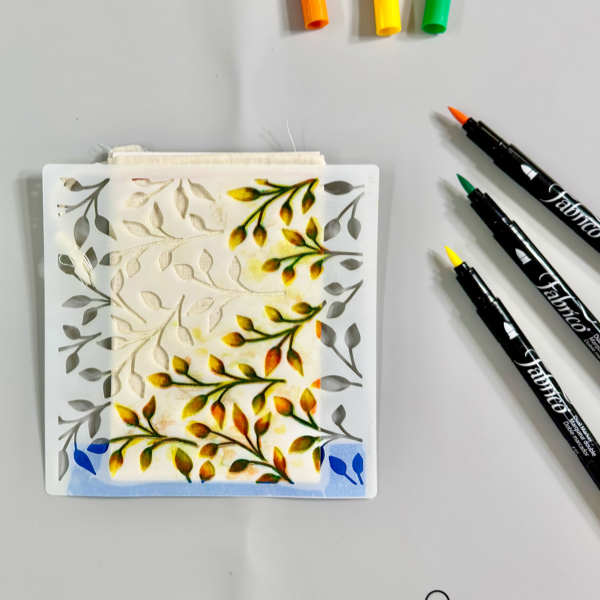
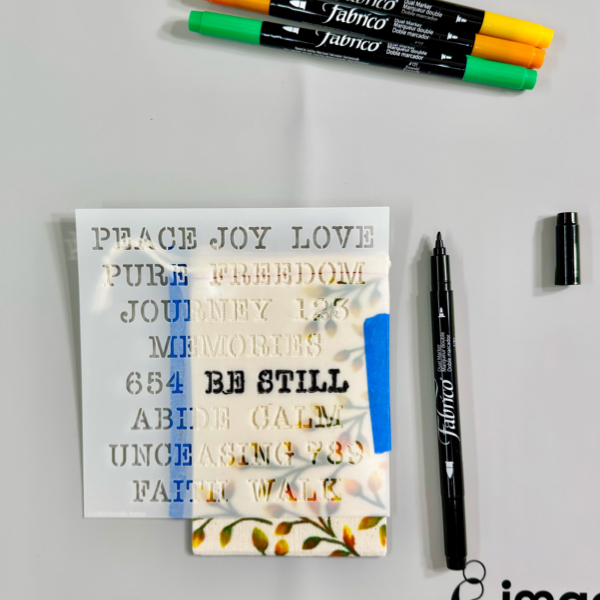
Use Fabrico Markers to color through the leafy stencil. To do the ink blending, start with dark color first, then medium color, then lighter color after to blend the color together.
The ink from the bag will transfer to the marker, but do not worry because you can clean the other ink color from the marker tip by scribbling it off on a piece of paper.

Remove the stencil from the bag.

Step 2
Repeat the same step to add more pattern or word to the bag.
On this one, I decided to add the word Be Still on the bag using stencil and Fabrico Marker.
Remove the stencil and set aside for the ink to dry, or iron the bag to dry the inks permanently and quickly.
I love how versatile these Fabrico Markers are when it comes to coloring solid images. The colors blend well together.
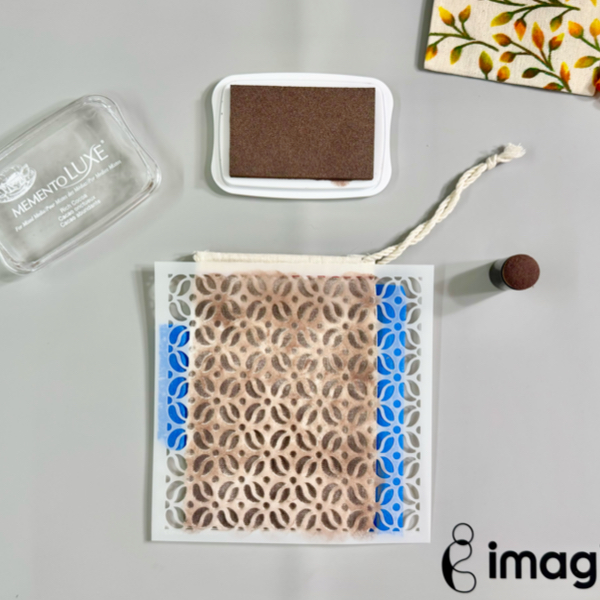
The second technique to personalize a muslin bag you can try is by adding ink directly to the bag with ink pads, sponge daubers, and stencil.

Step 3
Add the insert mat inside the mini muslin bag.
Tape the stencil on the mini muslin bag with masking tape or washi tape.
Using a sponge dauber,  pick up the ink from the Memento Luxe Rich Cocoa ink pad by tapping on the ink pad a couple times.
Dab the ink on the sponge dauber on the stencil firmly through the stencil to make sure the ink transfers to the bag.
Repeat the steps until the bag is covered with the pattern.

Step 4
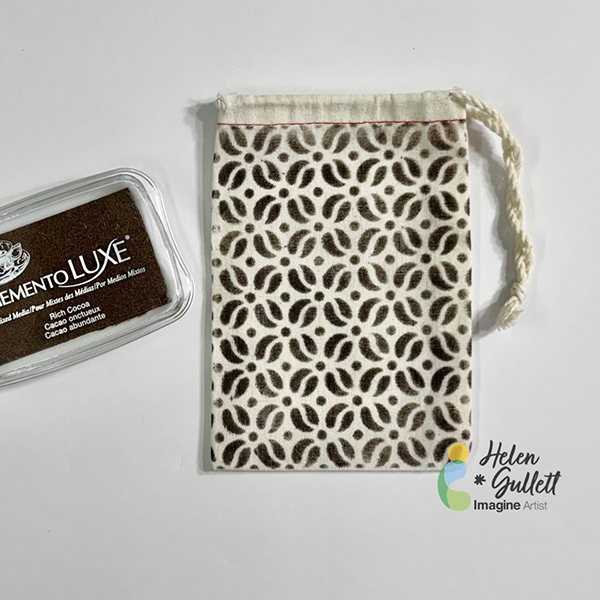
Remove the stencil from the bag.
Iron the bag to dry the ink permanently on the bag.

I love how they look after removing the stencils off the bags. I personally like both techniques, how about you? Which technique do you prefer better to do to personalize your own bags?

Hopefully you also will have fun personalizing your own bags by trying one of both techniques. Thank you for stopping by our blog today. Have a wonderful day!

Craft Supplies

Imagine Crafts:

Others:

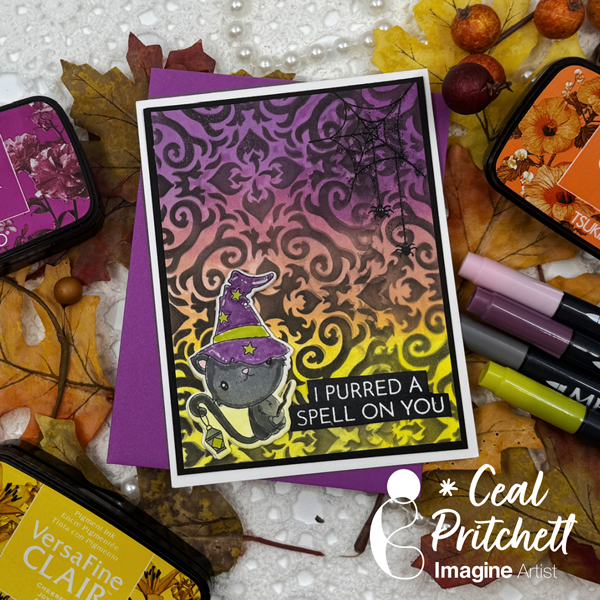
Purrfectly Bewitched Halloween Card

By Ceal Pritchett

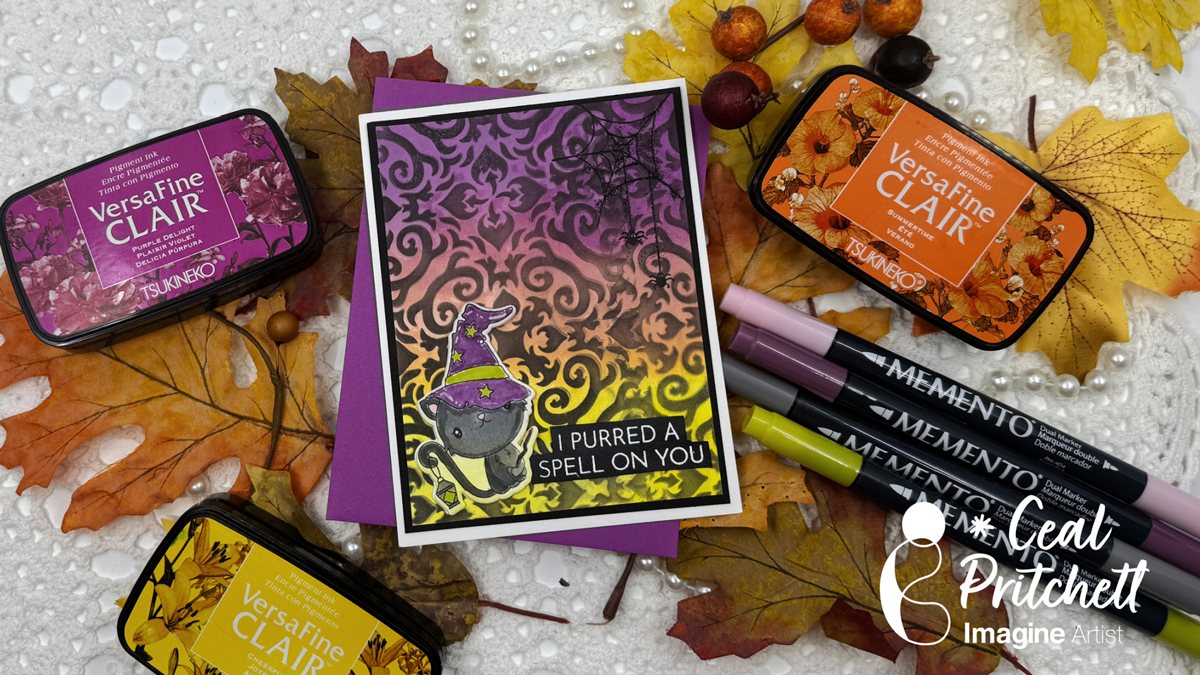
Hey there crafty friends! It’s Ceal, here. Today I am sharing a Halloween card with you.

Skill Level: Intermediate
Time: 30 Minutes

Directions:

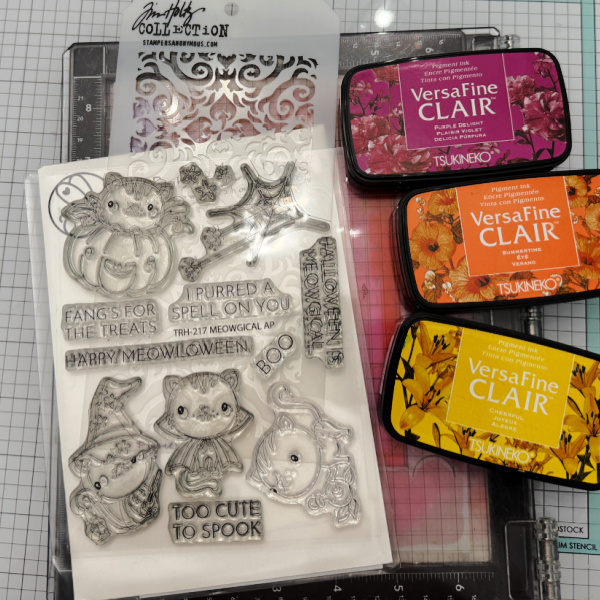
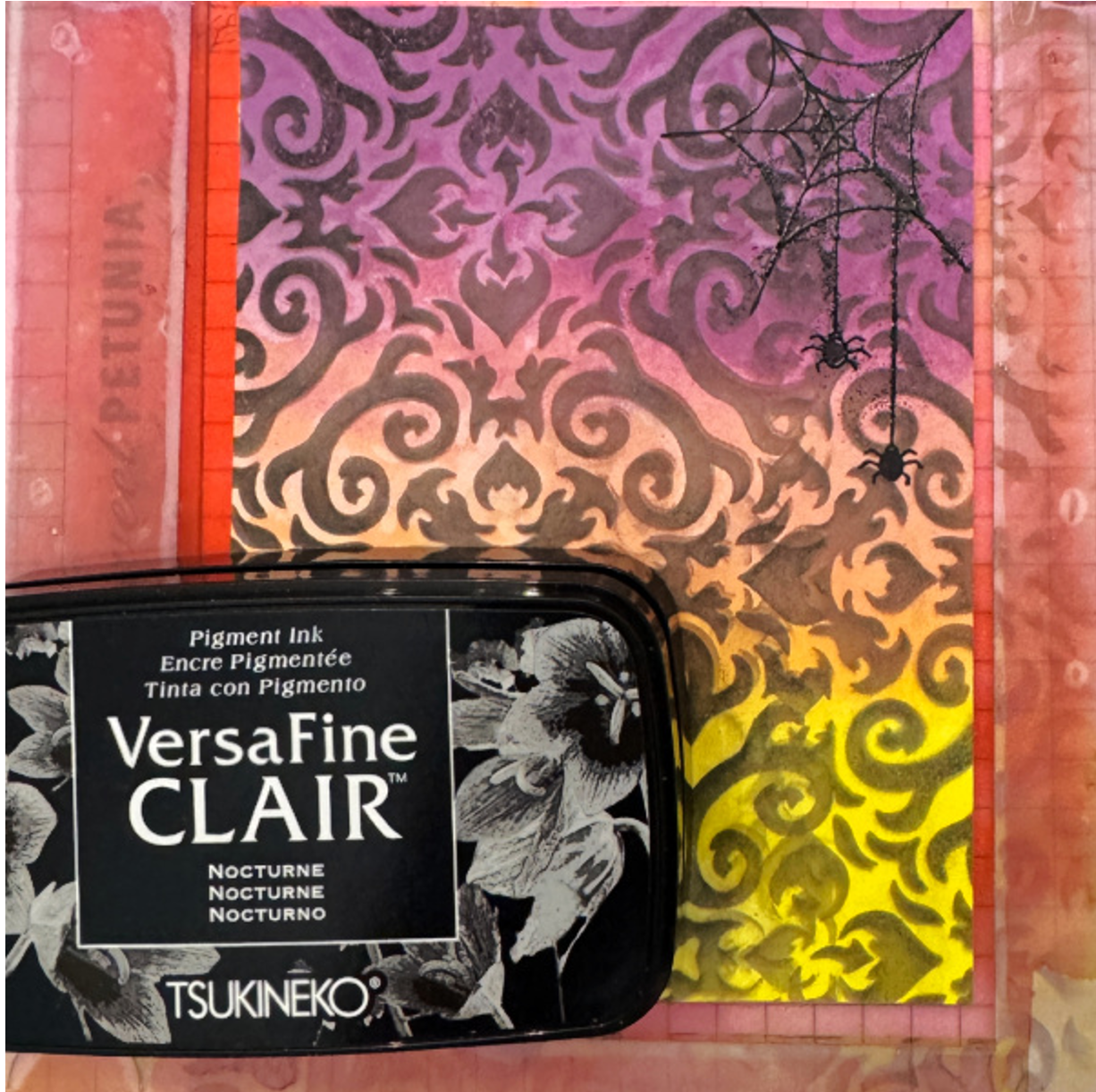
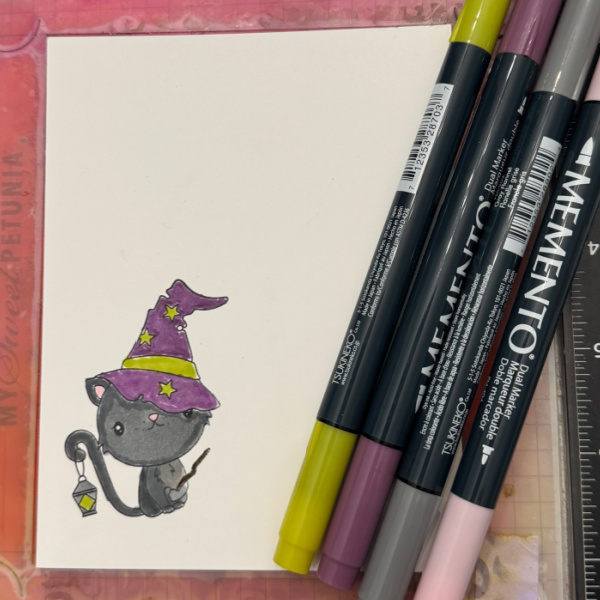
Gather your supplies. You will need a Halloween themed stamp set, a stencil, white and black embossing powder, some markers if you have a line art image and three Halloween colors of ink.

Step 1:
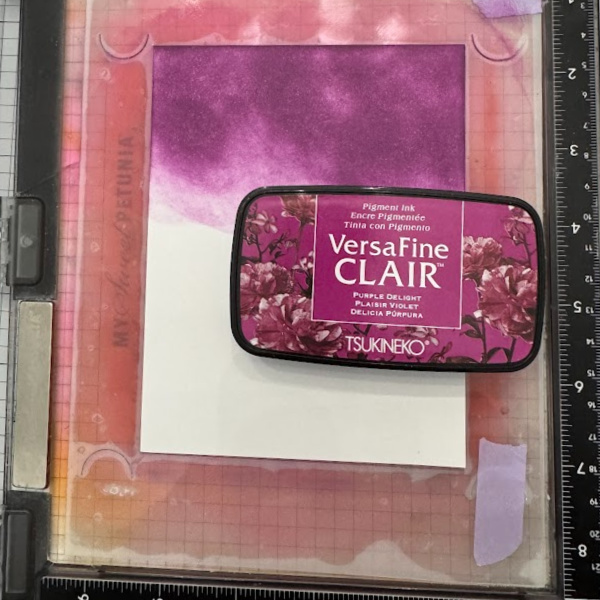
Ink Blend a purple ink (VersaFine Clair Purple Delight used) on a third of the panel.

Step 2:
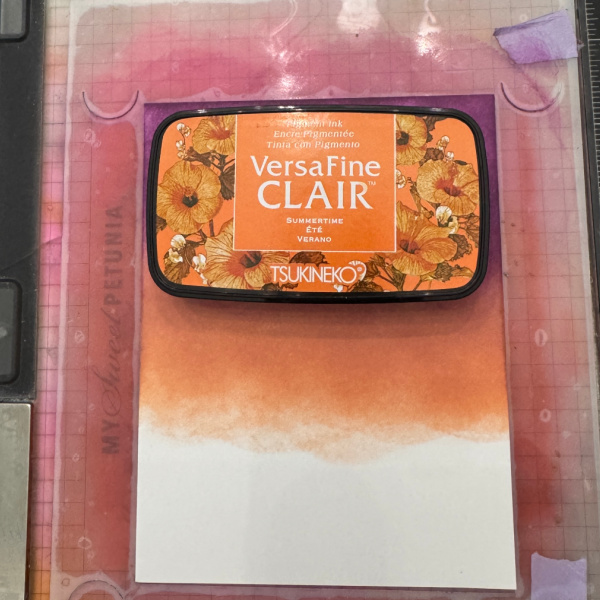
Ink Blend an orange (VersaFine Clair Summertime used) ink over the second third of the panel.

Step 3:
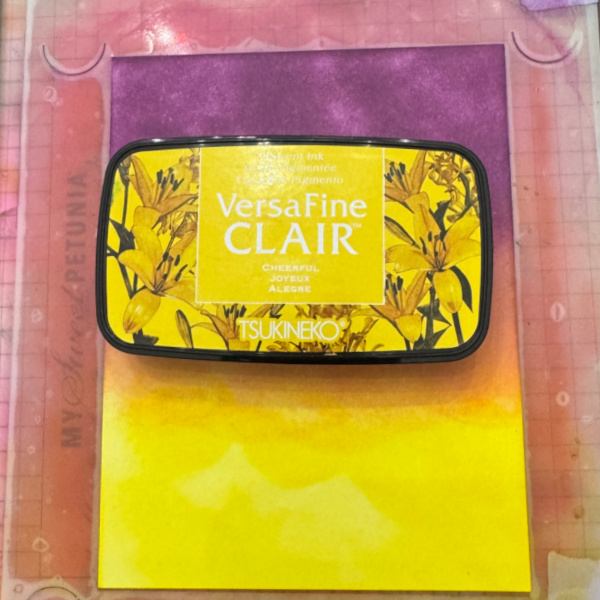
Ink Blend a yellow (VersaFine Clair Cheerful used) ink over the bottom third of the panel.

Step 4:
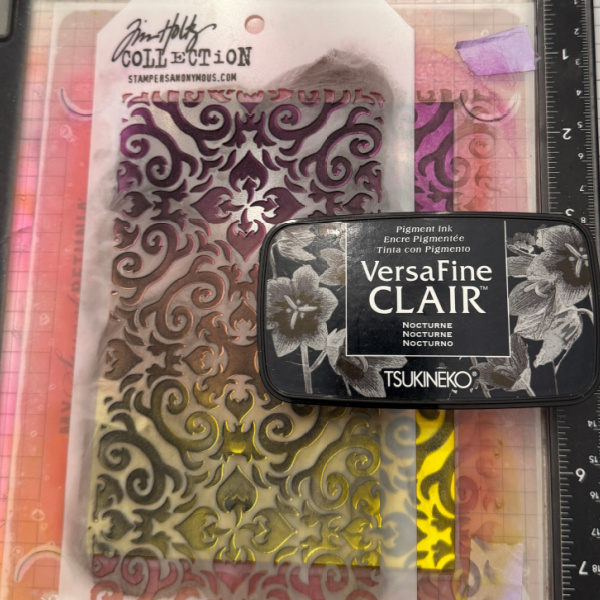
Place a stencil over the blended panel and add black (VersaFine Clair Nocturne used) ink over the stencil.

Step 5:
Stamp a spider web in the corner using black ink and then emboss with black powder.

Step 6:
Stamp, color and cut out the image and add to the front of the card.

Supplies:

Imagine Products

VersaFine Clair – Nocturne, Summertime, Cheerful and Purple Delight
Memento Markers – Angel Pink, Pear Tart, Sweet Plum and Gray Flannel

Other Products
Meowgical stamp set – The Rabbit Hole Designs
Meowgical Coordinating dies – The Rabbit Hole Designs
Stencil – Tim Holtz

Fall Thank You Card Using VersaFine Clair on Dark Cardstock

By Katy Ingram

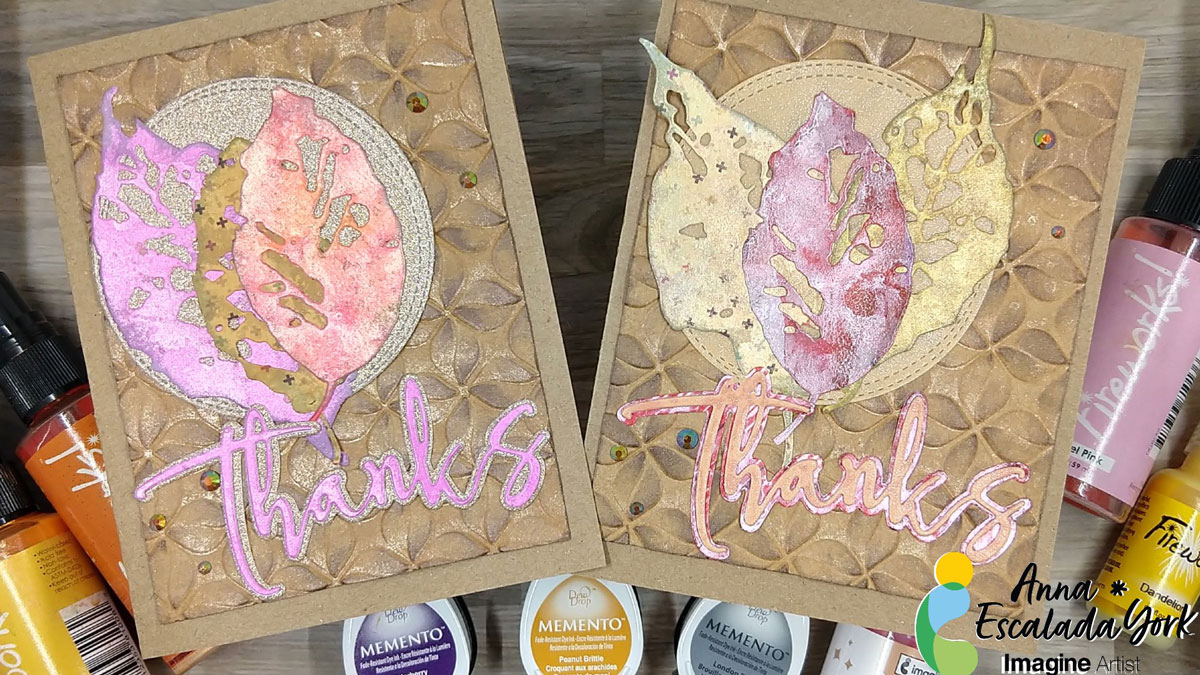
Hello Friends! Katy here with another quick project. I love trying new things with my inks and embossing folders and in todays video I used my VersaFine Clair with some Brilliance pigment inks in Cosmic Copper and Galaxy Gold and Moonlight White, with a 3D embossing folder.

Video has all the details. Thanks for watching.

Skill: Intermediate
Time: 15 minutes

Art Supplies

Imagine Products

VersaFine Clair https://www.imaginecrafts.com/versafine-clair

  • Acorn
  • Cheerful
  • Summertime

Brilliance https://www.imaginecrafts.com/brilliance

  • Galaxy Gold
  • Cosmic Copper
  • Moonlight White

Other Products Used

Affiliate links used at no additional cost to you. Thank you for your support
Tim Holtz/Sizzix Acorn 3D Embossing Folder https://ldli.co/e/lmn50p2 
Gina K Dark Chocolate Cardstock https://ldli.co/e/lmn50p2  
Black Cardstock https://ldli.co/e/lmn50p2
Kitchen Sponge https://amzn.to/4f72Ka4
Double Sided Adhesive 5 inch wide https://amzn.to/455H6OS
Double Sided Adhesive 1/2 inch https://amzn.to/4m9cKlc
Matte Gold Cardstock https://amzn.to/4f3H5zn

DIY Photo Frame with All-Purpose Inks

By Katy Ingram

Hello Friends! Katy here with another quick project using All-Purpose Inks to paint a holiday photo frame. Very very simple technique, but something different you can create using your crafting supplies.

I kept things even simpler by using a kitchen sponge to do my painting. Video has all the details. Thanks for watching.

Skill: Beginner
Time: 15 minutes

Art Supplies

Imagine Products
All-Purpose Ink Tropical Lagoon
All-Purpose Ink Frost White
All-Purpose Ink Vegas Gold
On Point Glue

Other Products Used
Affiliate links used at no additional cost to you. Thank you for your support
Spellbinders Dimensional Snowflakes
Foam Squares
Kitchen Sponge

Beginner Friendly 3D Christmas Card Using VersaMagic Ink Pads

By Jessica Lin

– Hi everyone! It’s Jessica here. Today I am sharing a simple way to create 3D Christmas trees for your holiday cards. It is beginner friendly with minimal supplies, and I think it’s perfect to mass produce as well.

Skill: Beginner
Time: 30 min

Directions:

Step 1:
Start by stamping Christmas tree images with VersaMagic Aloe Vera and Tea Leaves ink pads. I used stamps from Stampin’ Up’s Perfectly Plaid set, but any small Christmas tree image would work for today’s technique. For each 3D Christmas tree, you would need three layers. You could stamp each design three times for each layer, or only stamp the top layer for quick mass production of cards.

Step 2:
Next, use the matching paper punch to cut out the Christmas trees. If you only stamped the top layer, be sure to punch out 2 additional cutouts with white cardstock for each 3D tree you are building. Since I am making two 3D trees today, I would need 4 more white cutouts.

Step 3:
Score each Christmas tree cutout in the middle. I lined up the top and bottom of the cutout to the score guide to score.

Step 4:
After scoring, fold the stamped Christmas tree cutout in half, and apply On Point Glue to the top of the folded crease. Then adhere it to a blank (or stamped) cutout. Be sure to hold the folded layer in place for about 20 seconds before the glue dries. Repeat this process to adhere the second layer to the third tree cutout.

Step 5:
Now that the 3D Christmas trees are made, it is time to prepare the card base. Trim a piece of patterned paper to 4 x 2 ¼ inches and a cut a 4 ¼ inch piece of gold glitter washi tape. Trim one side at an angle to create a banner shape and adhere both pieces to the card base.

Step 6:
Finally, stamp the sentiment using VersaMagic Ocean Depth ink pad. Adhere the 3D Christmas trees using Tear-It! Tape and embellish the card with a few rhinestones.

Here is a finished card where I stamped all 3 layers of the 3D Christmas trees. I love how easy it is to create the 3D element, and it is mail-friendly, too! I hope this tutorial inspires you to get a headstart on making Christmas cards for this year. Thank you so much for stopping by, and I’ll see you in my next tutorial!

Imagine Supplies:

Other Supplies:

  • Stampin’ Up! – Stamps – Perfectly Plaid
  • Stampin’ Up! – Punch – Pine Tree Punch
  • Stampin’ Up! – Paper – Pool Party cardstock
  • Plaid Patterned Paper
  • Gold Glitter Washi Tape
  • Park Lane – Embellishment – Blue Adhesive Backed Rhinestones