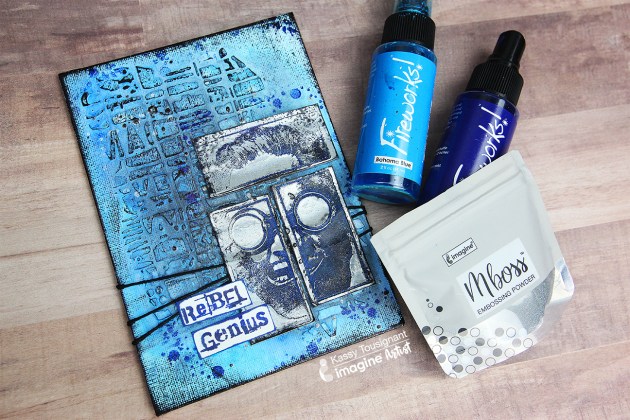
To create this cool Rebel Canvas I used the new MBoss Hologram embossing powder with a fun, classic technique to create a stamped impression in the embossing powder. The new Hologram embossing powder is soooo gorgeous and fun to use. I love that the new MBoss packaging allows for precision application and easy cleanup!
The best things in life aren’t things! This is a lovely reminder to take time to appreciate your life and live it to the fullest. I wanted to create a holographic look to go along with this nice message. Combining Mboss, StazOn ink pads and Vertigo sheets is the best way to create a holographic card theme. The StazOn inks will quickly dry on the Vertigo sheet and following the pattern of the sheet will enhance the result. The white card base brightens the StazOn colors adding extra background lighting and the Mboss in Hologram creates an added effect.
Skill: Intermediate Time: 1 hour
Directions
Step 1
On a 2 x 4 inch piece of watercolor paper, stamp the flourish design with VersaMark, cover with the Mboss embossing powder in Hologram and heat set.
Step 2
Cut the Vertigo sheet to 4 x 6 inches.
Step 3
Color with the StazOn in Fuchsia Pink and Vibrant Violet using sponge daubers trying to follow the pattern of the Vertigo sheet.
Step 4
Continue adding color with the StazOn Sunflower Yellow and Azure.
Step 5
Stamp the sentiment, butterfly and flourish design with the VersaMark, cover, and heat set the Mboss embossing powder in Black both on the Vertigo sheet and the watercolor paper. Fussy cut the butterfly. Cut out the sentiment in a square and set aside.
Step 6
Set the Vertigo sheet and the flourish embossed paper strip on the card base using the Tear It! Tape.
Step 7
Continue adding the butterfly stamped image, the sentiment and the rest of the embellishments as you see fit.
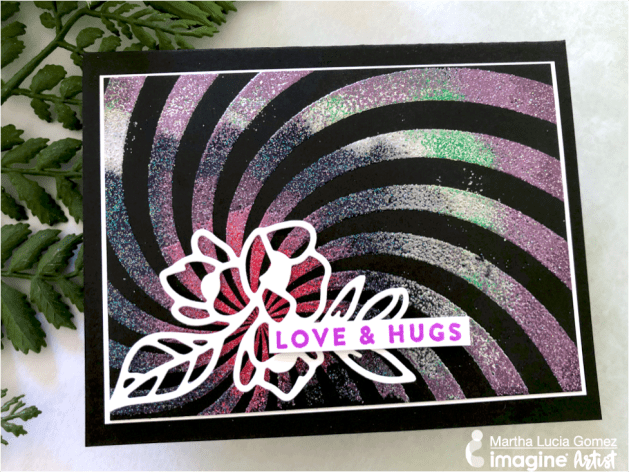
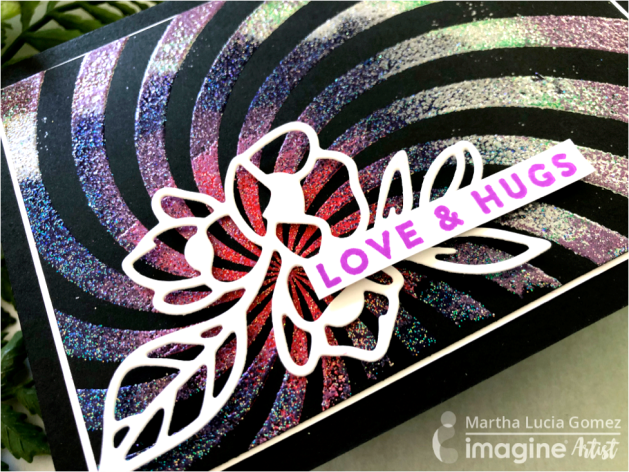
Hello there! Today, I have a Mboss Spiral card that I made featuring the new Mboss Embossing Powder from Imagine. I had the opportunity to buy this spiral background stamp a long time ago during a vacation but I never used it. I couldn’t find exactly what project this spiral shape would fit with. Now that Imagine has released the Mboss Embossing Powder, I made decided to use it for an embossing color blend project.
Skill: Intermediate Time: 1 hour
Directions
Step 1
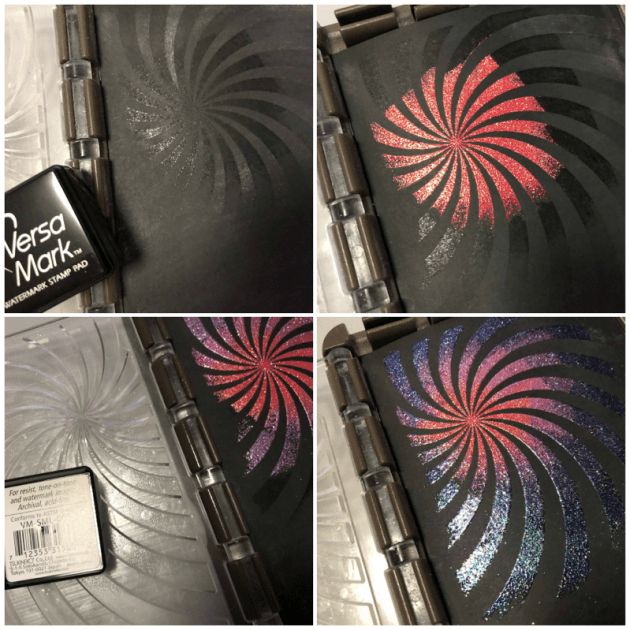
I started my process using basic black card stock and the small inkpad (or cube) of the VersaMark. I placed my stamp inside of my stamping tool and applied the ink starting in the center. I stamped this part and covered with Valentine Mboss. Then I removed the card stock and melted the powder with the heat tool. I repeated the process several times using Princess Party, Birthday Party, Sparkle, and Lucky Stars. I applied VersaMark in a circular way to keep the spiral shape.
Step 2
I resized the stamped layer and added a whisper white mat before to paste over the basic black card base. I finalized the card adding a die cut flower and sentiment that I stamped with Memento Ink Lilac Posies.
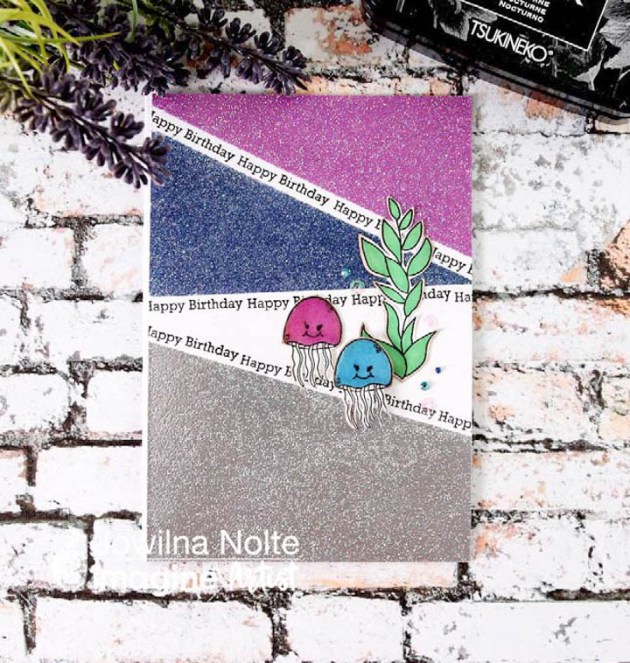
Thinking back when I did my first heat embossing, it was pure magic. That feeling of amazement and wonder hasn’t left but has been ignited once again with the amazing Mboss from Imagine. The new embossing colors are simply amazing and really are over the top beautiful! You have to get some for your stash to experience true magic! Take a look at how I used mine for a fun color-blocked effect.
Skill: Intermediate Time: 30 minutes
Directions
Step 1
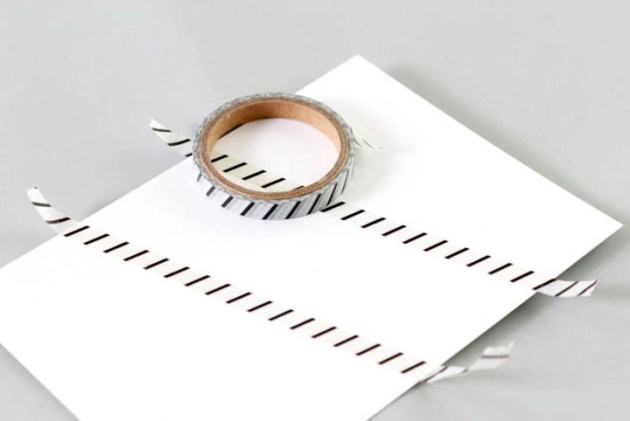
Tape off areas using washi tape on a white cardstock panel.
Step 2
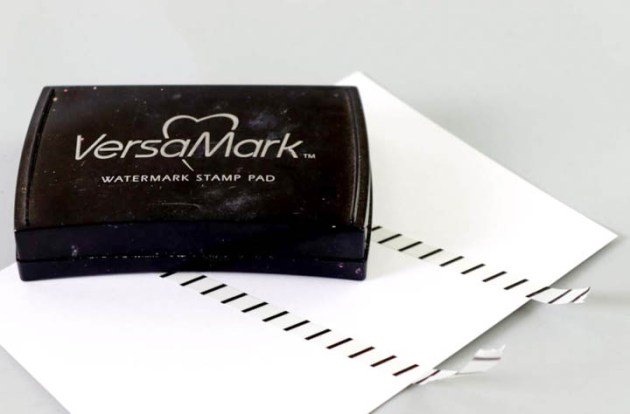
Use your VersaMark inkpad and ink the taped off sections only by tapping the ink pad onto the cardstock.
Step 3
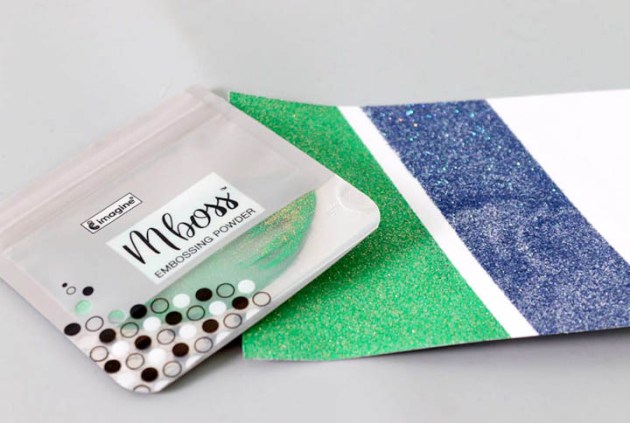
Use the Mboss packet and sprinkle the powder over the inked areas. Peel off the washi tape and then heat set the Embossing Powder using a heat gun.
Step 4
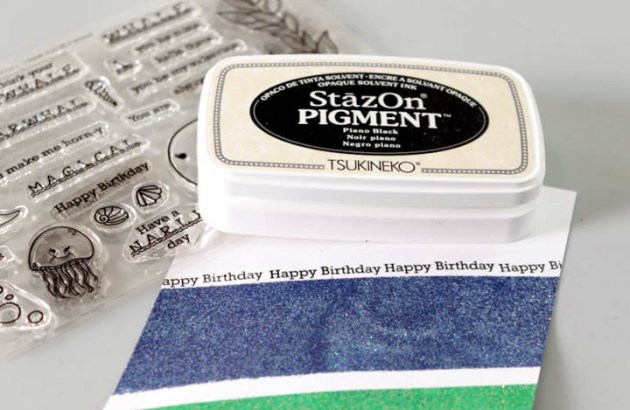
Use StazOn Pigment Piano Black and stamp Happy Birthday sentiment onto a blank area of the embossed panel.
Step 5
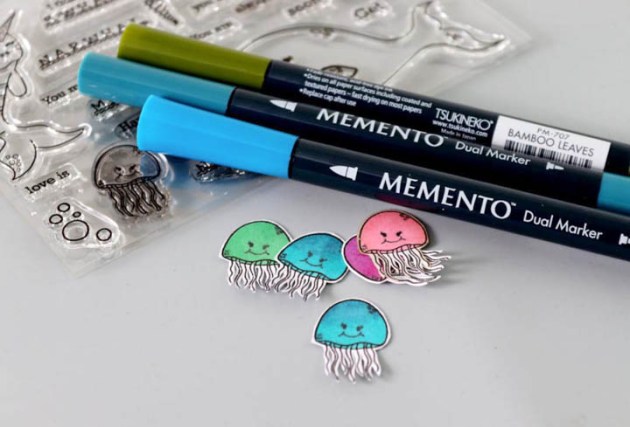
Stamp elements onto white cardstock and cut out. Add a little color using Memento Markers.
Step 6
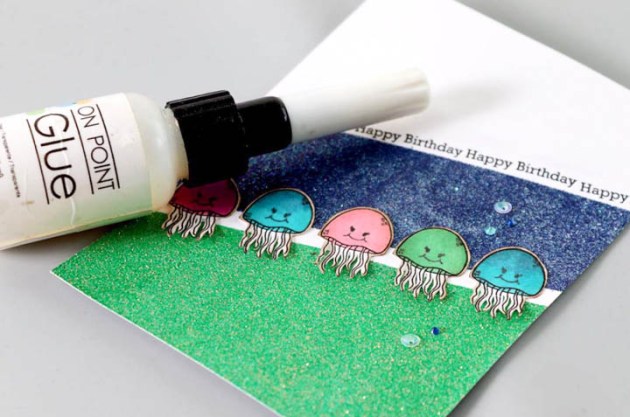
Adhere the stamped elements onto the embossed panel with On Point Glue. Add diamanté and finishing touches.
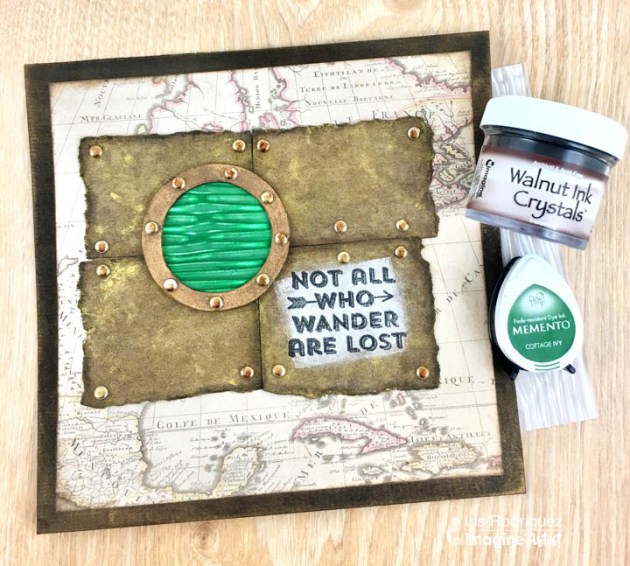
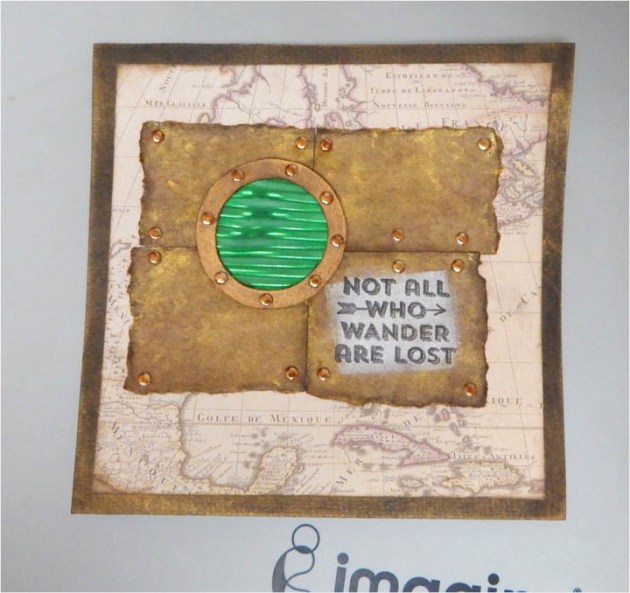
I made a travel theme card with a porthole using the Vertigo film. This is a plastics film containing a 3D, hologram-like imprint. The porthole window view has a fantasy feel. It’s like looking into the abyss as you go onto your great adventure. Vertigo can be tinted with Imagine’s inks and cut with scissors or other cutting tools. Check out how this grungy, travel-themed card is made.
Skill: Beginner Time: 1 hour
Directions
Step 1
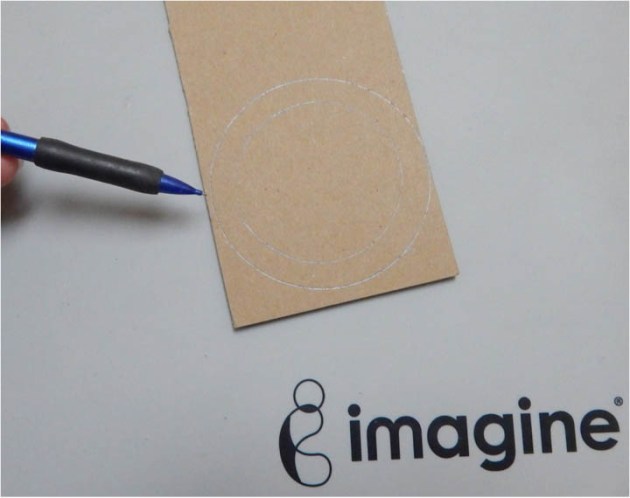
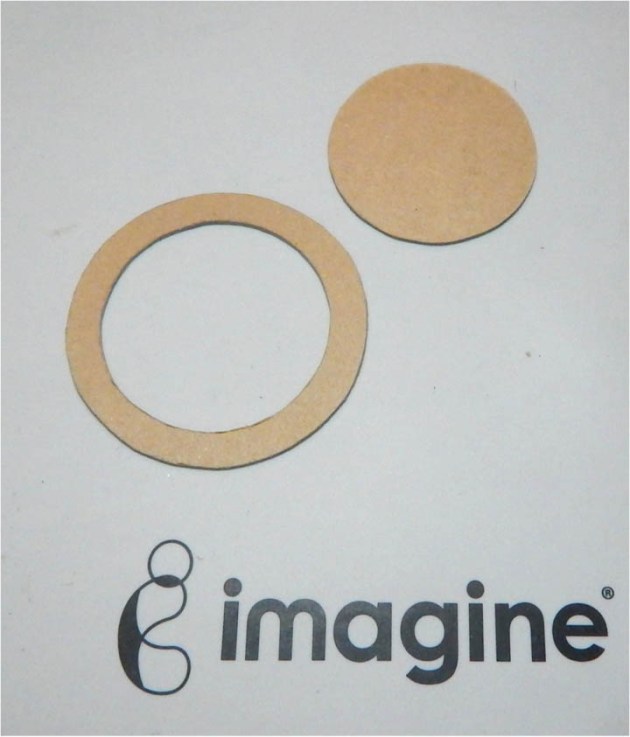
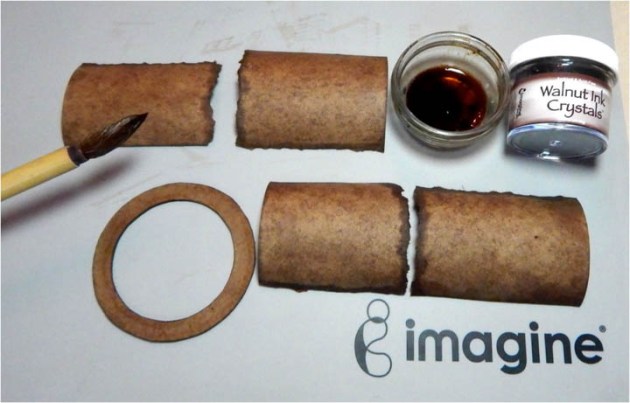
Cut out or use a die cut tool to cut a circle containing an open center from the chipboard.
Step 2
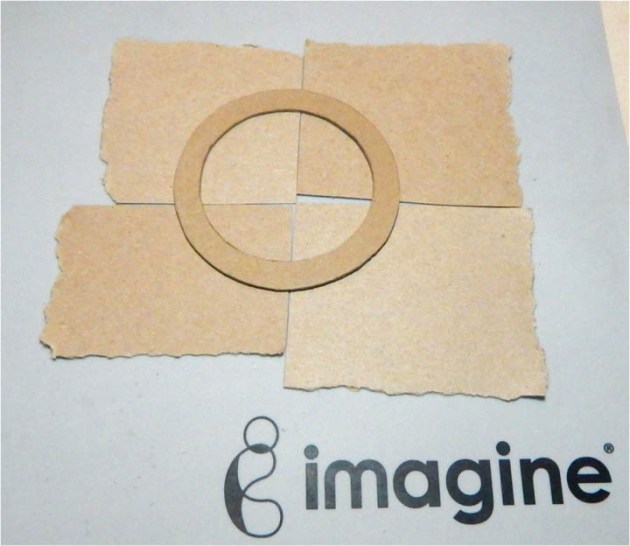
Cut out four or more different size pieces of chipboard. This will be the steampunk looking wall. Rip the edges with your hands for added grungy-ness.
Step 3
Add a few Walnut Crystals to water and mix. Paint the chipboard with a brush. Dry the paper.
Step 4
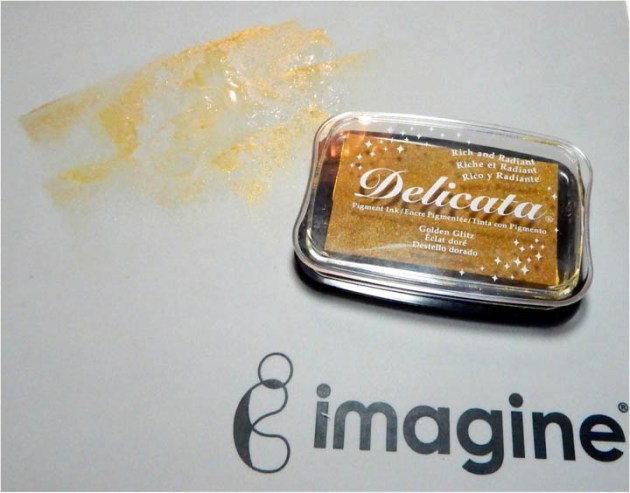
Smoosh the Golden Glitz Delicata ink onto the craft mat. Spray with water and mix.
Step 5
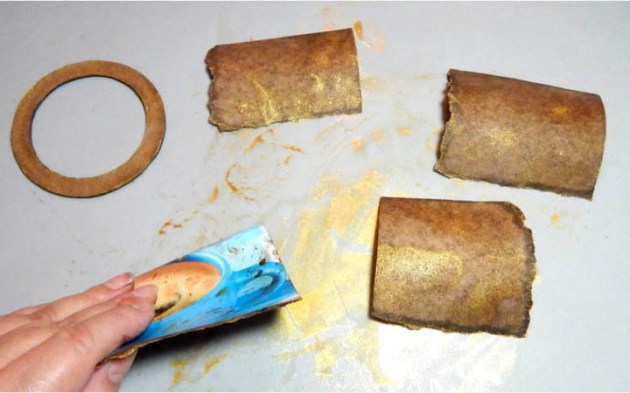
Smoosh the card pieces onto the watered ink. Dry the paper. Ink the edges with VersaFine Vintage Sepia ink. Ink the porthole with Delicata Celestial Copper ink.
Step 6
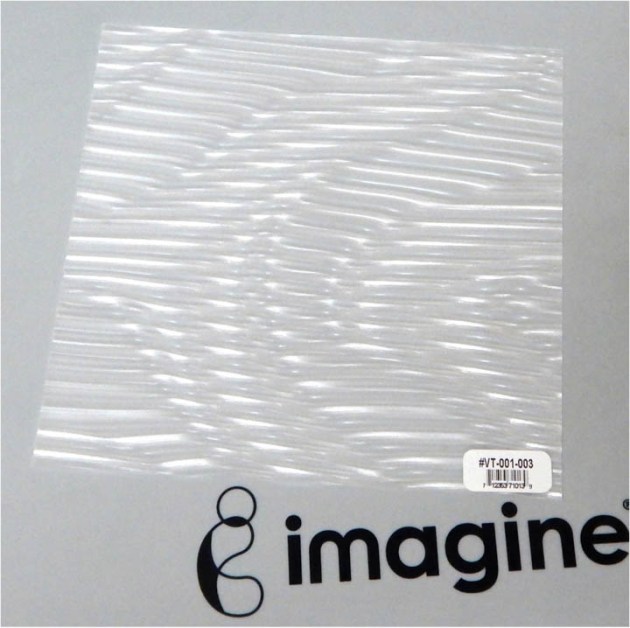
Now we will create the porthole. It’s made using the Breeze Vertigo. This is a firm plastic film that has a cool effect imprint. Looks like a hologram.
Step 7
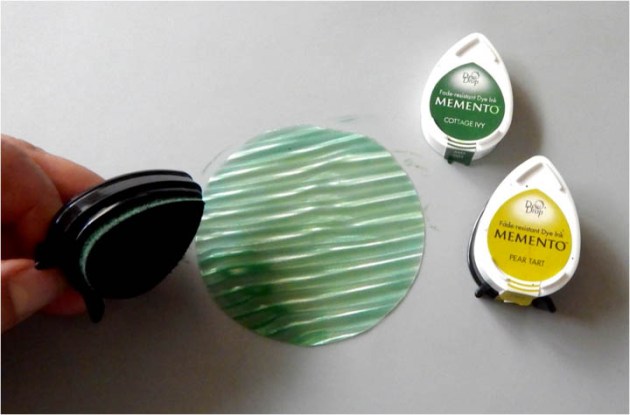
Tint the Vertigo with Cottage Ivy and Pear Tart Memento inks.
Step 8
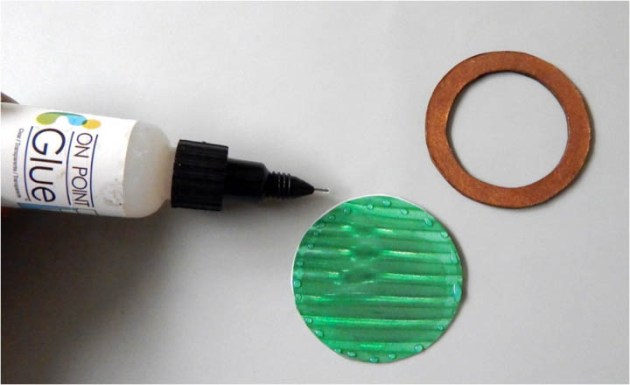
Add tiny drops of the On Point Glue to the Vertigo circle and adhere the chipboard circle.
Step 9
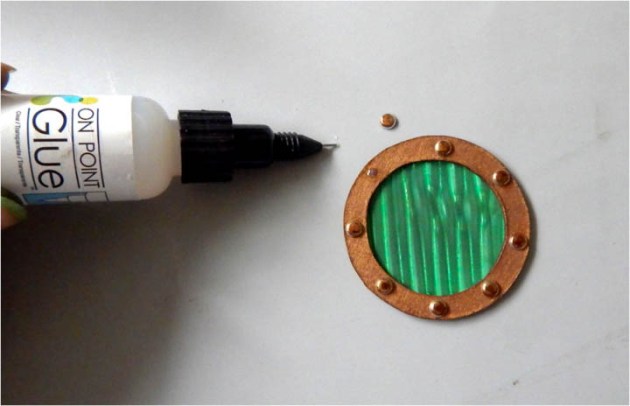
Add tiny drops of the On Point Glue to the chipboard circle and adhere the metal studs.
Step 10
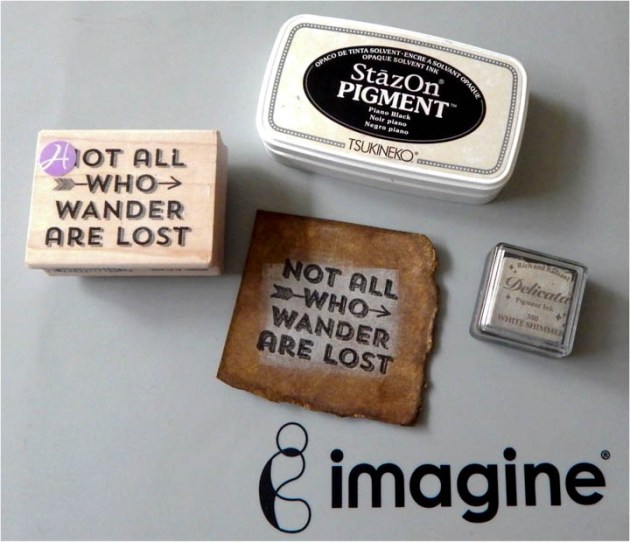
Ink an area onto one of the chipboard pieces with the White Shimmery Delicata ink and stamp the sentiment over it with the Piano Black StazOn Pigment ink. I did this so one can better see the sentiment. You may choose to stamp the sentiment over the chipboard piece as is.
Step 11
Adhere the map paper onto the card base first, then adhere the chipboard pieces. Next, adhere the porthole and finally add the rest of the studs onto the chipboard pieces.
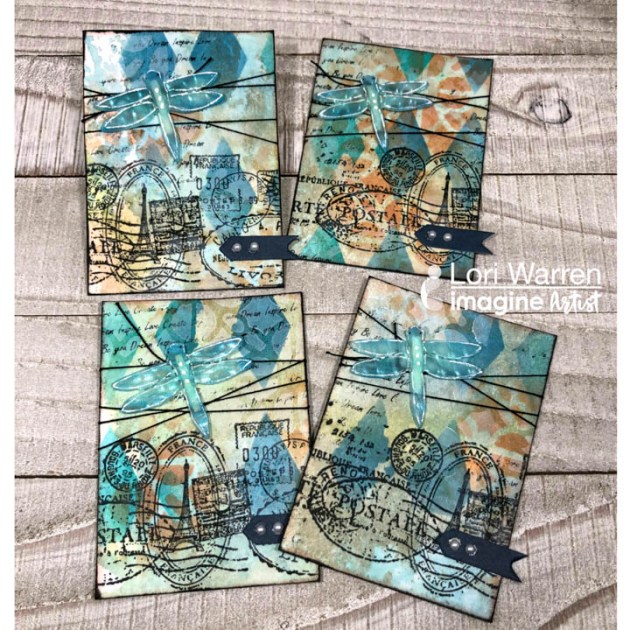
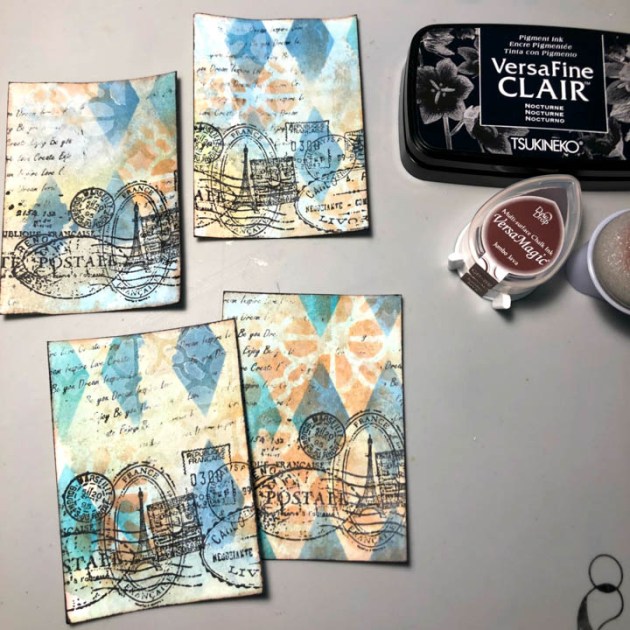
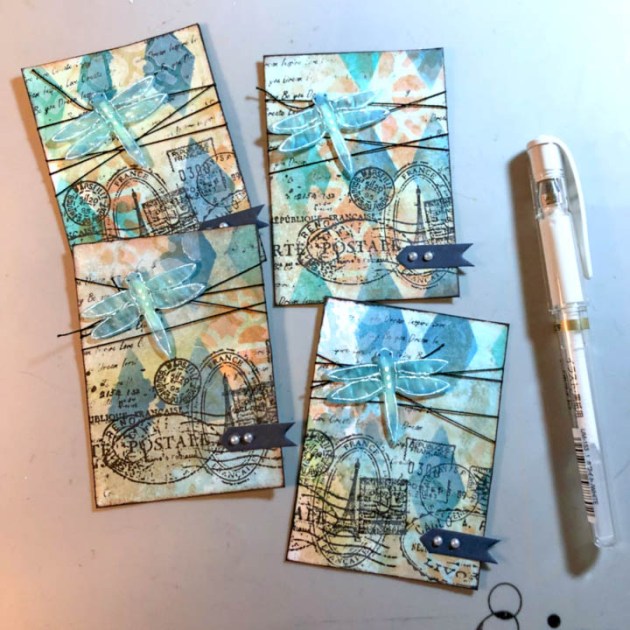
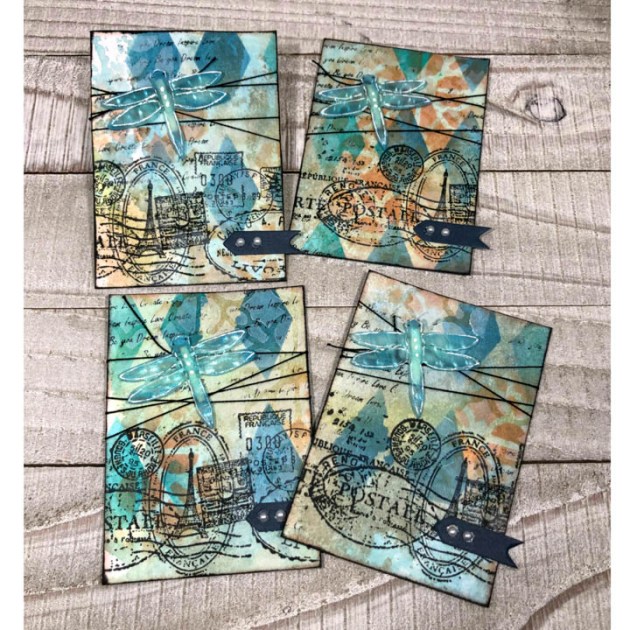
This cardmaking project is all about using layers of ink to create a collage background with stamps and stencils. It’s a great way to build a cool background in order to feature that perfect focal image, like a Vertigo, die cut dragonfly.
Skill: Intermediate Time: 30 minutes
Directions
Step 1
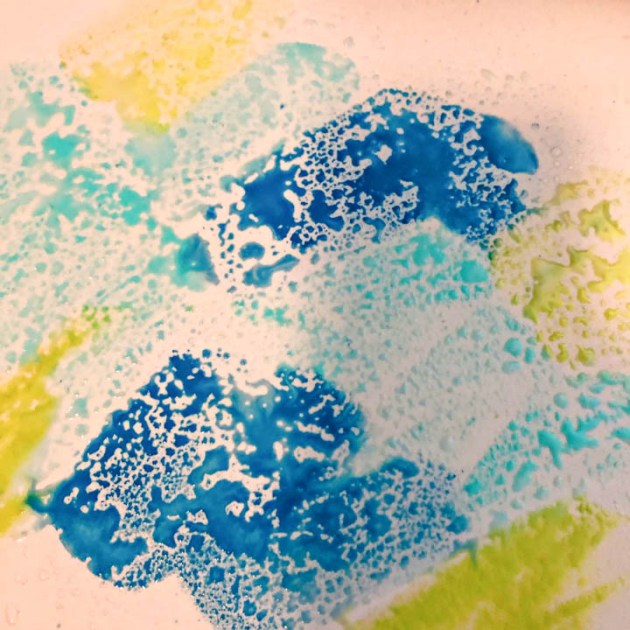
Apply VersaMagic DewDrops to a Craft Mat and add water.
Step 2
Lay 8.5” x 11” piece of cardstock down into the wet ink. Repeat as needed.
Step 3
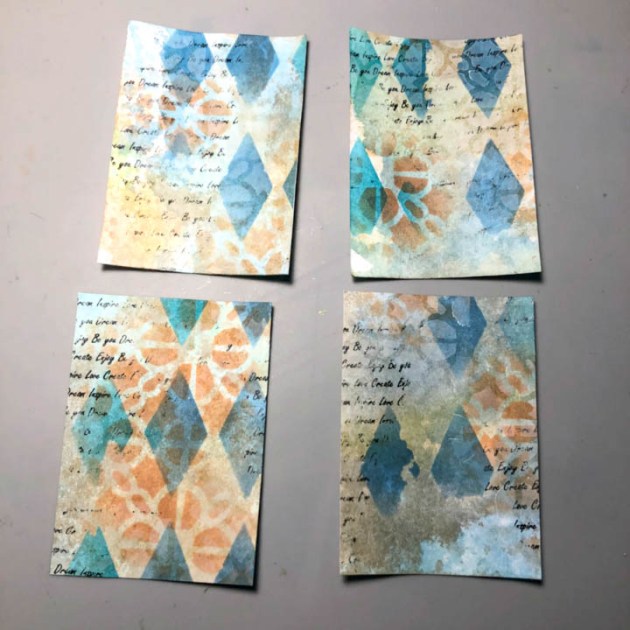
Apply VersaMagic through the diamond shape stencil with a sponge dauber.
Step 4
Stamp script stamp with StazOn Pigment Ink.
Step 5
Apply water and blot with a paper towel, pulling some ink away.
Step 6
Spray panel with Walnut Ink, blot and dry. This gives the paper a vintage or antique look.
Step 7
With a different stencil apply a different color of VersaMagic. This creates a beautiful layered effect.
Step 8
Using the same stencil, apply White VersaMagic to make a bit of a frosty ghost effect.
Step 9
Cut cardstock panel to multiple 2.5” x 3.5” ATCs or Artist Trading Cards.
Step 10
Stamp a vintage postcard image with VersaFine Clair.
Step 11
Edge ATCs with brown and black inks to continue the antique look.
Step 12
Tie string around each card a couple times to give the ATCs to give extra flair.
Step 13
Die cut dragonfly image from Vertigo Prism, color with VersaMagic.
Step 14
Prepare dragonfly with double-sided dimensional tape. This will give each dragonfly the effect of flying.
Step 15
Adhere dragonfly die cut to ATCs.
Step 16
Enhance dragonfly with a white pen and embellish with tag and sticky gems.








 Imagine Blog