
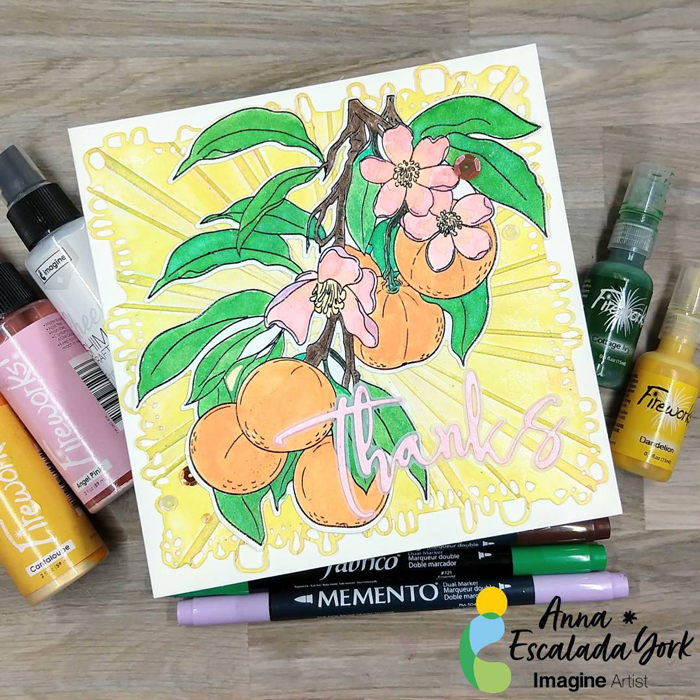
Let’s Make a Multimedia Thank You Card 

By Anna Escalada York

I used to be intimidated by the idea of multimedia cards, but all they are cards that have different types of products. This card features stamping, watercoloring with sprays and Amplify! Ink, and embossing.

Skill: Intermediate
Time: 2 hours

Directions:
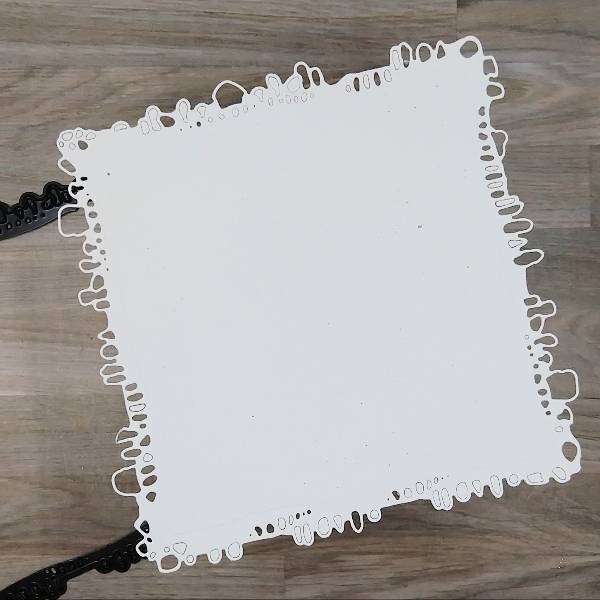
Step 1:
Die cut a piece of watercolor paper.
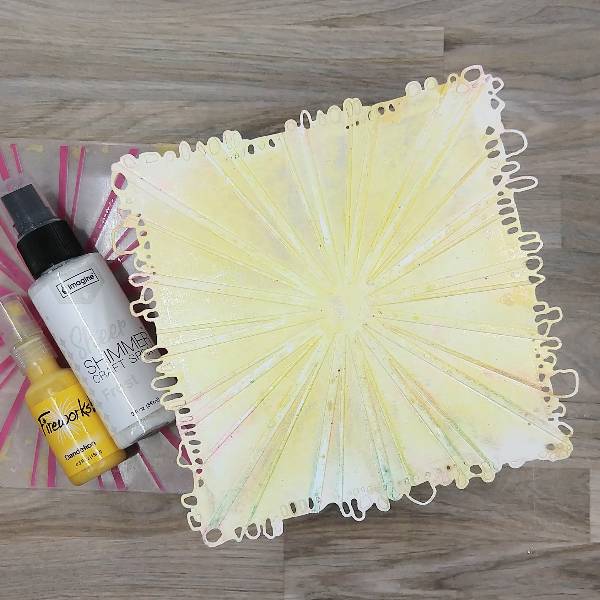
Step 2:
Spray Dandelion Fireworks! Shimmery Craft Spray onto the center part of an embossing folder and Frost Sheer Shimmer Craft Spray around the edges. Place the die cut watercolor panel in the embossing folder. (The folder had some residual color from a previous project, but it will be covered up later.)

Step 3:
Rub a Sunflower Yellow Brilliance Ink pad over the edges of the embossed watercolor panel.

Step 4:
Stamp the main image onto another piece of watercolor paper with Nocturne VersaFine Clair ink. Heat emboss with clear embossing powder.

Step 5:
Use a variety of sprays and other media to color in the image.

  • The leaves were watercolored with Cottage Ivy Fireworks! Shimmery Craft Spray.
  • The green stems were colored with Emerald Fabrico Dual Marker.
  • The small branches were colored in with Rich Cocoa Memento Dual Marker.
  • The flowers were watercolored with Angel Pink Fireworks! Shimmery Craft Spray on the petals. After the petals dried, the center of the flower and the center part of the petals were water colored with Cantaloupe Shimmery Craft Spray. Finally, the outside parts of the petals were colored with Lulu Lavender Memento Dual Marker.
  • Electric Orange Radiant Neon Amplify! pigment ink and Cantaloupe Shimmery Craft Spray were mixed on a piece of scrap acetate and was watercolored onto the tangerines.
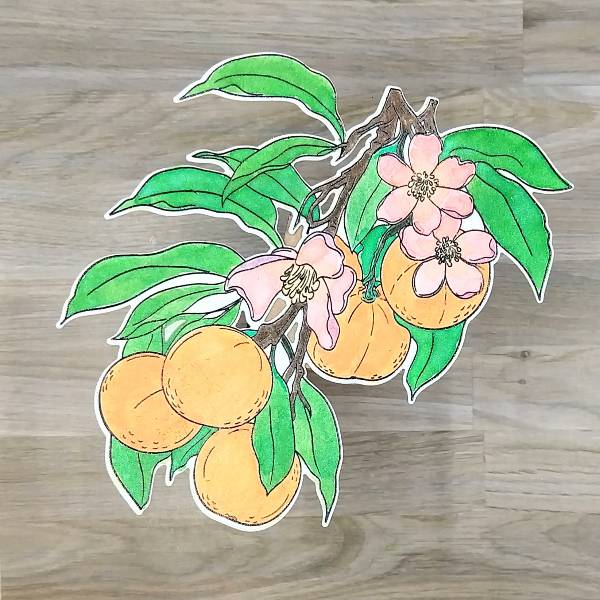
Step 6:
Die cut the image with the corresponding die.

Step 7:
Press Angel Pink Memento Dye Ink onto a scrap of watercolor paper. After the ink dries, spray Angel Pink Fireworks! Shimmery Craft Spray onto the same scrap of watercolor paper and allow it to dry.
Step 8:
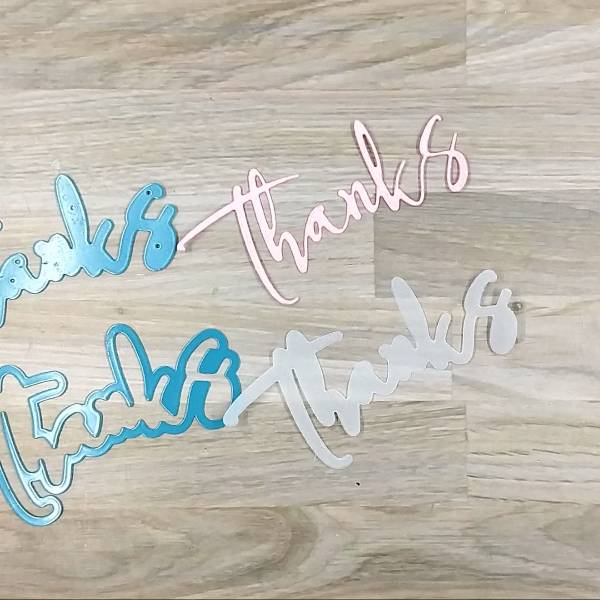
Die cut the pink watercolor paper with a thanks sentiment die and a piece of vellum with the sentiment’s shadow die.

Step 9:
Glue the tangerine image onto the embossed watercolor background panel. Then glue the sentiment die cut to the vellum shadow sentiment die cut. Glue the sentiment onto the panel as well.

Step 10:
Glue the panel onto a 6” by 6” square cardbase. Glue sequins on the lower left and upper right parts of the panel to finish the card.

Art Supplies

Imagine

• Amplify! Radiant Neon pigment ink – Electric Orange
• Brilliance Ink – Sunflower Yellow
• Fabrico Dual Marker – Emerald
• Fireworks! Shimmery Craft Spray – Angel Pink, Cottage Ivy, Cantaloupe and Dandelion
• Memento Dual Marker – Lulu Lavender and Rich Cocoa
• Sheer Shimmer Craft Spray – Frost
• VersaFine Clair Ink – Nocturne

Other

AALL & Create – die set – Nature’s Doily
Alex Syberia Designs – die set – Large Thanks die Altenew- die set – Tangerine Grove
Altenew- stamp set – Tangerine Grove
Catherine Pooler – sequin mix – València Sequin Mix Pink & Main – Embossing Folder – Sun Ray
Clear Embossing Powder 6” by 6” cardbase Watercolor paper
Vellum
Die cutting machine Scissors
Glue
How to Make a Realistic Snowy Background on a Holiday Card

by Kassy Tousignant 

How to Make a Realistic Snowy Background on a Holiday Card

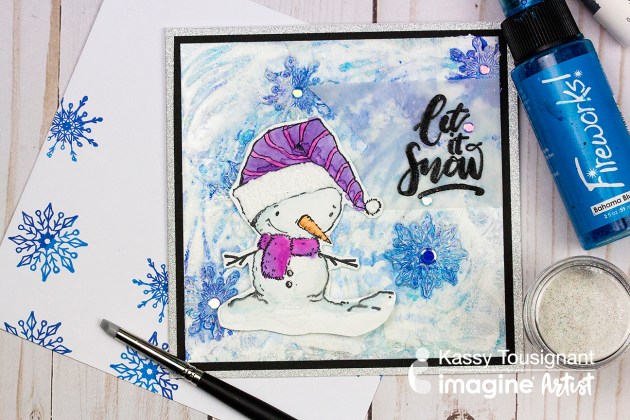
Doodlestix, embossing powder, and Fireworks spray team up to make the most wonderful wintery background for the cute snowman!  I really love making impressions with stamps in embossing powder. You can get some very exciting and sometimes unexpected results.  The Doodlestix worked perfectly to help create a swirling winter snow scene for this mixed media card.

Skill: Advanced
Time: 45 minutes

Directions

Supplies

Imagine
Other
  • Simon Says Stamp – stencil
  • Unity Stamp Co – Snowman stamp set
  • Elizabeth Craft Designs – crystal clear glitter
  • Cardstock – white, black, silver glitter
  • Vellum
  • Paintbrush
  • Heat gun
  • Foam tape
  • Water bottle
  • Glue Dots

See How to Create Fun Snowy Texture for a Christmas Card

by Roni Johnson

See How to Create Fun Snowy Texture for a Christmas Card with Radiant Neon Amplify in white

Winter is quickly approaching…at times it feels as if you’re looking at the world through the shroud of dingy grey gauze. The real beauty of winter can also be seen in the grey twilight when the pines have been darkened by an evening snowfall cutting you off from the worries of the outside world. This is what I look forward to in the coming months. I tried to capture that feeling in this Christmas card I’ve made for you today.

Skill: Beginner
Time: 30 minutes

Directions


Step 1

Pounce Grey Flannel and London Fog Memento Ink onto the craft mat. Pounce a bit of Niagara Mist VersaMagic ink as well.


Step 2

Spritz a bit of Ink Potion No.9 over the inks. Tap the mixture a bit to mix it up and eliminate some of the harsh lines.


Step 3

Press a white cardstock panel into the ink mixture several times until you are satisfied with the results.


Step 4

Stamp pine trees onto the inked panel using VersaFine Clair Morning Mist ink.


Step 5

Randomly dot Radiant Neon Amplify in White over the panel.


Step 6

Heat the Amplify medium to activate and puff it up.


Step 7

Trim and mat on black cardstock then adhere the panel to a grey card base. Stamp off the excess ink on the pine tree stamp on the inside of the card to create a ghostly grey pine forest. Add a bit of line work around the edge of the card to finish it off.


Step 8

Stamp sentiment on a scrap of white cardstock. Trim and adhere to the card front.

Supplies

Imagine
Other
  • Just For Fun Stamps – Pine Trees
  • Cardstock – White, Grey, Black
  • Heat Tool

Gnome Is Where The Heart Is

by Nadine Carlier

Gnome Is Where The Heart Is Greeting Card made with Tsukineko and Imagine Crafts inks.

See how to create a sky background with VersaMagic & Memento Inks and clouds with Radiant Amplify in my video tutorial below. This Gnome Is Where the Heart Is stamp set from Joy Clair is a great addition to your crafting collection. Enjoy!

Skill: Intermediate
Time: 30 minutes

Supplies

Imagine
Other

Visit our YouTube Channel for more inspirational videos and subscribe to get updates when we post new videos.

How to Make Fun Shapes with Radiant Neon Amplify

by Arjita Sepaha Singh

I wanted to try the Radiant Neon Amplify Texture to create fun shapes for kids and decided to use stamps as well as some free hand skills. I stamped an egg, a strawberry, the moon and others with a light colored ink and then covered the stamp with a layer of various Amplify colors. Always preheat the heat tool before applying heat to the Amplify. This puffs the pigments quickly. Always clean the nozzle and cap the bottle after use.

Skill: Intermediate
Time: 1 hour +

Supplies

Imagine
Other
  • Heat gun
  • White Card Tags
  • Acrylic Block

Create a Beautiful ‘Under the Sea’ Theme Tag

by Kassy Tousignant

Create a Beautiful 'Under the Sea' Theme Tag

I would love to show you a fun, new way to use Radiant Neon Amplify Texture to create an interesting Snakeskin texture on your next tag or cardmaking project. In this project, I used it with a background stencil and colored with Fireworks sprays to achieve a dynamic, textured pattern on my tag.  I am always looking for new, innovative ways to create texture and add visual interest to my work and Amplify really took it up a notch! The light foam that pops as a result of heat-activation is unlike anything else. I also love that it can be sprayed or painted over to achieve your desired look.

Skill: Intermediate
Time: 30 minutes

Supplies

Imagine

Other

  • E6000 glue
  • Prima – Sculpture Medium clear, Acrylic paint
  • Liquitex soft body paint – Muted Grey, Muted Turquoise
  • Graphic 45 stamp
  • Echo Park – Snakeskin stencil
  • Woodcut Octopus
  • Cloth netting